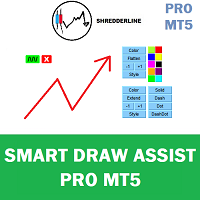
This new update start from 2.12. new interface for better experience. It will fix the old flickering and now it will automatically select only one object whenever you selected more that 2.
More smoother experience.
Now rectangle, trendline and horizontal/vertical lines able to add text description. Other than that objects type, it will be added as mt5 build in description instead.
I guarantee you this will help you to easily to do chart marking and mapping, it will make analysis faster, fun and easy.
Raxkon Bin Kunang #: Hallo Freund. Mir ist gerade in Ihrem Video aufgefallen, dass das Problem durch die Windows-Pixel-DPI-Skalierung verursacht wurde. Ich werde dieses Problem beim nächsten Update beheben.
Bitte ändern Sie zunächst die Windows-Anzeigeskalierung auf 100 %. Auf Ihrer PC-Einstellung. Tq
As far I tested on different brokers MT5, it is working just fine. If you want to draw zigzag, disable autoscroll first, so the chart won't move when new tick update.
Since I don't know what version of MT5 you use.
Try this if it fixes the problem:
1. Update your MT5
2. Open a new fresh Chart Window, and add the Indicator. if necessary create a new template for it.
Soweit ich MT5 auf verschiedenen Brokern getestet habe, funktioniert es einwandfrei. Wenn Sie im Zickzack zeichnen möchten, deaktivieren Sie zunächst den automatischen Bildlauf, damit sich das Diagramm bei der Aktualisierung neuer Ticks nicht bewegt.
Da ich nicht weiß, welche Version von MT5 Sie verwenden.
Versuchen Sie Folgendes, wenn das Problem dadurch behoben wird:
1. Aktualisieren Sie Ihren MT5
2. Öffnen Sie ein neues neues Diagrammfenster und fügen Sie den Indikator hinzu. Erstellen Sie ggf. eine neue Vorlage dafür.
Raxkon Bin Kunang #: Hallo. Ich glaube, Sie wussten nicht, wie man die Zickzack-Zeichnung verwendet. Wenn die Schaltfläche grün wird, bedeutet dies, dass Sie sich im Zeichenmodus EIN befinden.
Anweisung:
1. Scrollen Sie durch Ihr Diagramm (deaktivieren Sie zuerst das automatische Scrollen) und suchen Sie den Bereich, in dem Sie zeichnen möchten.
2. Erst danach klicken Sie auf die Schaltfläche. Und fang an zu zeichnen.
3. Bewegen/scrollen Sie das Diagramm nicht während des Zeichnens.
4. Klicken Sie abschließend auf die Schaltfläche „Pfad beenden“.
5. Die Schaltfläche wurde „hellrosa“ und der mittlere Zeichenmodus ist AUS
Wenn Sie scrollen, während die Schaltfläche grün ist. So wird es nicht funktionieren.
Of course, I know how to use that.
It still does not work. The chat is moved with the attempt to draw.
Autoscroll is also off.
Turning off the chat does not work anymore. Only after the felt 20th click.
Brilliant indicator really enjoying the work flow using it. I was wondering would it be possible to reposition the main menu selector from the left hand side to the right hand side of the charts please?
I really like how the indicator works – it’s now much more convenient to draw lines. The only thing I noticed is that when I’m drawing zigzags, it sometimes starts to lag a bit. But I guess this is probably the best that can be achieved with MT5. Thanks for the great work!

Hallo Freund. Mir ist gerade in Ihrem Video aufgefallen, dass das Problem durch die Windows-Pixel-DPI-Skalierung verursacht wurde. Ich werde dieses Problem beim nächsten Update beheben.
I have changed but does not work with it :-)
I have changed but does not work with it :-)
screenshot
of what?
I have changed but does not work with it :-)
As far I tested on different brokers MT5, it is working just fine. If you want to draw zigzag, disable autoscroll first, so the chart won't move when new tick update.
Since I don't know what version of MT5 you use.
Try this if it fixes the problem:
1. Update your MT5
2. Open a new fresh Chart Window, and add the Indicator. if necessary create a new template for it.
Soweit ich MT5 auf verschiedenen Brokern getestet habe, funktioniert es einwandfrei. Wenn Sie im Zickzack zeichnen möchten, deaktivieren Sie zunächst den automatischen Bildlauf, damit sich das Diagramm bei der Aktualisierung neuer Ticks nicht bewegt.
Da ich nicht weiß, welche Version von MT5 Sie verwenden.
Versuchen Sie Folgendes, wenn das Problem dadurch behoben wird:
1. Aktualisieren Sie Ihren MT5
2. Öffnen Sie ein neues neues Diagrammfenster und fügen Sie den Indikator hinzu. Erstellen Sie ggf. eine neue Vorlage dafür.
MT Version
everything does not work.
Market is closed. Automatic scrolling turned off.
New chart.
Still does not work.
Video attached.
MT Version
everything does not work.
Market is closed. Automatic scrolling turned off.
New chart.
Still does not work.
Video attached.
Hallo. Ich glaube, Sie wussten nicht, wie man die Zickzack-Zeichnung verwendet. Wenn die Schaltfläche grün wird, bedeutet dies, dass Sie sich im Zeichenmodus EIN befinden.
Of course, I know how to use that.
It still does not work. The chat is moved with the attempt to draw.
Autoscroll is also off.
Turning off the chat does not work anymore. Only after the felt 20th click.
Of course, I know how to use that.
It still does not work. The chat is moved with the attempt to draw.
Autoscroll is also off.
Turning off the chat does not work anymore. Only after the felt 20th click.
If I grab the text and pull it out, I can reposition it, but if I click on the trendline again, it will return to its original position.
If I grab the text and pull it out, I can reposition it, but if I click on the trendline again, it will return to its original position.
Hi,
Brilliant indicator really enjoying the work flow using it. I was wondering would it be possible to reposition the main menu selector from the left hand side to the right hand side of the charts please?
Cheers
Hello,
I really like how the indicator works – it’s now much more convenient to draw lines. The only thing I noticed is that when I’m drawing zigzags, it sometimes starts to lag a bit. But I guess this is probably the best that can be achieved with MT5. Thanks for the great work!