 MetaTrader 5
 Experts
 지표
지표
 스크립트
스크립트
 라이브러리
라이브러리
 보관함
보관함
당사 팬 페이지에 가입하십시오

Dynamic Session Range Sweep Detector with Liquidity Zone Marking - MetaTrader 5용 지표

- 조회수:
- 16
- 평가:
- 게시됨:
-
 이 코드를 기반으로 한 로봇이나 지표가 필요하신가요? 프리랜스로 주문하세요
프리랜스로 이동
이 코드를 기반으로 한 로봇이나 지표가 필요하신가요? 프리랜스로 주문하세요
프리랜스로 이동

동적 세션 범위 스윕 검출기
이 기능의 개념
세션 범위는 단순히 차트에 그리는 상자 그 이상입니다. 바로 유동성 그 자체입니다. 아시아 세션에서는 고점과 저점의 폭이 좁게 형성되지만, 런던이나 뉴욕 거래소가 개장하면 가격은 종종 그 범위 중 한쪽 끝을 돌파한 후 반전되며, 그 바로 바깥쪽에 놓인 손절 주문을 쓸어버리곤 합니다. 이 지표는 이러한 움직임을 직접 추적합니다. 각 세션의 범위가 형성되는 대로 측정하고, 세션이 종료되는 순간 그 범위를 고정시킨 뒤, 이후 모든 바(bar)에서 고정된 수준을 뚫고 나갔다가 다시 그 범위 안으로 돌아와 마감하는 윅(wick)을 관찰합니다. 이러한 ‘다시 범위 내로 종가 마감’ 조건이야말로 평범한 돌파가 아닌 진정한 ‘스윕’을 구분하는 기준이며, 코드 베이스(Code Base)에 있는 대부분의 세션 범위 분석 도구가 완전히 간과하는 부분입니다.
세션 시간은 특정 상품에 하드코딩된 것이 아니라 단순한 서버 시간 입력값으로 정의되므로, 이 지표는 모든 종목과 시간대에서 작동합니다. 다만, 세션 시간 경계가 바(bar) 단위로 명확하게 구분되는 일중 차트( M5~M30 )에서 가장 잘 작동합니다. 더 긴 시간대에서는 단일 바가 세션 경계를 가로지르는 경우가 있어, 범위가 정확히 어디에서 형성되었는지 파악하기 어렵습니다.
해석 방법
- 세션 시간대 — InpAsianStartHour/EndHour, InpLondonStartHour/EndHour, InpNewYorkStartHour/EndHour(모두 서버 시간 기준). 이 지표는 해당 세션의 시간대가 열려 있는 동안 각 세션에 대한 누적 고가/저가를 산출합니다.
- 고정된 범위 — 세션의 종료 시간이 지나면 해당 세션의 고점/저점이 고정되어 차트에 직사각형으로 표시됩니다. 그 시점 이후의 모든 움직임은 변동하는 수준이 아닌 이 고정된 수준과 비교됩니다.
- 스윕 확인 — 바(bar)가 고정된 수준을 최소 InpMinSweepPips만큼 넘어가야 하며, 다시 해당 수준의 올바른 쪽에서 마감되어야 합니다. 아래쪽 화살표는 스윕 고점(약세 경향)을, 위쪽 화살표는 스윕 저점(강세 경향)을 나타냅니다. 해당 수준을 넘어 마감되는 돌파는 스윕이 아닌 실제 돌파이므로 의도적으로 표시하지 않습니다.
- 반응 구역 — 스윕 지점에서 InpSweepZoneBars 너비만큼 그어진 음영 처리된 직사각형으로, 확인된 스윕 이후 반전 진입점이나 스톱 주문이 일반적으로 집중되는 영역을 표시합니다.
외부 변수(입력값)
| 입력 | 기본값 | 용도 |
|---|---|---|
| InpAsianStartHour / InpAsianEndHour | 0 / 7 | 아시아 세션 범위를 측정하는 기간, 브로커/서버 시간 기준. |
| InpLondonStartHour / InpLondonEndHour | 7 / 13 | 런던 세션 범위를 측정하는 기간입니다. |
| InpNewYorkStartHour / InpNewYorkEndHour | 13 / 21 | 뉴욕 세션 범위를 측정하는 기간. |
| InpLookbackDays | 5 | 지표가 스윕을 찾기 위해 차트 데이터를 그리는 세션 기록의 일수입니다. 차트 객체의 복잡함을 줄이기 위해 의도적으로 적은 수로 설정했습니다. |
| InpMinSweepPips | 2.0 | 촛대 꼬리가 가장자리 바로 근처의 잡음으로 간주되지 않고 스윕으로 인정받기 위해, 잠금 레벨을 넘어 최소한 피프 단위로 침투해야 하는 거리입니다. |
| InpSweepZoneBars | 6 | 확정된 스윕 이후에 그려지는 음영 처리된 반응 구역의 폭(바 단위). |
| InpShowSessionBoxes / InpShowSweepZones | true / true | 세션 범위 사각형과 음영 처리된 반응 영역을 각각 독립적으로 표시/숨김 전환합니다. |
| InpAlertOnSweep | false | 새로운 스윕이 확인되는 즉시 터미널 경고를 발령합니다. |
| InpAsianBoxColor / InpLondonBoxColor / InpNewYorkBoxColor | 은색 / 회색 / 어두운 회색 | 각 세션의 잠금 범위 사각형 테두리 색상으로, 겹치는 세션도 가독성을 유지할 수 있도록 서로 다르게 설정됩니다. |
| InpZoneColor | Gainsboro | 음영 처리된 반응 영역의 채우기 색상. |
| InpSweepUpArrowCode / InpSweepDownArrowCode | 233 / 234 | 강세(하향 스윕) 및 약세(상향 스윕) 신호 화살표에 대한 Wingdings 코드. |
권장 사용법
모든 종목에서 작동하지만, 세션 기반의 유동성 행동을 실제로 보여주는 상품에서 가장 의미가 큽니다. 주요 외환 쌍과 금이 가장 대표적인 예입니다. 기본 시간 설정을 신뢰하기 전에, 브로커의 서버 시간을 실제 아시아/런던/뉴욕 개장 시간과 대조해 확인하십시오. 시간 차이는 브로커마다 다르며, 각 지역의 일광 절약 시간제 변경에 따라 달라지므로, 설정을 조정하지 않으면 런던 개장 시간에 고정되어야 할 범위가 1시간 일찍 또는 늦게 고정될 수 있습니다.
신호는 리페인팅되지 않습니다: 스윕은 확인 바가 마감된 후에만 표시되므로, 차트에 그려진 내용은 사후에 이동하지 않습니다. 더 짧은 시간대(M1–M5)에서는 InpMinSweepPips 값을 약간 높여야 할 수 있습니다. 그렇지 않으면 세션 시작/종료 시점 바로 직전의 스프레드 변동성이 실제로는 스윕이 아닌데도 스윕으로 인식될 수 있기 때문입니다.
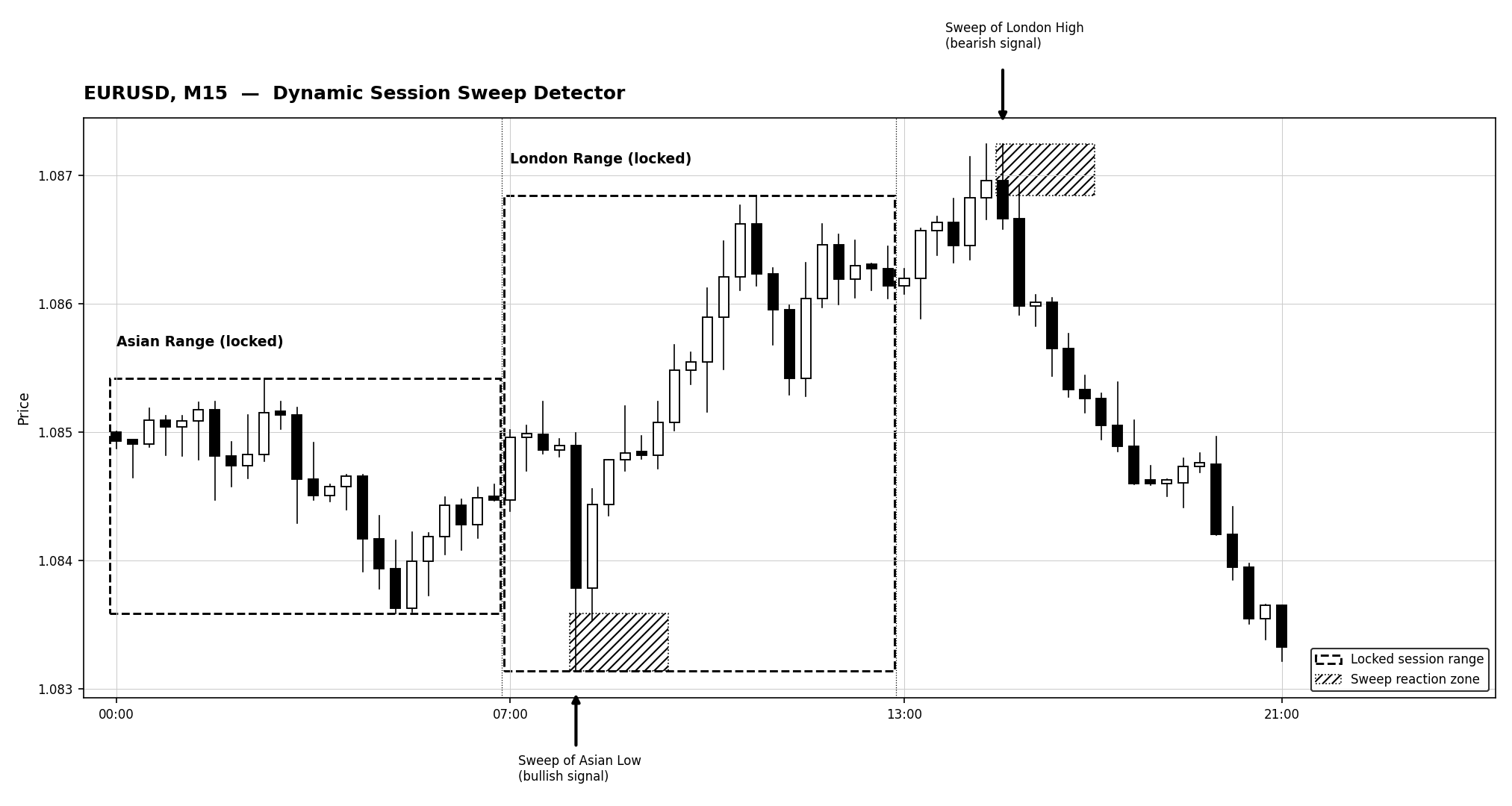
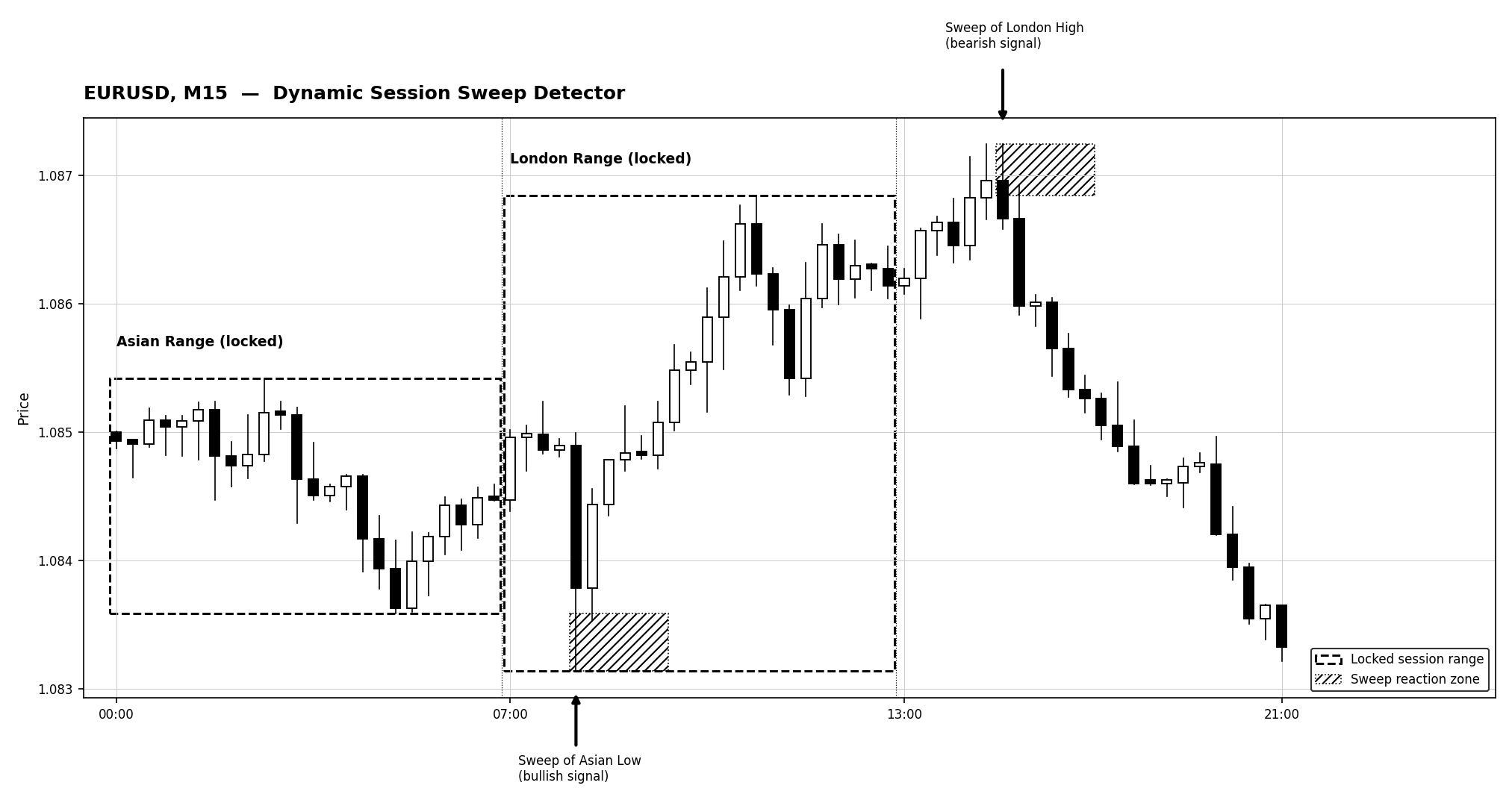
그림 1. 잠긴 아시아 및 런던 세션 범위. 아시아 저점에서 확인된 강세 스윕과 런던 고점에서 확인된 약세 스윕이 각각 반응 구역과 함께 표시되어 있습니다. 코드베이스(Code Base) 이미지 가이드라인에 따라 그레이스케일로 렌더링되었습니다.
MetaQuotes Ltd에서 영어로 번역함.
원본 코드: https://www.mql5.com/en/code/76305
 EdgeMeter - does your entry signal beat the spread?
몇 주 동안 해당 신호를 기반으로 EA를 개발하는 데 시간을 쏟기 전에, 해당 진입 신호가 실제로 거래 비용을 상쇄하는지 여부를 측정합니다. 비용 공제 후 순수익을 보고하며, 중복되지 않는 표본에 대한 신뢰할 수 있는 t-통계량과 무작위 대조군을 제공합니다. 주문은 전혀 체결하지 않습니다.
Adaptive Volume Profile Node Tracker
설정 가능한 룩백 기간에 걸쳐 변동성에 적응하는 롤링 볼륨 프로파일을 생성하고, 제어점(POC), 밸류 영역 고점/저점, 그리고 통계적으로 유의미한 고점/저점 볼륨 노드(HVN/LVN)를 차트에 직접 표시합니다.
Heiken Ashi ATR Blend
Heiken Ashi ATR Blend combines smoothed Heiken Ashi candles, ATR-based volatility filtering, and fast/slow EMA trend confirmation to identify potential trend-change signals.
Wolfe Wave Dashboard
여러 종목과 시간대를 자동으로 스캔하여 가장 최근의 유효한 울프 웨이브 패턴(강세/약세)을 탐지하고, 이를 대화형 대시보드에 표시하며, 원클릭으로 차트를 열어 전체 패턴을 그릴 수 있게 해주는 전문적인 MQL5 지표(별도 창)입니다.