Magic Price Level
Versione demo scaricata:
16
Pubblicato:
25 febbraio 2022
Versione attuale:
1.72
Non hai trovato un robot adatto?
Ordina il tuo
su Freelance
Vai alla sezione Freelance
Ordina il tuo
su Freelance
Come acquistare un Robot di Trading o un indicatore
Esegui il tuo EA
hosting virtuale
hosting virtuale
Prova un indicatore/robot di trading prima di acquistarlo
Vuoi guadagnare nel Market?
Come presentare un prodotto per venderlo con successo

Ti stai perdendo delle opportunità di trading:
- App di trading gratuite
- Oltre 8.000 segnali per il copy trading
- Notizie economiche per esplorare i mercati finanziari
Registrazione
Accedi
Accetti la politica del sito e le condizioni d’uso
Se non hai un account, registrati
I don't see any arrows.
Did you try the indicator in demo ? didnt see any arrows ?
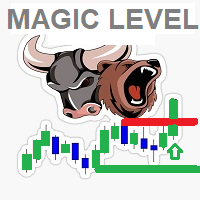
Normally when indicator installed on chart ,you will see the current magic level on main chart and the price action candles in separate indicator window
UP green arrows will appear once candle price closes above previous candle high ( in case symbol prices above the Magic Leve (in green))
DOWN red arrows will appear once candle price closes below previous candle low( in case symbol prices below the Magic Leve (in red))
you must check the indicator action on strategy tester
regards..
Did you try the indicator in demo ? didnt see any arrows ?
Normally when indicator installed on chart ,you will see the current magic level on main chart and the price action candles in separate indicator window
UP green arrows will appear once candle price closes above previous candle high ( in case symbol prices above the Magic Leve (in green))
DOWN red arrows will appear once candle price closes below previous candle low( in case symbol prices below the Magic Leve (in red))
you must check the indicator action on strategy tester
regards..
I re-installed it, so now I'm getting arrows. Can you add the name of the indicator to the alerts?
Did you try the indicator in demo ? didnt see any arrows ?
Normally when indicator installed on chart ,you will see the current magic level on main chart and the price action candles in separate indicator window
UP green arrows will appear once candle price closes above previous candle high ( in case symbol prices above the Magic Leve (in green))
DOWN red arrows will appear once candle price closes below previous candle low( in case symbol prices below the Magic Leve (in red))
you must check the indicator action on strategy tester
regards..
Also, the arrows come out to far from the bars. Can this be adjusted?
I re-installed it, so now I'm getting arrows. Can you add the name of the indicator to the alerts?
done ver 1.71 available
done ver 1.71 available
I updated it, but I do not see any change. Also, when I remove indicator from chart, the indicator does not come off.
I updated it, but I do not see any change. Also, when I remove indicator from chart, the indicator does not come off.
update done for the indicator name added to alerts ...
I don't know what you want about the arrows positions ... are they far or near to bar ?? but consider that if you are using the small time frames M1 /M5 ..
the arrows will be far ... but if someone use it on large timeframes arrows will be on the bars ..
update done for the indicator name added to alerts ...
I don't know what you want about the arrows positions ... are they far or near to bar ?? but consider that if you are using the small time frames M1 /M5 ..
the arrows will be far ... but if someone use it on large timeframes arrows will be on the bars ..
Thank you for explaining the arrows far from the bars. Now the issue is that when I remove indicator from chart, the indicator does not come off,. I have to closed the chart.
Thank you for explaining the arrows far from the bars. Now the issue is that when I remove indicator from chart, the indicator does not come off,. I have to closed the chart.
ok , simply done >> ver 1.72
it just I quickly implement a new strategy i have ... i don't give lot attention on graphics or chart cleanup ... but it s great to have feedback from people to enhance
thanks
ok , simply done >> ver 1.72
it just I quickly implement a new strategy i have ... i don't give lot attention on graphics or chart cleanup ... but it s great to have feedback from people to enhance
thanks
Thank you!