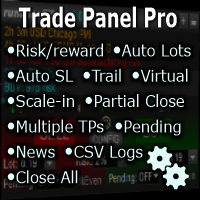
Trade Panel Pro by RunwiseFX MT5
FREE
Pubblicato:
9 maggio 2020
Versione attuale:
5.1
Non hai trovato un robot adatto?
Ordina il tuo
su Freelance
Vai alla sezione Freelance
Ordina il tuo
su Freelance
Come acquistare un Robot di Trading o un indicatore
Esegui il tuo EA
hosting virtuale
hosting virtuale
Prova un indicatore/robot di trading prima di acquistarlo
Vuoi guadagnare nel Market?
Come presentare un prodotto per venderlo con successo

Ti stai perdendo delle opportunità di trading:
- App di trading gratuite
- Oltre 8.000 segnali per il copy trading
- Notizie economiche per esplorare i mercati finanziari
Registrazione
Accedi
Accetti la politica del sito e le condizioni d’uso
Se non hai un account, registrati
No. By default, configuration changes, via the CONFIG button, will apply to all symbols. So, configure once then open charts for each symbol you wish to trade, with the EA running on each chart.
Also one more Question.
I have an experience to control changing the parameters enter the F7 Key in the Key board But here I can see all are modern system. If i change anything in the panel still do i need to touch any parameters?
Also one more Question.
I have an experience to control changing the parameters enter the F7 Key in the Key board But here I can see all are modern system. If i change anything in the panel still do i need to touch any parameters?
No. The changes made via the CONFIG button get saved to runwiseFX_CSA_Supplied_Rules.txt file in MQL5\files folder of your MetaTrader data folder. That is read by the EA at start-up and takes precedence over anything set via EA inputs.
No. The changes made via the CONFIG button get saved to runwiseFX_CSA_Supplied_Rules.txt file in MQL5\files folder of your MetaTrader data folder. That is read by the EA at start-up and takes precedence over anything set via EA inputs.
Thanks for everything,
Base on the YouTube video, and including your advice here I set my trade yesterday But the result is negative see this
Mainly I target to work the Breakeven to stop my trade without loss But it's not work for me.
My trading strategy is base on my indicator signal. I run my MT5 in on VPS whenever I'm getting the signal I notify via mobile app Here is my signal act in the VPS
I'm always open and close the trade base on my signal. and I open all the symbol and I set my signal to every symbol to notify me
Now I need the EA to fill my another task which is Stop loss What I'm expect from this EA
I need to stop the losses doing break even ate the 10 pips or points move from the open trade also I need to set the trailing stop on every 50 pips move Really I don't know where i made mistake
Please Guide me on this
Thanks for everything,
Base on the YouTube video, and including your advice here I set my trade yesterday But the result is negative see this
Mainly I target to work the Breakeven to stop my trade without loss But it's not work for me.
My trading strategy is base on my indicator signal. I run my MT5 in on VPS whenever I'm getting the signal I notify via mobile app Here is my signal act in the VPS
I'm always open and close the trade base on my signal. and I open all the symbol and I set my signal to every symbol to notify me
Now I need the EA to fill my another task which is Stop loss What I'm expect from this EA
I need to stop the losses doing break even ate the 10 pips or points move from the open trade also I need to set the trailing stop on every 50 pips move Really I don't know where i made mistake
Please Guide me on this
Please email us for support as quite a few things that can be going on there: support@runwisefx.com
Please email us for support as quite a few things that can be going on there: support@runwisefx.com
Thanks for that, I emailed to given mail ID above
tp and sl blue and yellow labels cover my candles. how to turn them off on the chart?
If you use MetaTrader's chart shift then it's possible to move candles over to left so there is space for the sl & tp labels. Alternatively, you can click CONFIG button | Display and in the 'When Panel Is Minimized Hide:' section, tick the options to hide SL & TP lines/labels when panel is minimized. The Minimize button is in the top right of the panel.
If you use MetaTrader's chart shift then it's possible to move candles over to left so there is space for the sl & tp labels. Alternatively, you can click CONFIG button | Display and in the 'When Panel Is Minimized Hide:' section, tick the options to hide SL & TP lines/labels when panel is minimized. The Minimize button is in the top right of the panel.
Hi, I'm trying to understand your EA, but I'm having a hard time. If you are so kind, I have been looking for hours for an EA that allows me to manage all open orders (buys and sells) on a chart. I would like to use: Breakeven, Dynamic TrailingStop and Trailing Step to drag the profit when all the open orders reach a profit. With your EA can I do it?
Please email us for support: support@runwisefx.com
Hello! How to remove the background of line names?) So that the labels are on transparent blocks, otherwise I can't see the bars
Hello! How to remove the background of line names?) So that the labels are on transparent blocks, otherwise I can't see the bars
Recommend using MetaTrader's chart shift to move candles to the left so those labels aren't on top of them.
Alternatively, can set EA input Obscure_useAdvSLTPPendLines to false.
Hi, is it possible to open a trade and have the lot size auto calculated based on where you place your SL?
It's the default behavior that the lot size is set based on the SL, with risk % per trade set in CONFIG button | Risk/Lots. Note, this happens before you open a trade. After a trade is open you would need to either partial close to reduce lot size or scale-in to increase lot size.
If need anymore help then please email us: support@runwisefx.com
Is there any solution to this problem? I trades on the m1 interval so the candles open very often.
I have a problem working on EA. If the MT5 window is inactive, e.g. if it draws something on the TV, the chart freezes after opening a new candle. I use 2 screens, MT5 on one and TV on the other. In order for the chart to work again, I have to change the time frame.
Is there any solution to this problem? I trades on the m1 interval so the candles open very often.
Best to email us at support@runwisefx.com
please how do i download this EA? can i use it for take profit only?
It's just like any other product on MetaTrader Market - see: https://www.mql5.com/en/articles/498
Best way is via Market tab in MetaTrader terminal frame, which search/find from there and install with one click.
The EA can be used for take profit only - but in our free version that trades need to be opened via the one click trade buttons on the panel.
If have any further queries then best to email us at support@runwisefx.com
It's just like any other product on MetaTrader Market - see: https://www.mql5.com/en/articles/498
Best way is via Market tab in MetaTrader terminal frame, which search/find from there and install with one click.
The EA can be used for take profit only - but in our free version that trades need to be opened via the one click trade buttons on the panel.
If have any further queries then best to email us at support@runwisefx.com
?