Currency Strength Meter Pro for MT4
78 USD
Versione demo scaricata:
377
Pubblicato:
14 aprile 2020
Versione attuale:
7.20
Non hai trovato un robot adatto?
Ordina il tuo
su Freelance
Vai alla sezione Freelance
Ordina il tuo
su Freelance
Come acquistare un Robot di Trading o un indicatore
Esegui il tuo EA
hosting virtuale
hosting virtuale
Prova un indicatore/robot di trading prima di acquistarlo
Vuoi guadagnare nel Market?
Come presentare un prodotto per venderlo con successo

Ti stai perdendo delle opportunità di trading:
- App di trading gratuite
- Oltre 8.000 segnali per il copy trading
- Notizie economiche per esplorare i mercati finanziari
Registrazione
Accedi
Accetti la politica del sito e le condizioni d’uso
Se non hai un account, registrati
New update for Currency Strength Meter Pro for MT4 version 6.10 has been released
Update changes:
Take profit!
To show graph lines only for required instruments (e.g USD and GOLD) do steps from image below.
Good day,
I am trying to enable the currencies strenght state alerts for USD and XAU Gold. I went to the section Currencies strenght state alerts notification config and selected option true in Enable the currencies strenght state alerts, changed the sysmbol for notification to Specified instruments (AUD,CAD,USD...) and on Specified symbols/instruments(Enumerate with "," separator) I specified USD,XAU. After I enabled the currencies alerts, the alerts are not diplayed when the currency is weak or strong. I am not sure if I am missing something on the currencies alert setup. I have attched my alert setup. Also my other question is how to setup the currency strenght alert to also show or display alerts for strong and weak currencies on 5 minute time frame.
Good day,
I am trying to enable the currencies strenght state alerts for USD and XAU Gold. I went to the section Currencies strenght state alerts notification config and selected option true in Enable the currencies strenght state alerts, changed the sysmbol for notification to Specified instruments (AUD,CAD,USD...) and on Specified symbols/instruments(Enumerate with "," separator) I specified USD,XAU. After I enabled the currencies alerts, the alerts are not diplayed when the currency is weak or strong. I am not sure if I am missing something on the currencies alert setup. I have attched my alert setup. Also my other question is how to setup the currency strenght alert to also show or display alerts for strong and weak currencies on 5 minute time frame.
Currencies strength state notification - shows state of currencies strength. It does not separate strong and weak currencies. It shows their strength at real time. This type of notification is useful as push notification on a phone when trader is out from a PC and does not have a possibility to watch to dashboard of indicator. To make it work you should specify timeframe as often you'll be getting notification.
Good day,
I am trying to enable the currencies strenght state alerts for USD and XAU Gold. I went to the section Currencies strenght state alerts notification config and selected option true in Enable the currencies strenght state alerts, changed the sysmbol for notification to Specified instruments (AUD,CAD,USD...) and on Specified symbols/instruments(Enumerate with "," separator) I specified USD,XAU. After I enabled the currencies alerts, the alerts are not diplayed when the currency is weak or strong. I am not sure if I am missing something on the currencies alert setup. I have attched my alert setup. Also my other question is how to setup the currency strenght alert to also show or display alerts for strong and weak currencies on 5 minute time frame.
To show notification as currency become strong or weak you should use Cross Level Notification. This notification uses expression for its configuration. By default it is "[H1]:60.00,80.00:40.00,20.00;[H1;H4;AV[H1,H4,D1]]:60.00,80.00:40.00,20.00".
If you tell me what notifications exactly you want to get I'll help to create it. There is an description how to create this expression in indicator's properties. If you'll have questions feel free to ask them.
Hi, Can this strenght meter show the strenght or weakness of indices Nasdaq and DAX30. How can I add the indices to the strength meter.
Hi,
Indicator cannot show strength for Nasdaq, DAX3.
Current version of indicator can show strength for AUD, CAD, CHF, EUR, GBP, JPY, NZD, USD, XAU.
I have plans for future versions of indicator to add more instruments. But high chance it will be different indicator.
Hi Aleksandr
as i say in review this dashboard is great with many very nice possibility and your history line is very great and accurate
for my use, i will appreciate a lot if you have the possibility to add a parameter to paragraph history line with a number of minute back.
By example 30 minutes back will automatically put the line 30 minutes before actual time and at each end of candle put history line to next candle
it allow to have immediatly all the numbers without moving the line each
in my case i will have 2 charts : one with actual compute and one with compute at x minutes before
Thank you to consider it if you could do it ?
Warmly
Hi Aleksandr
as i say in review this dashboard is great with many very nice possibility and your history line is very great and accurate
for my use, i will appreciate a lot if you have the possibility to add a parameter to paragraph history line with a number of minute back.
By example 30 minutes back will automatically put the line 30 minutes before actual time and at each end of candle put history line to next candle
it allow to have immediatly all the numbers without moving the line each
in my case i will have 2 charts : one with actual compute and one with compute at x minutes before
Thank you to consider it if you could do it ?
Warmly
Try to use this property
Try to use this property
Hi Aleksandr
Thank you a lot to show where is the parameter which i really need and do not notice !
sorry for the question of something right under my eyes
i already say your tool is really super and for me it is one of the 2 tools that i absolute need
very well done
Thanks again
Warmly
Hi Aleksandr
Thank you a lot to show where is the parameter which i really need and do not notice !
sorry for the question of something right under my eyes
i already say your tool is really super and for me it is one of the 2 tools that i absolute need
very well done
Thanks again
Warmly
Thanks, feel free to ask any questions.
Hi Aleksandr
your tool is very very good, accurate and full of possibilities
is it possible in your next update to take this demand ?
on the left corner of dashboard could you write the indicator choosen for the measure of strength ?
for me it is by example RSI 10 (at least RSI)
because i use differents instances and it will be more easy to have a quick remain
any way, possible or not, well done for this complete tool
Warmly
Hi Aleksandr
your tool is very very good, accurate and full of possibilities
is it possible in your next update to take this demand ?
on the left corner of dashboard could you write the indicator choosen for the measure of strength ?
for me it is by example RSI 10 (at least RSI)
because i use differents instances and it will be more easy to have a quick remain
any way, possible or not, well done for this complete tool
Warmly
Hi, I have already added a task to show information at this cell. In my task user can show here these types of information: refresh indicator values, empty, server time, local time, timer when last candle would be closed. Also I'll add possibility to show your type of information. Thanks for your contribution to improve indicator.
Update changes:
"Current:[Current]" expression means: for current chart timeframe show strength which would be calculated on the same timeframe;
"M1:[M5];M5:[AV[M15,M30]];M15:[H1];M30:[H4];H1:[H4];H4:[D1]" expression means:
M1:[M5] - M1 chart timeframe show graph lines which would be calculated on M5 timeframe candles for every one minute (M1);
M5:[AV[M15,M30]] - M5 chart timeframe show graph lines which would be calculated as average of M15 and M30 timeframes candles for every 5 minutes (M5);
M15:[H1] - M15 chart timeframe show graph lines which would be calculated on H1 timeframe candles for every 15 minute (M15);
Other parts of expression can be defined similar to above;
Fixed indicator initialization failure if there is no binding between graph lines timeframes and current chart timeframe.
Added possibility to set empty string to "Graph timeframes Expression", it works similar like "Current[Current]" expression.
Take profit!
Hi Aleksandr
your tool is very very good, accurate and full of possibilities
is it possible in your next update to take this demand ?
on the left corner of dashboard could you write the indicator choosen for the measure of strength ?
for me it is by example RSI 10 (at least RSI)
because i use differents instances and it will be more easy to have a quick remain
any way, possible or not, well done for this complete tool
Warmly
Hi, now you can add this information to info cell.
Hi Alexandr
I developed I sight problem and battle to read, therefore the question, sorry. Ca the Average value lines be displayed yet? Greetings, Paul
Hi Alexandr
I developed I sight problem and battle to read, therefore the question, sorry. Ca the Average value lines be displayed yet? Greetings, Paul
Thanks, found it
Cool. Have a good day.
Update changes:
Take profit!
Hi Aleksandr,
Thank you again for this exceptional product and the continues enhancements.
Sorry to trouble you again - I really battle to write expressions due to my eyesight problem. Could you kindly assist with the following:
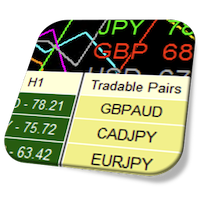
1. Identify "Tradable pairs" on the following pairs only: XAUUSD, XAUEUR, XAUGBP, XAUJPY, XAUCHF, AND XAUAUD using the following criteria:
Tradable pairs 1: When the AV difference of (M15,H1,H4,D1) between XAU and the individual currencies is greater or equal than 20
Tradable pairs 2: When XAU crosses up above 60 or crosses down below 40 a Tradable pair will be: XAU crosses above 60 - all currencies below 40 and visa versa when XAU crosses below 40 = all currencies above 60
and pop-up notifications for both instances above when this happens if possible
2. A level cross pop-up notification on the same AV time frames as per Tradable Pairs 1 above, whenever XAU crosses above or below a currency.
Thanking you in advance
Paul