DeeFX Prop Firm Guardian
- Utilità
-
Dennis Muchiri Miano
 I build MetaTrader 5 tools for my own trading and publish them on the MQL5 Market under DeeFX. I trade with the tools I build: a tool ships only after it has done its job on my own charts, so it can do the same job on yours.
What I build
- Risk and drawdown guards for prop-firm rules - Versione: 1.1
- Aggiornato: 20 novembre 2026
- Attivazioni: 10
DeeFX Prop Firm Guardian watches one account against the two limits a prop firm sets: the daily loss and the maximum drawdown. It watches every trade on the account, manual ones and those of every Expert Advisor, on every symbol. It has no strategy and opens no trades.
At a limit: your choice
- Warn only: an alert, nothing is closed. This is how it starts, so nothing closes until you change it
- Close once: every trade is closed and every pending order deleted
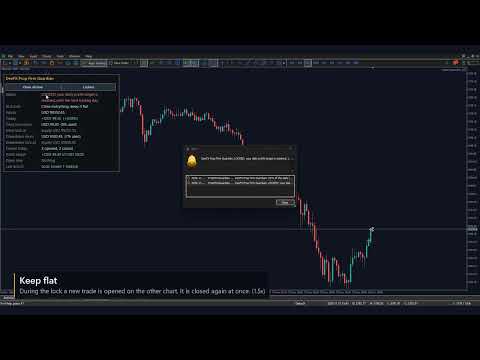
- Close and keep flat: the same, and anything that appears during the lock is closed again
- A daily lock ends when the next trading day begins; a drawdown lock does not end by itself
The limits
- Daily limit from the balance, the equity, or the higher of the two at the start of the day
- Drawdown static, trailing the highest equity, or trailing the highest end-of-day figure
- The trading day starts at the server hour you set
- A safety buffer locks a little before the firm's limit
- Four firm presets as a starting point; your firm's dashboard is the authority
Your own daily rules (each off until you set it)
- Stop for the day at a profit target, after a number of trades, or after losses in a row
- "Lock today" does the same by hand when you decide you are done. There is no unlock button
- A consistency view shows the best day's share of the total profit and warns above your share
On the panel
- Watching or locked, and why; what it will do at a lock
- Equity, today's result, the money left before each limit and the share of it used
- The equity at which each lock starts, today's trades, what is open now
- Buttons: Close all now, Lock today (a second click confirms, an input)
Warnings and news
- A warning once a day per limit when a share of it is used (80% unless you change it)
- In the Experts log, the alert window, and as a push notification if you switch that on
- Optional: warn, or close the symbols you hold, around high-impact news, from the terminal's calendar
How to use
- Attach it to one chart of the account and allow Algo Trading. Leave that chart open
- Pick your firm's preset, or type your daily loss limit and maximum drawdown
- Compare the panel with your firm's dashboard: the account size and both rooms
- Choose what it does at a limit
Good to know
- It cannot stop an order from being sent; "keep flat" closes what appears, and each such trade still costs its spread and counts with your firm. Switch off an EA that keeps trading into a lock
- It acts when it sees the equity at the limit: a gap or a fast market can carry the account past it, and no buffer covers every gap
- It works while the terminal is running and connected with it on a chart. A restart does not lift a lock: the state is saved, and today's trades are counted again from the history
- A trade whose market is closed is closed when the session opens
- Its numbers follow your settings, not your firm's records
- Strategy Tester: nobody trades there, so it opens one small demonstration trade a day by itself, with a 0.5% daily limit and profit target and "close and keep flat", and presses its own buttons on some days, to show the mechanics. Those trades are not a strategy and their result means nothing; the mode never runs on a live chart and the last input switches it off. News, alerts and push notifications do nothing in the tester
- All its objects start with FXGD_ and are removed with the tool
Questions, bugs and ideas: post in the comments, or join the DeeFX Tools group on MQL5.