FiboZone OTE Map
- Indicatori
- Versione: 1.0

See where the pullback should end before it happens. FiboZone OTE Map finds impulse legs that broke market structure and draws their optimal trade entry (OTE) zone, the 0.705 to 0.95 retracement of the move, on up to three timeframes at once. It tells you when price reaches a zone and when a lower timeframe confirms the turn inside it.
What it shows
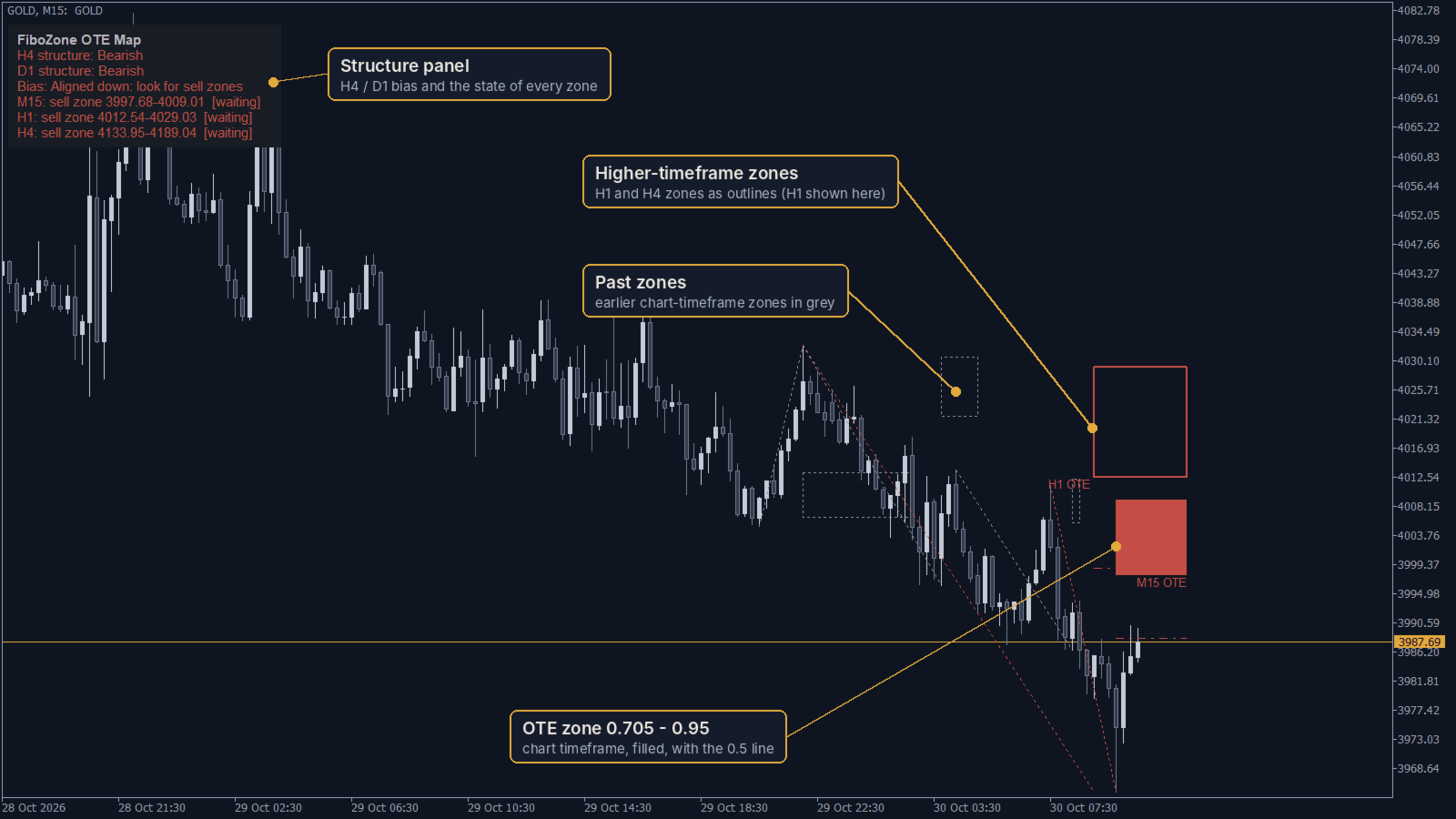
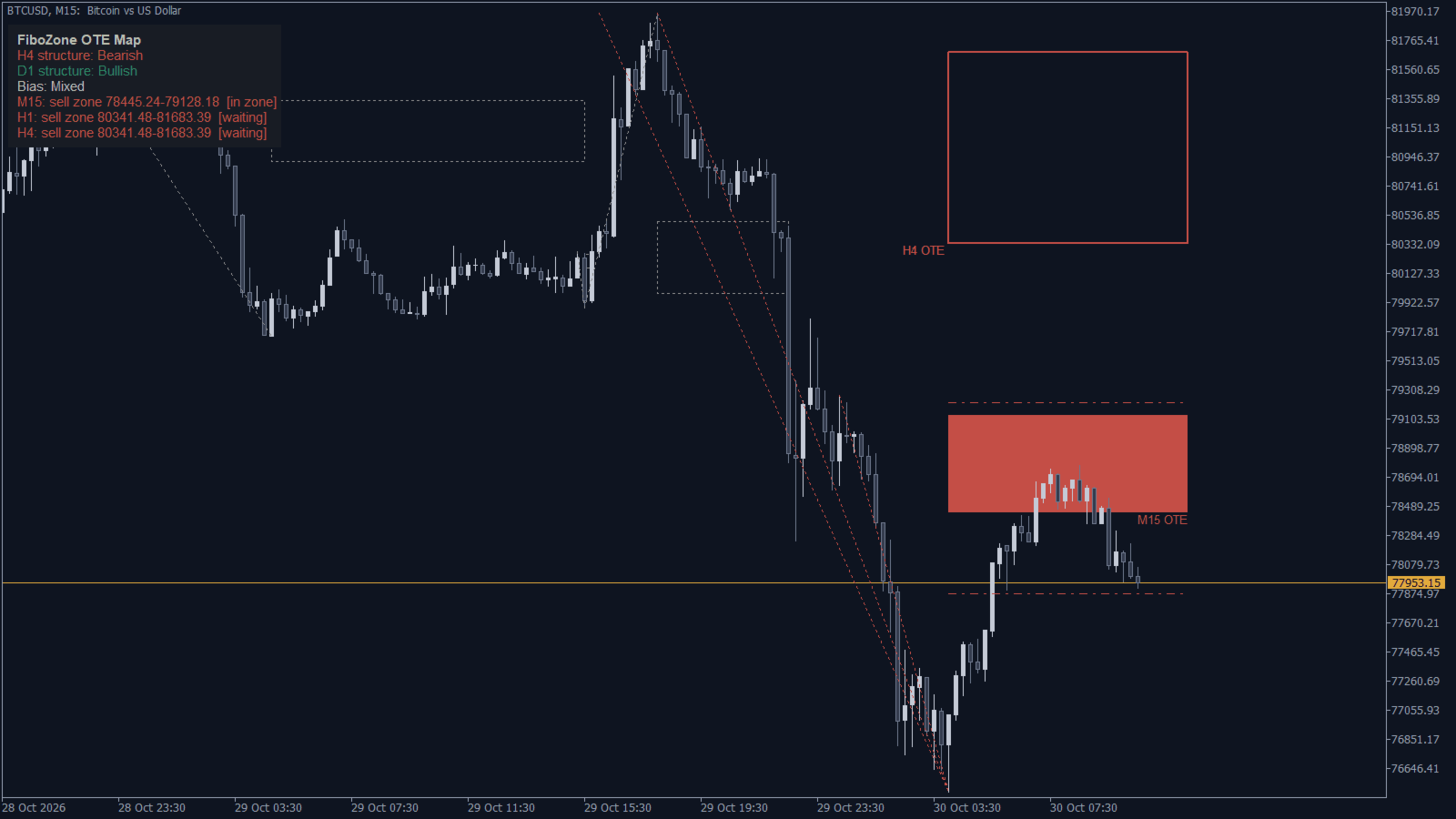
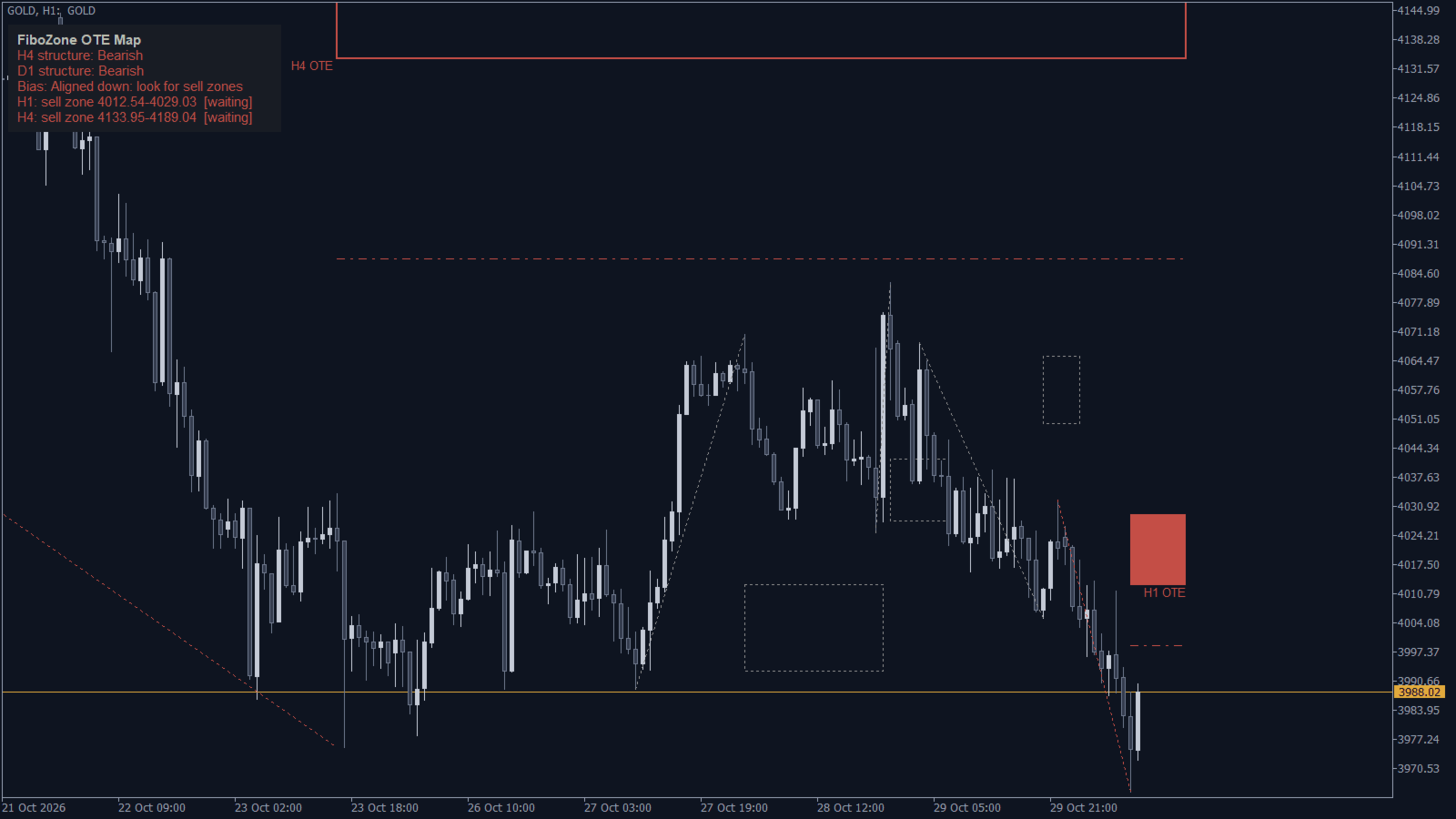
- OTE zones: for every impulse that breaks structure by at least 1.5 ATR, the 0.705 to 0.95 retracement zone is drawn from the impulse extreme to the right edge of the chart. The zone follows the impulse while price keeps extending it.
- Three timeframes on one chart: the chart timeframe as a filled zone, plus two higher timeframes (H1 and H4 by default) as outlines.
- Targets: the 0.5 equilibrium line and two extension targets beyond the impulse end (0.618 and 1.0 by default).
- Change of character: an arrow when a lower timeframe (M5 by default) closes beyond its last swing inside a reached zone.
- Structure panel: H4 and D1 market structure, the combined bias and the state of every zone: waiting, in zone or change of character.
- Past zones: the last zones of the chart timeframe in grey, so you can study how price reacted to them.
- Alerts: popup, sound, push notification and e-mail when price enters a zone and on a change of character inside it.
- Buffers for EAs: structure direction, zone upper and lower edge and the first extension target of the chart timeframe are available through iCustom and in the Data Window.
How the zones are built
- Swing highs and lows are confirmed with a set number of bars on each side (3 by default).
- A close beyond the last swing is a break of structure. If the leg from the opposite extreme is at least the minimum size in ATR(14), it becomes the active impulse.
- The OTE zone is measured from the impulse origin to its extreme. A close beyond the origin invalidates the zone: on the chart timeframe it turns grey, on higher timeframes it is removed.
All calculations use closed bars only, so zones do not repaint after a bar closes. The zone moves only while the impulse is still making a new extreme.
Works on any symbol
Gold, forex pairs, indices and crypto on any timeframe. No DLLs, no web requests and no external data.
Main inputs
- Zone timeframes 1 to 3 (timeframe 2 and 3 can be turned off)
- Swing strength and minimum impulse size in ATR
- OTE zone start and end, equilibrium line, extension targets 1 and 2
- Number of past zones and bars scanned
- Change of character timeframe and swing strength
- Structure panel timeframes and corner
- Alert types: zone entry, change of character, popup, sound, push, e-mail
- Colors
Notes
- A zone is an area to watch, not a trade signal by itself. Combine it with your own rules and risk management.
- Higher-timeframe zones need that timeframe's history; on the first start the terminal may need a few seconds to load it.
Questions and suggestions are welcome in the comments.