Dow Structure Multi Timeframe Table
- Indicatori
- Versione: 1.1
- Attivazioni: 5

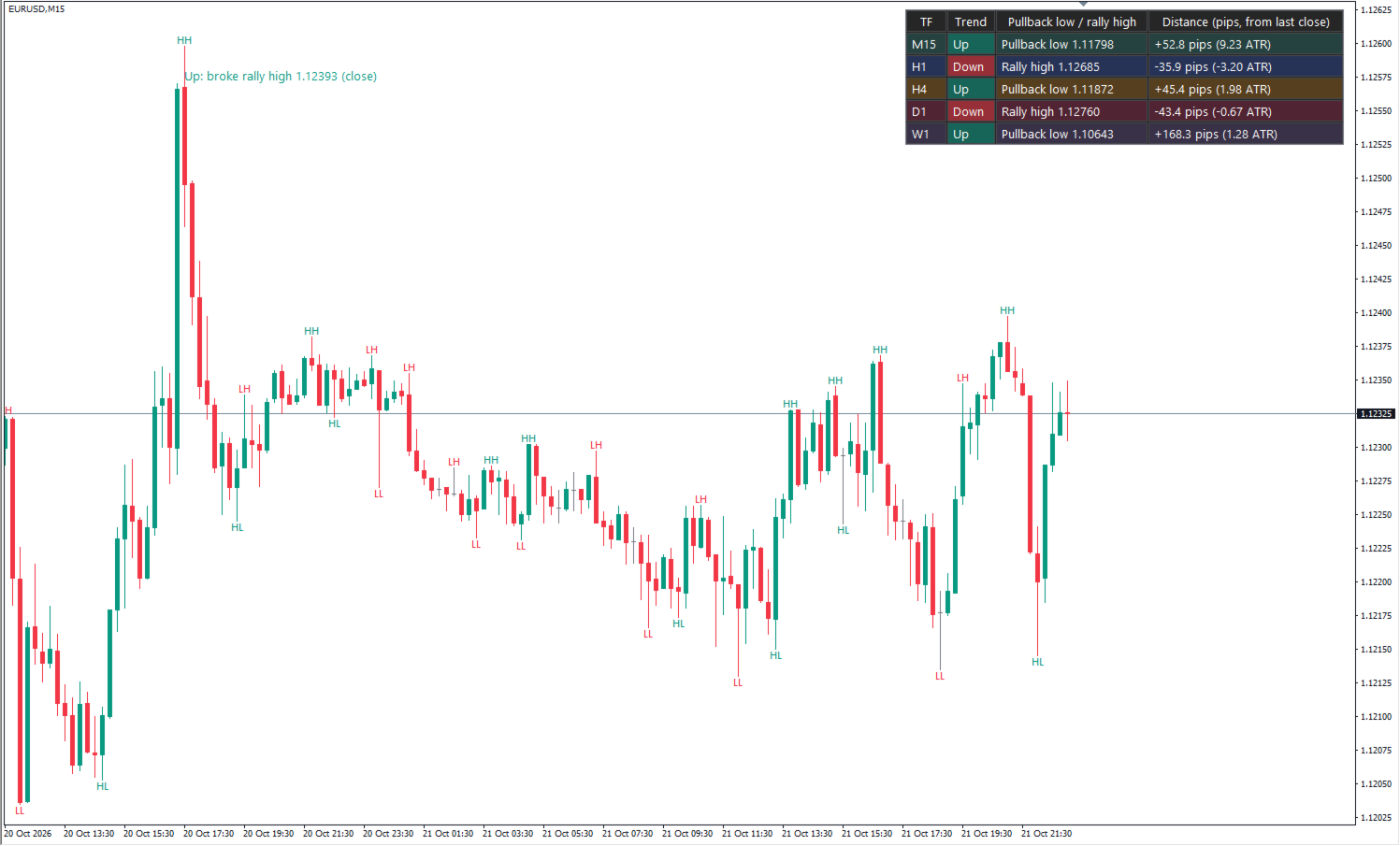
Dow Structure MTF shows the Dow theory trend structure of five timeframes at the same time, using the pullback low / rally high approach that is common among Japanese traders. For each timeframe you see whether the trend is up, down or range, which price would change it, and how far the current price is from that level. Only closed bars are used, so a confirmed result never changes afterwards (no repaint). This is the MetaTrader 4 version; the logic, inputs, display and alerts are the same as in the MetaTrader 5 version (sold separately).
WHAT YOU SEE
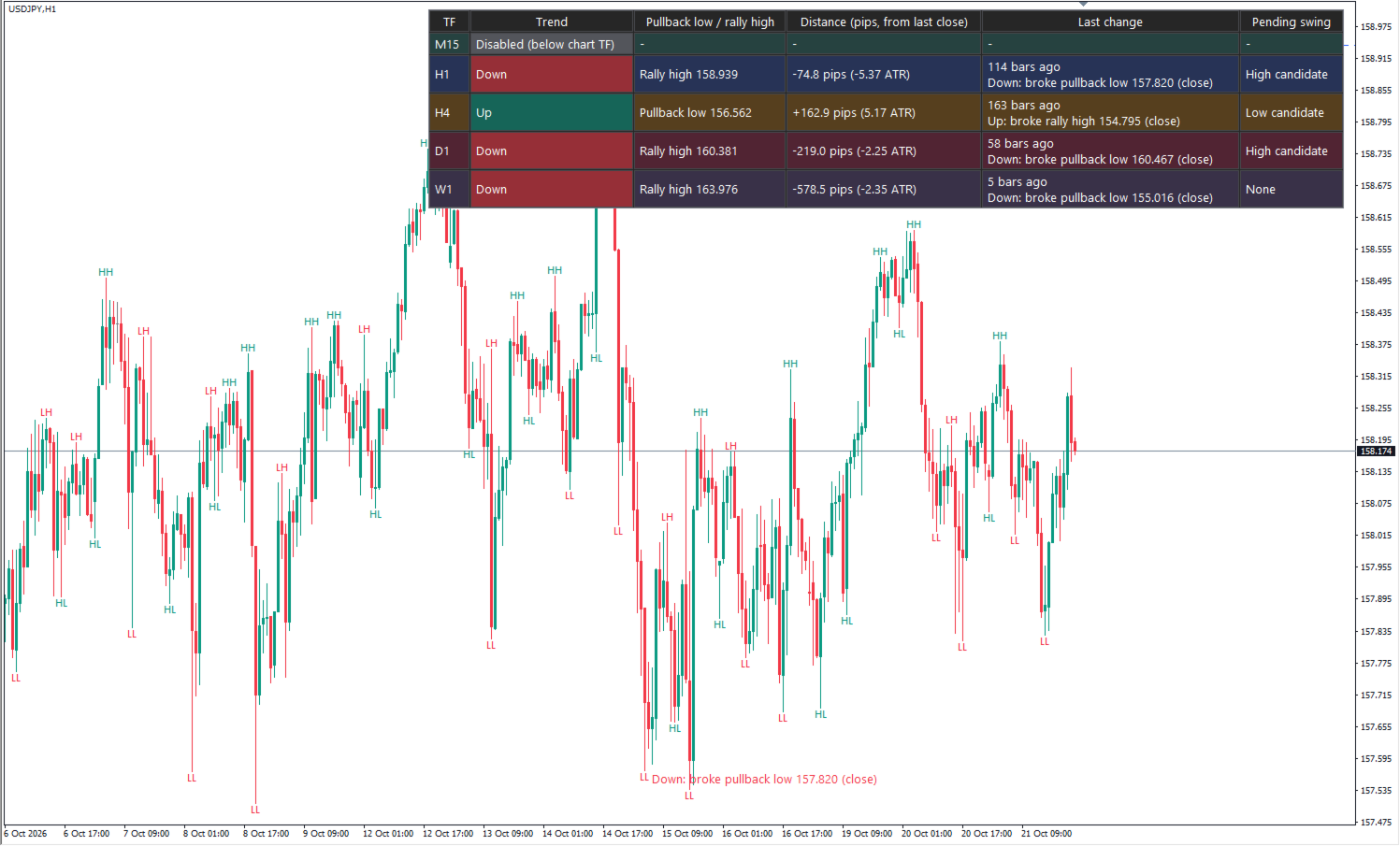
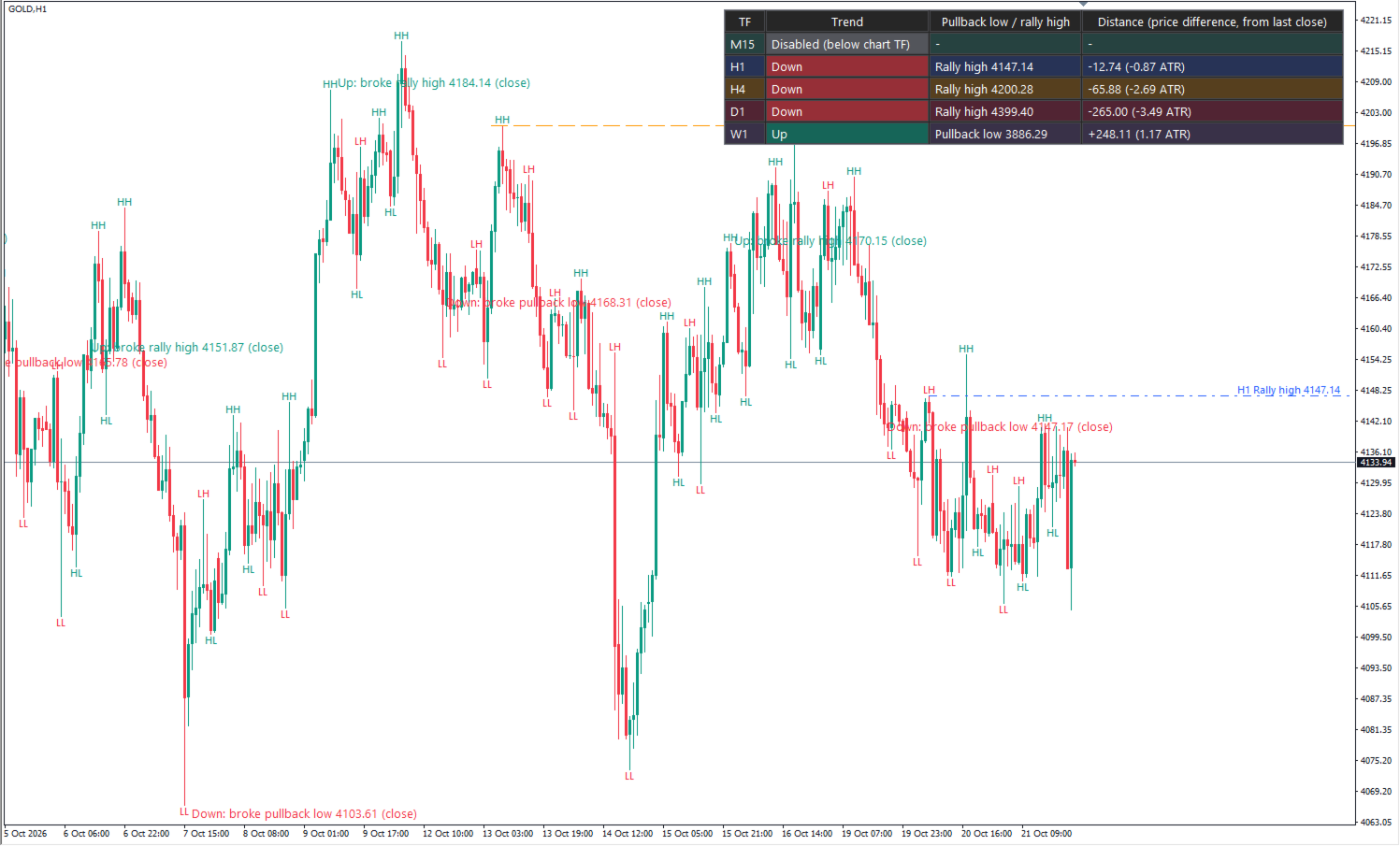
- Table of five timeframes (M15, H1, H4, D1, W1 by default, all changeable): trend, pullback low / rally high, and the distance from the last close (pips for forex, price difference for gold, indices and others) with its multiple of that timeframe's ATR(14).
- Detailed table (compact mode off): how many bars ago the last trend change happened and why, and swing candidates that are not confirmed yet ("pending swing").
- Horizontal lines: the pullback low / rally high of the chart timeframe and of the nearest higher timeframes (3 by default).
- Break labels on the chart timeframe, for example "Down: broke pullback low 158.102 (close)".
- HH / HL / LH / LL labels on swing highs and lows.
- Chart text, table and alerts in English or Japanese.
TREND METHODS
1. Pullback low / rally high (default): in an uptrend, a break below the pullback low turns the trend down; in a downtrend, a break above the rally high turns it up.
- Break basis: close (default) or wick (high / low).
- When to move the pullback low / rally high: "Only when the trend high / low is broken" (default) or "When the latest swing high / low is broken".
2. HH + HL = up, LH + LL = down, anything else = range.
SWINGS
A swing high is a bar whose high is strictly higher than the N bars on its left and higher than or equal to the N bars on its right (N = 3 by default; swing lows likewise). The latest, still-forming bar is never used, and a swing is confirmed only after the N bars on its right have closed, so swings appear N bars late. In method 2 an equal high or low is not a higher/lower one, so it gives "range".
ALERTS
- Trend change on any of the five timeframes (on by default; changes to range can be included).
- All valid timeframes aligned up or down.
- Price near a higher-timeframe pullback low / rally high (within a set multiple of that timeframe's ATR).
- Delivered by pop-up, sound, push notification and / or e-mail (push and e-mail need the terminal's notification / e-mail settings).
INPUTS
- Swing bars on the left / right (1-20), trend method, break basis, bars analysed per timeframe (200-10000, default 1500)
- Timeframes 1-5
- Line of the chart timeframe, number of higher-timeframe lines (0-4), colors and line styles per timeframe
- Break labels, HH / HL / LH / LL labels, chart text size
- Language, info table, compact table, table position, table text size
- Alerts: trend change, alignment, near a level, near distance (x ATR), pop-up, sound, push, e-mail, scope of trend-change alerts
- Pullback low / rally high update rule, distance unit (auto / pips / points / price difference), debug
IMPORTANT
- This is a structure display. It does not open trades and it is not a buy / sell signal. It does not promise any win rate or profit, and past charts do not guarantee future results.
- Swings are confirmed N bars late. Price moves inside the current bar are not used until the bar closes.
- The distance is measured from the last closed bar of the chart timeframe.
- If a higher timeframe's data is not loaded yet, its row shows "Waiting for data" until it is.
- Timeframes lower than the chart timeframe are not calculated ("Disabled (below chart TF)").
- Each timeframe is calculated over the last 1500 bars by default. Results older than that can differ depending on where the calculation starts; recent results are the same.
- Objects whose names start with "DOW_<number>_" are treated as this indicator's drawings and may be deleted. Do not use such names for your own objects.
- Turn off "Chart on foreground" in the chart properties (F8). If it is on, candles are drawn over the table and labels.
- The MT4 input dialog has no group headers; the inputs are the same as in the MT5 version.
- The detailed table is wide; on a narrow chart its right side can be cut off. Use a smaller table text size or the compact table.
OTHER
- MetaTrader 4 only (it does not run on MT5; the MT5 version is a separate product). Works on any symbol.
- Two copies can run on one chart (for example method 1 and method 2). Works with templates and after a terminal restart.
- No DLLs, no external files, no internet access.
- Works on the same chart as Elliott Wave Auto Count by the same author.
- Support through MQL5 messages, reply within 3 business days: installation, settings and bug reports only. Questions about market views, trade decisions or how to read a result cannot be answered.