Zone Grader MT4
- Indicatori
- Versione: 3.13
- Attivazioni: 5

SUPPORT & RESISTANCE
Not every level is worth trading. This one tells you which.
Most support and resistance tools draw every level they find and leave you to guess which ones matter. Zone Grader does the opposite: it detects the levels, then grades each one by how much it has actually proved itself — and writes that grade on your chart.
TRY IT FOR REAL, BEFORE YOU BUY
Click Download Demo at the top of this page and run Zone Grader in the Strategy Tester — your symbols, your timeframes, your history. In visual mode you watch the zones form, get graded, get tested, get broken and flip, bar by bar, exactly as they would live. No screenshots to trust, no claims to take on faith. The engine either earns its place on your chart, or it does not.
User manual: https://c.mql5.com/6/1020/ZoneGrader_UserManual_v3_13.zip
THREE GRADES, WRITTEN ON THE CHART
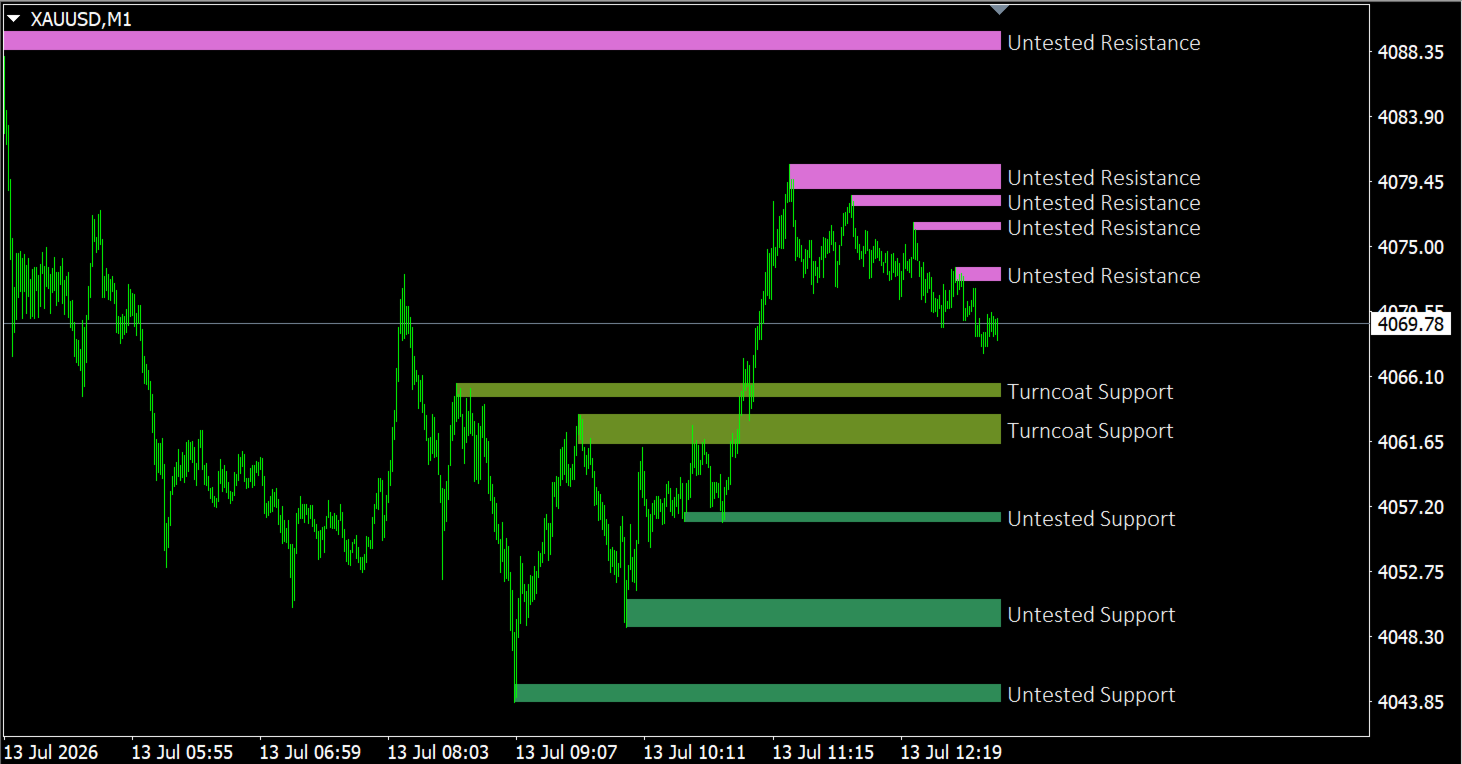
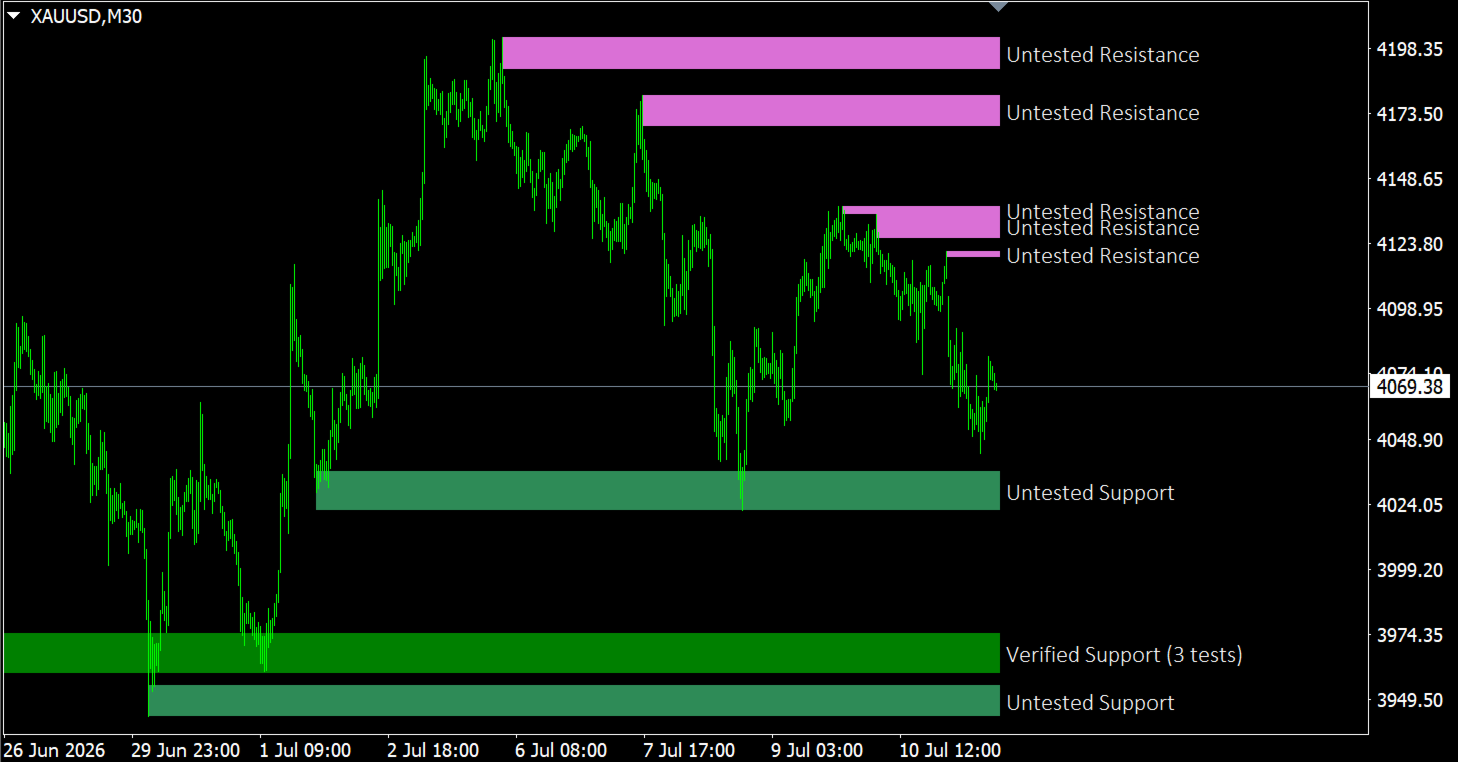
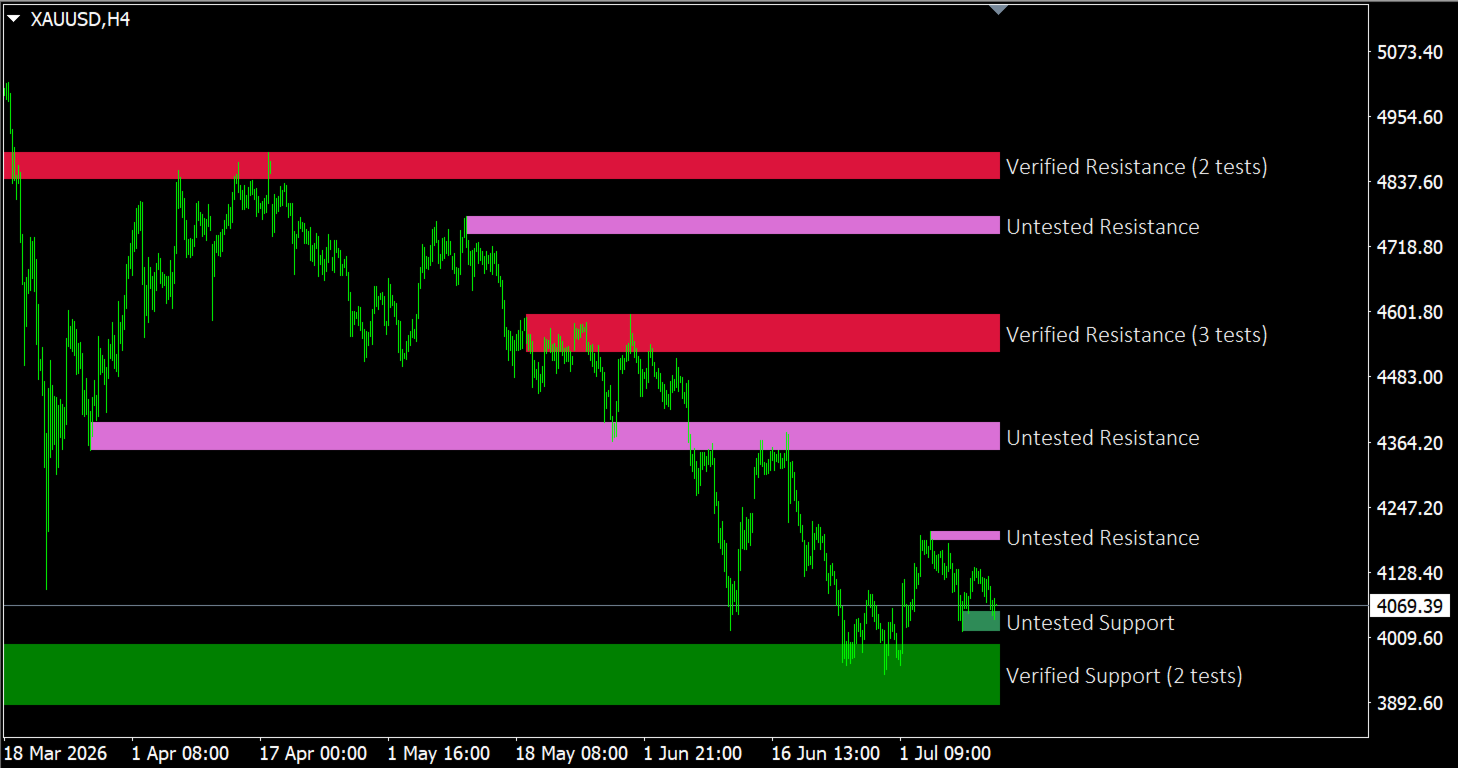
VERIFIED — tested one to three times, and held. Your highest-confidence area. The label carries the exact count: Verified Support (2 tests).
UNTESTED — formed by a major swing, never retested. Fresh and potentially strong, but unproven. Ideal for planning ahead.
TURNCOAT — broken once, now working from the other side: a former resistance acting as support, or the reverse. It marks the retest area after a breakout. If it holds, Zone Grader re-grades it Verified — that re-grade is your confirmation the breakout was genuine. If it fails, the zone disappears altogether.
A level tested more than three times is considered worn out and is removed. You are never shown a level the engine no longer believes in.
ZONES, NOT LINES
Real reactions never happen at one exact price. Each level is drawn as a band whose thickness follows current volatility (ATR), so normal overshoot stays inside the zone — and the far edge of the band gives you a logical place for the stop.
HOW IT WORKS
- Swing highs and lows are detected at two sensitivities: minor swings act as candidate touches, major swings create the structurally significant levels.
- A level is broken only when a candle closes beyond the band. A wick that pierces without closing is a test, not a break — exactly how a trader reads it.
- Two tests must be separated by roughly ten bars, so the same swing is never counted twice.
- Overlapping zones are merged into a single wider band. A merge never invents a test: the count on a label always reflects real reactions.
KEY FEATURES
- MetaTrader 4 and MetaTrader 5 — same detection engine, identical rules
- Graded zones with on-chart labels and test counts
- Multi-timeframe: project H4 or D1 zones onto your M15 chart, each label carrying its origin — [H4]
- Several instances on one chart: H4 and H1 zones side by side
- Alerts on zone entry — pop-up, push, e-mail — with an anti-spam delay
- Optional fractal arrows showing the raw swings the zones are built from
- Readability controls: keep only the N nearest zones per side, or hide zones beyond N × ATR from price
- Fully configurable colours, borders, fill, label font and position
- Zone labels adapt automatically to your chart background, dark or light
- Touches a single chart property — the right margin, so the labels stay visible — and restores it when removed
EA INTERFACE
Buffers 4 to 11 publish the nearest support and the nearest resistance: upper edge, lower edge, grade code and validated test count for each side. Read them with iCustom in MT4, or CopyBuffer on an iCustom handle in MT5. Your Expert Advisor gets graded levels without reimplementing the detection.
HOW TO USE IT
- Verified — wait for a reaction inside the band, place the stop beyond the far edge.
- Untested — set an alert and plan the trade before price arrives.
- Turncoat — the cleanest place to join a new direction after a breakout.
- Combine timeframes — run higher-timeframe zones over your trading chart and take only the entries that agree with them.
WORKS ON
Any symbol, any timeframe. Forex, metals, indices, crypto, stocks. Zone thickness follows volatility, so the same settings behave sensibly from M5 to D1.