Volume Snap mt5

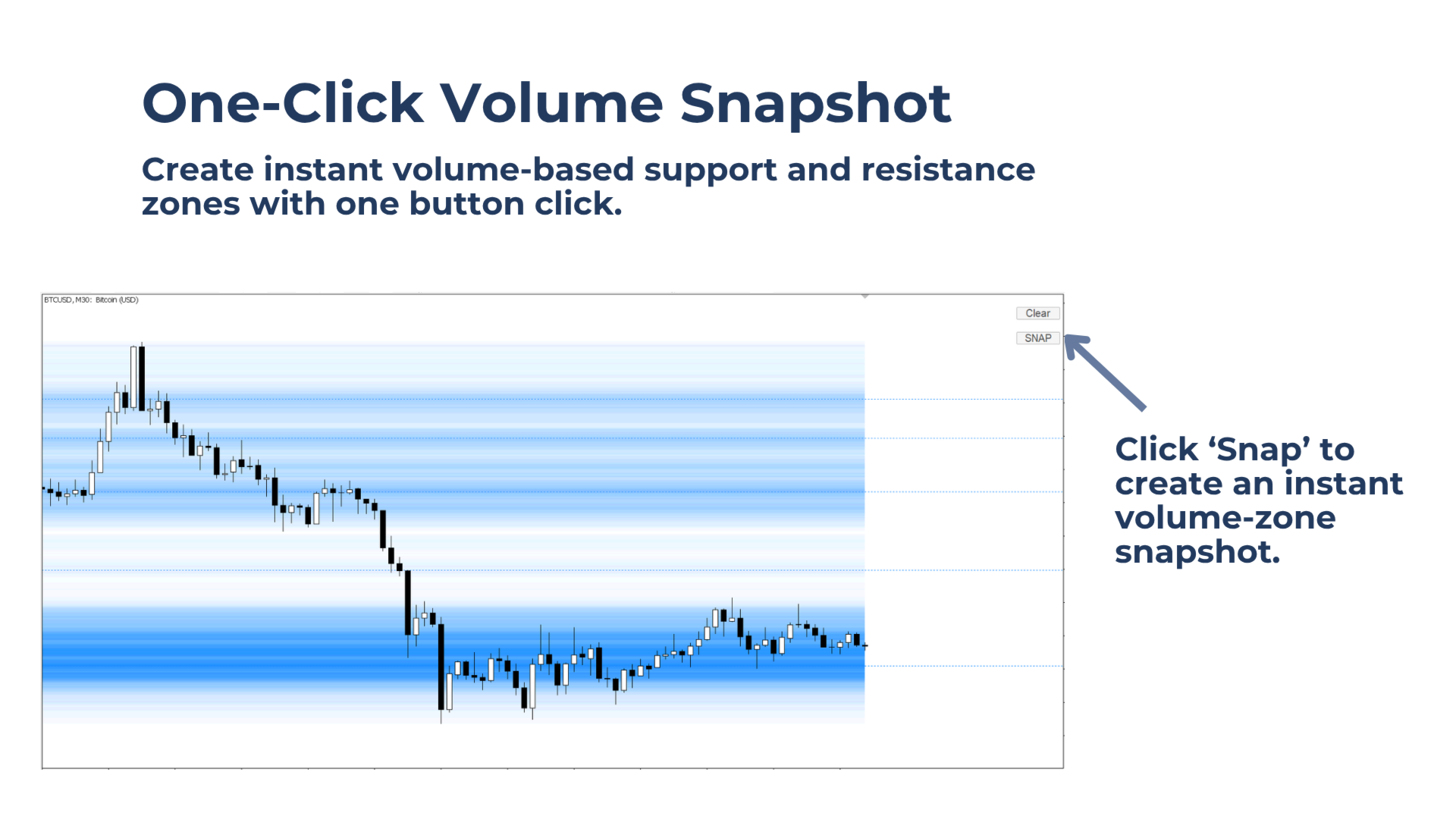
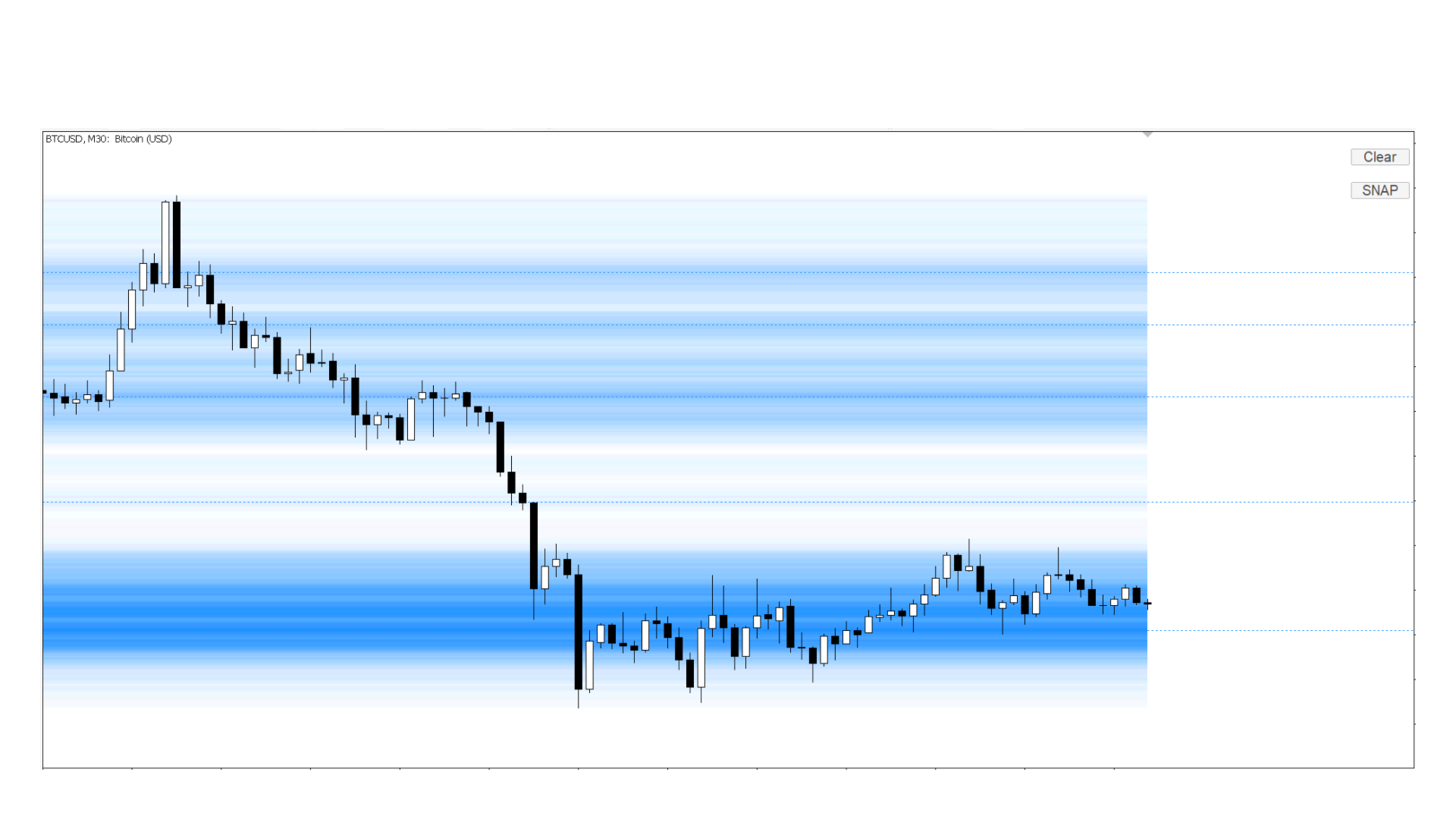
Instantly create a volume-zone snapshot with one button click. Use volume-based support and resistance zones to help plan better entries, stop-loss areas, and target levels.
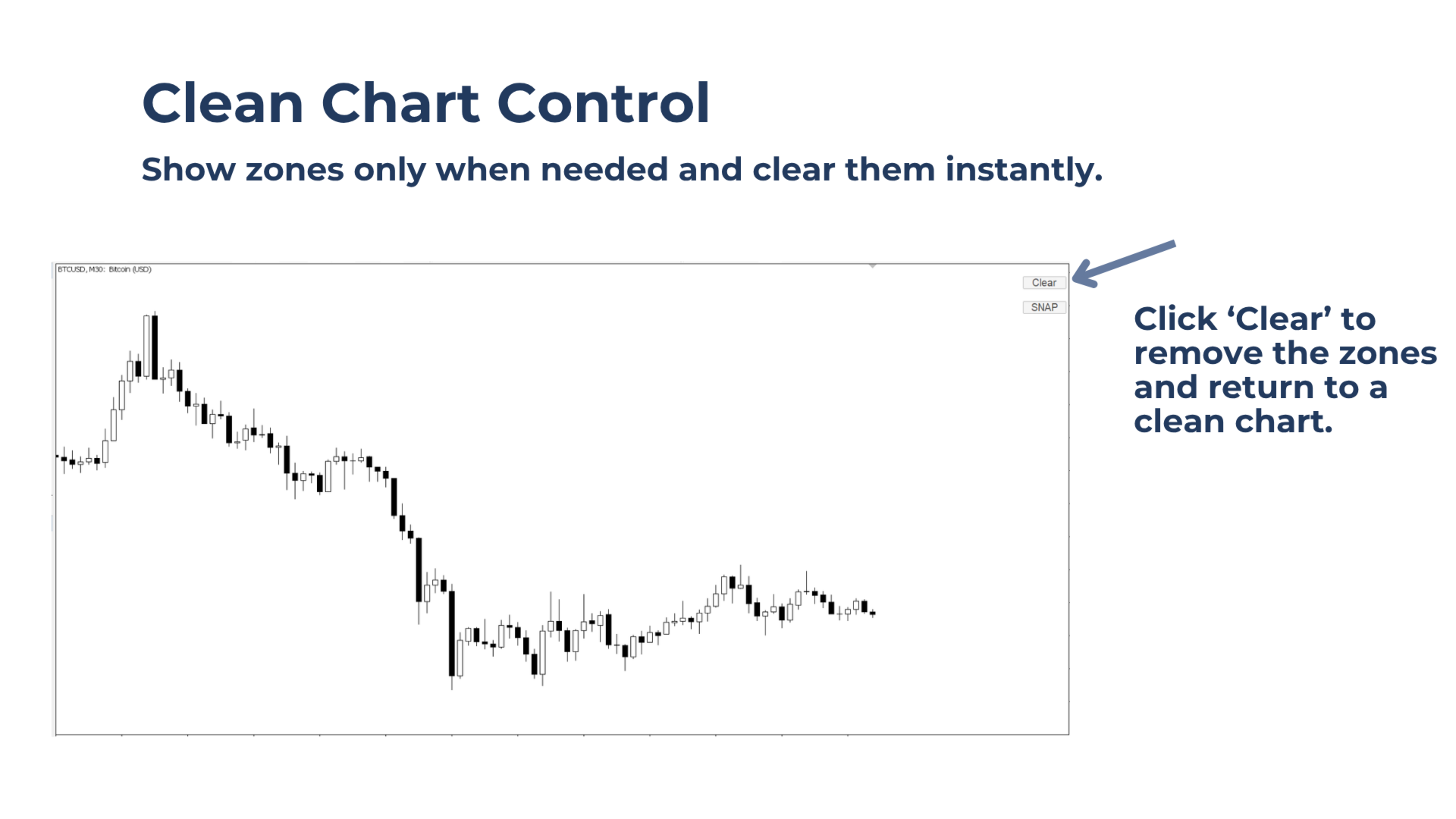
Click 'Clear' to return to a clean chart. Works on any timeframe and any Market Watch symbol.

Built for Traders Who Want To:

  • Use key volume levels to plan entries, stop-loss areas, and target zones.
  • Keep the chart clean by showing zones only when needed.
  • Use volume as a footprint of institutional activity to identify areas where price may react.

What Volume Snap Does

Volume Snap creates manual volume-zone snapshots with one button click, showing instant volume-based support and resistance zones directly on the chart.

Key benefits

Get zones when and where needed: Create a fresh volume-zone snapshot only when you want to plan a trade.

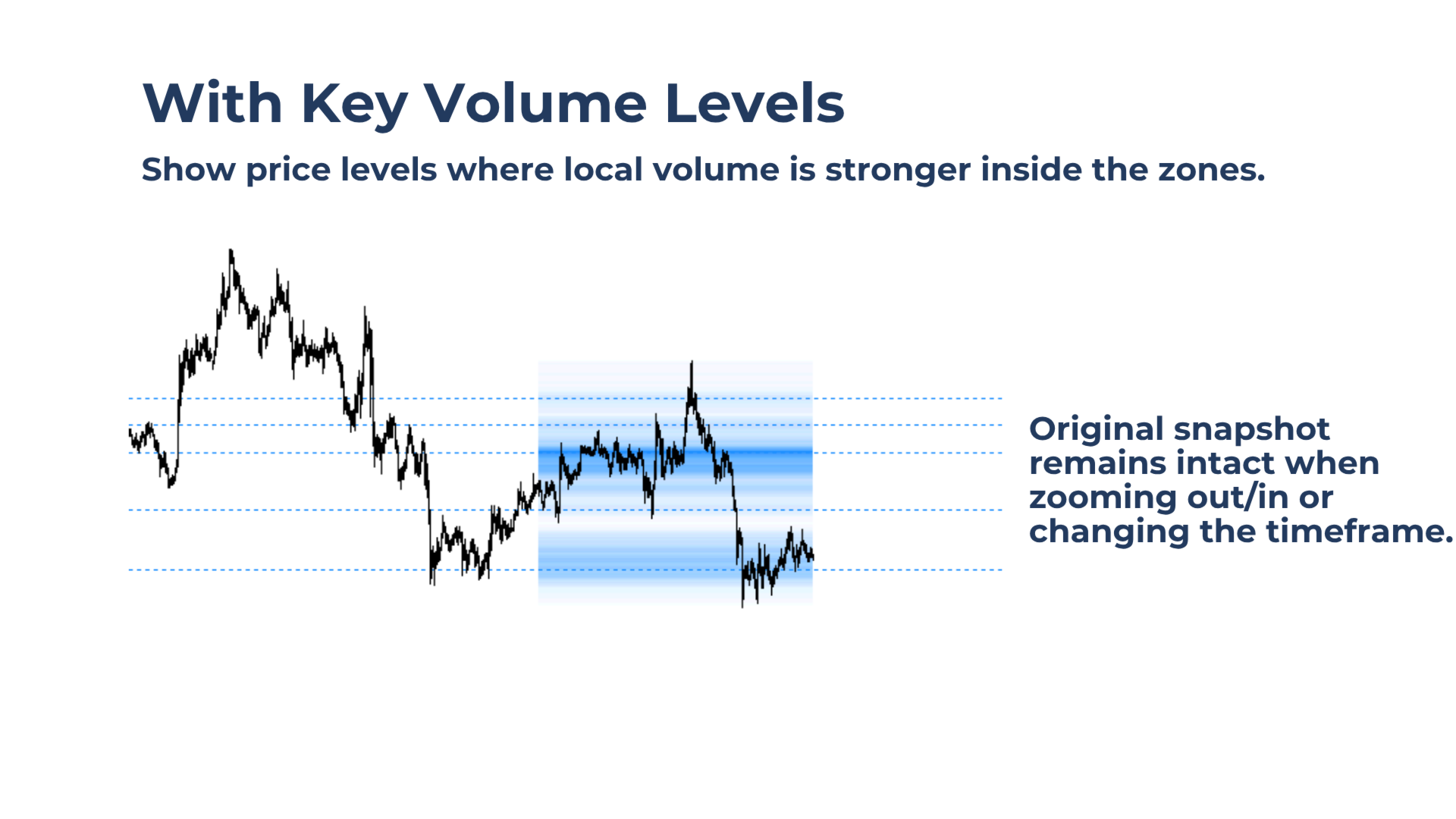
See key volume levels inside the zones: The tool highlights key levels where local volume zones show a max, even inside thinner volume areas.

Keep the chart clean: Show the zones when needed, then clear them with one click.


Main features of Volume Snap

Lightweight Performance
The zones update only when you click the button, helping keep CPU usage low.

Customizable Color Scheme
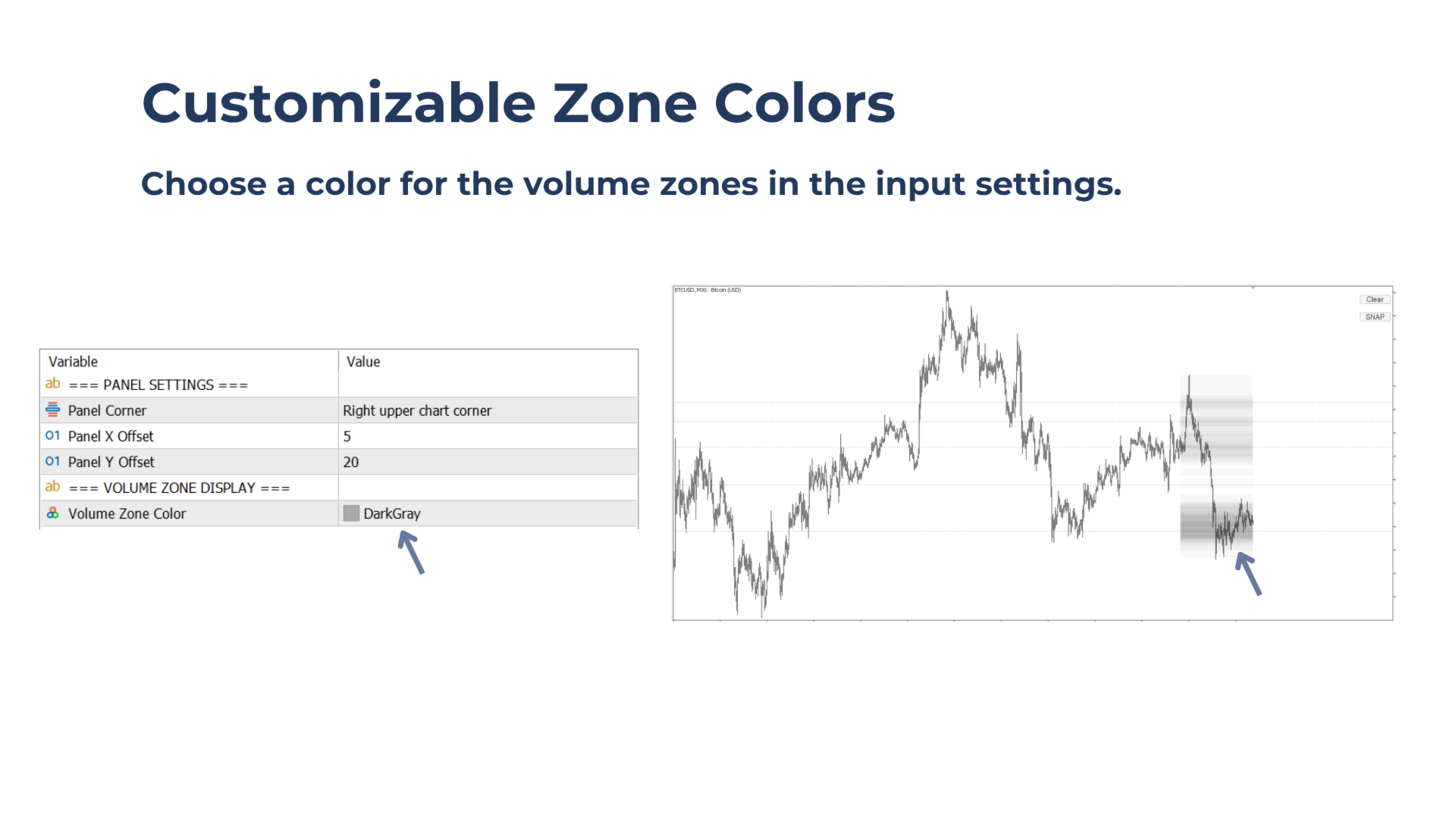
Choose the zone color from the input settings to match your chart style.

Works on all Symbols and Timeframes
Use the tool on any Market Watch symbol and any timeframe.

Flexible Control Panel
Place the simple two-button control panel in any chart corner.


Notes & Tips:

Strategy Tester
Volume Snap can be used in the Strategy Tester. Use the Every Tick model for best results.

Zone Colors
The volume-zone color can be customized from the input settings. Use a darker zone color on light chart backgrounds and a lighter zone color on dark chart backgrounds for stronger contrast.

Volume Range
The snapshots are based on the visible chart range.

Create snapshots on fully zoomed-out charts or higher timeframes to identify larger support and resistance zones.

Create snapshots on fully zoomed-in charts or lower timeframes for more precise entry planning.

Altri dall’autore
Plan trades around potential stop-run zones and get alerted when price reaches them, without watching the chart constantly. Bank Levels Tracker highlights levels around obvious swing highs and lows where retail stop losses may cluster. These areas can become important liquidity zones, often targeted by Smart Money before a possible market reversal. Instead of manually checking the chart and marking these levels over and over again, the tool highlights these zones in advance and instantly alert
Never miss a clean candle-close break confirmation again without non-stop chart staring. Bar Break Alerter lets traders activate a break alert directly on the chart, step away from the screen, and get notified when a valid confirmation appears. Watching for break confirmations manually takes time and can easily lead to early FOMO entries, distraction, or missed signals when the trader is away for only a moment. Bar Break Alerter helps solve this by monitoring the selected direction in the back
Bar Break Alerter
Part-time Day Trader
Never miss a clean candle-close break confirmation again without non-stop chart staring. Bar Break Alerter lets traders activate a break alert directly on the chart, step away from the screen, and get notified when a valid confirmation appears. Watching for break confirmations manually takes time and can easily lead to early FOMO entries, distraction, or missed signals when the trader is away for only a moment. Bar Break Alerter helps solve this by monitoring the selected direction in the back
Drag Fib MT4
Part-time Day Trader
Place Fibonacci retracement levels with control, consistency, and wick-to-wick precision. Drag Fib combines the speed of an automatic Fib tool with the flexibility of letting the trader choose the exact trend leg to work from. Simply drag the vertical line onto the chosen trend leg, and the Fibonacci retracement is placed automatically. As the trend extends, the levels adjust with it, helping traders keep the same structure on the chart while planning alerts, entries, targets, or trade decision
Volume Snap mt4
Part-time Day Trader
Instantly create a volume-zone snapshot with one button click. Use volume-based support and resistance zones to help plan better entries, stop-loss areas, and target levels. Click 'Clear' to return to a clean chart. Works on any timeframe and any Market Watch symbol. Built for Traders Who Want To: Use key volume levels to plan entries, stop-loss areas, and target zones. Keep the chart clean by showing zones only when needed. Use volume as a footprint of institutional activity to identify areas w
FREE
Pitchfork Precise
Part-time Day Trader
Construct precise wick-to-wick pitchfork structures in seconds with Pitchfork Precise. Simply place the start anchor, P0, with one click. Then drag the vertical line just to the right of the third anchor swing, P2. Done. Pitchforks stay locked across timeframe changes and remain saved when switching symbols. The optional symbol monitor flags symbols with active pitchforks in memory, making them easy to revisit. The reason for this tool is simple: precision matters when working with pitchforks. B
Plan trades around potential stop-run zones and get alerted when price reaches them, without watching the chart constantly. Bank Levels Tracker highlights levels around obvious swing highs and lows where retail stop losses may cluster. These areas can become important liquidity zones, often targeted by Smart Money before a possible market reversal. Instead of manually checking the chart and marking these levels over and over again, the tool highlights these zones in advance and instantly alert
Drag Fib
Part-time Day Trader
Place Fibonacci retracement levels with control, consistency, and wick-to-wick precision. Drag Fib combines the speed of an automatic Fib tool with the flexibility of letting the trader choose the exact trend leg to work from. Simply drag the vertical line onto the chosen trend leg, and the Fibonacci retracement is placed automatically. As the trend extends, the levels adjust with it, helping traders keep the same structure on the chart while planning alerts, entries, targets, or trade decision
Pitchfork Precise MT5
Part-time Day Trader
Draw precise wick-to-wick pitchfork structures in seconds with Pitchfork Precise. Simply place the start anchor, P0, with one click. Then drag the vertical line just to the right of the third anchor swing, P2. Done. Pitchforks stay locked across timeframe changes and remain saved when switching symbols. The optional symbol monitor flags symbols with active pitchforks in memory, making them easy to revisit. The reason for this tool is simple: precision matters when working with pitchforks. But m
Filtro:
Nessuna recensione
Rispondi alla recensione