VantageFX Matrix

39 USD
Pubblicato:
1 febbraio 2026
Versione attuale:
3.0
Non hai trovato un robot adatto?
Ordina il tuo
su Freelance
Vai alla sezione Freelance
Ordina il tuo
su Freelance
Come acquistare un Robot di Trading o un indicatore
Esegui il tuo EA
hosting virtuale
hosting virtuale
Prova un indicatore/robot di trading prima di acquistarlo
Vuoi guadagnare nel Market?
Come presentare un prodotto per venderlo con successo

Ti stai perdendo delle opportunità di trading:
- App di trading gratuite
- Oltre 8.000 segnali per il copy trading
- Notizie economiche per esplorare i mercati finanziari
Registrazione
Accedi
Accetti la politica del sito e le condizioni d’uso
Se non hai un account, registrati
QUICK START GUIDE: How to trade with Vantage FX Matrix
Hello traders! Thank you for choosing Vantage FX Matrix. To help you get maximum profit from day one, here is a short guide on how to interpret the signals and use the "Dual-Core" logic effectively.
1. How to Read the Dashboard
The Number (0-100): Represents the absolute strength of the currency based on RSI.
Green (> 60): The currency is Strong (Bulls are in control).
Red (< 40): The currency is Weak (Bears are in control).
Gray (40-60): Ranging/Neutral market.
The Arrow (▲/▼): Represents Speed (Momentum). It shows where the strength is going.
2. Trading Strategies
Strategy A: "The Gap" (Best for Trend Following)
This is the safest method. You trade the Strongest currency against the Weakest one.
Look at your working timeframe (e.g., M15 or H1).
Find a currency with Green Strength (e.g., USD 85).
Find a currency with Red Strength (e.g., JPY 20).
Trade: BUY USDJPY.
Why: You have the maximum probability of a strong movement.
Tip: The "Top Signal" button at the bottom automatically finds this gap for you on M15.
Strategy B: "Speed Reversal" (Best for Scalping)
Catch the pullback or reversal early using the Speed Arrows.
Find a currency that is Very Strong (Green, > 80).
Look at the small arrow. If it turns RED (▼), it means the momentum is dying.
Trade: Look for short-term Sell setups against this currency.
Why: Even though the trend is up, the buyers are exhausted.
Strategy C: "Hybrid Mode" (Crypto & Gold)
Use the bottom Custom List section for non-forex assets (Bitcoin, Gold, Indices).
Add XAUUSD or BTCUSD in the inputs.
Gold/Crypto Logic:
If H1/H4 is Green (> 65) with Up Arrow (▲) -> Only look for Buy setups.
If H1/H4 is Red (< 35) with Down Arrow (▼) -> Only look for Sell setups.
3. Key Advantages
✅ NO REPAINT: The values are fixed after the candle closes. What you see on history is what happened.
✅ NO LAG: The dashboard updates every second using an optimized timer, keeping your terminal fast.
✅ SMART NAVIGATION: Click on or
or 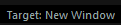 in the header to choose if you want to open charts in the current window or a new one.
If you have any feature requests or need help with settings, feel free to ask here. I reply fast!
Happy Trading! 🚀