VantageFX Matrix

39 USD
Publié:
1 février 2026
Version actuelle:
3.0
Vous ne trouvez aucun robot qui vous convient ?
Commandez le vôtre
dans la section Freelance
Aller à la section Freelance
Commandez le vôtre
dans la section Freelance
Comment acheter un robot de trading ou un indicateur
Exécutez votre EA sur
hébergement virtuel
hébergement virtuel
Test un indicateur/robot de trading avant d'acheter
Vous voulez gagner de l'argent sur Market ?
Comment présenter un produit pour qu'il se vende bien

Vous manquez des opportunités de trading :
- Applications de trading gratuites
- Plus de 8 000 signaux à copier
- Actualités économiques pour explorer les marchés financiers
Inscription
Se connecter
Vous acceptez la politique du site Web et les conditions d'utilisation
Si vous n'avez pas de compte, veuillez vous inscrire
QUICK START GUIDE: How to trade with Vantage FX Matrix
Hello traders! Thank you for choosing Vantage FX Matrix. To help you get maximum profit from day one, here is a short guide on how to interpret the signals and use the "Dual-Core" logic effectively.
1. How to Read the Dashboard
The Number (0-100): Represents the absolute strength of the currency based on RSI.
Green (> 60): The currency is Strong (Bulls are in control).
Red (< 40): The currency is Weak (Bears are in control).
Gray (40-60): Ranging/Neutral market.
The Arrow (▲/▼): Represents Speed (Momentum). It shows where the strength is going.
2. Trading Strategies
Strategy A: "The Gap" (Best for Trend Following)
This is the safest method. You trade the Strongest currency against the Weakest one.
Look at your working timeframe (e.g., M15 or H1).
Find a currency with Green Strength (e.g., USD 85).
Find a currency with Red Strength (e.g., JPY 20).
Trade: BUY USDJPY.
Why: You have the maximum probability of a strong movement.
Tip: The "Top Signal" button at the bottom automatically finds this gap for you on M15.
Strategy B: "Speed Reversal" (Best for Scalping)
Catch the pullback or reversal early using the Speed Arrows.
Find a currency that is Very Strong (Green, > 80).
Look at the small arrow. If it turns RED (▼), it means the momentum is dying.
Trade: Look for short-term Sell setups against this currency.
Why: Even though the trend is up, the buyers are exhausted.
Strategy C: "Hybrid Mode" (Crypto & Gold)
Use the bottom Custom List section for non-forex assets (Bitcoin, Gold, Indices).
Add XAUUSD or BTCUSD in the inputs.
Gold/Crypto Logic:
If H1/H4 is Green (> 65) with Up Arrow (▲) -> Only look for Buy setups.
If H1/H4 is Red (< 35) with Down Arrow (▼) -> Only look for Sell setups.
3. Key Advantages
✅ NO REPAINT: The values are fixed after the candle closes. What you see on history is what happened.
✅ NO LAG: The dashboard updates every second using an optimized timer, keeping your terminal fast.
✅ SMART NAVIGATION: Click on or
or 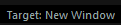 in the header to choose if you want to open charts in the current window or a new one.
If you have any feature requests or need help with settings, feel free to ask here. I reply fast!
Happy Trading! 🚀