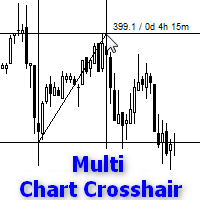
KL Multi Crosshair
30 USD
Versione demo scaricata:
368
Pubblicato:
1 ottobre 2015
Versione attuale:
1.144
Non hai trovato un robot adatto?
Ordina il tuo
su Freelance
Vai alla sezione Freelance
Ordina il tuo
su Freelance
Come acquistare un Robot di Trading o un indicatore
Esegui il tuo EA
hosting virtuale
hosting virtuale
Prova un indicatore/robot di trading prima di acquistarlo
Vuoi guadagnare nel Market?
Come presentare un prodotto per venderlo con successo

Ti stai perdendo delle opportunità di trading:
- App di trading gratuite
- Oltre 8.000 segnali per il copy trading
- Notizie economiche per esplorare i mercati finanziari
Registrazione
Accedi
Accetti la politica del sito e le condizioni d’uso
Se non hai un account, registrati
Thank you for purchasing. You may be also interested in the EA 4X Lab that has build in Effortless Risk Manager and can place the orders using four methods.
4X Lab is advanced visual order manager that do not occupy chart like many trading panels, and its short order lines don’t overlap your chart and your technical analysis. Lines also show important information about current trade. 4X Lab works with every instrument symbol and on every chart type.
4X Lab allows you control reckless signal provider or other EA especially if your signal provider or EA doesn’t use SL and TP. You can control orders by trailing stop, break even, partial or hidden SL (if 100%), partial or hidden TP (if 100%). You can also control orders by common levels of SL or TP, partially too, and much more. All very easy, effortlessly and intuitively.
4X Lab:
Full version: https://www.mql5.com/en/market/product/9366 <<<<==================
Free version: https://www.mql5.com/en/market/product/14163 <<<<==================
Description: http://klore-fx.eu/4XLab.php
Free versions works fully on CADCHF, CHFJPY and USDPLN Please click picture, it is animated Gif.
Hi,
I bought KL Multi Crosshair . It worked for few days and after a recent upgrade of MT4 it stopped working. When I try to put it on MT4 window nothing happens. No windows shows up and there is no cross-hair as previously. There is nothing in MT4 journal too. Is there anything that you can do like upgrade this for a newer version. I rellay love this indicator and want to use it further. My MT4 version is:
Version 4.00 Build 1010 (18 Aug, 2016)
Thank you.
Hi,
I bought KL Multi Crosshair . It worked for few days and after a recent upgrade of MT4 it stopped working. When I try to put it on MT4 window nothing happens. No windows shows up and there is no cross-hair as previously. There is nothing in MT4 journal too. Is there anything that you can do like upgrade this for a newer version. I rellay love this indicator and want to use it further. My MT4 version is:
Version 4.00 Build 1010 (18 Aug, 2016)
Thank you.
It is not related to version 4.00 Build 1010 due to I'm using KL Multi Crosshair every day and it works well. Probably you have no linked file to Navigator, tab Favourites (even in Favourites its name exist) or file name was changed / file deleted or moved. Refresh files in Navigator (Ctrl+N), if file exist assign hotkey e.g. Ctrl+F or add KL Multi Crosshair to Favourites. If it is other problem try to describe it more detailed. Without screen shots or video I can't say too much.
Full description http://klore-fx.eu/crosshair.php
It is not related to version 4.00 Build 1010 due to I'm using KL Multi Crosshair every day and it works well. Probably you have no linked file to Navigator, tab Favourites (even in Favourites its name exist) or file name was changed / file deleted or moved. Refresh files in Navigator (Ctrl+N), if file exist assign hotkey e.g. Ctrl+F or add KL Multi Crosshair to Favourites. If it is other problem try to describe it more detailed. Without screen shots or video I can't say too much.
Full description http://klore-fx.eu/crosshair.php
Thanks for the reply. I have made a video of it showing all steps. Please find it attached.
Unfortunately, I don't see any attachment.
Sorry I have not been able to upload video zip file here. So here is the link: http://sendvid.com/6p5hq2ex
or at this url: https://vid.me/xMfq
Please watch the video https://youtu.be/0fdl_jsElp0
It looks like problem with the update build 1010 on win10, especially if MT4 is not connected. On build 985 the indicator works well. Also, on windows 7 and MT4 build 1010 I don't see any problems.
Please watch the video https://youtu.be/0fdl_jsElp0
It looks like problem with the update build 1010 on win10, especially if MT4 is not connected. On build 985 the indicator works well. Also, on windows 7 and MT4 build 1010 I don't see any problems.
or at this url: https://vid.me/xMfq
I reported your problem to Service Desk and I received such information:
New update 1.14 soon. New feature, opening the indicator in a new window is causing deleting the indicator in previous window. Also, in new update 1.14 candles will be on "top" and you will be able to see wicks.
In all versions KL Multi Crosshair works like script (settings can't be save) and automatically color of lines is foreground color of every chart. Because you wanted to change color and style of line, so I added such feature as bonus.
Tested also on Win10 Pro build 14955 and works great.
Program X-Mouse Button Control https://www.highrez.co.uk/downloads/xmousebuttoncontrol.htm allows you to assign hotkeys Ctrl+F and Esc to mouse buttons.
First, in Navigator you need set hotkey Ctrl+F for KL Multi Crosshair.
And then in program X-Mouse Button Control:
{PRESS}{CTRL}F{WAITMS100}{RELEASE}{RETURN} - the sequence that launches KL Multi Crosshair and next confirms OK button.
{ESCAPE} - removes KL Multi Crosshair from all charts as mouse button is pressed.
It has stopped working on build 1090. This is what I see:
2017.07.15 21:34:05.641 cannot load 'C:\Users\TradeYodha\AppData\Roaming\MetaQuotes\Terminal\DF5DE9547A0936C0E42C040D9AA40C5F\MQL4\indicators\Market\KL Multi Crosshair.ex4'
The indicator is present there but does not work
It has stopped working on build 1090. This is what I see:
2017.07.15 21:34:05.641 cannot load 'C:\Users\TradeYodha\AppData\Roaming\MetaQuotes\Terminal\DF5DE9547A0936C0E42C040D9AA40C5F\MQL4\indicators\Market\KL Multi Crosshair.ex4'
The indicator is present there but does not work
Hello, All works perfectly in MT4 build 1090. Please contact with Service Desk.
Hi,
nice indicator, well done. But it should be possible to switch off the "draw trend line" function by left click when moving the chart.
Is that possible for an update?
Thanks.
TERRIBLE
1. He never answers emails OR messaging on their website.
2. The text is too small.
3. The text is not clearly formed.
4. When using it, if you drag across to another point, the whole screen scroll.
Metatrader should insist that they reply to customer queries.
I have wasted my money on this.
I have now turned it off and prefer the MT4 standard crosshair.
TERRIBLE
1. He never answers emails OR messaging on their website.
2. The text is too small.
3. The text is not clearly formed.
4. When using it, if you drag across to another point, the whole screen scroll.
Metatrader should insist that they reply to customer queries.
I have wasted my money on this.
I have now turned it off and prefer the MT4 standard crosshair.
Hello,
1. If you bought application on mql5 market, please contact me using mql5 messages. No messages from Howcar user. How many emails did you send? I can identify only one message from hwc******@sky.com. The message was ignored, because it looked offensive using capital letters in sentences where user did not accept website rules, etc. but he wants to submit the order form for app testing.
2. The same size as price values on vertical scale of the chart.
3. Please read description carefully – the price distance in points / duration: DD hh mm
4. Just only mouse clicks are needed. Scrolling chart with mouse wheel allows you to measure distances bigger than visible chart (it is impossible with the standard crosshair).
Metatrader should insist that they reply to customer queries. - 😊
I have wasted my money on this. – oh no, now you know how, so I hope you like it.
Have a nice day.