Krzysztof Lorenc / Profilo
- Informazioni
|
12+ anni
esperienza
|
2
prodotti
|
1950
versioni demo
|
|
0
lavori
|
0
segnali
|
0
iscritti
|
Thank you for purchasing. You can try out any application you like on our website. Each app works fully for seven days. Applications from mql5 market can be slightly different. You can read about it in description. Due to characters limitations in descriptions on mql5 market, full descriptions you will find on my website.
Full description of 4X Lab - http://tradingtools.eu/4XLab
Full description of Account Performance Analyzer - https://tradingtools.eu/Account-Performance-Analyzer-for-MT4
Full description of Multi Crosshair - https://tradingtools.eu/Global-Crosshair-for-MT4
Full description of Andrews Pitchfork Plus - https://tradingtools.eu/Andrews-Pitchfork-Plus
Full description of Andrews Pitchfork Plus MT5 (PDF manual) - https://tradingtools.eu/Andrews-Pitchfork-Plus-MT5
Full description of Toolbox PRO1/2/3 - http://tradingtools.eu/Toolbox_PRO1_toolbox
More applications you will find on my website.
Full description of 4X Lab - http://tradingtools.eu/4XLab
Full description of Account Performance Analyzer - https://tradingtools.eu/Account-Performance-Analyzer-for-MT4
Full description of Multi Crosshair - https://tradingtools.eu/Global-Crosshair-for-MT4
Full description of Andrews Pitchfork Plus - https://tradingtools.eu/Andrews-Pitchfork-Plus
Full description of Andrews Pitchfork Plus MT5 (PDF manual) - https://tradingtools.eu/Andrews-Pitchfork-Plus-MT5
Full description of Toolbox PRO1/2/3 - http://tradingtools.eu/Toolbox_PRO1_toolbox
More applications you will find on my website.
Amici
2242
Richieste
In uscita
Krzysztof Lorenc
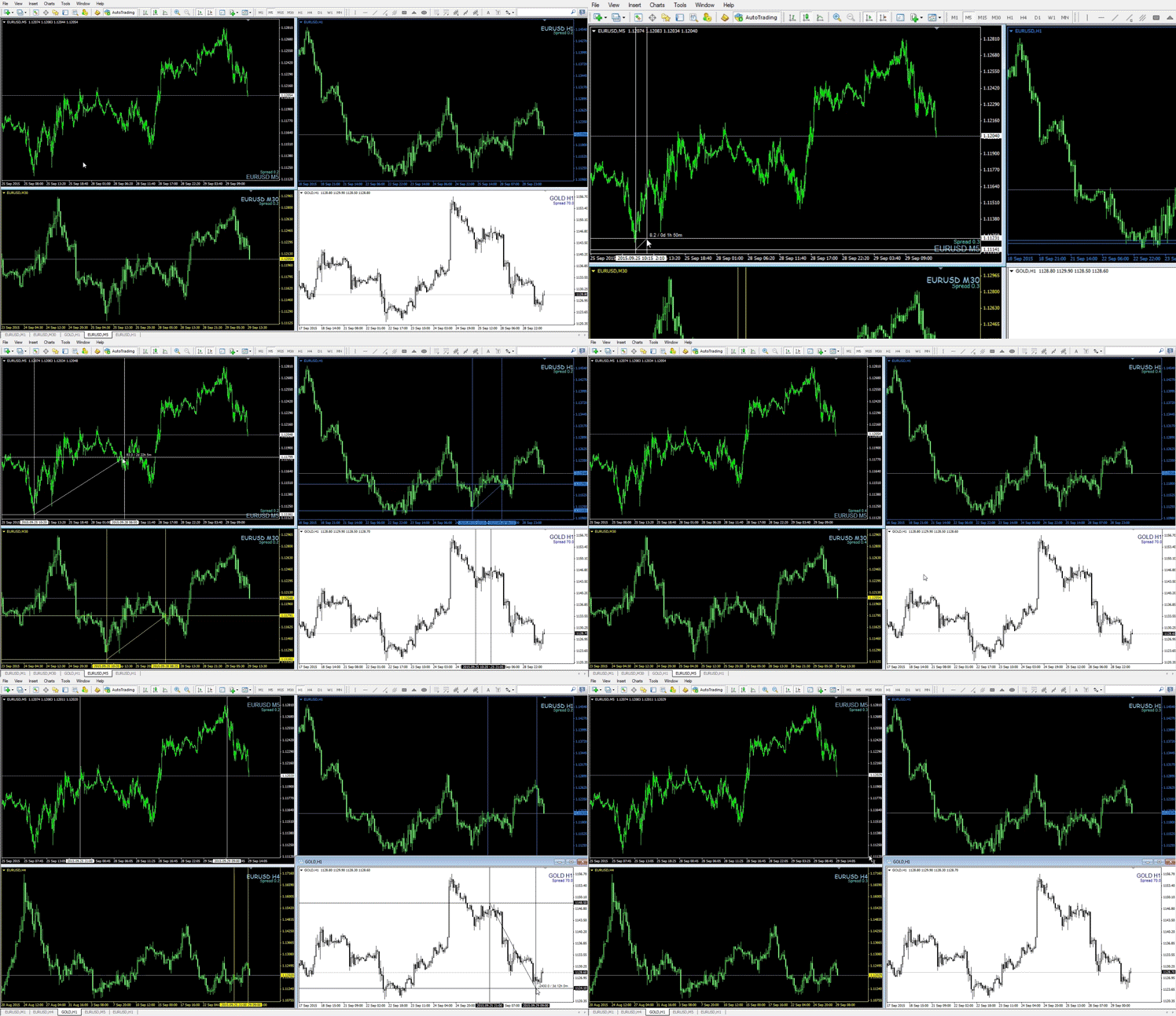
KL Multi Crosshair is a tool which, simultaneously shows cross-hair on all other charts. With this tool you can compare price levels, trends, consolidations on all charts in a given or similar time range. The indicator works with all symbols and different chart types, including charts like tick chart, renko, range bar and so on. Cross-hair displays pip distance and time duration according to number of measured candles. If you press the 'Escape' button, the indicator will be removed from a chart and will no longer consume your CPU resources. With the X-Mouse Button Control program the indicator can works like a MT4 script.
Get Multi Crosshair - https://www.mql5.com/en/market/product/12081
Description - https://tradingtools.eu/Global-Crosshair-for-MT4
Get Multi Crosshair - https://www.mql5.com/en/market/product/12081
Description - https://tradingtools.eu/Global-Crosshair-for-MT4
Mostra tutti i commenti (6)
Giorgio Monteleone
2017.01.15
Good :)
Alexandr Saprykin
2017.03.13
Very good
Krzysztof Lorenc
2017.03.21
Thank you :)

Krzysztof Lorenc
Truncated support and resistance lines clearly indicate you breakout levels.
The indicator automatically draws current valid S/R lines. Obsolete S/R lines are no more draws and will no longer disturb on your chart.
Short and long range S/R lines can have different style and color.
Blinking S/R line and sound alert will inform you if price is in short range to S/R level.
Alternately by keystroke F (on/off) chart "autofocus" allows you keep price in the middle of the chart.
Great tool for Scalpers and Day Traders.
Works on any chart type and any time period! https://www.mql5.com/en/market/product/17332
The indicator automatically draws current valid S/R lines. Obsolete S/R lines are no more draws and will no longer disturb on your chart.
Short and long range S/R lines can have different style and color.
Blinking S/R line and sound alert will inform you if price is in short range to S/R level.
Alternately by keystroke F (on/off) chart "autofocus" allows you keep price in the middle of the chart.
Great tool for Scalpers and Day Traders.
Works on any chart type and any time period! https://www.mql5.com/en/market/product/17332
Krzysztof Lorenc
===============================
KL Account Performance Analyzer
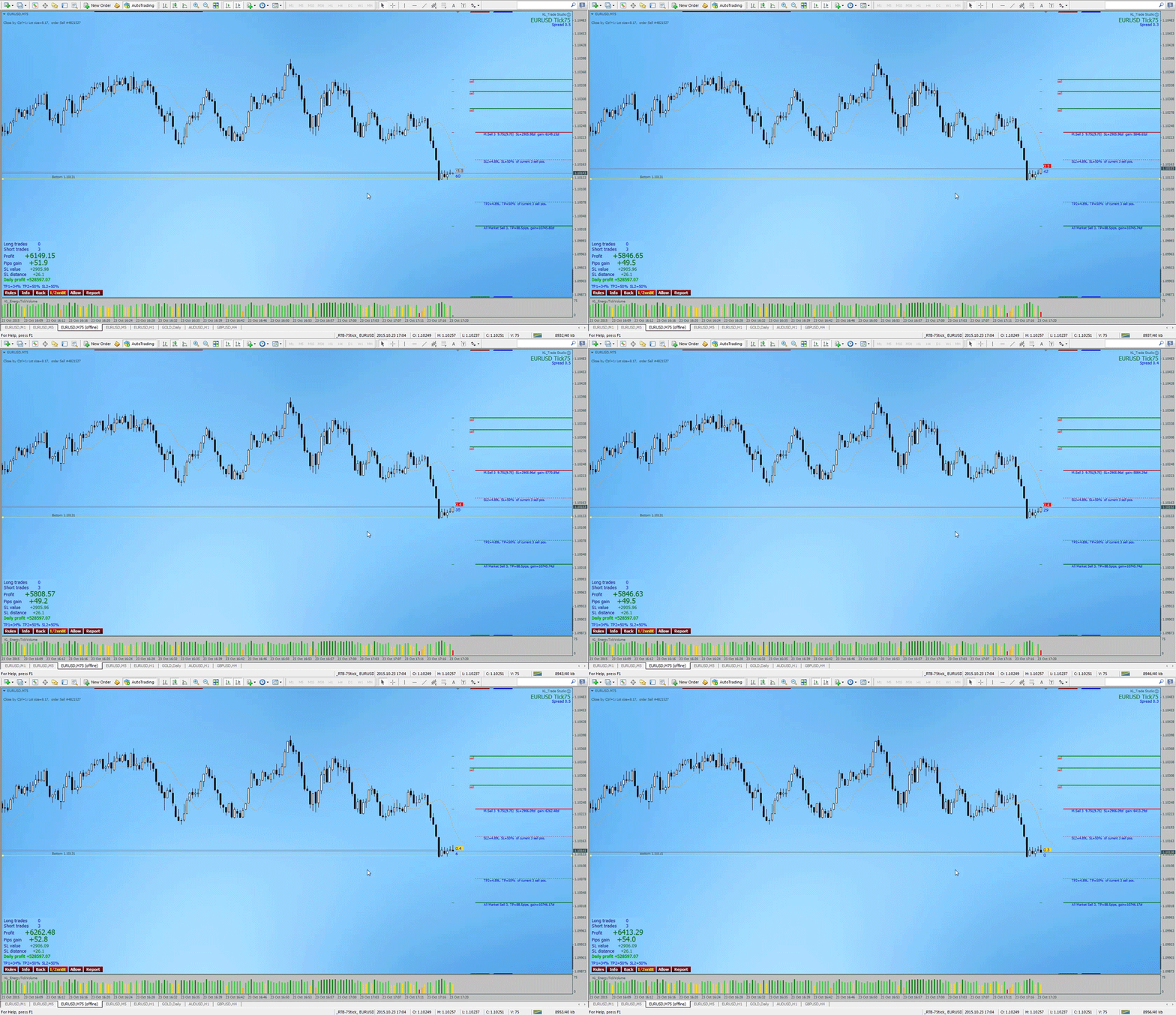
=============================== The indicator helps you estimate progress of your trading, your robot or signal provider using the most important factors. Analyze values according to the order type, instrument name and Order Magic Number. For history of your progress you can take screen shots with current chart. By default, indicator shows you on the chart current calculations of all opened trades in the terminal. KL Account Performance Analyzer:
Full version: https://www.mql5.com/en/market/product/14355 <<<<==================
Try free version: https://www.mql5.com/en/market/product/14354 <<<<==================
Description you will find here: https://tradingtools.eu/Account-Performance-Analyzer-for-MT4 Please also check out the rent offer!
A fully operational 7 days trial version is available at https://tradingtools.eu/Account-Performance-Analyzer-for-MT4
KL Account Performance Analyzer
=============================== The indicator helps you estimate progress of your trading, your robot or signal provider using the most important factors. Analyze values according to the order type, instrument name and Order Magic Number. For history of your progress you can take screen shots with current chart. By default, indicator shows you on the chart current calculations of all opened trades in the terminal. KL Account Performance Analyzer:
Full version: https://www.mql5.com/en/market/product/14355 <<<<==================
Try free version: https://www.mql5.com/en/market/product/14354 <<<<==================
Description you will find here: https://tradingtools.eu/Account-Performance-Analyzer-for-MT4 Please also check out the rent offer!
A fully operational 7 days trial version is available at https://tradingtools.eu/Account-Performance-Analyzer-for-MT4
Krzysztof Lorenc
====================================
New version of 4X Lab 1.492 is available.
==================================== 4X Lab is smart trade manager that can place and manage all type of orders in accordance with risk and money management. Using the 4X Lab doesn't require specific skill, also all can be done directly and effortlessly on the chart. The 4X Lab facilitate and accelerate managing of many orders, also orders with common levels of SL and TP. The expert was designed to not disturb on the chart. All according to rule minimum on chart (without big panels), maximum efficiency. Important features are available from auto-hiding panels or attached to order lines. Hover mouse pointer over the 4X Lab element and read tips. All operations can be done directly on the chart. Clicked left mouse button on stop loss line or sound alert line (hold about 1 sec.) shows additional menu for that line. Clicked order line shows information about given order. All is kept in clear way without big annoying trade panels occupying half size of the chart. Short lines of orders don't overlap chart with your technical analysis. When needed, those lines can be dragged at any place on the chart to compare precisely their price levels e.g. with chart tops and bottoms. In the 4X Lab the SL and TP price levels are forced by their order lines. For example, new SL price request is repeated constantly as long as broker accept new SL order level. This feature is important for scalpers and day traders during big market volatility like NFP, etc. If order request was rejected you do not have to repeat the operation manually loosing valuable time. Small dashes in vertical line of first candle shows you current broker levels of the orders what allows you better control your trading while scalping. Orders can be placed using four different methods in accordance with risk and money management. The 4X Lab massively helps traders increase their trading productivity. Full description you will find here: https://tradingtools.eu/4X-Lab-trade-manager Thank you for purchasing and comments. Please also check out the rent offer!
New version of 4X Lab 1.492 is available.
==================================== 4X Lab is smart trade manager that can place and manage all type of orders in accordance with risk and money management. Using the 4X Lab doesn't require specific skill, also all can be done directly and effortlessly on the chart. The 4X Lab facilitate and accelerate managing of many orders, also orders with common levels of SL and TP. The expert was designed to not disturb on the chart. All according to rule minimum on chart (without big panels), maximum efficiency. Important features are available from auto-hiding panels or attached to order lines. Hover mouse pointer over the 4X Lab element and read tips. All operations can be done directly on the chart. Clicked left mouse button on stop loss line or sound alert line (hold about 1 sec.) shows additional menu for that line. Clicked order line shows information about given order. All is kept in clear way without big annoying trade panels occupying half size of the chart. Short lines of orders don't overlap chart with your technical analysis. When needed, those lines can be dragged at any place on the chart to compare precisely their price levels e.g. with chart tops and bottoms. In the 4X Lab the SL and TP price levels are forced by their order lines. For example, new SL price request is repeated constantly as long as broker accept new SL order level. This feature is important for scalpers and day traders during big market volatility like NFP, etc. If order request was rejected you do not have to repeat the operation manually loosing valuable time. Small dashes in vertical line of first candle shows you current broker levels of the orders what allows you better control your trading while scalping. Orders can be placed using four different methods in accordance with risk and money management. The 4X Lab massively helps traders increase their trading productivity. Full description you will find here: https://tradingtools.eu/4X-Lab-trade-manager Thank you for purchasing and comments. Please also check out the rent offer!
Krzysztof Lorenc
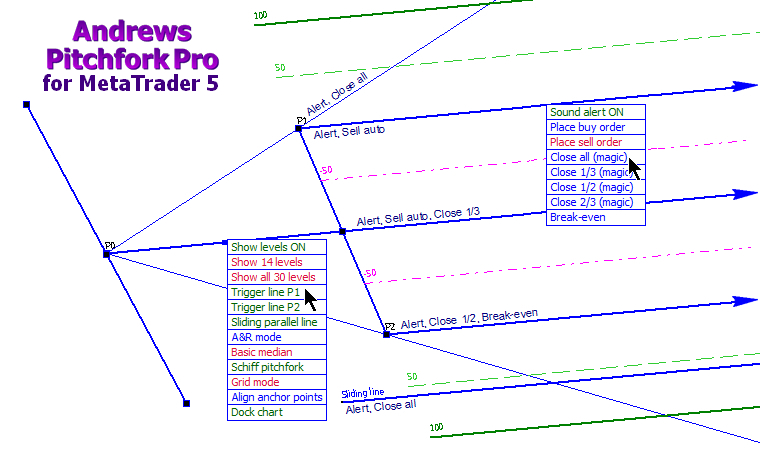
The new Andrews Pitchfork Pro for MetaTrader 5 has been greatly improved on the previous MetaTrader 4 version. There are several new features and improvements including its ease of use, automatic colour change when adding new pitchforks to the same chart, and the ability to set alerts on various pitchfork lines. Soon, in combination with our Effortless Risk Manager it will be possible to place and action trades at any pitchfork level. Also, alert/trade options can be used with Fibonacci levels and other price channels.
Detailed description of the tool you will find in the PDF manual on https://tradingtools.eu/Andrews-Pitchfork-PRO+-MT5 Soon on MQL5 market. Currently you can try a fully functioning copy of Andrews Pitchfork Pro before you buy for seven days.
Krzysztof Lorenc
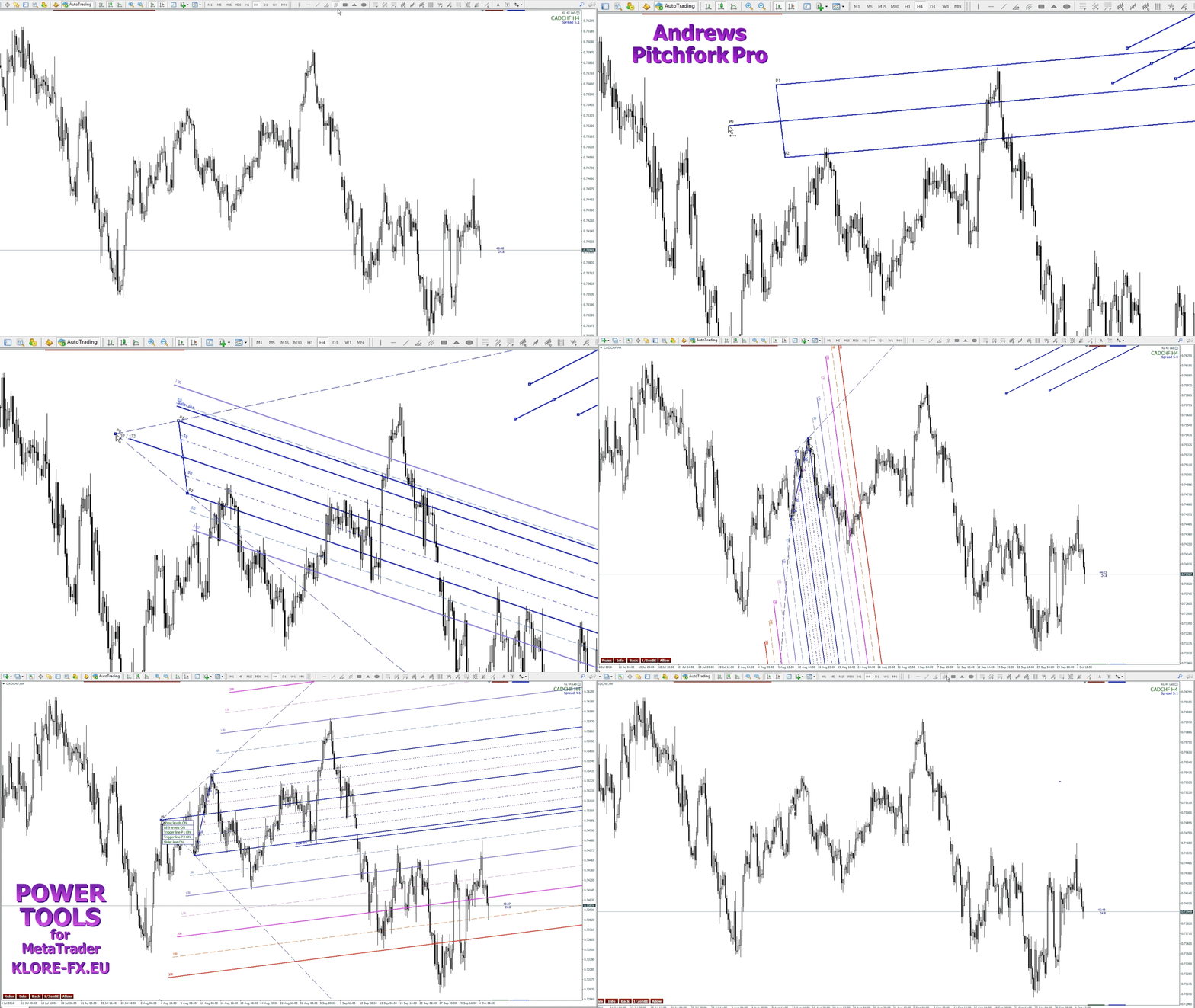
Andrews Pitchfork Pro for MetaTrader 4 with warning, trigger and slider lines. It is very accurate tool, even if P0 is very short! Each level can have its own color, style and different value. Each pitchfork has its own menu to manage additional properties. Attach the indicator to a chart and forget about it. Pitchforks are plotted directly from MetaTrader 4 toolbox. Hold clicked left mouse button at anchor P0 about 1 sec and get additional menu for managing Pitchfork properties like amount of levels, trigger lines and slider line. The menu disappears automatically if you move mouse pointer away from it. Magnetic alignment of Pitchfork Pro automatically aligns object anchor points to the tops or bottoms on each lower time frame. Like my other tools, Andrews Pitchfork PRO was created in such a way as not to disturb the chart, and at the same time be extremely efficient. For now, Andrews Pitchfork Pro wih A&R lines and Schiff pitchfork are available on my website.
Andrews Pitchfork Pro https://www.mql5.com/en/market/product/18807
full description https://tradingtools.eu/Andrews-Pitchfork-PRO
Andrews Pitchfork Pro for MetaTrader 4 - very accurate tool - https://youtu.be/2nPlF-bbzdU
Andrews Pitchfork Pro https://www.mql5.com/en/market/product/18807
full description https://tradingtools.eu/Andrews-Pitchfork-PRO
Andrews Pitchfork Pro for MetaTrader 4 - very accurate tool - https://youtu.be/2nPlF-bbzdU
Krzysztof Lorenc
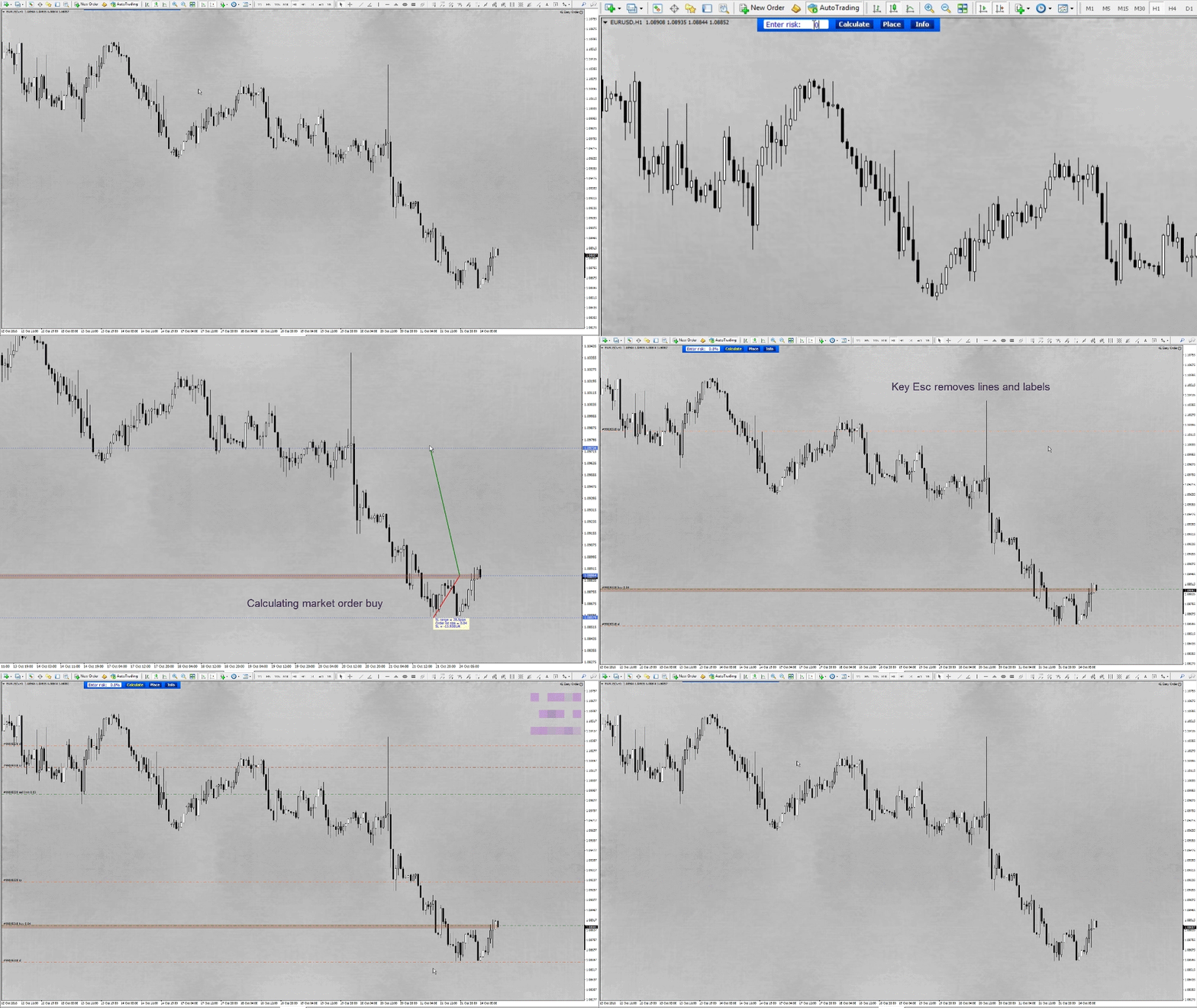
Effortless Risk Manager was designed to place orders visually between different levels of support and resistance or between supply and demand zones. The tool facilitates placing any type of the order in accordance with risk management. Placing orders exactly according to what you see on the chart increases probability of successful trading.
https://tradingtools.eu/Effortless-Risk-Manager - You can try it out for 7 days
Krzysztof Lorenc
4X Lab:
Full version: https://www.mql5.com/en/market/product/9366
Full description you will find here: https://tradingtools.eu/4X-Lab-trade-manager
KL Account Performance Analyzer:
Full version: https://www.mql5.com/en/market/product/14355
Full description you will find here: https://tradingtools.eu/Account-Performance-Analyzer-for-MT4
(Click to enlarge.)
Full version: https://www.mql5.com/en/market/product/9366
Full description you will find here: https://tradingtools.eu/4X-Lab-trade-manager
KL Account Performance Analyzer:
Full version: https://www.mql5.com/en/market/product/14355
Full description you will find here: https://tradingtools.eu/Account-Performance-Analyzer-for-MT4
(Click to enlarge.)
Krzysztof Lorenc
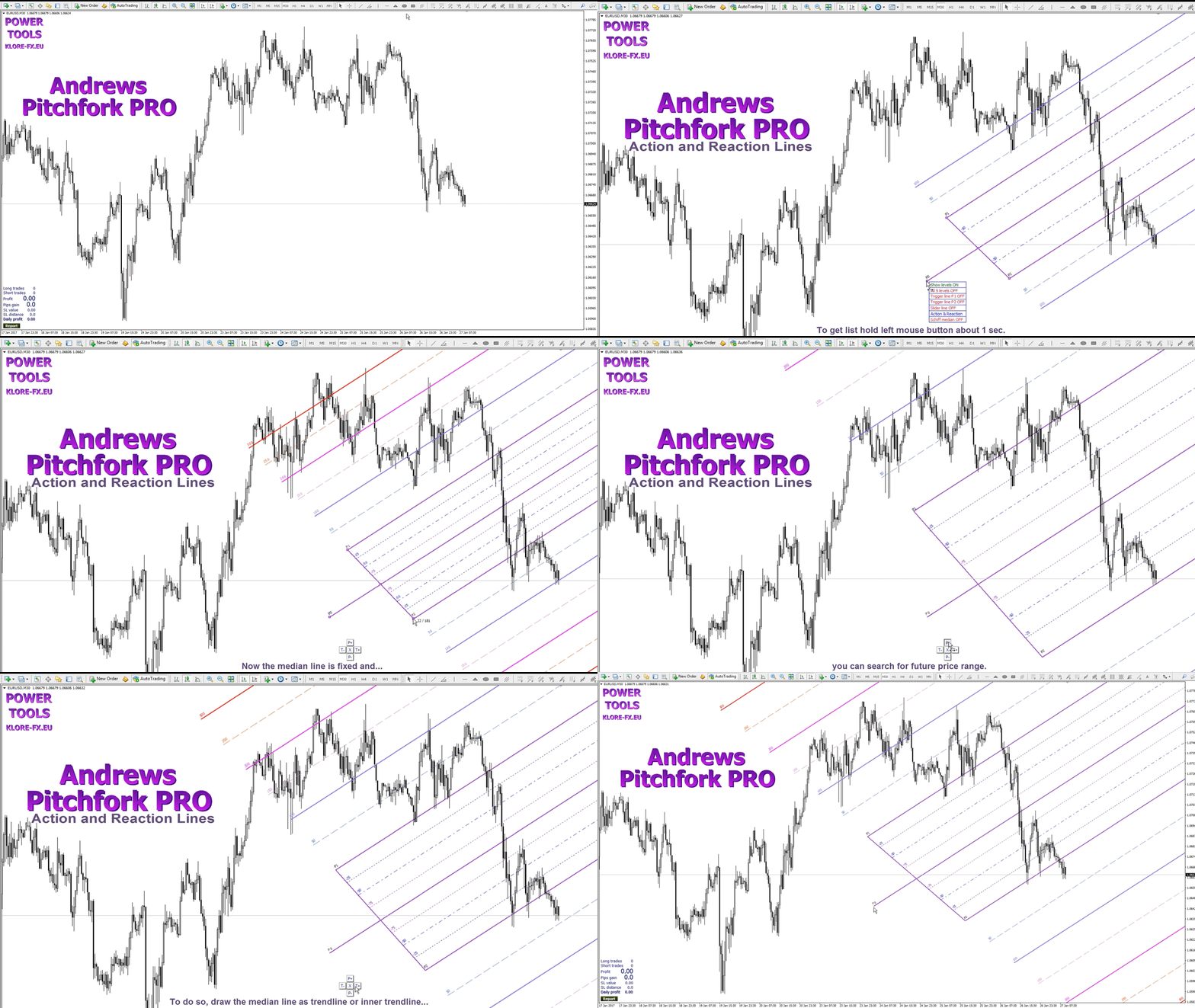
Andrews Pitchfork PRO - Action and Reaction Lines (beta version) https://www.mql5.com/en/market/product/18807#!tab=comments
Krzysztof Lorenc
DAX on H1 chart and Andrews Pitchfork Pro https://www.mql5.com/en/market/product/18807
full description https://tradingtools.eu/Andrews-Pitchfork-PRO
Andrews Pitchfork Pro for MetaTrader 4 - very accurate tool - https://youtu.be/2nPlF-bbzdU
You can click to enlarge.
full description https://tradingtools.eu/Andrews-Pitchfork-PRO
Andrews Pitchfork Pro for MetaTrader 4 - very accurate tool - https://youtu.be/2nPlF-bbzdU
You can click to enlarge.
: