GannToolbox MT5
- Indicateurs
-
Mario Jemic
 Analyste agréé des marchés de capitaux et des valeurs mobilières
Investisseur professionnel.
Ingénieur développeur derrière la FXCM Trading Station.
J’ai l’opportunité de travailler avec certaines des technologies les plus avancées disponibles aujourd’hui. - Version: 1.8
- Activations: 5
Draw Gann Fans, Gann Boxes and Gann Grids with one mouse drag, and adjust them with two handles.
Gann Toolbox is a mouse-driven drawing tool for MetaTrader. A small panel on the chart lets you pick a Gann Fan, a Gann Box or a Gann Grid, then you press on the chart, drag to the second point and release. It does not open, modify or close trades.
Tools
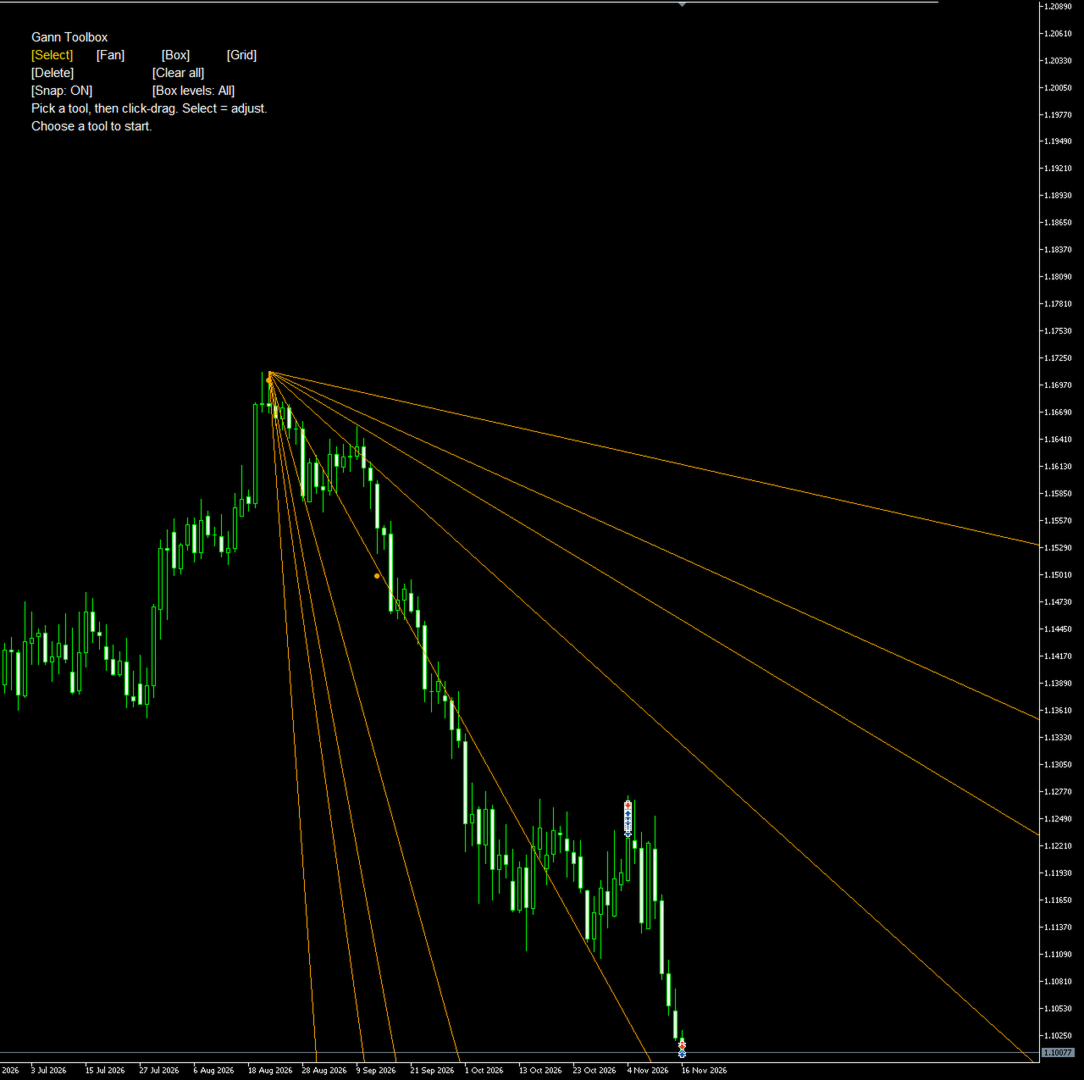
- Gann Fan: the standard fan from the first point, scaled so that the 1x1 line runs through the second point.
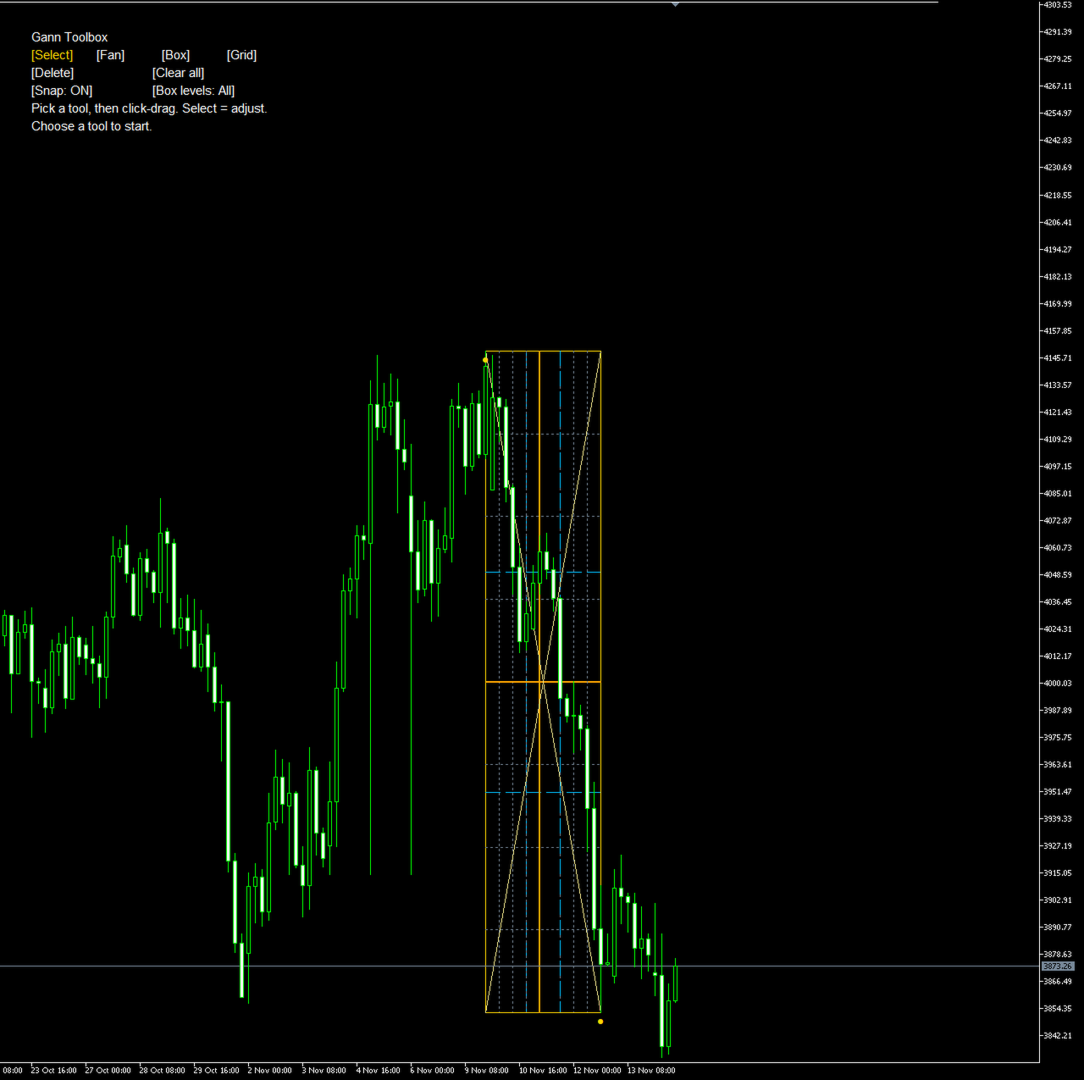
- Gann Box: a box between the two points with time and price divisions at 1/8, 1/4, 1/3, 3/8, 1/2, 5/8, 2/3, 3/4 and 7/8, plus both diagonals. Time divisions use bars, not calendar time, so weekends and session gaps do not distort the box. You can show all levels, only the eighths or only the thirds, with one click on the panel.
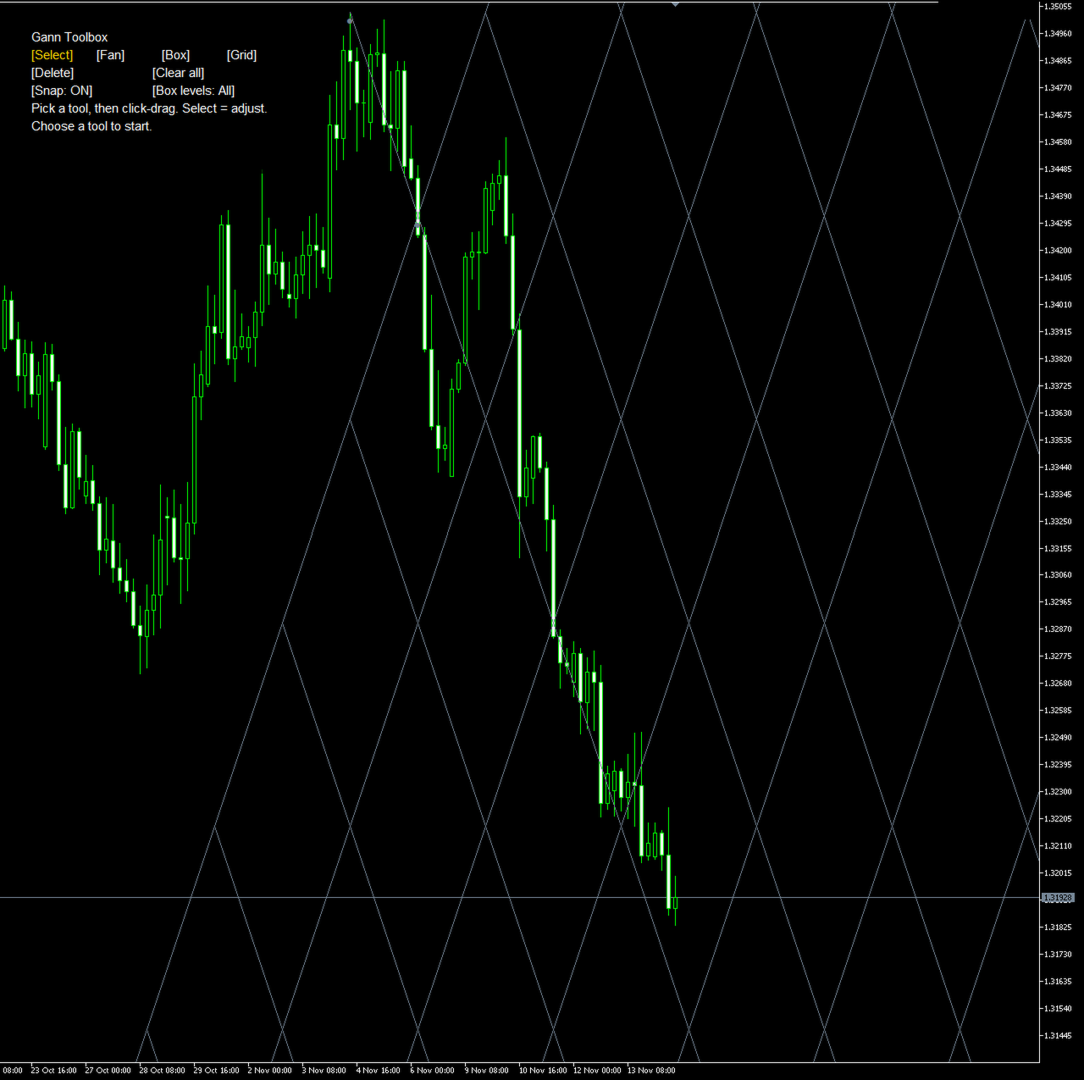
- Gann Grid: the standard grid, scaled from the two points.
Working with drawings
- Snap: points snap to the nearest open, high, low or close of the bar under the cursor. Turn it off on the panel to place points freely.
- Each drawing has two round handles. In Select mode, drag a handle to resize or move the drawing. While a tool is active, every press starts a new drawing, also from the handle of an earlier one, so several drawings can share a pivot.
- Points can be placed to the right of the last bar: boxes and fans are projected into future bars with the correct bar count.
- Delete removes the selected drawing. Clear all removes every drawing made by the toolbox, after a second click to confirm. Escape cancels a drawing in progress.
- Drawings are kept when you change inputs, switch timeframe or restart the terminal. After a symbol change the toolbox starts with an empty chart. Removing the indicator removes its drawings.
Appearance
- Colours for the fan, the grid, the box border, the 1/2, 1/3 and 1/8 levels and the diagonals; line width; fan rays to the right on or off.
- Panel position, size, colours, font and transparency.