RR Position Tool Pro
- Indicateurs
- Version: 1.46
- Mise à jour: 12 novembre 2026
- Activations: 10

Plan, test and track your trades directly on the MT5 chart: a long / short position tool with partial take profits, a moving stop loss, a trading journal, statistics and alerts.
Click LONG or SHORT, click on the chart where the entry should be, drag the SL and TP - and you see the risk and the reward in money, the R:R and the lot for your risk %. Press SAVE and the tool stays on the chart: it is tracked candle by candle on the history and live, and every saved trade goes into the statistics and the journal.
Great for backtesting a strategy by hand: place 20-50 trades on the history, open the statistics and see the win rate, the expectancy in R, the drawdown and where your results come from.
The indicator does not open or close trades. It shows you what to do and when (alerts), the decision is yours.
MAIN FEATURES
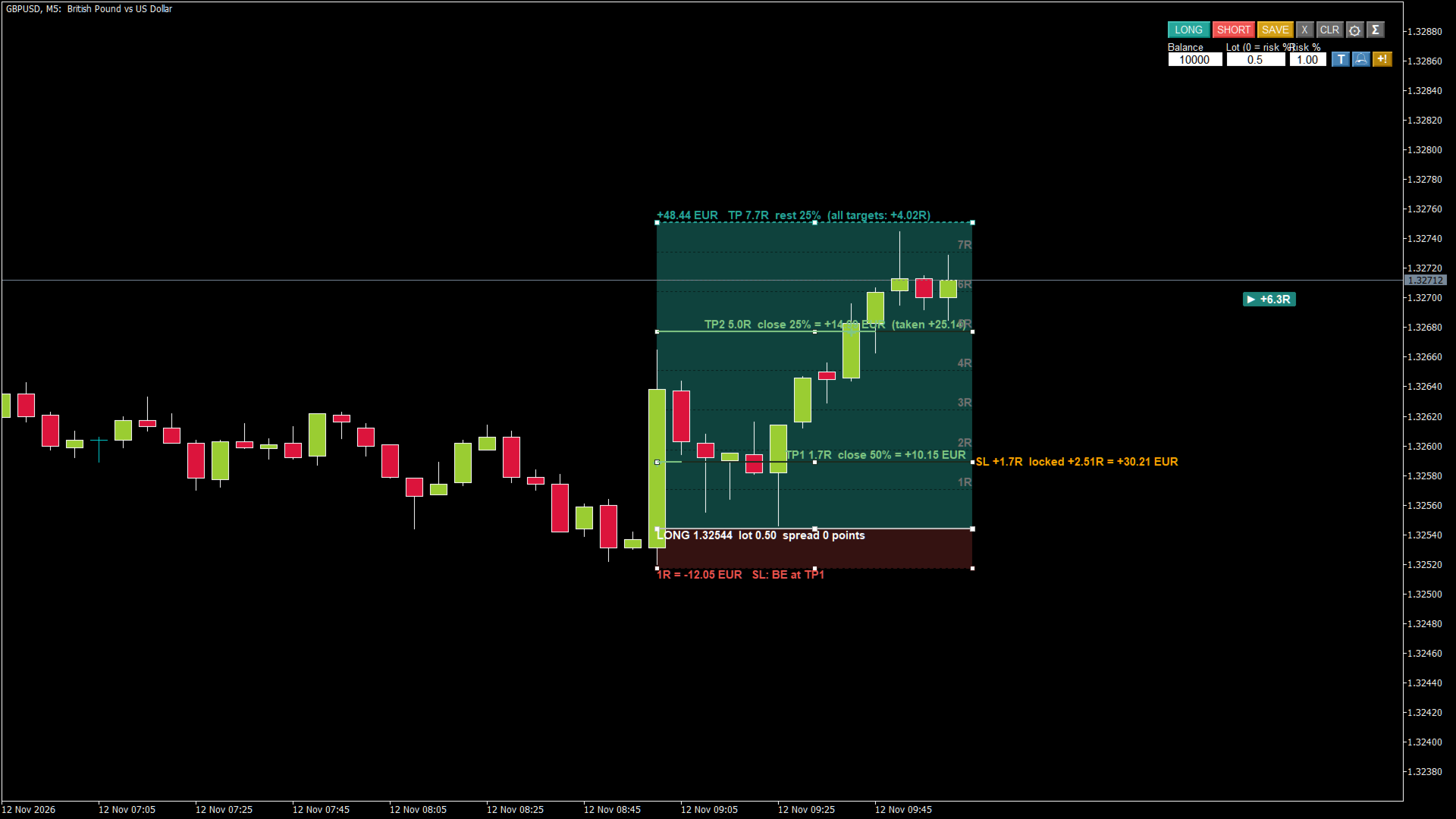
- Position tool: click to place, drag ENTRY / SL / TP, or press inside the box and drag the whole tool. The box follows while you drag.
- Money: risk and reward in your account currency, lot from Risk % of the balance or a fixed lot, commission included.
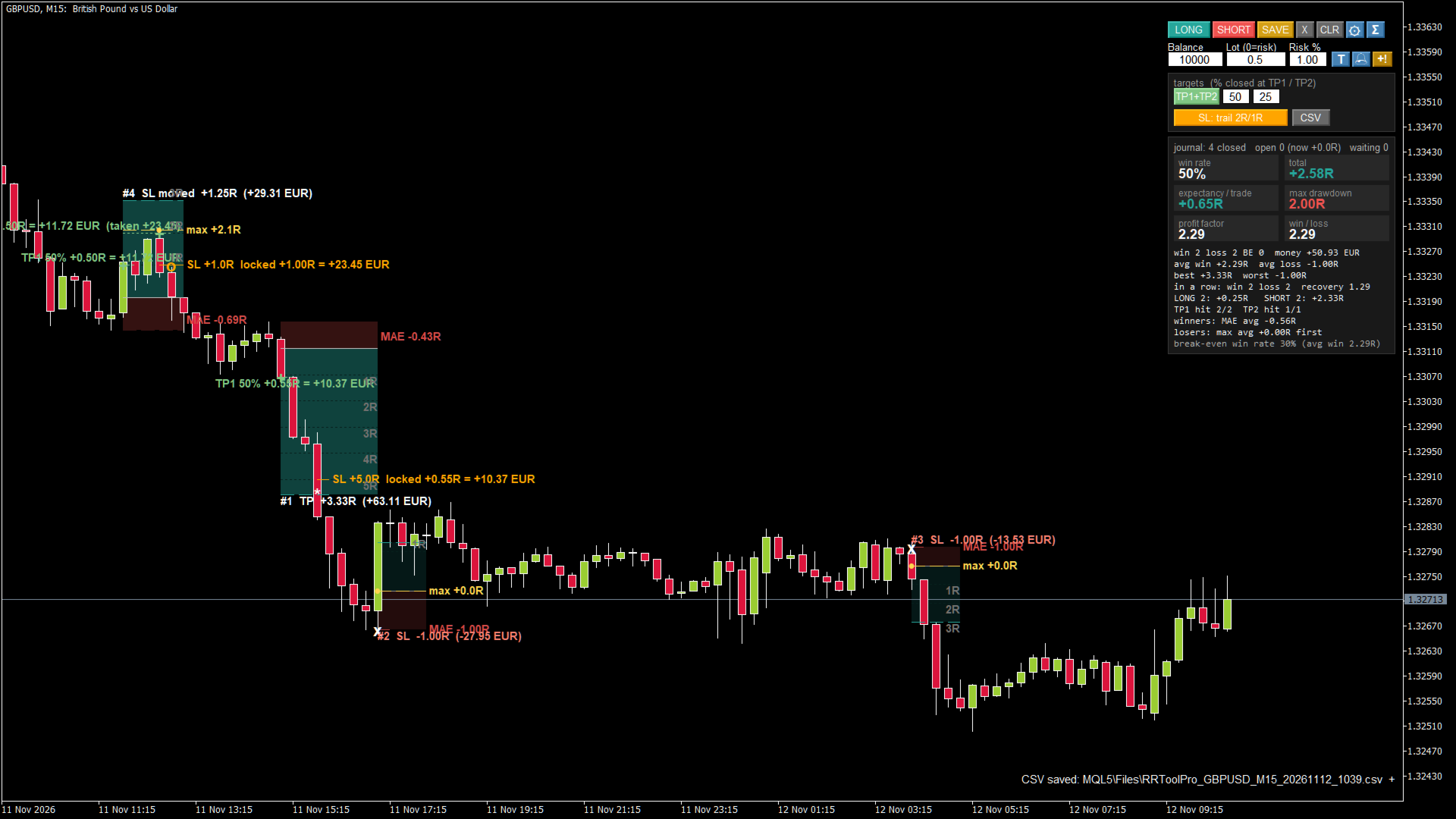
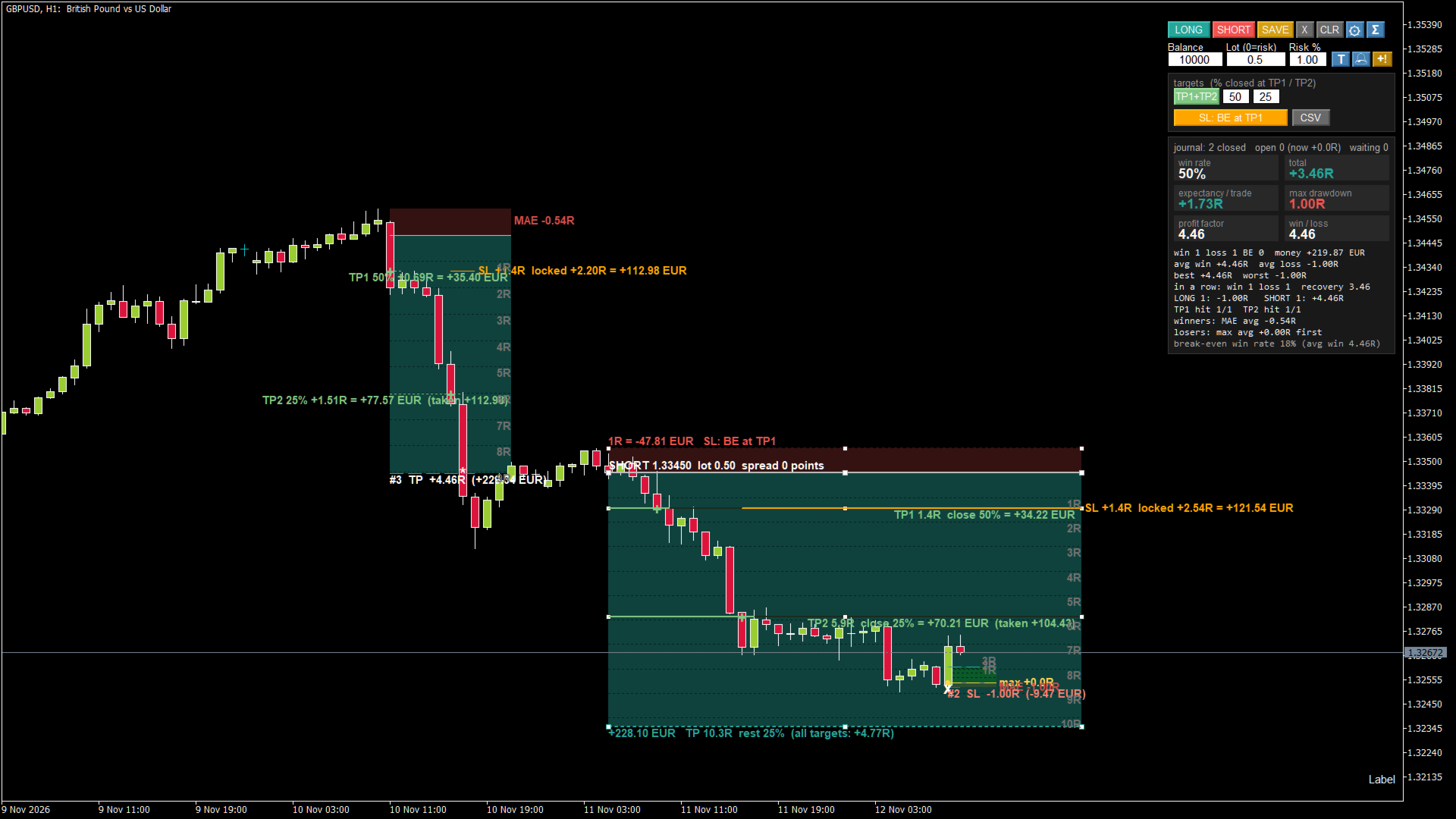
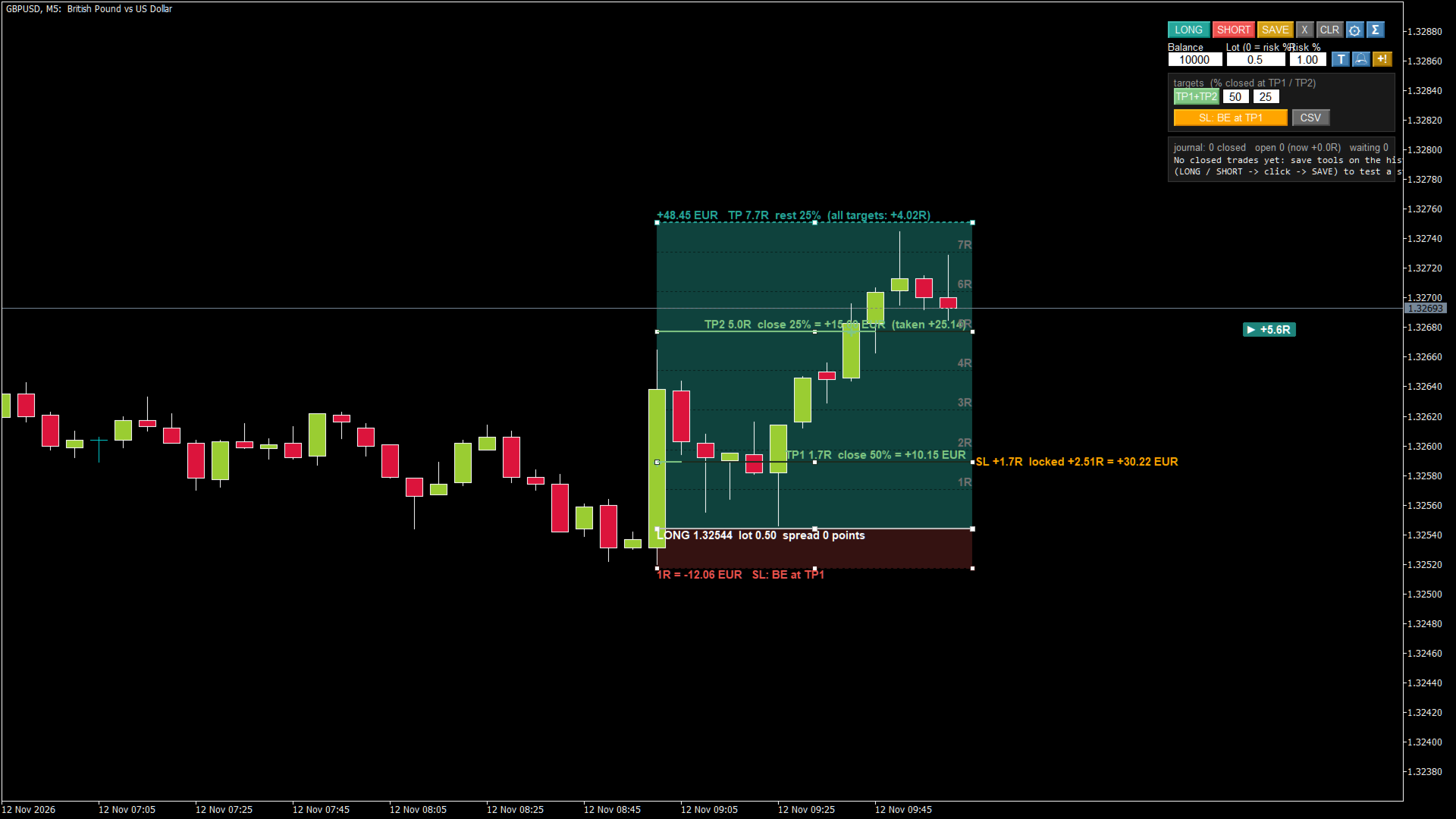
- Partial targets: TP1 and TP2 with the % closed at each, the rest at TP. The labels show the money taken at each target.
- SL management: fixed / break-even at TP1 (and SL to TP1 at TP2) / break-even at X R / trailing in R steps. The moved SL is drawn on the chart with the profit it locks.
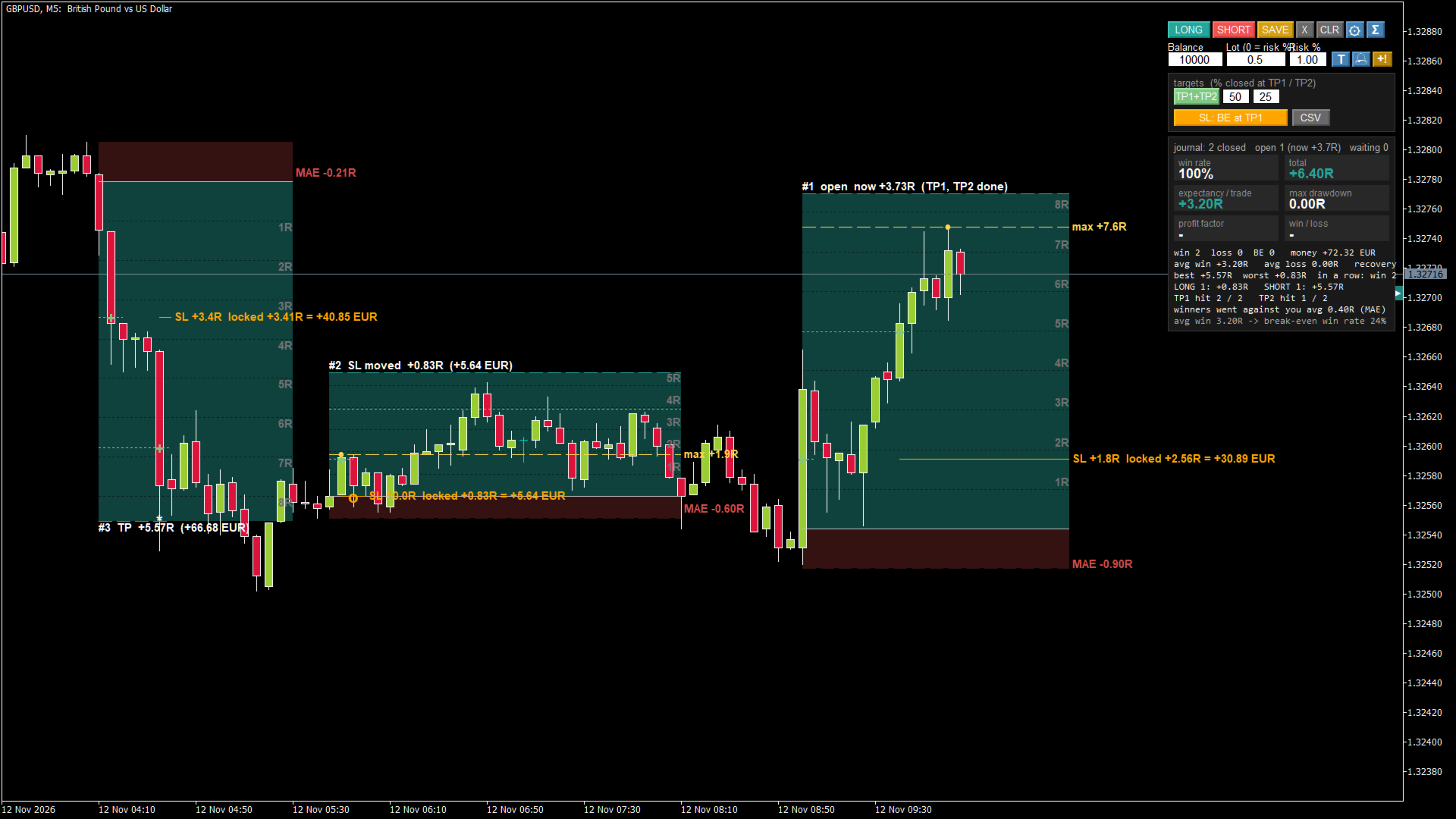
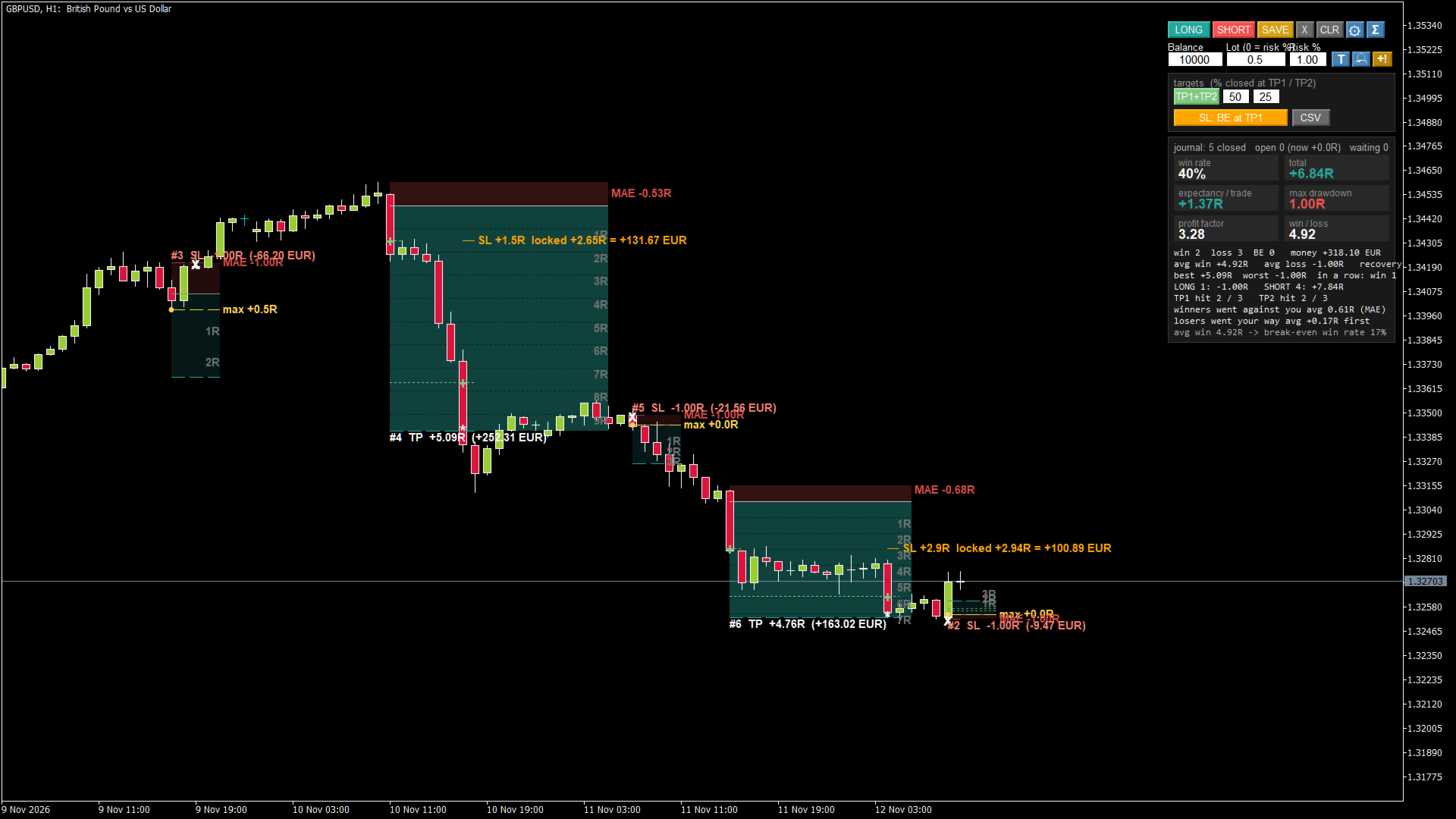
- SAVE and tracking: entry filled, TP1 / TP2 hit, SL moved, SL or TP hit, the best price reached (max R) and how far price went against the trade (MAE).
- Faint lines at every 1R and the current price in R next to the box.
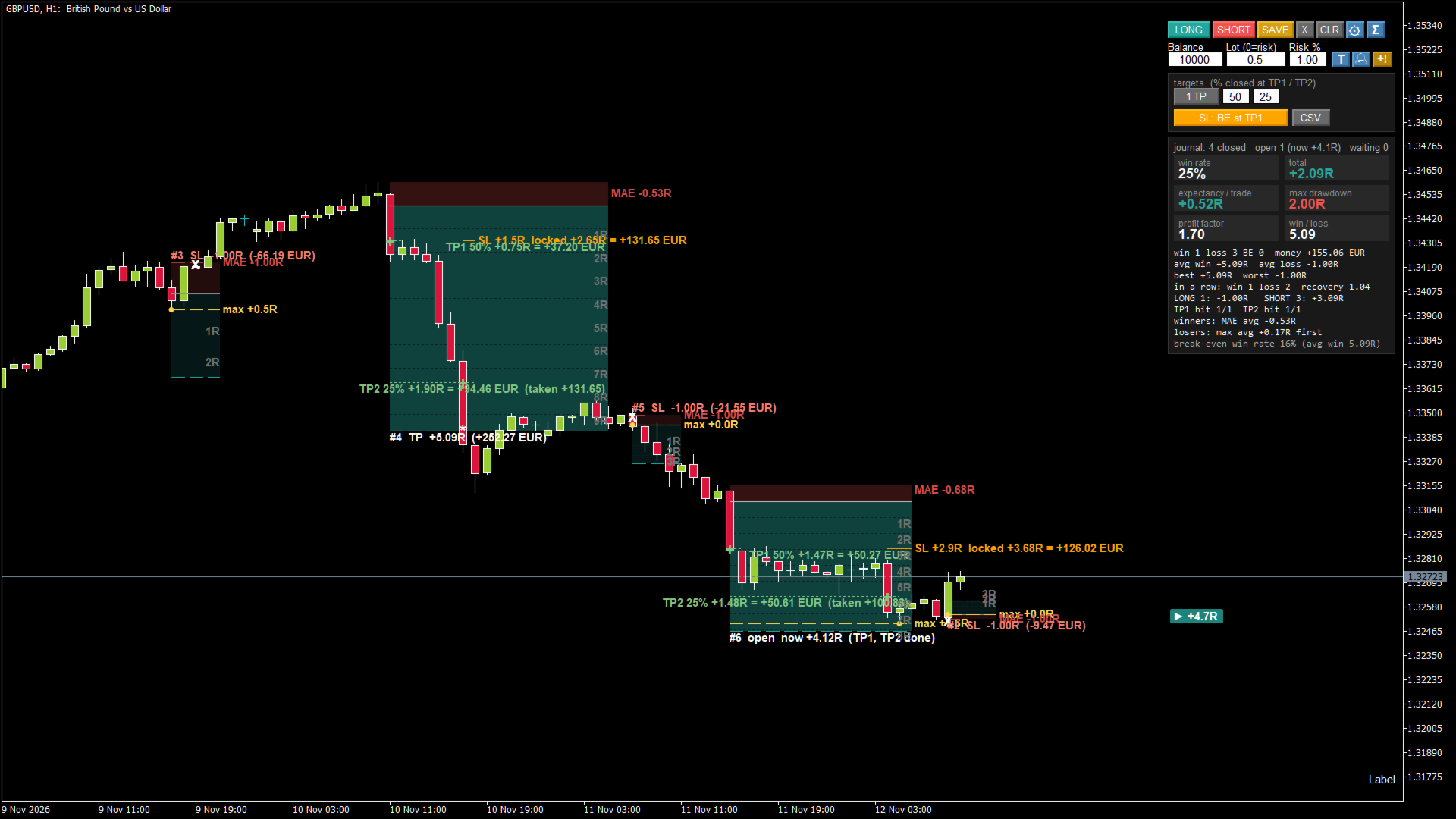
- Statistics card: win rate, total R, expectancy, max drawdown, profit factor, win / loss ratio, streaks, LONG vs SHORT, TP1 / TP2 hit rate.
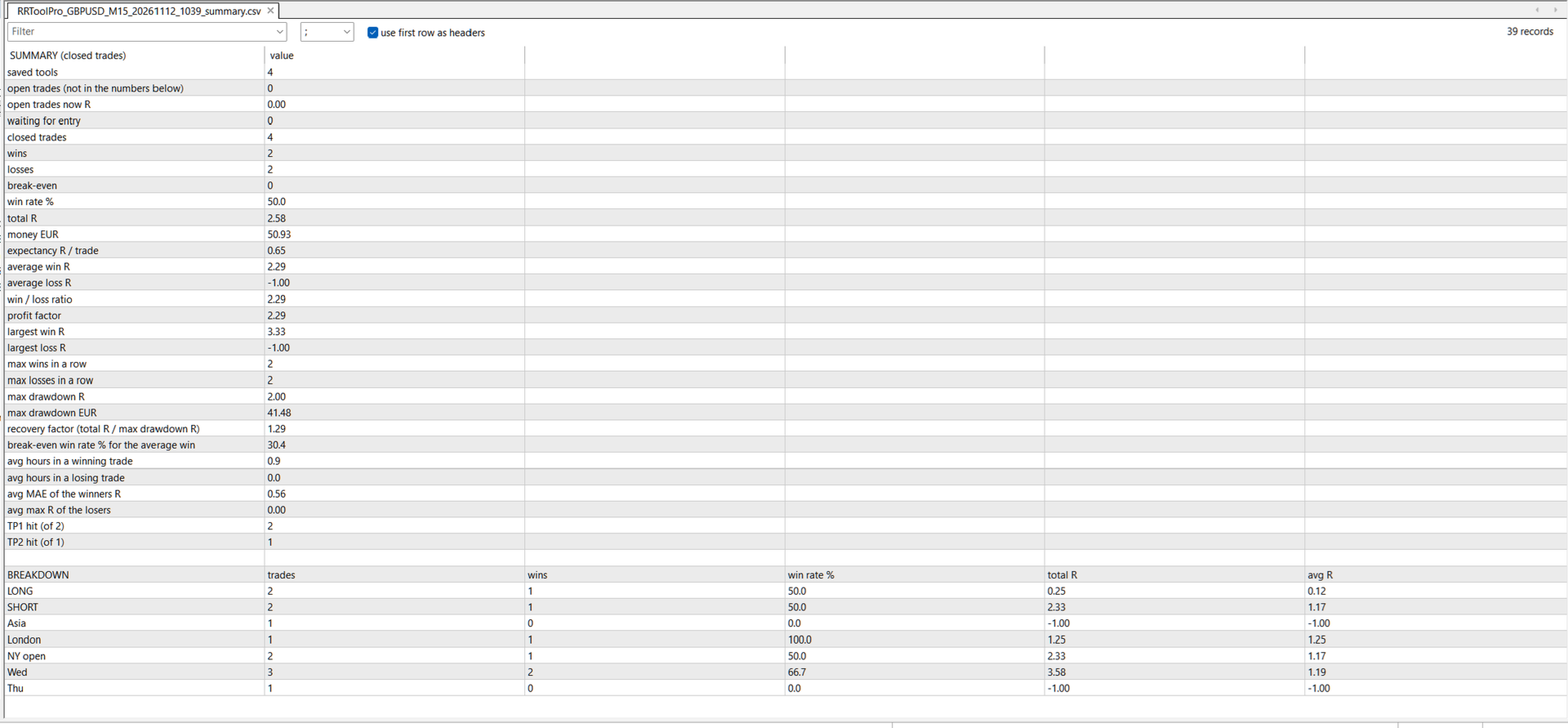
- CSV journal for Excel: one row per trade (date, weekday, session, entry, SL, TP, lot, R, money, max R, MAE ...) + a summary file with a breakdown by LONG / SHORT, session and weekday.
- Alerts (popup and push to the phone): approaching the entry, entry reached, every new R, TP1 / TP2 hit, move the SL, SL or TP hit.
- Alert lines: one click places a line, drag it to your level, type a note - you get an alert when price crosses it.
- Edit or remove: click a saved tool to select it, X removes it, a double-click takes it back for editing. X with nothing selected removes the last saved tool.
- Clean panel: one row of buttons, settings and statistics open only when you need them. Texts can be hidden with one click.
HOW TO USE IT
1) Attach the indicator to any chart. Type your balance and lot, or set Lot = 0 and the Risk %.
2) Press LONG or SHORT and click on the chart where the entry should be. The SL goes behind the previous candle, the TP to the default R:R (3 by default).
3) Drag the lines where you want them. The texts show the money, the R:R and the lot.
4) Settings icon: switch on TP1 or TP1 + TP2, set the % for each and choose the SL management.
5) Press SAVE. The tool is tracked from now on, on the history or live.
6) Statistics icon: the results of all saved tools. CSV: the journal for Excel.
BACKTESTING A STRATEGY
Scroll back on the chart, place a tool on every setup of your strategy and save it. The indicator walks through the candles after the entry and finds what happened first. When a candle touches both the SL and the TP, the SL is counted (the conservative way). A moved SL counts from the next candle.
Change the SL management and the targets on the same trades and compare the statistics: for example a fixed SL against break-even at TP1.
ALERTS
Alerts work for the saved tools and the alert lines while MetaTrader 5 is open. For push notifications enter your MetaQuotes ID in Tools > Options > Notifications. When the indicator starts, it only remembers the state of each tool - it does not alert for things that already happened.
INPUT PARAMETERS
Money
- StartBalance (0 = account balance), StartLot (0 = lot from Risk %), RiskPercent, CommissionPerLotSide.
New tool
- DefaultRR, StopFromBar (SL behind the candle N bars back), DefaultStop (0 = average candle), PlaceByClick, LockRR, BoxBars.
Partial take profit and SL management
- PartialTargets, TP1_R, TP1_Percent, TP2_R, TP2_Percent, SL_Mode, BE_AtR, BE_OffsetR, TrailStartR, TrailDistR.
Alerts
- AlertsOn, AlertPopup, AlertPush, AlertEntry, AlertEachR, AlertExit, ApproachPct, AlertLineColor.
Look
- Colors, transparency, ShowLevelLine, ShowText, ShowRGrid, ShowRNumbers, ShowNowR, ShowMAE, ShowStats, CSVDecimalComma (decimal comma for Excel), FontSize, panel position.
Keys: L / S = new tool at the current price, D = remove, A = alert line, Delete = remove the selected tool, Esc = cancel.
FREE VERSION
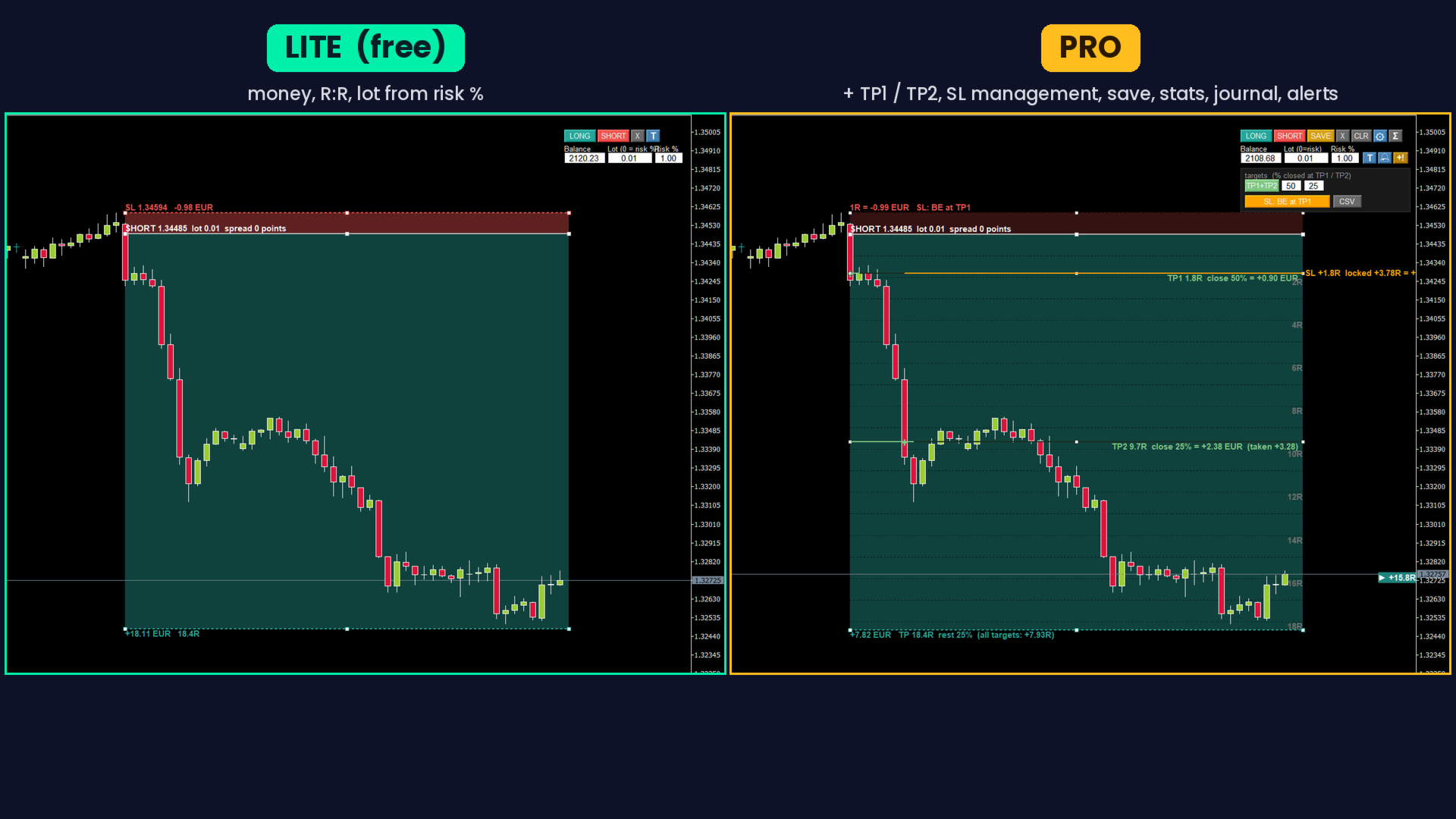
RR Position Tool is the free version: the position tool with the money, the R:R and the lot from Risk %. Pro adds saving and tracking, TP1 / TP2, SL management, statistics, the CSV journal and the alerts.
IMPORTANT
The results of the saved tools are calculated from the candles of the chart and do not include slippage or spread changes. They describe the past, not the future. Test your strategy on a demo account before you trade it with real money.