SFP Rejection block
- Indicateurs
-
Milana Muslimova
 Hi, I'm Milana.
 - Version: 1.0
Detects liquidity grabs (swing failure patterns) and rejection blocks. Marks the swept swing level, the structure-break confirmation level and the reaction zone, with alerts and a built-in dark/light theme.
Full description
Overview
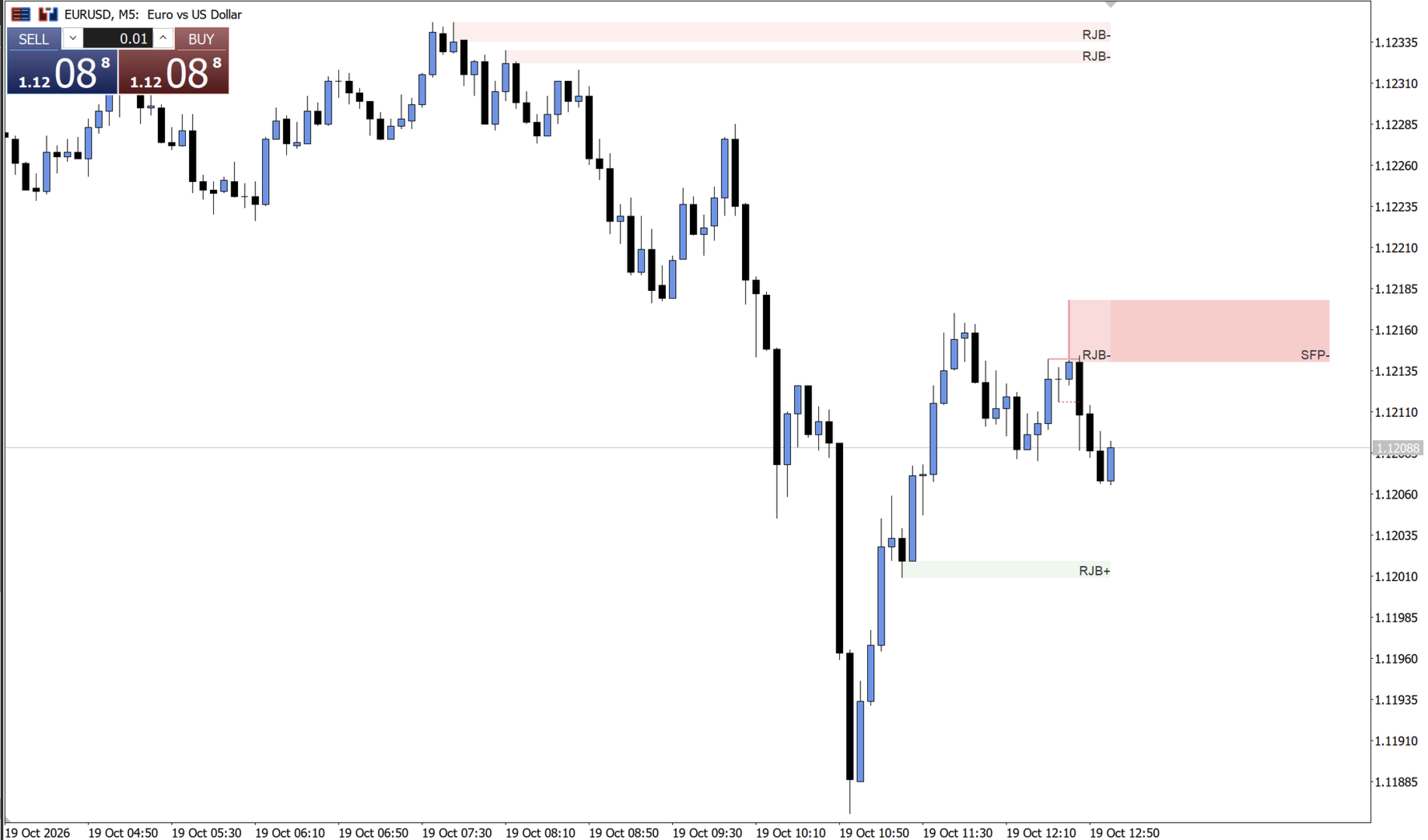
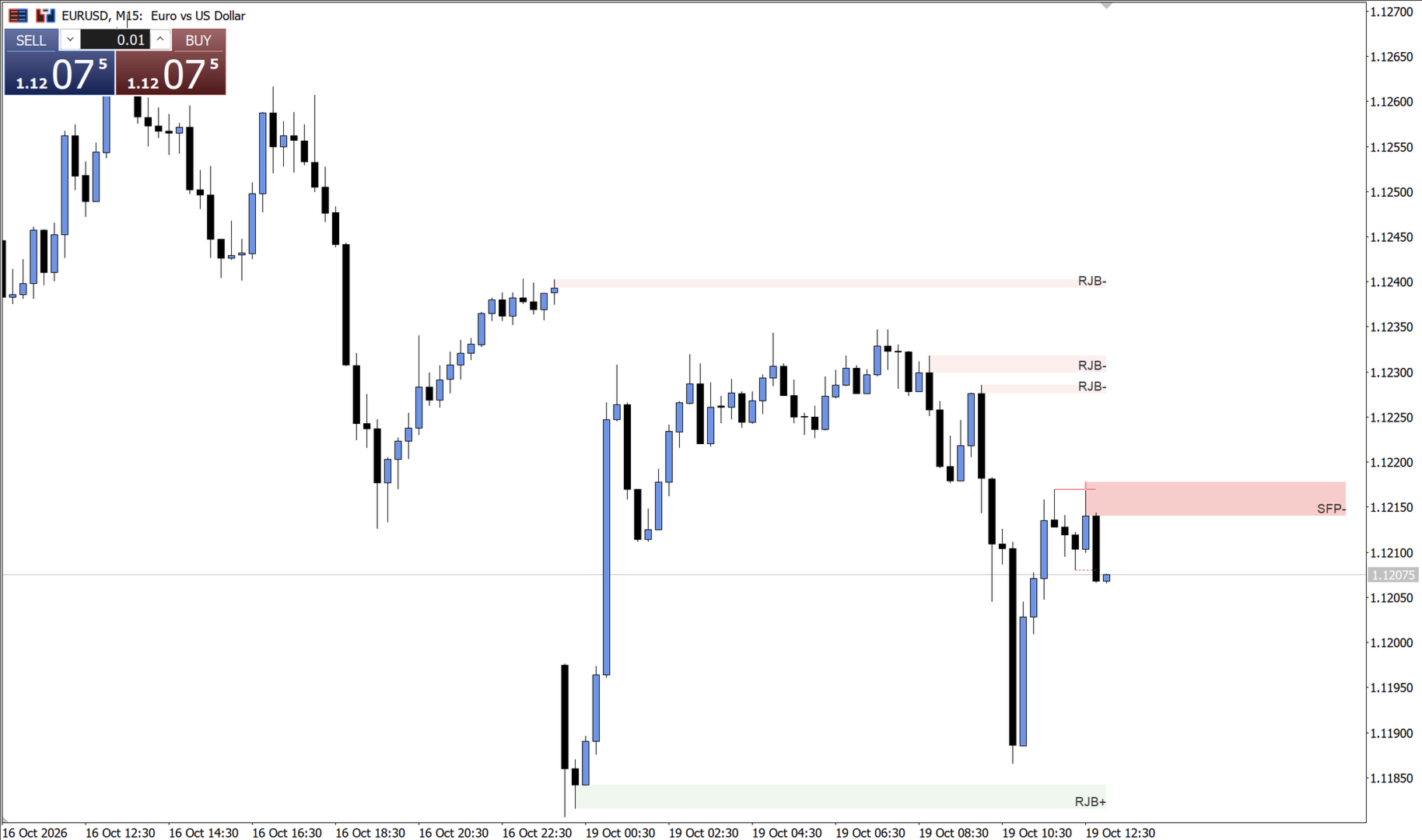
SFP Rejection Block is a chart-analysis indicator for MetaTrader 5. It automatically finds two price-action patterns and draws them on the chart:
- Liquidity grabs (swing failure patterns, SFP): a candle wicks beyond the latest swing high or low but closes back on the original side of that level.
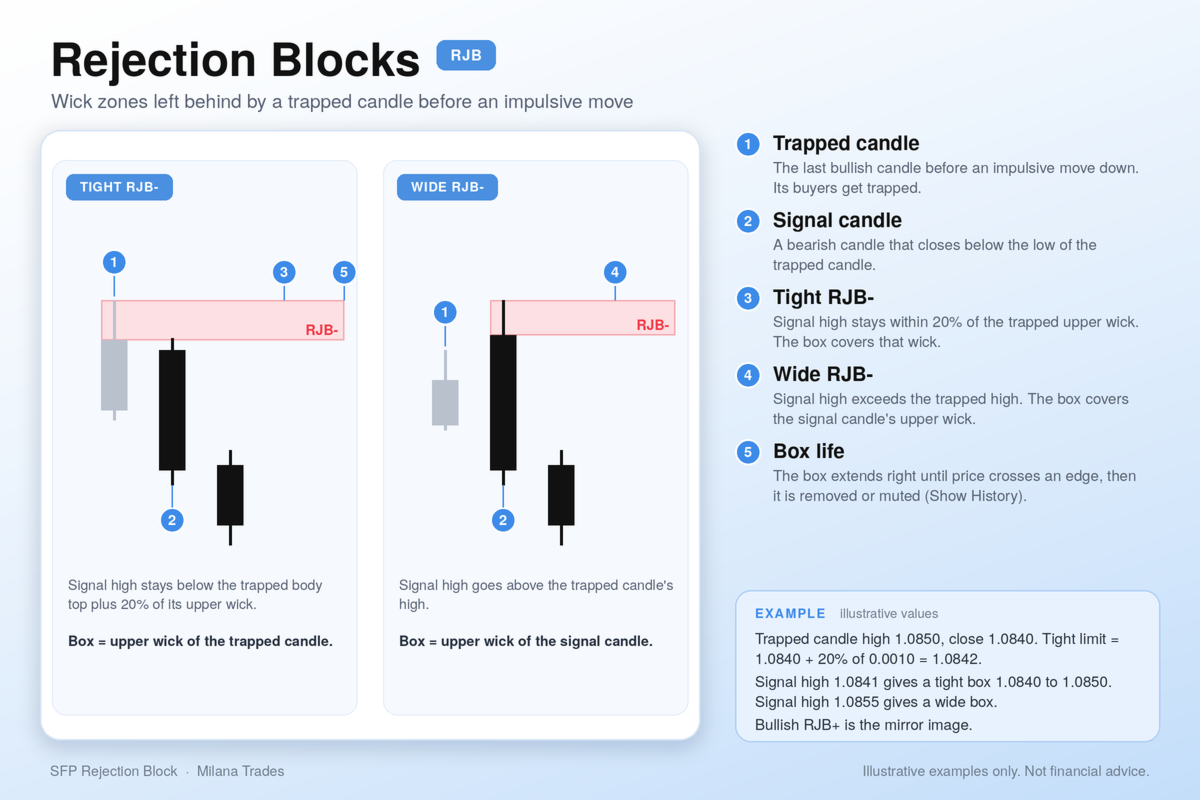
- Rejection blocks (RJB): zones marked on the wick of a candle that was trapped by an impulsive move.
The indicator only draws and alerts. It does not open or manage trades.
How the liquidity grab detection works
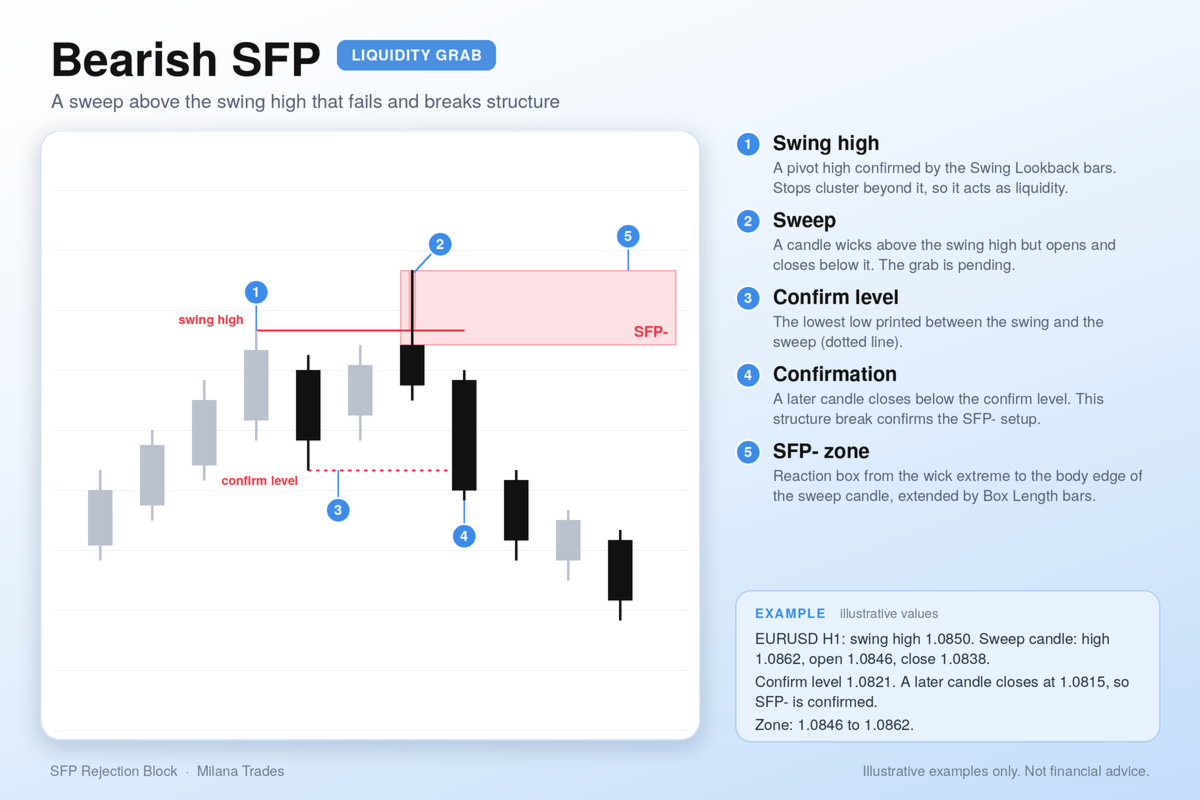
- A swing high or low is a pivot confirmed by the number of bars set in Swing Lookback.
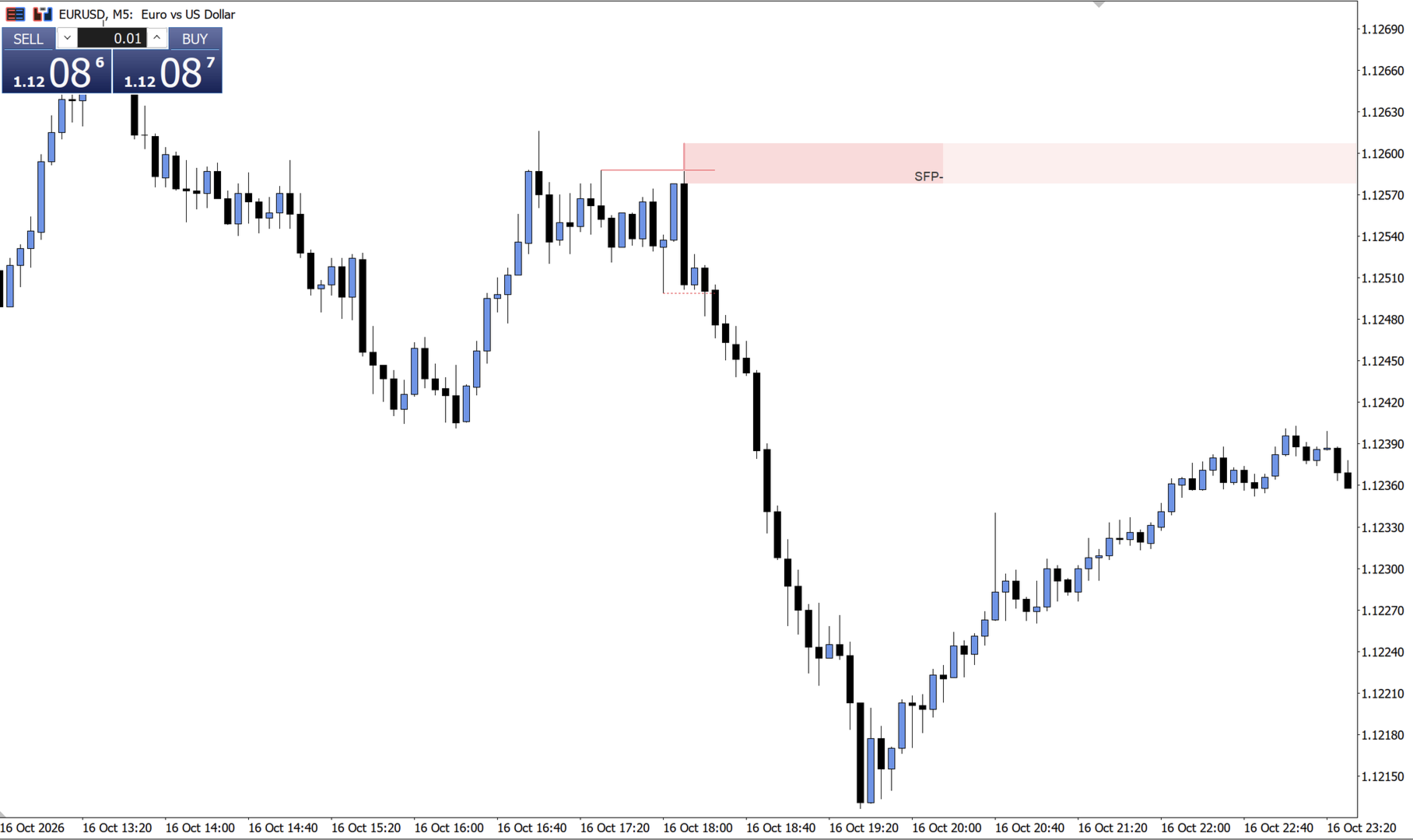
- Bearish SFP: a candle wicks above the latest swing high, while its open and close stay below it.
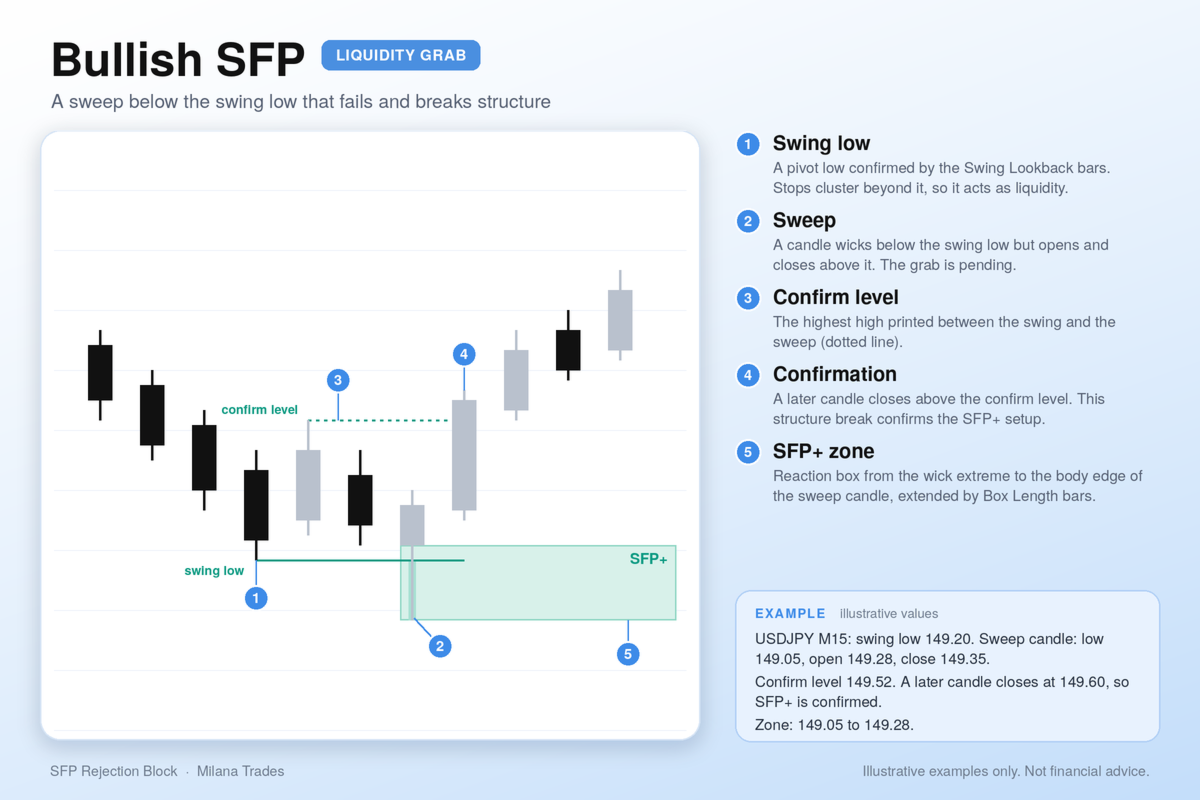
- Bullish SFP: a candle wicks below the latest swing low, while its open and close stay above it.
- The sweep is confirmed when a later candle closes beyond the opposite extreme printed since the swing formed. For a bearish grab this is the lowest low between the swing and the sweep, and for a bullish grab it is the highest high. This is the structure break.
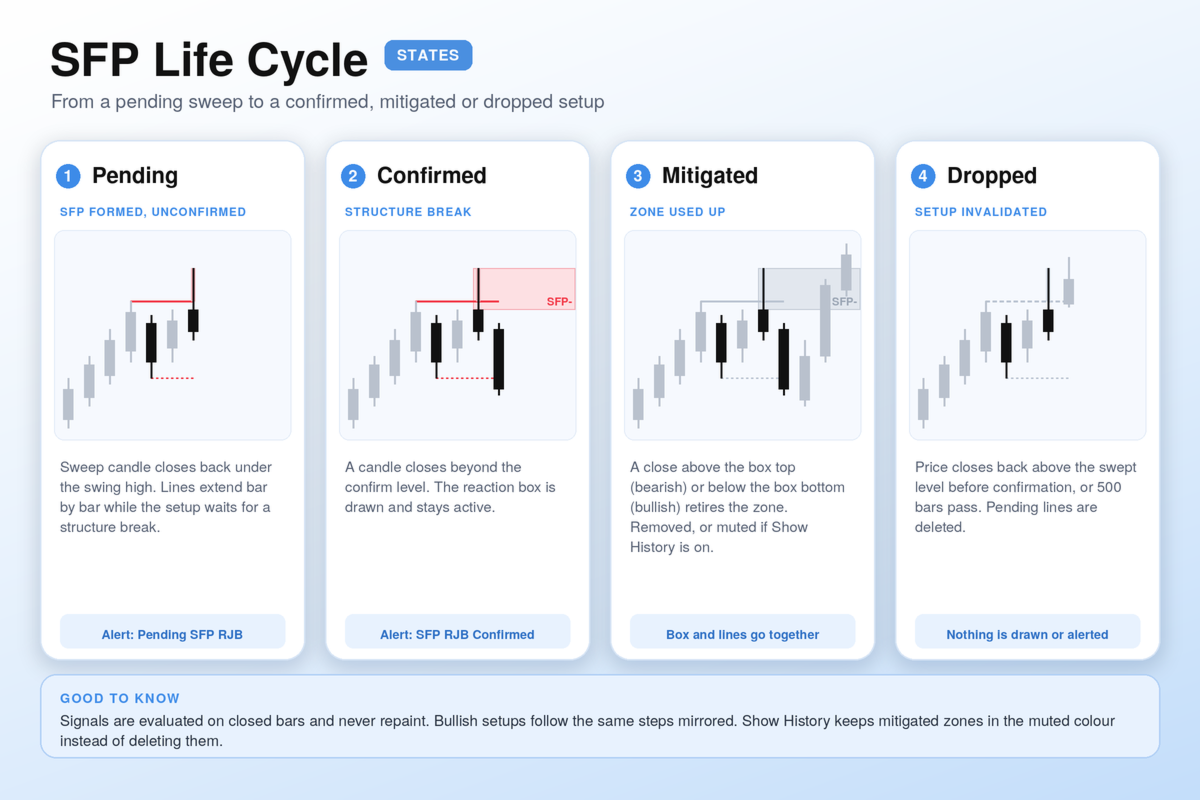
- A pending sweep is dropped if price reclaims the swept level or the setup goes stale.
- When a sweep is confirmed, the indicator draws a reaction box over the wick. The box ends after the number of bars set in Box Length.
What is drawn
- A solid line at the swept swing level, extended until the sweep confirms or expires.
- A dotted confirmation line at the opposite extreme, anchored on the bar that printed it.
- A wick marker on the sweep candle.
- The SFP rejection block, labelled “SFP+” or “SFP-”.
- Optional plain rejection blocks, labelled “RJB+” and “RJB-”.
Mitigation
A box is mitigated when price closes through it: above the top for bearish zones, below the bottom for bullish zones. Mitigated zones are removed together with their lines. Turn on Show History to keep them in a muted colour instead.
Features
- Works on any symbol and timeframe.
- Signals are calculated on closed bars and are not redrawn after the bar closes.
- Pending (unconfirmed) and confirmed SFP states.
- Plain rejection blocks that can be switched on or off.
- Automatic light/dark theme matching the chart background, or a manual choice.
- Popup and push notifications for every event.
- Adjustable colours, transparency, label size and box length.
- A limit on processed history bars, to keep the chart responsive.
Input parameters
- Theme: Auto, Dark or Light.
- Show RJB: enables plain rejection blocks.
- Bullish / Bearish RJB colour and transparency: appearance of plain RJB boxes.
- Mitigated colour and transparency: appearance of mitigated boxes. Set the transparency to 100 to hide them.
- Show History: keep mitigated boxes visible.
- Label size: size of box labels.
- Swing Lookback: bars used to confirm a swing high or low.
- Show SFP Rejection Block: enables the SFP reaction box.
- SFP colours and transparency: appearance of SFP boxes.
- Box Length: width of the SFP box in bars.
- Show Sweep Lines: draws the swing, confirmation and wick lines.
- Line colours: bullish and bearish line colours.
- Fill boxes: filled boxes or outline only.
- Max bars to process on history: limits the history calculation.
- Popup alerts / Push notifications: alert delivery options.
Alerts
Notifications are sent when:
- a bullish or bearish RJB forms;
- an SFP is detected and awaiting confirmation;
- an SFP is confirmed.
Each message includes the symbol and timeframe. Alerts are sent for the latest closed bar only, so loading history does not trigger them.