https://www.mql5.com/en/market/product/35425
FREE FREE FREE FREE FREE FREE FREE FREE FREE FREE
TrailOS (temporary for FREE, please pay me with Review/or Comment)
..is a universal OrderManager which handles MarketOrders (opened Buys & Sells) on the Symbol it is attached to.
You can configure multiple Types of StopLoss, TakeProfit or TrailingStop, all at the same Time, and TrailOS sets the dominant One (to the current Price).
TrailOS is "schizophrenic" which means that he is watching ALL MarketOrders simultaneously and does not forget about any Order, if it matches your configured FilterSettings.
A total amount of 392 InputParameters, each one is adjustible, defines, why TrailOS is an universal Tool. But even with all these possibilities, TrailOS is easy to understand and readable.
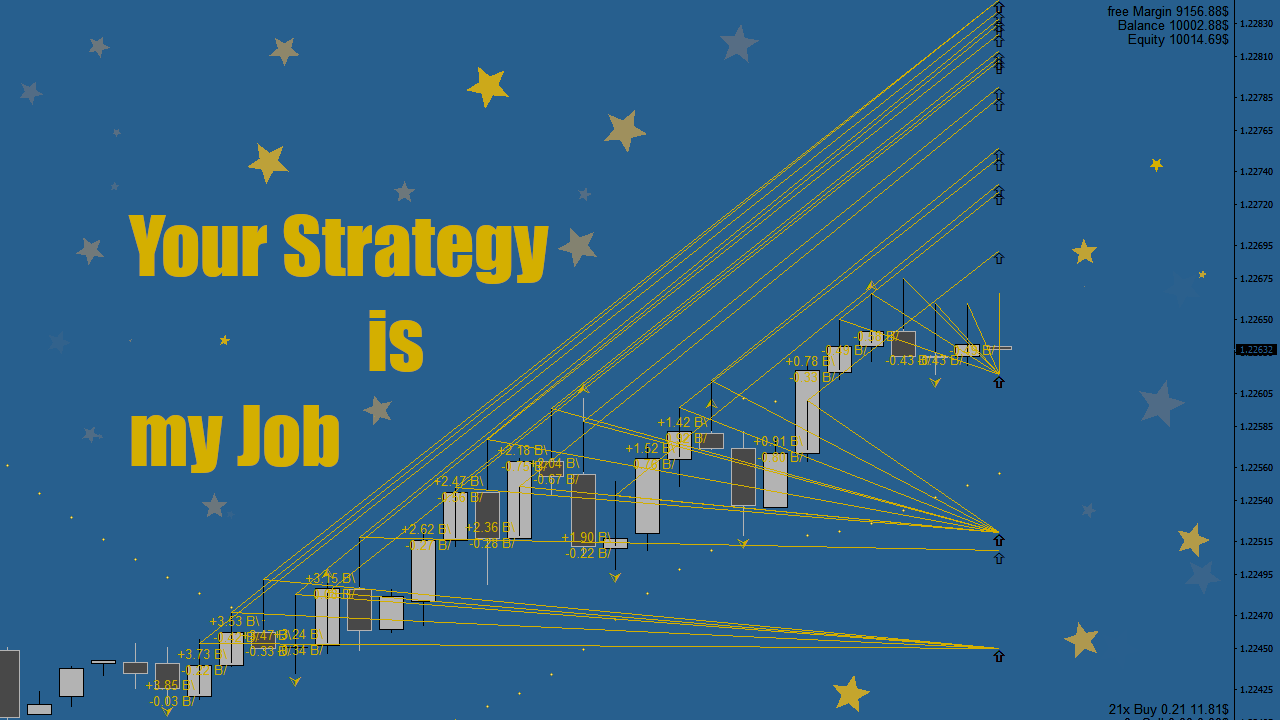
TrailOS has an electable, own Style, of displaying Lines on the Chart, so that even Traders with many Orders have a quick ability to understand the SL- and TP-Levels of EACH stalked Order.
When switching TimeFrame, reattach TrailOS.
What makes TrailOS unique?
8 TrailingEA´s for each Order - select up to eight different Specialists, of stalking your Order, all at the same Time
individual FliterSettings - each TrailingEA has an adjustible Filter, so that you can decide which Orders he shall handle
auto BrokerPoint - TrailOS detects the digits of your Broker, so you can forget about Pips, Points and Ticks
invisible SL/TP - you can decide whether you want invisible or hard SL/TPs or choose Virtual&Hard, then the hard is set as soon as possible, but the virtual will always close..
StopLoss - 10 different Methods for StopLoss in each TrailingEA (Distance,%,Pikes,Fractals,ATR,MA,SAR,Degrees,CandleBorder,Fractalborder)
TakeProfit - 10 different Methods for TakeProfit in each TrailingEA (Distance,%,Pikes,Fractals,ATR,MA,SAR,Degrees,CandleBorder,Fractalborder)
TimeFrames - each Method can be calculated on selectable TimeFrames
Agility- multiple Options for the SL- and TP-agilities (Fixed, Floating, Fixed if dominant, LossFixed&WinFloating)
Martingale - each TrailingEA can be advised to open new Orders when closing
InputParameters (most relevants)
Use Account protection?- disabled / only SaveStop / only EquityTrailing / SaveStop&EquityTrailing
Appearance - ShowInfos / PlaySounds / TextFonts / TextSizes / Colours
Style - Metatrader (horizontal Lines) / TrailOS (diagonal Lines)
ChartCleaner - show: Labels / Closeline / Label&CloseLine / Nothing
Results - in Points / in AccountCurrency
TrailingEA Names - give each activated TrailingEA a relevant Name
TriggerParameters - open Orders if..
Now the TrailingEA Parameters (there are eight TrailingEA´s Inside..)
enable TrailingEA - true / false
Visual - Colours for SL,TP / LineStyle / draw on all TimeFrames?
Method for SL - no StopLoss / Distance / % of OrderProfit / PikeOfCandles / Fractals / AverageTrueRange / MovingAverage / ParabolicSAR / Degrees / Candleborders / FractalBorders
Method for TP - no TakeProfit / Distance / % of OrderProfit / PikeOfCandles / Fractals / AverageTrueRange / MovingAverage / ParabolicSAR / Degrees / Candleborders / FractalBorders
TrailingEA Timeframe - currentTimeframe / biggerTimeframe / smallerTimeframe / M1 / M5 / M15 / M30 / H1 / H4 / D1 / Weekly / Monthly
Stalk - loosing&winning / only loosing / only winning
Agility - Floating / Fixed / FixedIfDominant / LossFixed&WinFloating
Set - Virtual / Hard / Virtual&Hard
when closing - just close / opposite OrderType / same OrderType
Martingale - LotFactor / maxLot
FilterComments - ALL / certain Comment
FilterMagics - ALL / certain Magic / only Manual Trades
Close - Buy / Sell / Long&Short
MinProfit - TrailingEA SL/TP wont be set, if calculated SL/TP, is closer to OrderProfitPoint than this Value
MinLoss - TrailingEA SL/TP wont be set, if calculated SL/TP, is closer to OrderProfitPoint than this Value
set MinLoss - if true, TrailingEA SL/TP will be set to MinLoss if calculated SL/TP is in MinLoss Area
MaxLoss - TrailingEA SL/TP wont be set, if calculated SL/TP, is farer to OrderProfitPoint than this Value
set MaxLoss - if true, TrailingEA SL/TP will be set to MaxLoss if calculated SL/TP is outside MaxLoss Area
adaptive Distance - possibility to set an addaptive Distance to calculated SL/TP
Method Details - insert Details for the SL/TP Methods you selected above..(e.g. 50% for OrderProfit)