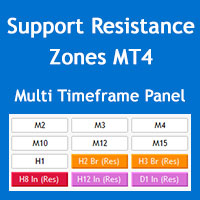
Multi Timeframe Support and Resistance Zones MT4
60 USD
Demo downloaded:
77
Published:
28 May 2022
Current version:
4.2
Didn't find a suitable robot?
Order your own one
on Freelance
Go to Freelance
Order your own one
on Freelance
How to buy а trading robot or an indicator
Run your EA on
virtual hosting
virtual hosting
Test аn indicator/trading robot before buying
Want to earn in the Market?
How to present a product for a sell-through
Version 4.2
2024.12.26
+ The parameter "Compare candle body with ATR value" has been added to the S/R zones alert filters, now you can configure the scanner to alert only if the candle signal body is larger than a multiple of the ATR indicator.
+ Optimization of price interaction with S/R zones.
+ The indicator shows the values of the most important parameters on the chart, you can turn it off in the indicator settings.
+ Optimization of price interaction with S/R zones.
+ The indicator shows the values of the most important parameters on the chart, you can turn it off in the indicator settings.
Version 4.1
2022.12.04
+ Now indicator can show zones of multiple higher timeframes on the chart.
! Minor bug fixes and improvements.
! Minor bug fixes and improvements.
Version 4.0
2022.11.09
+ Pivot point lines and alerts (daily, weekly, and monthly) added to the indicator.
+ Input parameters modified and updated.
+ Input parameters modified and updated.
Version 3.1
2022.10.20
+ You can now choose when the indicator check for alerts: on timeframe candle close or on 1-minute candle close.
+ More informative alert messages.
+ More informative alert messages.
Version 3.0
2022.10.16
+ 2 more candle filters added to the indicator: "Min. candle body to height ratio" and "Min. candle height to zone height ratio".
+ The panel buttons now show whether the price is in the S/R zones (previously the buttons only showed the price moving in, out or breaking the zones).
+ Now you can choose to disable finding the proven and verified zones (for those who want to work only with fresh zones).
+ "Weak" and "Untested" names for zones changed to more meaningful names "Weak fresh" and "Fresh".
+ 2 parameters "Fractal Fast Factor" and "Fractal Fast Factor" added for more compatibility with "Shved Supply and Demand" indicator.
! Now panel retains its min/max state when timeframe changes.
+ The panel buttons now show whether the price is in the S/R zones (previously the buttons only showed the price moving in, out or breaking the zones).
+ Now you can choose to disable finding the proven and verified zones (for those who want to work only with fresh zones).
+ "Weak" and "Untested" names for zones changed to more meaningful names "Weak fresh" and "Fresh".
+ 2 parameters "Fractal Fast Factor" and "Fractal Fast Factor" added for more compatibility with "Shved Supply and Demand" indicator.
! Now panel retains its min/max state when timeframe changes.
Version 2.4
2022.09.11
+ A new option added to only show nearest zones to the price on the chart, this way you can have a cleaner chart to add your indicators and objects.
Version 2.3
2022.08.19
Now you can select that by clicking on the timeframe buttons, instead of changing the chart timeframe, a new chart opens with your selected chart template.

You are missing trading opportunities:
- Free trading apps
- Over 8,000 signals for copying
- Economic news for exploring financial markets
Registration
Log in
You agree to website policy and terms of use
If you do not have an account, please register