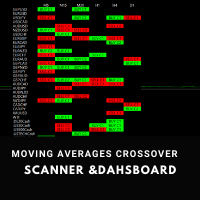
Moving Average Crossover Sniper Scanner
47 USD
Demo downloaded:
55
Published:
8 July 2021
Current version:
2.1
Didn't find a suitable robot?
Order your own one
on Freelance
Go to Freelance
Order your own one
on Freelance
How to buy а trading robot or an indicator
Run your EA on
virtual hosting
virtual hosting
Test аn indicator/trading robot before buying
Want to earn in the Market?
How to present a product for a sell-through

You are missing trading opportunities:
- Free trading apps
- Over 8,000 signals for copying
- Economic news for exploring financial markets
Registration
Log in
You agree to website policy and terms of use
If you do not have an account, please register
My screen looks like the image below. How do i fix this?
My screen looks like the image below. How do i fix this?
Inputs / Appearance... You have many alternatives to use.
My appearance settings are te defaults that you show above (except the Header font is yellow). Why doesn't the graphics panel work? The alerts work fine but not the chart labels and buy/sell buttons. Can you fix this? Thanks.
My appearance settings are te defaults that you show above (except the Header font is yellow). Why doesn't the graphics panel work? The alerts work fine but not the chart labels and buy/sell buttons. Can you fix this? Thanks.
Please check your PM box
What is a PM Box?
I have sent
Hello just purchased. I am curious as to where the setting is for mobile alerts
Hello just purchased. I am curious as to where the setting is for mobile alerts
Hello!
HOW CAN I ACTIVATE MOBILE ALERTS
Alerts = Enable