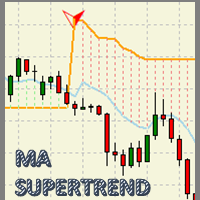
MA Super Trend
65 USD
Demo downloaded:
167
Published:
2 July 2019
Current version:
2.6
Didn't find a suitable robot?
Order your own one
on Freelance
Go to Freelance
Order your own one
on Freelance
How to buy а trading robot or an indicator
Run your EA on
virtual hosting
virtual hosting
Test аn indicator/trading robot before buying
Want to earn in the Market?
How to present a product for a sell-through

You are missing trading opportunities:
- Free trading apps
- Over 8,000 signals for copying
- Economic news for exploring financial markets
Registration
Log in
You agree to website policy and terms of use
If you do not have an account, please register
Cordial saludo a todos los usuarios que han adquirido y están por decidir en MA Super Trend. Gracias!
Comparto con ustedes uno de los métodos que estoy utilizando con el indicador para realizar entradas en el mercado:
Basado en StopLimit ordenes.
Naturalmente cuando se da el cambio de tendencia espero que aparezca un Fractal en la parte mas baja si es una señal bajista, y un Fractal en la parte mas alta si es una señal alcista. En éstas zonas me dispongo a colocar StopLimit ordenes ligeramente de los máximos o mínimos correspondientes. En la imagen se puede apreciar que la orden StopLimit se ha puesto posteriormente después de aparecer un Fractal en la parte mas baja.
Best greetings to all users who have acquired and are about to decide on MA Super Trend. Thank you!
I share with you one of the methods I'm using with the indicator to make market entries:
Based on StopLimit orders.
Naturally, when the trend changes, I wait that a Fractal appears in the lower part if it is a bearish signal, and a Fractal in the higher part if it is an upward signal. In these areas I am ready to place StopLimit orders slightly of the corresponding maximum or minimum. In the image it can be seen that the StopLimit order has been placed after a Fractal appears in the lower part.