ProTradeSignals
125 USD
Demo downloaded:
331
Published:
22 July 2019
Current version:
1.1
Didn't find a suitable robot?
Order your own one
on Freelance
Go to Freelance
Order your own one
on Freelance
How to buy а trading robot or an indicator
Run your EA on
virtual hosting
virtual hosting
Test аn indicator/trading robot before buying
Want to earn in the Market?
How to present a product for a sell-through

You are missing trading opportunities:
- Free trading apps
- Over 8,000 signals for copying
- Economic news for exploring financial markets
Registration
Log in
You agree to website policy and terms of use
If you do not have an account, please register
If this indicator is based on mommentum, I am Mickey Mouse.
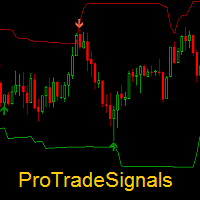
Indicator plots arrows against trend and mommentum.
If this indicator is based on mommentum, I am Mickey Mouse.
Indicator plots arrows against trend and mommentum.
Hi,
indicator has different trading styles. One of them is 'Reversal'. This gives trade signals on trend reversals/ mean reversals. Those signals are, against trend- momentum, meant for aggressive traders.
If you do not prefer to trade against momentum, then please deselect Reversal signals. You can choose them from Inputs section.
regards.
Hello Traders,
I talked with the developer about having the following parameters added for each Setup, and would like to get your feedbacks and suggestions here in the comments:
Setup# Buy Arrow Color = color selection
Setup# Sell Arrow Color = color selection
Setup# Buy Arrow Shape = code number
Setup# Sell Arrow Shape = code number
Setup# Arrows Width = size number
Setup# Arrows Distance = gap number
Setup# Alerts = true or false
Some of them are already in the Colors section but having them in the Inputs section will allow us to customize the indicator faster and be able to Save\Load them instead of redoing them every time we want to use the indicator on a another chart.
And the new ones will help us see the arrows better instead of overlapping each other or arrows from other indicators, also it will make it easier to know which arrow is form which Setup signals.
Regarding the Setup# Alerts parameter, I will give the following scenario to make it easier to understand:
Trading Style = Customized
Show signals from setup1 = true
Setup1 Alerts = false
Show signals from setup2 = true
Setup1 Alerts = false
Show signals from setup3 = true
Setup1 Alerts = true
Show signals from setup4 = true
Setup1 Alerts = false
Pop-up Sound Alert = true
The result will be is that you can see on the chart signals from all Setups but only get Pop-up alerts for Setup 3 signals instead of alerts for all Setups signals.