MS Trade Assistant
- Experts
-
Andrei Lukoianov
 ANDREI LUKOIANOV · MarketStructureLab
Trader since 2008 | Algorithmic trading since 2018
From a trading idea to a clear, systematic approach - Version: 1.3
- Activations: 20
Automated entries, server-side stop management, and trade statistics on a single MetaTrader 5 chart. MSL Trade Assistant checks entry conditions after a candle closes, opens a position when the signal is confirmed, and manages it according to your settings. The dashboard breaks down long and short results so you can evaluate each direction on your chosen instrument.
How It Works
- Confirmed entries. The Expert Advisor evaluates the closed candle against a smoothed price channel and an ATR buffer. An optional higher-timeframe filter aligns entries with the broader trend.
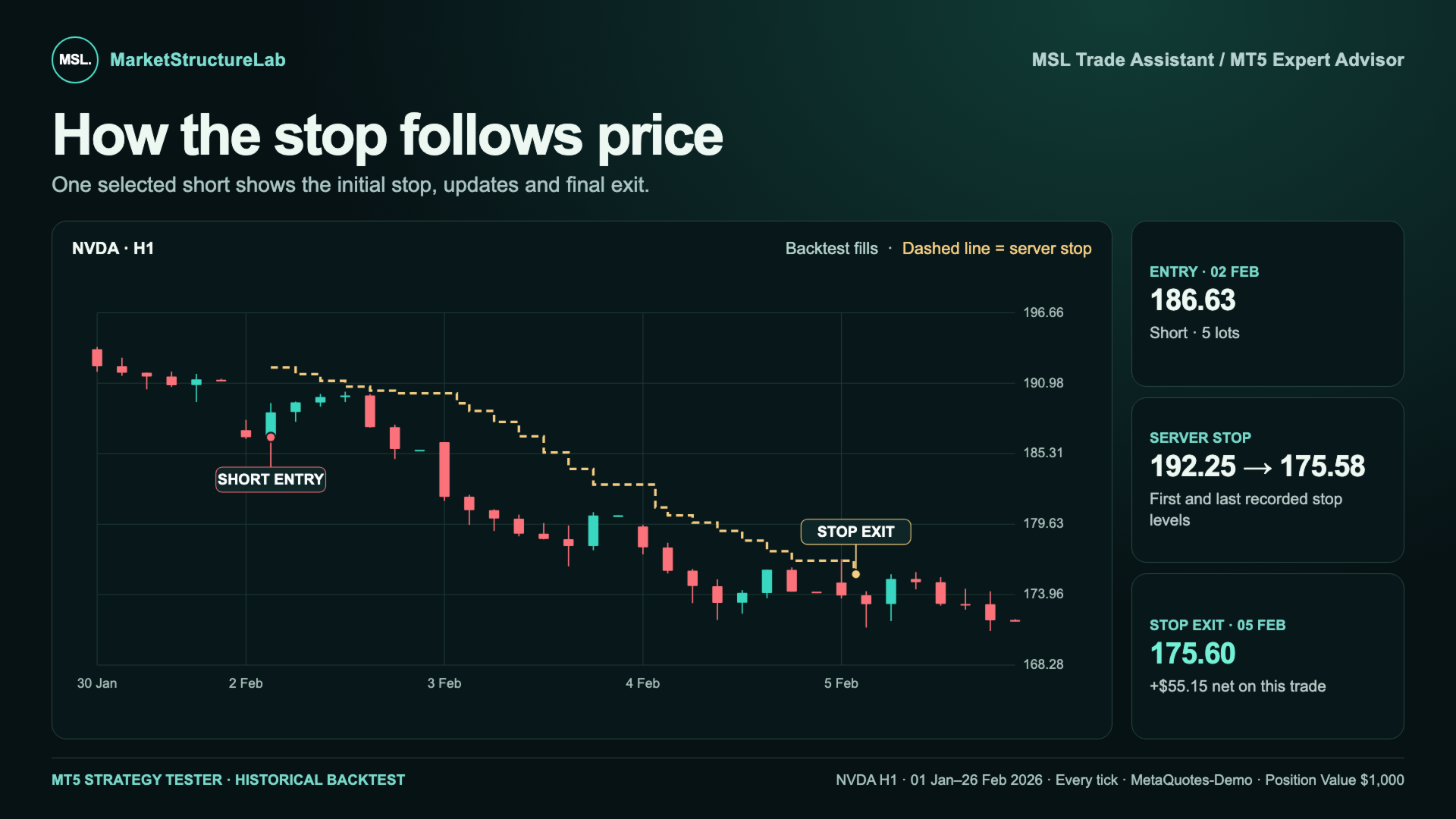
- Protection from entry. A server-side Stop Loss is submitted with the entry order. As price moves in favor of the position, the advisor can tighten the stop while preserving any more protective level already in place.
- Flexible position sizing. Choose the broker’s minimum lot, a fixed lot size, a target position value, or an estimated risk percentage of account equity. The advisor checks order volume and available margin before submitting the order.
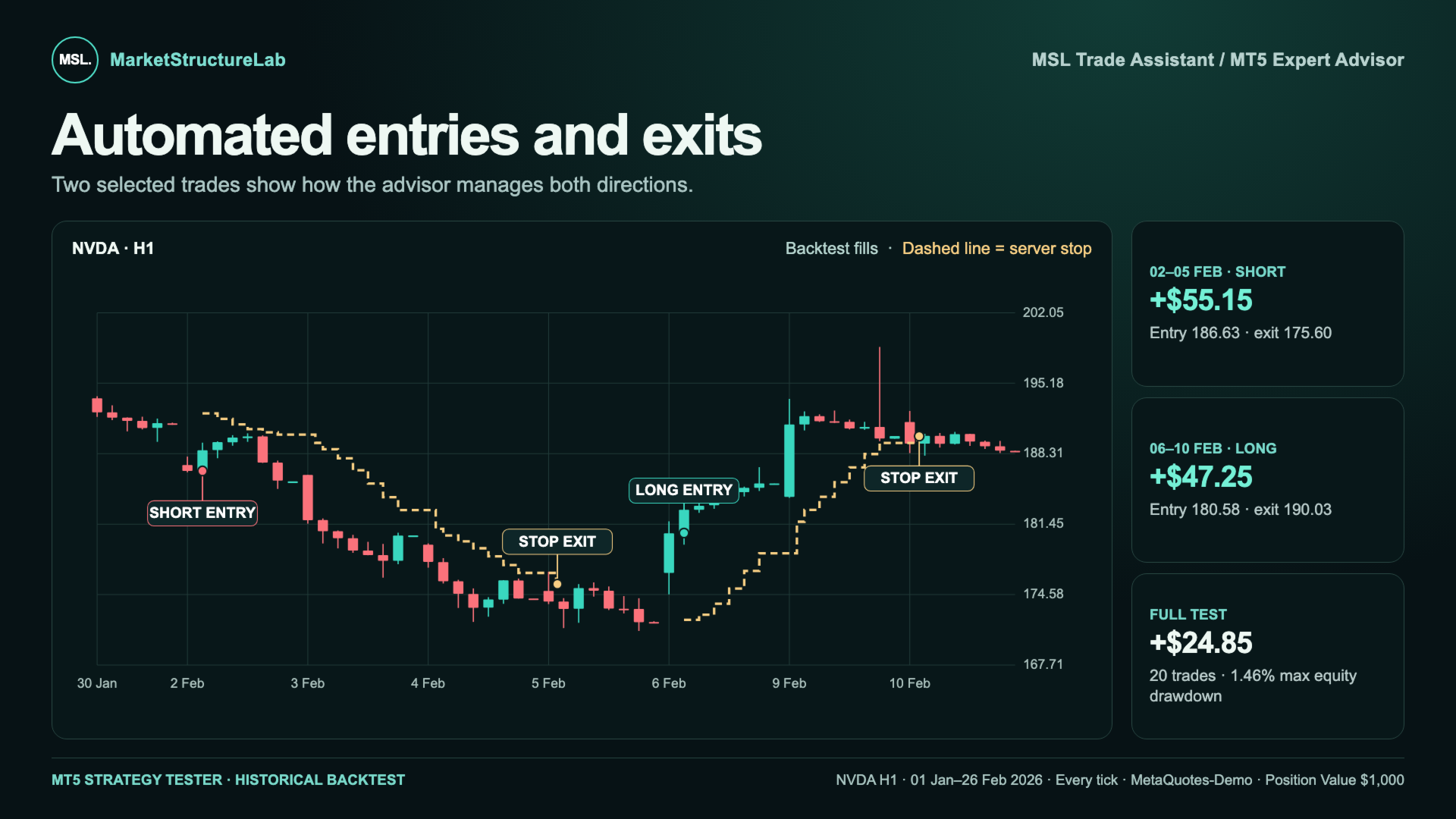
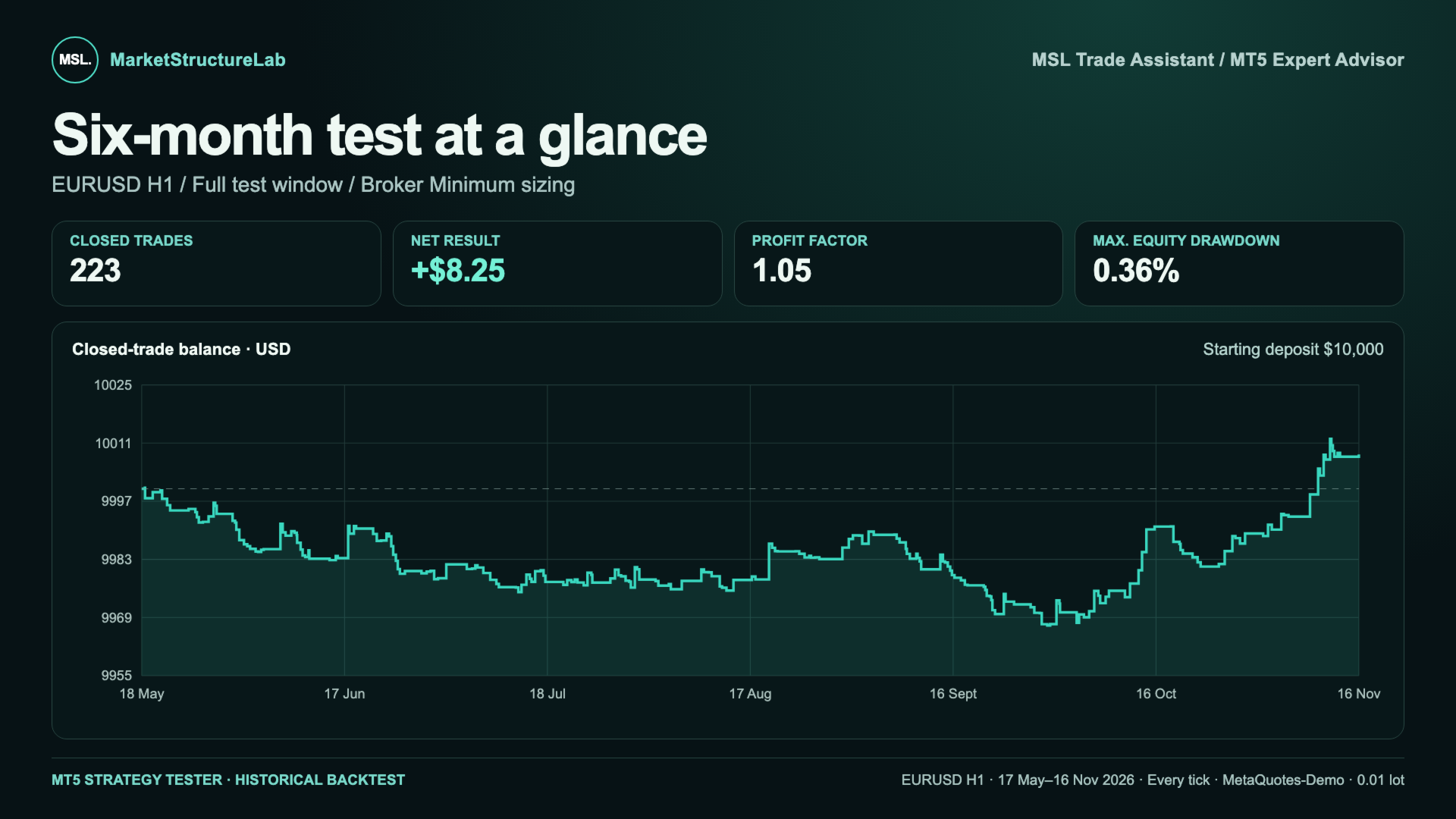
- Results by direction. The dashboard shows net P&L, Profit Factor, closed positions, and closed-trade drawdown. Chart labels mark executed entries and exits.
Settings for Your Instrument and Timeframe
The default settings are a starting point for your first backtest. Volatility, spreads, and trading sessions vary by instrument. Even on the same market, switching from H1 to H4 changes how often signals occur and how far away the stop is placed. A setup that works well on one chart can produce very different results on another.
Start with a baseline run in the MT5 Strategy Tester. Compare settings on your chosen instrument and timeframe, then check the selected setup on a separate historical period. Evaluate net results after costs, drawdown, and trade count together to see whether the setup fits your risk tolerance.
Main Input Parameters
- Channel and entry — smoothing method and length, ATR signal buffer, and re-entry conditions after a stop.
- Direction and filter — long only, short only, or both directions, with an optional higher-timeframe filter.
- Protective stop — ATR period, stop buffer, initial stop distance limit, and additional trailing stop.
- Position size — sizing mode and its associated lot, position value, or risk settings.
- Chart display — dashboard visibility, position and size, plus entry and exit labels.
Need help with setup? You can always contact the MarketStructureLab developers through the product comments or private messages on MQL5. Tell us your instrument and timeframe, and we’ll help you choose settings for your first test and interpret the results.