Pivot Points Six Types with Level Alerts
- Indicators
-
Kazuma Uezono
 MQL5 / MQL4 / Pine Script v6 developer and active trader.
Seller on the MQL5 Market (indicators for MT4/MT5).
Services:
- TradingView Pine Script to MT5/MT4 conversion (bar-by-bar matching, with tester report)
- MT4 to MT5 migration - Version: 1.1
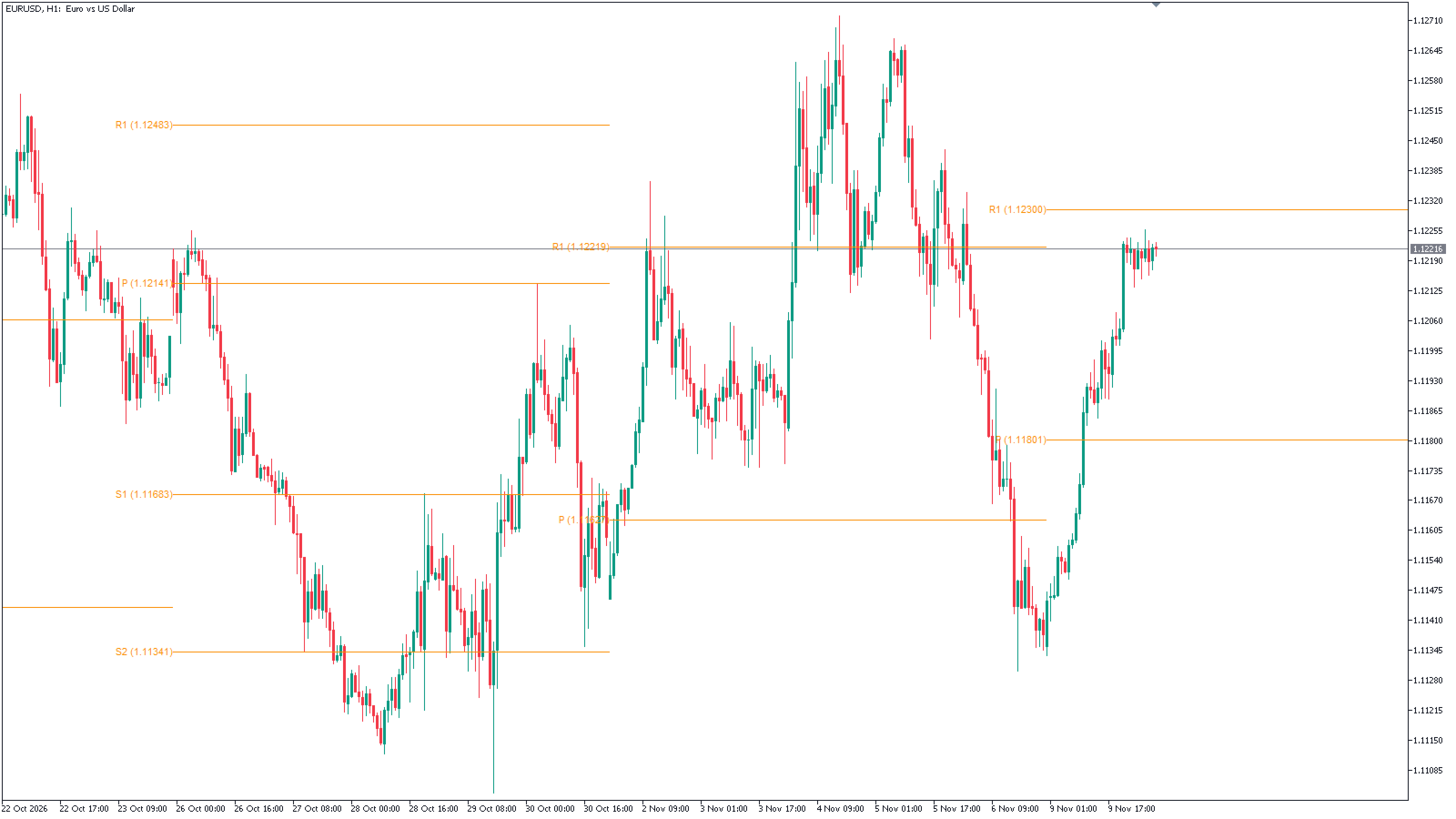
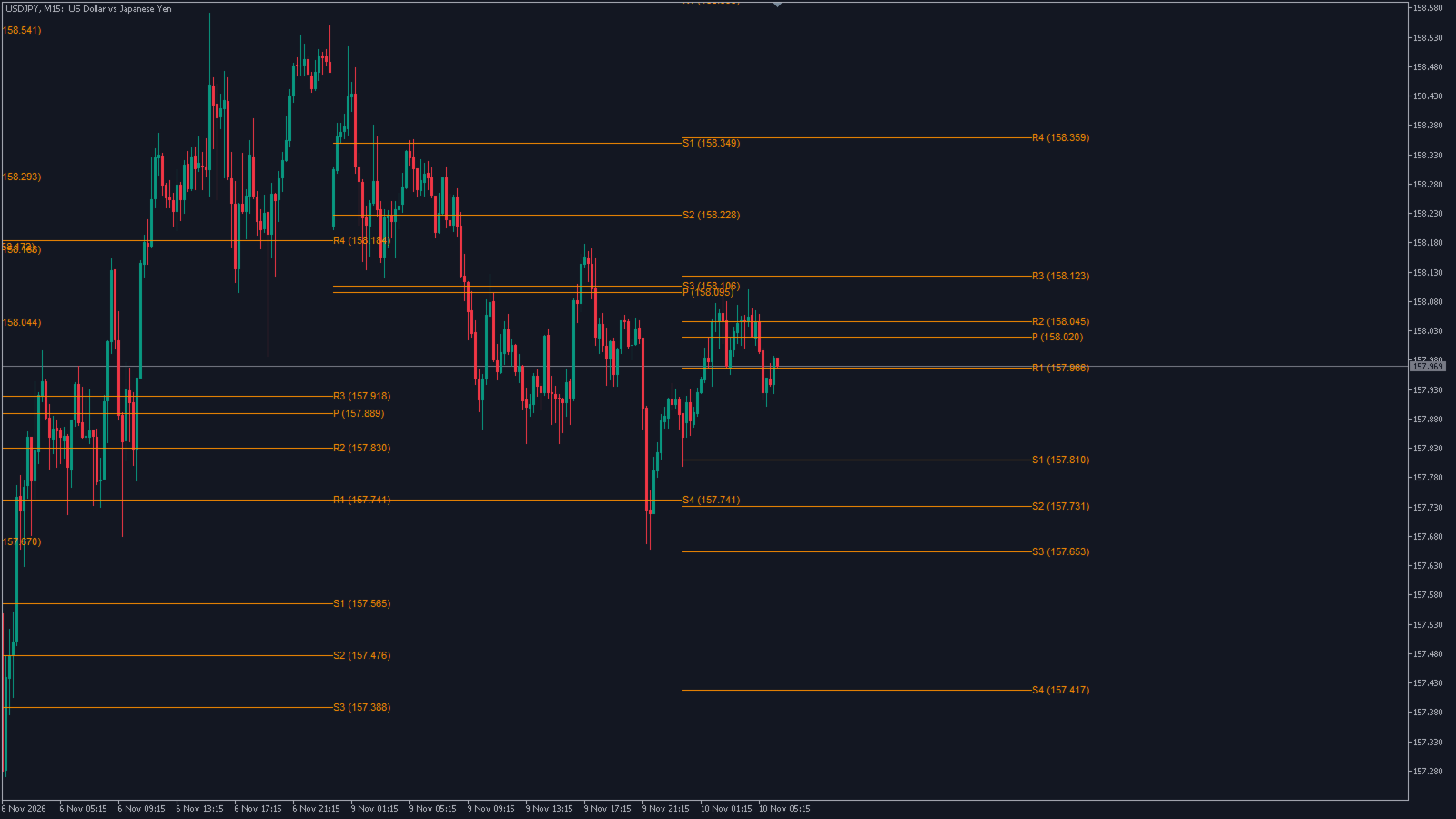
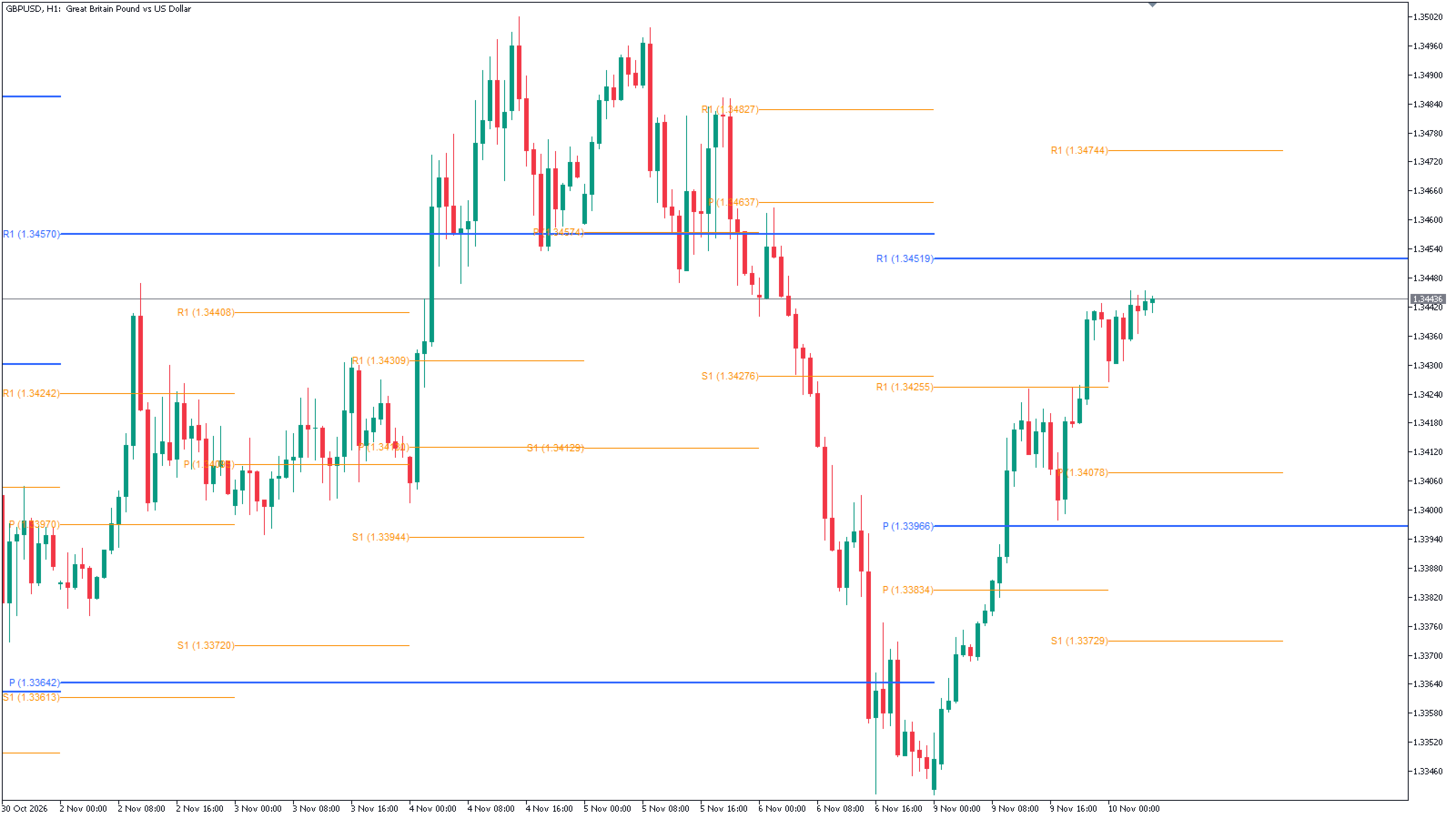
Pivot Points Six Types with Level Alerts is a TV-compatible pivot point indicator for MetaTrader 5. It uses the same formulas and the same period boundaries as the "Pivot Points Standard" indicator that comes with TradingView, and it draws the levels the same way: short horizontal lines that start at the first bar of each period, with "R1 (price)" style labels in orange (#FB8C00).
SIX CALCULATION TYPES
The levels are calculated from the high, low and close of the previous period.
- Traditional: P, R1 to R5, S1 to S5
- Fibonacci: P, R1 to R3, S1 to S3 (0.382 / 0.618 / 1.000 of the previous range)
- Woodie: P, R1 to R4, S1 to S4 (uses the open of the current period, as TradingView does)
- Classic: P, R1 to R4, S1 to S4
- DM (DeMark): P, R1, S1 (uses the previous open as well)
- Camarilla: P, R1 to R5, S1 to S5 (R5 = high / low x close)
Types that have fewer levels simply leave the remaining levels empty.
PERIODS
- Auto (default): charts up to M15 use daily pivots, other intraday charts use weekly pivots, the D1 chart uses monthly pivots, W1 and MN1 use yearly pivots.
- Or choose one yourself: Daily, Weekly, Monthly, Quarterly, Yearly, 2 years, 3 years, 5 years, 10 years. The 2/3/5/10-year blocks start in the same years as on TradingView.
- Number of Pivots Back: how many past periods are drawn, 15 by default, up to 200.
- Use Daily-based Values (on by default): the levels are built from D1 bars, so they are the same on every intraday timeframe. Turn it off to build them from the bars of the chart itself.
- Several copies can run on one chart, for example daily and weekly pivots in different colors.
HOW WE CHECKED IT
- We compared all six types with TradingView's own Pivot Points Standard on the same price data: the formulas gave identical levels.
- The start of the 2, 3, 5 and 10-year periods matched TradingView.
- On your chart the numbers will usually differ a little from a TradingView chart, because the prices come from a different data feed. Example from our test: weekly EURUSD pivot P 1.11801 in MT5 vs 1.11816 on TradingView, a difference of 1.5 pips caused only by the different high/low/close of the week.
DISPLAY
- Labels on the left or right end of each line, with or without the price. Font size 6 to 20.
- Every level can be hidden and has its own color. Line width 1 to 10.
- Hover over a line to see its name and price.
- If something cannot be drawn, a short message appears in the lower-left corner of the chart (for example, the pivot period is shorter than the chart timeframe, or there is not enough history).
ALERTS (OFF BY DEFAULT)
- One condition: the close of a finished bar crosses a level that is shown (previous close at or below the level and the new close above it, or the reverse).
- Checked once per bar, on the bar that has just closed. The bar that is still forming is never used.
- Bars that closed before the indicator was loaded do not raise alerts, so attaching it or restarting MT5 does not produce a burst of old alerts.
- The message names the symbol, chart timeframe, pivot type and period, the level and its price, for example "Pivot TV GBPJPY M1 (Camarilla 1D): close crossed below R1 212.321". With several copies on one chart you can tell which one raised the alert.
- Pop-up, sound and push notification can be combined. Push needs your MetaQuotes ID in the terminal options.
- An alert only reports that the close crossed a line. It is not a signal to buy or sell, and pivot levels are not guaranteed to act as support or resistance.
FOR EA AND iCUSTOM USERS
The values are stored in 11 hidden buffers (no extra drawing): 0 = P, 1 = R1, 2 = S1, 3 = R2, 4 = S2, 5 = R3, 6 = S3, 7 = R4, 8 = S4, 9 = R5, 10 = S5. Bars without a level return EMPTY_VALUE. They also appear in the Data Window.
Note: when an EA or another indicator loads it through iCustom, the pivot lines may also be drawn on the chart the caller runs on. They disappear a short while after the handle is released.
PLEASE READ BEFORE USE
- Period boundaries follow the server time of your MT5 account. A "day" or "week" therefore starts when your broker's server day starts, which can differ from the session TradingView uses for a symbol.
- 24-hour markets such as crypto: TradingView cuts days and weeks at 00:00 UTC. If your server runs on another time zone, the daily and weekly periods start a few hours earlier or later than on TradingView, so their levels can differ.
- Sunday bars: on symbols that have a short Sunday session but no Saturday bars, Sunday is counted as part of Monday (default "Auto"). You can force "merge" or "separate".
- At most 200 periods are drawn. Long periods (5 or 10 years) need enough D1 history in your terminal; otherwise the message "not enough data" appears.
- If the pivot period is shorter than the chart timeframe (for example daily pivots on a W1 chart), nothing is drawn and a message tells you to choose a longer period.
- If a W1 or MN1 chart is loaded during the weekend with alerts on, one alert for the last bar may appear on Monday.
- Levels of past periods do not change. The levels of the current period are fixed when the period starts.
- In the Strategy Tester it raises no alerts and draws no objects.
- No DLLs, no external files, no internet connection.
- A charting aid only. It does not trade and does not guarantee any trading result.
INPUTS
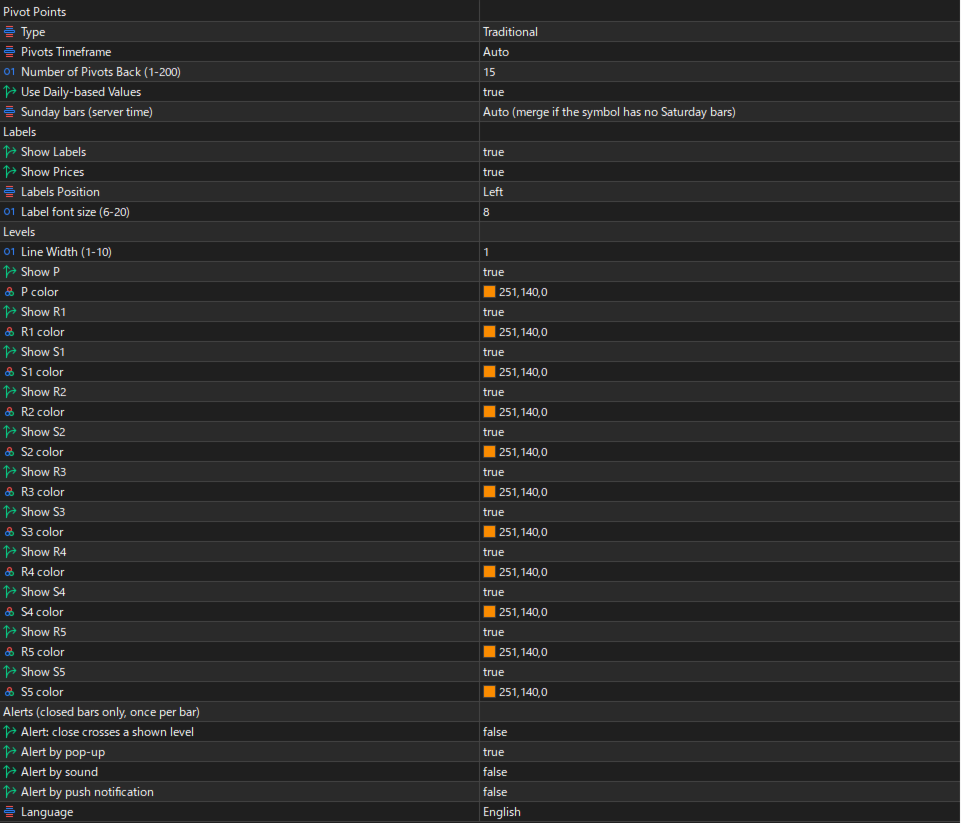
Pivot Points: Type (Traditional), Pivots Timeframe (Auto), Number of Pivots Back (15, 1-200), Use Daily-based Values (true), Sunday bars (Auto)
Labels: Show Labels (true), Show Prices (true), Labels Position (Left), Label font size (8)
Levels: Line Width (1), Show / color for P, R1-R5, S1-S5 (all shown, #FB8C00)
Alerts: Alert: close crosses a shown level (false), Alert by pop-up (true), Alert by sound (false), Alert by push notification (false), Language (Auto = terminal language, English or Japanese)
If an input is out of range, the indicator does not load and writes the reason to the Experts log.
SUPPORT
Questions about installation, settings and bugs are welcome through MQL5 messages. Questions about market direction or individual trades are outside the support scope.
An MT4 edition of this indicator is also available (a separate product). Other tools by the same author are listed on my seller profile.
TradingView is a trademark of TradingView, Inc. This product is not affiliated with, sponsored by or endorsed by TradingView, Inc.