Manual Backtest
- Utilities
-
Soolmaz Baramakeh
 About Me | Forex Trading Systems Developer & MQL Programmer
I am a Forex trader and algorithmic trading systems developer with extensive hands-on experience in designing, developing, testing, and optimizing automated trading strategies for MetaTrader platforms. - Version: 1.30
- Activations: 5
Trade manually in the Strategy Tester and backtest your own strategy in hours instead of months.
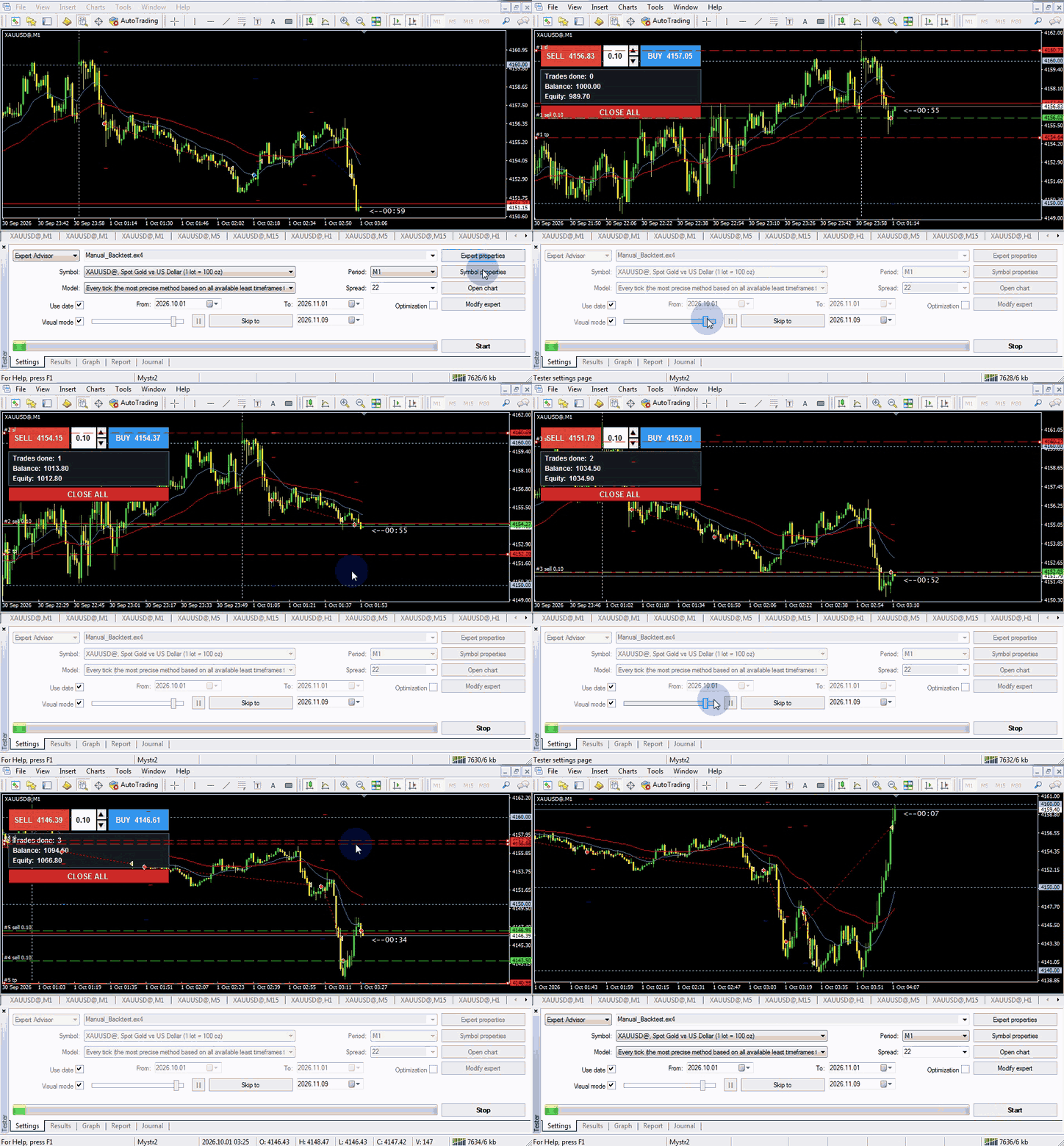
Trade manually in the Strategy Tester and see the results
Want to save time? This Expert Advisor is for you.
DESCRIPTION:
Backtest your own manual strategy on historical data without spending hours, days and months in front of the chart waiting for setups on a demo account. In the MetaTrader 4 Strategy Tester you move the market forward at any speed you like. When your setup appears, enter with one click and see the result right away. What takes months in a live market can be done in a few hours.
There is no better teacher than the market, and no one can train you better than yourself. This tool helps you take a large number of trades with your own strategy in a short time, find its weak points and build confidence in it before you risk real money.
Features
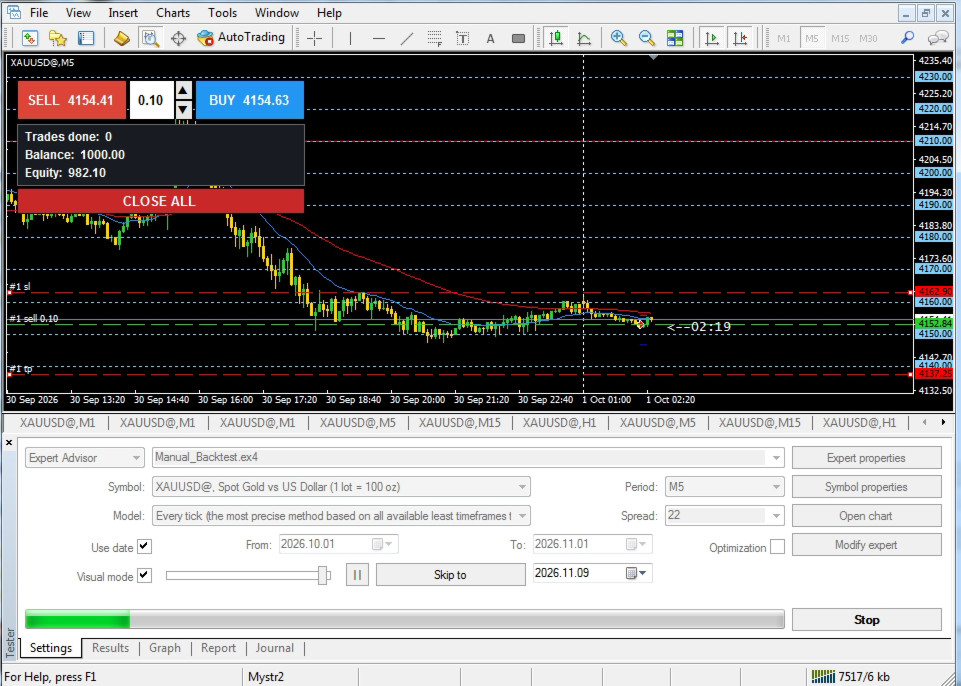
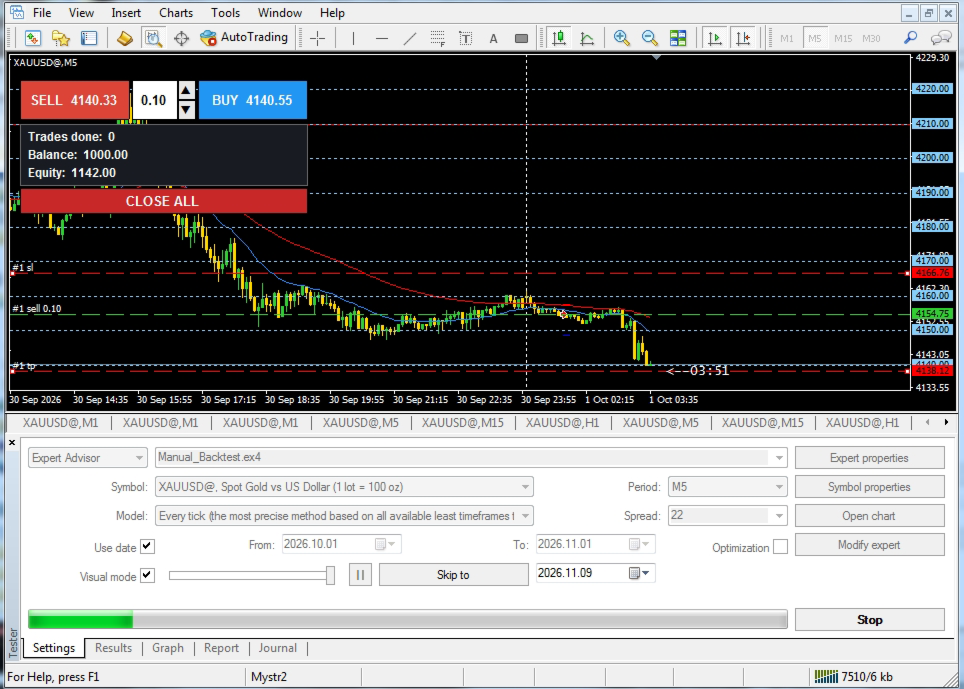
- One-click trading panel that looks just like MetaTrader: SELL button with the Bid price, BUY button with the Ask price, and a volume box with up/down arrows.
- Stop Loss and Take Profit of every trade are shown as red lines on the chart. Drag them with the mouse and the trade is modified immediately, just like in a live market.
- Green entry line and small labels on each line keep the chart looking like a real account.
- Small info panel showing trades done, balance and equity in real time.
- CLOSE ALL button closes all open trades at once.
- Default SL/TP distance, starting volume and volume step can be changed in the inputs.
- At the end of the test, the full Strategy Tester report is available: equity curve, win rate, drawdown and all statistics of your trades.
How to use
1. Select the EA in the Strategy Tester and enable Visual mode.
2. Slow down the test speed and press BUY or SELL when your setup appears.
3. To move SL or TP, pause the test, drag the line, then continue.
Main inputs
- Start lot and lot step per arrow click
- SL and TP distance for new trades (points, 0 = none)
- Magic number and maximum slippage
- Panel position and colors
Customization
We can customize this EA for you and add any feature your strategy needs. Send your customization request now.
Risk warning
Backtest results do not guarantee future profits. This tool is designed for training and practicing strategies. It does not trade on its own: every trade is placed by you.