Midas Trade Copier
- Utilities
- Version: 1.1
- Activations: 5

Trade one account and have the same trades follow on your other accounts, across brokers: for example from your broker's MetaTrader 5 to a prop firm's MetaTrader 5 on the same computer. Midas Trade Copier runs inside the terminals: no server, no internet, no account passwords shared.
How it works
- Attach it in Master mode to a chart on the account you trade, and in Receiver mode on each account that should copy, each in its own terminal. Use the same channel name; use different channel names for independent copy groups.
- The master publishes its open positions twice a second through a file in MetaTrader's common folder; receivers mirror them within about a second. A copy opens at market and gets its stop and target straight after, usually within a second or two, because many brokers do not take stops on a market order.
What is copied
- New positions, full closes and partial closes (a receiver closes the same fraction the master closed).
- Stop loss and take profit, including every later change.
- Manual trades and Expert trades, or only trades with a given magic number.
Sizing and symbols
- Four sizing modes: lot multiplier; scale by balance (receiver balance / master balance); fixed lots; or risk percent: the size that loses your chosen share of the receiver balance if the master's stop is hit. An optional maximum lots per trade caps every mode.
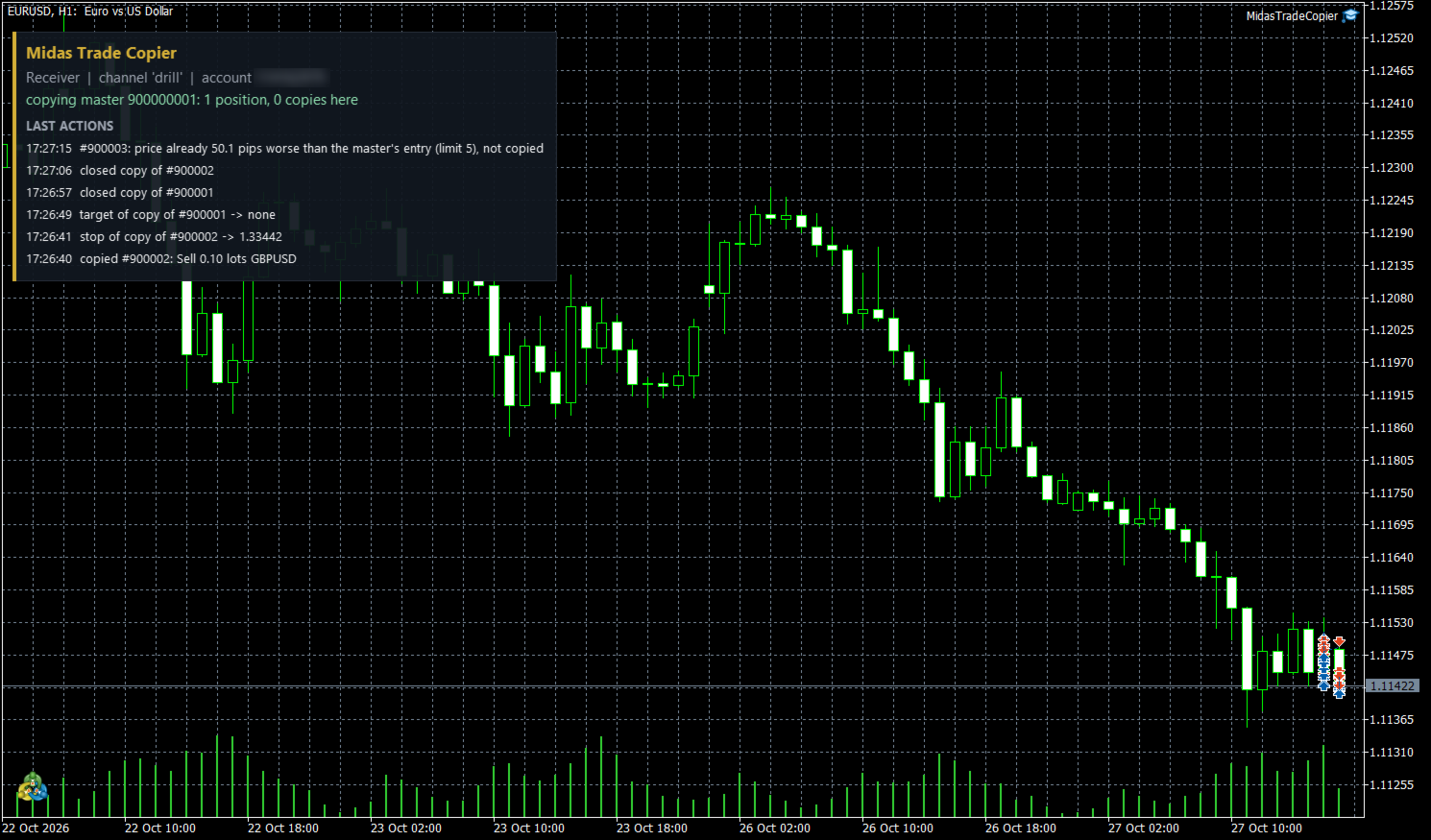
- Price guard: skip a copy when the receiver's price is already worse than the master's entry by more than your limit in pips.
- Symbol suffix and symbol map for brokers that name instruments differently (for example XAUUSD=GOLD); copy only a list of symbols, or never copy some.
- Optional reverse mode (buy becomes sell, stop and target swapped).
Safety rules
- A receiver only touches positions it opened itself (its own magic number); your other trades and Experts are left alone.
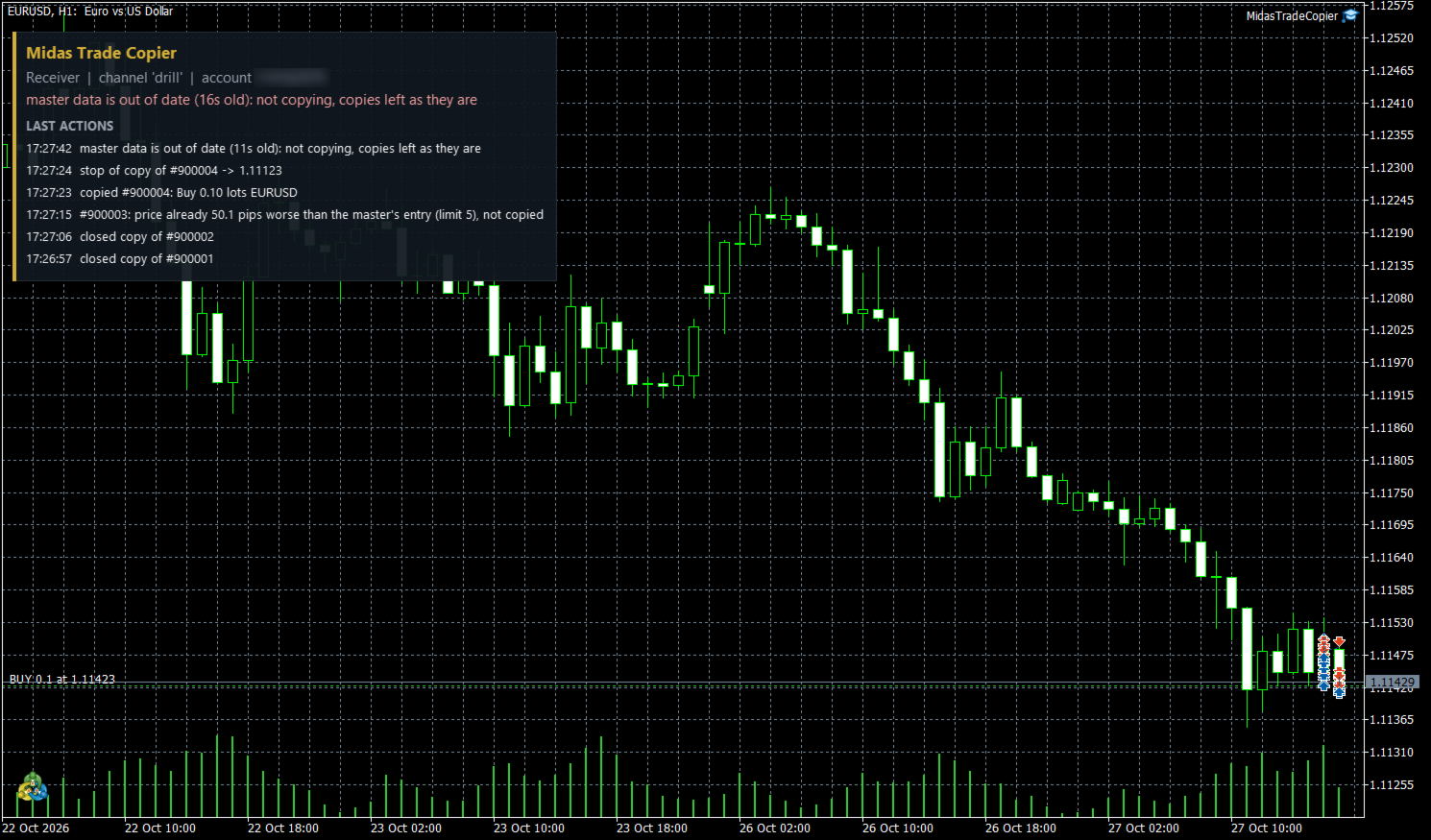
- If the master stops (terminal closed, connection lost), receivers stop copying and leave every copy as it is until the master is back. Nothing is closed because of missing data.
- A copy you close by hand on a receiver is never re-opened.
- Trades already open when a receiver starts are not copied unless you choose to.
- After a restart, a receiver reconnects to its existing copies instead of opening duplicates.
- After the terminal starts, the copier waits until the account has synchronized with the server, so a master never publishes an empty list by mistake and a receiver never misreads its account.
- One master per channel: a second master on the same channel is refused.
Tested
- Every copy decision is made by one engine with no platform code in it, checked in a randomized simulation (a master opening, closing, partly closing and moving stops at random, going offline; a receiver whose broker sometimes rejects an order or a stop change; copies closed by hand) against an independent model after every pass: 1,157,392 checks over 32,000 passes and eight settings, 0 violations; five deliberate faults put into the engine were all caught. This MetaTrader build reproduces that engine line for line on the same simulation (34,743 lines, identical).
- Live demo test on MetaQuotes-Demo: a receiver followed a scripted master through a buy with stop and target, a stop move, a 40% partial close, a second symbol, a removed target, both closes, a copy refused by the price guard, and a master that went silent for 15 seconds (the copy stayed open, copying resumed when it came back), including starts straight after the terminal opened; every step matched. On the master side, open, stop move, partial close and closes were published as they happened.
Notes
- Receivers need a hedging account (each copy is its own position). The master can be hedging or netting.
- Each account needs its own MetaTrader 5 terminal on the same computer, each running the copier.
- Pending orders are not copied; they are copied once filled. Copies fill at the receiver's own market price, so entries can differ from the master by spread and slippage, especially across brokers.
- Check your prop firm's rules: some firms do not allow copying between accounts.
- A copier has no strategy of its own: a Strategy Tester run shows only the one sample trade the validator requires.