ETF Portfolio Trader
- Experts
-
Norbert Hubert Pajak
 My professional career and interests are connected to the financial markets. For over a decade, I have attended almost every trading session.
I create automated trading algorithms (robots, bots), known as Expert Advisors, in MQL4 and MQL5. I can also assist with conversions from Pinescript. - Version: 2.0
- Updated: 3 November 2026
- Activations: 10
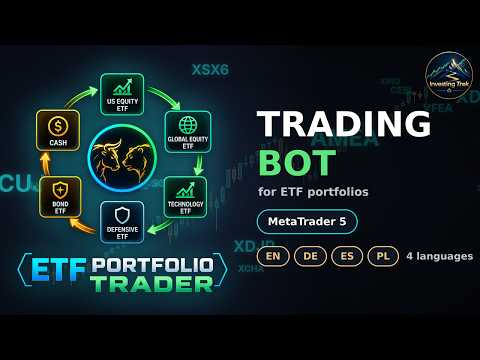
ETF Portfolio Trader — ETF portfolio automation for MetaTrader 5
Build an ETF portfolio once. Let the EA buy it, keep the weights and — if you want — step aside when trends break.
ETF Portfolio Trader runs a portfolio of ETFs (or any exchange-traded instruments). You decide two things: how the portfolio is built (your own weights for up to 10 slots, or the EA picks the best performers from your watch lists (equity, bond and other ETFs, up to 20 in total) — across all classes or separately for equities and bonds) and whether to follow trends (trend signals on, or plain buy and hold). The EA does the rest: buys, rebalances with as few trades as possible, survives restarts and shows everything on two clear panels.
User Guides: https://www.mql5.com/en/blogs/post/779172
Portfolio building strategy
■ Fixed Portfolio — your own list of up to 10 ETFs in slots: symbol, weight, trade or observe only.
■ (Auto) Top strategies from the watch lists — you enter up to 30 ETFs on three lists (equity, bond, other), the EA ranks them by the price change over the last 1–6 months and buys the best:
– Top Performers (all classes) — the best 1–10 of the whole list, equal weights;
– Top Equity — the best equity ETFs with the equity part of the capital (e.g. 60 %);
– Top Bonds — the best bond ETFs with the bond part (e.g. 40 %);
– Top Equity & Top Bonds — both rankings at once, e.g. 3 equity ETFs sharing 60 % and 2 bond ETFs sharing 40 %.
■ You decide the asset class simply by the list you put an ETF on — no guessing, no surprises.
■ Ready from the first start: by default Top Equity — the 3 strongest of 8 equity ETFs (one per market) by the 6-month change, refreshed every 6 months.
■ New selection every 1–12 months (calendar-aligned) or on a button click; funds that drop out are sold. Young ETFs join the ranking as soon as their history covers the window. The selection survives a restart.
Trade on trend signals■ On: an ETF is bought in an uptrend and sold when the trend ends; its capital goes to cash or a defensive ETF. Off: buy and hold regardless of the trend.
■ Signal methods: Price × EMA slow, EMA fast × EMA slow, SuperTrend (ATR) and Dual SuperTrend (fast entry / slow exit). Slow average with High / Low hysteresis and confirmation bars, or the EMA Zone Break threshold model with an optional emergency exit. Any timeframe.
Rebalancing — fully under your control■ Use rebalance on / off; slot modes Weekly, Monthly, Every 3 months (calendar quarters) or Weight deviation (e.g. 5 percentage points); Top Performers: every 1–12 months.
■ Only the difference is traded — surplus lots are sold, missing lots bought, sells first. Tolerance and minimum order skip tiny adjustments.
■ Next rebalance shown on the panel with the number of days and the date.
■ Clear trade comments (ETF PT M<magic> Rebalance + / -), correct handling of exchange (stock) and hedging accounts, session-aware deferred orders.
■ STRATEGY panel — status, strategy and rebalance settings (only those that apply), and a trend monitor: the slots and up to 20 watch-list ETFs in sections (equities / bonds / other) with the broker's description, weight, 1M / 3M / 6M price change (click the column header to sort — within each section, so the best equities and the best bonds stand out at once), ADX, trend Up / Down and the distance to the reversal level.
■ PORTFOLIO panel — Trading ON / OFF, Rebalance and Info buttons, account, realized and open profit with statistics, open positions, profit per ETF and an equity curve against a buy-and-hold line (with Top Performers: all candidates held equally) — you see live whether the strategy adds value.
■ Information window at start — explains in plain words what the EA will do with your inputs.
■ Trading ON confirmation — the list of purchases before anything is bought (OK / Cancel).
Reliability■ Starts at once even when price history is missing — the panel shows which symbols need their history downloaded; typos in symbol names are reported as “not found”.
■ Recognises its own positions after a restart (magic number); never buys a fund twice.
■ Startup volume check, dry-run mode, journal options and log files.
■ Interface in English, German, Spanish and Polish.