Discussion of article "Graphical Interfaces I: Animating the Graphical Interface (Chapter 3)"
Hi Anatoli,
I'm very interesting on using the grapical interface. But it doesn't work in my Applcation. The Panel Window will not moved. Also in the sample program "InfoPanel.mq5" (with set the property Movable to true) nothing happens. The Panel apears but it is not moveable. Perhaps you habe an idea what could be wrong? (I used Windows10 and the metatrader ver 5.0 build 1340)
Regards Roland
Hi all,
I get the sources from the last Part(4). Now works all fine.
Regards Roland
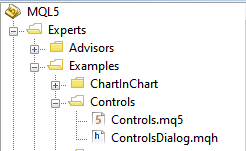
What is the way to process mouse movement using the Standard Library? I tested with the file located in Experts\Examples\Controls. Modifying the CListView class of the standard library.
The ON_MOUSE_FOCUS_SET event is not processed when I only use the .ChartEvent(...) function.
When I use the .OnEvent(...) function, the ON_MOUSE_FOCUS_SET event is processed, but I can't move the window.
When I use both functions, first calling .ChartEvent() and then .OnEvent(), the ON_MOUSE_FOCUS_SET event is processed, but when I click on the increment and decrement button, it is changing more than one step.
   virtual bool      OnItemFocusSet(const int index);
   //--- redraw
   bool              Redraw(void);
   bool              RowState(const int index,const bool select);
   bool              CheckView(void);
  };
//+------------------------------------------------------------------+
//| Common handler of chart events|
//+------------------------------------------------------------------+
EVENT_MAP_BEGIN(CListView)
ON_INDEXED_EVENT(ON_CLICK,m_rows,OnItemClick)
ON_INDEXED_EVENT(ON_MOUSE_FOCUS_SET,m_rows,OnItemFocusSet)
EVENT_MAP_END(CWndClient)
bool CListView::OnItemFocusSet(const int index)
  {
//--- select "row"
   Select(index+m_offset);
//--- send notification
   EventChartCustom(CONTROLS_SELF_MESSAGE,ON_CHANGE,m_id,0.0,m_name);
//--- handled
   return(true);
  }
I have a question: when changing the Time Frame (reinitialisation) the block flies to the upper left corner (x=0, y=0)... how to correctly implement that the current coordinates of the block would be saved?
HI: there are 2 options in my head:
1) write coordinates to global variables...
2) write to a file...
3) Curious about your professional solution to this problem! How would you implement it?

- Free trading apps
- Over 8,000 signals for copying
- Economic news for exploring financial markets
You agree to website policy and terms of use
New article Graphical Interfaces I: Animating the Graphical Interface (Chapter 3) has been published:
This article is the continuation of the first part of the series about graphical interfaces. The first article Graphical Interfaces I: Preparation of the Library Structure (Chapter 1) explains in detail what this library is for. A complete list of links to the articles of the first part is at the end of each chapter. There, you can also download a complete version of the library at the current stage of development. The files must be placed in the same directories as they are located in the archive.
In the previous article of the series, we started to develop a form class for controls. In this article, we are going to continue developing this class and fill it with methods for moving the form over the chart area. We will also integrate this interface component into the core of the library. Also, we will ensure that the color of a form control changes when the cursor is hovering over it.
Changing the Appearance of the Interface Component when the Cursor is Hovering over It
Earlier we considered the implementation of the CElement class, which is base class for all controls. We created the CElement::ChangeObjectColor() method for changing the object color when hovering the cursor over as one of its members. This is the time to create a mechanism which will allow us to use it in our work. Adding such functionality requires a timer. This is disabled in the settings of the MQL application by default. It is up to the application developer to decide whether the timer is to be enabled depending on the set goals.
To enable the timer, the MQL language has two functions with different frequency: EventSetTimer() and EventSetMillisecondTimer(). The first one allows to set an interval no shorter than one second. This does not suit our purposes as one second is too high an interval for a control to change its appearance when the cursor is hovered over it. The change should happen instantly with no delays. We are going to use the EventSetMillisecondTimer() function, which supports setting a timer with intervals measured in milliseconds. According to the MQL reference, a minimal interval that can be set using this function is 10-16 milliseconds. This is enough to realize our plan.
Fig. 2. Test for the object reaction to the mouse cursor
Author: Anatoli Kazharski