Can I safely delete C:\ProgramData\MetaQuotes\ML (4 GB)
Hello,
This is weird, because mine, with a Nvidia card, is around 500MB
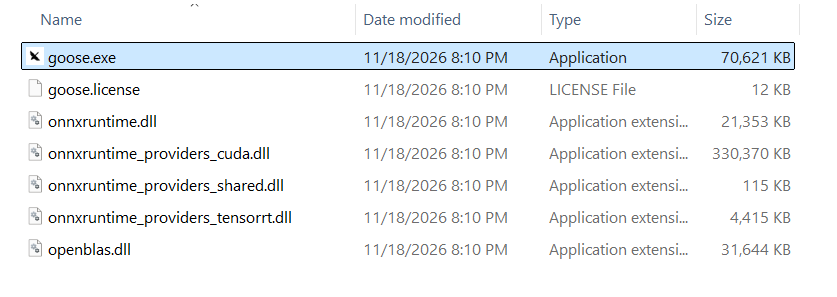
I am showing my folder on a screenshot, but I would go and delete the whole folder if you ask me; after update it comes back anyway
Hello,
This is weird, because mine, with a Nvidia card, is around 500MB
I am showing my folder on a screenshot, but I would go and delete the whole folder if you ask me; after update it comes back anyway
New MetaTrader 5 Build 5572: ONNX and Chart Rendering Improvements - Release Notes

- 2026.01.29
- www.mql5.com
Hello,
This is weird, because mine, with a Nvidia card, is around 500MB
I am showing my folder on a screenshot, but I would go and delete the whole folder if you ask me; after update it comes back anyway
The MetaTrader 5 platform update will be released on Friday, January 30, 2026.
In this version, we have improved ONNX support in MQL5. Models now run significantly faster on GPUs with CUDA support. In addition, we introduced support for new flags and revised the library workflow: ONNX is now installed only on the first run of a program that uses it, rather than with the platform.
We have also refined the rendering of text and analytical objects on charts for the Blend2D engine introduced in the previous update. In addition, this update provides enhancements to trading reports and stability improvements to the Strategy Tester.
The web version of the platform has received several improvements as well. When adjusting stop levels directly on a chart, you can now see an approximate profit or loss value in monetary terms. We have also fixed the display of certain trading data.

- www.mql5.com

I’m running low on disk space and found two MetaTrader 5 folders taking up a lot of room:
What is the ProgramData\MetaQuotes\ML folder used for, and is it safe to delete? I don’t use any Python or machine learning EAs that I’m aware of.
Here's the list of files in the folder in the screenshot attached below.