Very Very Slow backtest speed but CPU only use 11%
Why the version of MT5 backtest speed such slow, I pend it over night(~8 Hours), only 1 pass finished but I have brought a new cpu, the usage of CPU keep only 11%
10,496 passes is quite a high number.
I have to guess that you're testing on real ticks for a lengthy timespan, and CPU load was not the only factor. My pc has a heat sensor (enabled in BIOS) that white screens itself for protection if it gets too hot. The screen comes back up with processes killed after a few minutes. If I were to walk away for a bit, and then return to a live screen and killed processes, I wouldn't see what had happened so...
What was your memory usage?
Full spec's would be helpful.
CPU is not the first reason if you backtest/optimize a badly coded EA.
yes, I use real tick
EA use trailing stop need run on every tick
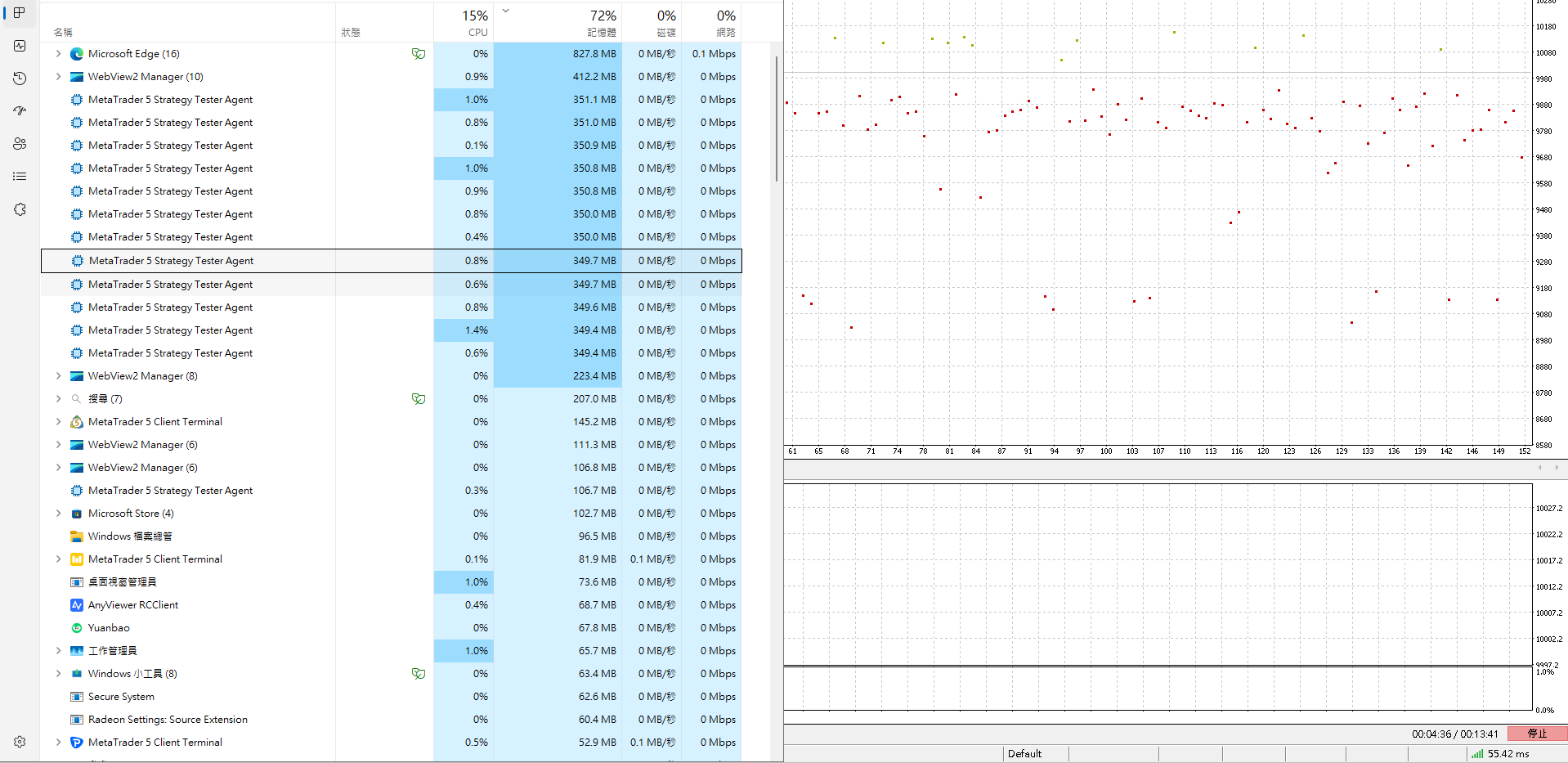
Why the version of MT5 backtest speed such slow, I pend it over night(~8 Hours), only 1 pass finished
but I have brought a new cpu, the usage of CPU keep only 11%
Restart MT5.
Then run a BACKTEST, for 1 day, using real ticks.
And attach the Strategy Tester log file here. The FILE, not a screenshot, not an excerpt, not anything else than the file itself.
I will say you what the problem is.
I had this problem in backtest some times.
I found another post https://www.mql5.com/en/forum/463732
I try do delete default.tpl template (there is no file tester.tpl) and do not solve, after I delete cache in folder "<data folder>/Tester/Cache" the test finishes without hangs.

- 2024.03.08
- www.mql5.com

- Free trading apps
- Over 8,000 signals for copying
- Economic news for exploring financial markets
You agree to website policy and terms of use
Why the version of MT5 backtest speed such slow, I pend it over night(~8 Hours), only 1 pass finished
but I have brought a new cpu, the usage of CPU keep only 11%