Problem adding a product to the market
Osmar Sandoval Espinosa:
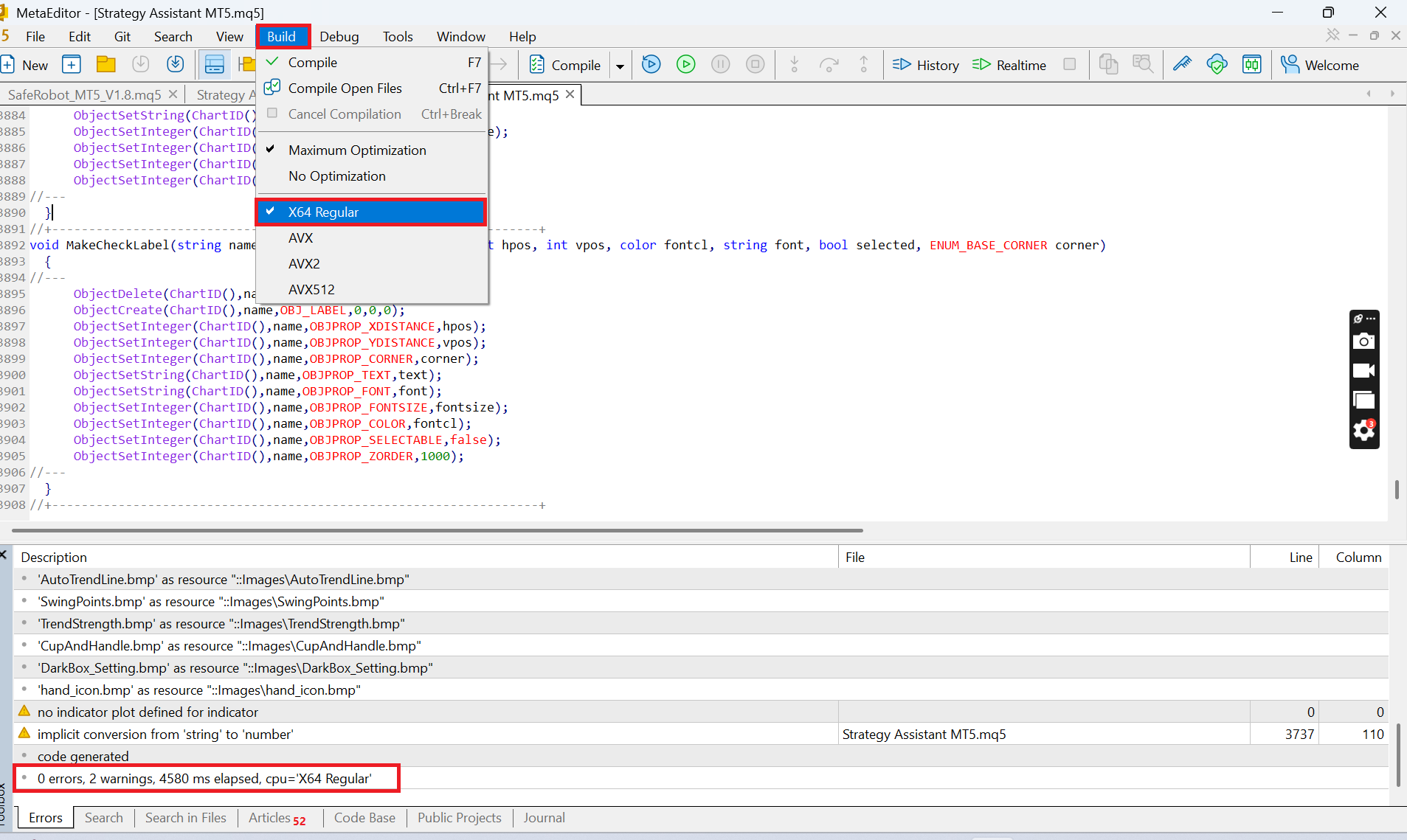
"To select a processor architecture, use the compilation menu. Next, click 'Compile'. You can also specify the architecture in the MetaEditor settings and in separate project settings."
File is compiled for CPU_ARCH_AVX2 CPU architecture. The Market supports "X64 Regular" only. Please recompile the file.
How can I change the complied architecture?

Settings - Welcome to algorithmic trading - MetaEditor Help
- www.metatrader5.com
MetaEditor provides multiple settings to help you conveniently customize your work in the development environment. To open the settings, click...
Ryan L Johnson #:
"To select a processor architecture, use the compilation menu. Next, click 'Compile'. You can also specify the architecture in the MetaEditor settings and in separate project settings."
Thanks!
"To select a processor architecture, use the compilation menu. Next, click 'Compile'. You can also specify the architecture in the MetaEditor settings and in separate project settings."
How i fixed this problem
You just need choose correct architecture from build menu in meta editor

You are missing trading opportunities:
- Free trading apps
- Over 8,000 signals for copying
- Economic news for exploring financial markets
Registration
Log in
You agree to website policy and terms of use
If you do not have an account, please register
File is compiled for CPU_ARCH_AVX2 CPU architecture. The Market supports "X64 Regular" only. Please recompile the file.
How can I change the complied architecture?