Discussing the article: "Custom Indicator Workshop (Part 1): Building the Supertrend Indicator in MQL5"
You have taken material from the article “Published: 18 October 2011 at 15:10”
https://www.mql5.com/en/code/576
When this indicator was written for MetaTrader 5, TradingView did not yet exist.
Please provide a more thorough description and ensure the facts are checked.
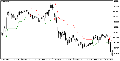
Vitaly Muzichenko #:
Hello Sir, what is your problem, and how may I assist you?
You have taken material from the article “Published: 18 October 2011 at 15:10”
https://www.mql5.com/en/code/576
When this indicator was written for MetaTrader 5, TradingView did not yet exist.
Please provide a more thorough description and ensure the facts are checked.

You are missing trading opportunities:
- Free trading apps
- Over 8,000 signals for copying
- Economic news for exploring financial markets
Registration
Log in
You agree to website policy and terms of use
If you do not have an account, please register
Check out the new article: Custom Indicator Workshop (Part 1): Building the Supertrend Indicator in MQL5.
Build a non‑repainting Supertrend in MQL5 for MetaTrader 5 from first principles. We use an iATR handle and CopyBuffer for volatility, bind buffers with SetIndexBuffer, and configure plots (DRAWCOLORCANDLES plus two line bands) via PlotIndexSetInteger. The logic updates only on closed bars with EMPTY_VALUE to suppress inactive bands, exposing atrPeriod and atrMultiplier inputs. You get a clean, EA‑ready overlay with documented buffers for strategies and signals.
Before we touch any code, it helps to be very clear about what we are building and how it should behave on the chart. The Supertrend indicator relies entirely on ATR to determine where its trend line should be drawn. Instead of reinventing the wheel, we will leverage the fact that MetaTrader 5 already provides a highly optimized ATR indicator. Our custom Supertrend uses an indicator handle to consume ATR values, allowing us to focus on trend logic and visualization rather than volatility calculations.
This indicator will be implemented as a custom MQL5 indicator and plotted directly on the main chart window. The chart canvas will use a white background to maximize contrast and improve visual clarity. At any point in time, the indicator will maintain a single internal state that describes the current market environment. That environment can be in only one of two states: bullish or bearish.
In a bullish environment, a thin SeaGreen-colored line is drawn below the price. This line is calculated by taking the candle's midpoint and subtracting the ATR multiplied by the user-defined multiplier, allowing it to trail price dynamically as volatility changes. At the same time, all price candles on the chart will adopt the same SeaGreen color. This creates immediate visual confirmation that the market is trending upward.
Author: Chacha Ian Maroa