How to change the background from black to another color?
Alt+E The chart has a black background, so I can't see the values when I hover my cursor over them. How can I change the chart background to a lighter color?
I just did a test to replicate your issue.
Go to View (up top)==>Color Themes==>Light.
Edit: It looks like you're aleady in the Light Theme. Strange, or maybe you're in the Default Theme?I have three options: -system -light -dark This however did not solve the problem, the background of the chart is still dark.I had the system option selected and changed it to light.
My bad--brain fart. There is no Default, so I should've said System.
I tested MT5 Release Build 5430 and MT5 Beta Build 5488. Both graphs changed to white in Light Theme. As I'm unable to replicate the issue in 2 Builds, you seem to have a unique (to you) issue on your hands.
By the way, I tested on a nonupgradeable Windows 10 pc in MT5 AVX2 versions. I also have Windows 11 and 7 pc's.
If you'd like others with other devices to chime in for help, please post your device and MT5 details so they can see it.
my version on pc 5.00 build 5320
Could the problem be caused by an outdated version of Windows?
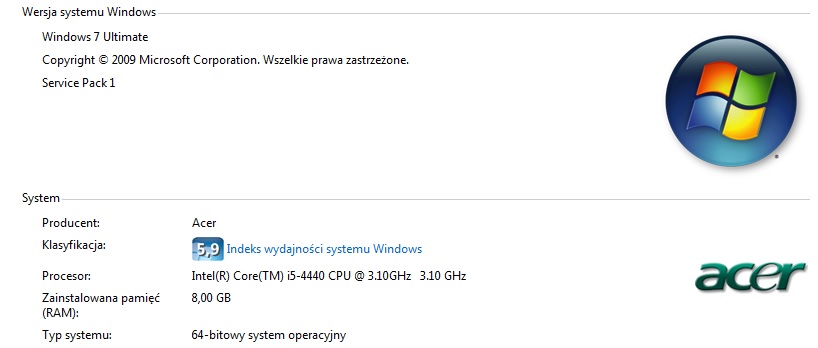
I use it all the time Windows 7.
Windows 7 Service Pack 1 build 7601 AVX2
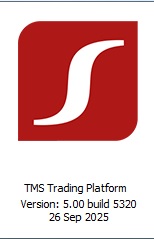
my version on pc 5.00 build 5320
Could the problem be caused by an outdated version of Windows?
I use it all the time Windows 7.
Windows 7 Service Pack 1 build 7601 AVX2
- "The platform can run under Microsoft Windows 2008/7/8/10/11. A processor with SSE2 support (Pentium 4/Athlon 64 or higher) is also required. Other hardware requirements depend on specific platform use conditions — load from running MQL5 applications, number of active instruments and charts, etc." (Platform Installation - For Advanced Users - Getting Started - MetaTrader 5 Help).
Provided that your pc meets the minimum system requirements above, you can check its CPU's compatibility with AVX2 at How to Check If Your CPU Supports AVX or AVX2 Instructions 2026.
And if you find no such AVX2 compatibility, you can download the x64 version from Alain Verleyen's Telegram channel at Telegram: View @MT5Exe (login/registration required).
From your broker-dealer's website:
"With an [redacted by user] account, you can trade using our mobile app that has leading technical tools for analysis and access to global markets. Clients also have access to the newest version of MetaTrader (MT5), and can integrate their account with the TradingView platform."
You appear to be using a white label version of MT5 which is actually MT5 Build 5320. Here in the States, my broker-dealer's newest stable Release Build is 5430. Having said that, my Build 5430 is not very white label at all. I do recall that there were some issues in Builds preceding 5430, but heck if I can remember what they were. I do have to question how your broker-dealer is claiming to have "the newest version."
I see 2 options for you:
- Contact your broker-dealer to find out (a) how heavily they've modified their white label MT5, and (b) why you have a color discrepancy.
- Test a different Build number from the Telegram channel, i.e., a slightly newer or slightly older Build (make sure that your broker-dealer allows this beforehand).
There is only one MT5, it cannot be modified by brokers.
Windows 7 is outdated and not supported any more.
Build 5320 is outdated and not supported any more by MetaQuotes.
There is only one MT5, it cannot be modified by brokers.
Windows 7 is outdated and not supported any more.
Build 5320 is outdated and not supported any more by MetaQuotes.
Thanks for the update.
@MetaQuotes, it's high time to update the Help page referenced at Platform Installation - For Advanced Users - Getting Started - MetaTrader 5 Help.

- Free trading apps
- Over 8,000 signals for copying
- Economic news for exploring financial markets
You agree to website policy and terms of use