Scripts: Report by Magic and currency MT5 indicator for account PNL and trade statistics exported to CSV
Hi bro very good work thank you very much. Will it be possible to include dates also. That would be wonderfull
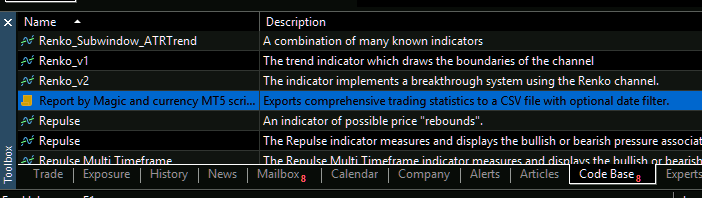
Updated to v3.03, Major bug fixes and added a new input "Balance allocation (Default All balance)" this new input helps traders get metrics adjusted to a custom balance per magic/symbol.
Fixed Bug 1 — MAE = $0.00 (primary cause: CopyRates silent failure)
The original code sampled floating P&L hourly via CopyRates(PERIOD_M1, atTime, ...) . In a script context, historical M1 bars are often not resident in memory for past periods, so CopyRates returns 0 silently. Since worstFloatingPL was initialised to 0.0 and only updated when floatingPL < 0 , it never moved — leaving every trade's MAE at exactly zero.
Fix: Replaced CopyRates entirely with DEAL_PRICE from the deal record itself. Deal prices are always present in history with no loading dependency. The new function CalculatePortfolioFloatingPL(positions, symbol, dealPrice) is called at every deal event.
Fixed Bug 2 — Wrong Peak DD (consequence of the same failure + wrong P&L formula)
Because floating P&L was always 0, the equity curve was built from realized P&L only. This ignores all unrealized losses while the basket was open — inflating drawdown because recovering trades' final realized gains aren't offset against the temporary losses that preceded them. Additionally, the old formula (priceDiff / point) * tickValue * (tickSize / point) is only accidentally correct for instruments where tickSize == point (standard forex), and gives wrong results for crypto, indices, or custom instruments.
Fix: Correct formula is now (priceDiff / tickSize) * tickValue * volume . Portfolio floating P&L is calculated at every deal, so both the intra-basket loss and the hedge offset are captured correctly.
Fixed Bug 3 — Per-position MAE is meaningless for hedged/grid strategies
The old code stored a worstFloatingPL per individual open ticket. For a strategy that intentionally holds opposing legs, the adverse excursion of one leg is partially or fully offset by the gain on the other. Reporting per-leg MAE overstates risk.
Fix: TradeMAE struct removed. Instead, maeSamples[] collects the net portfolio floating P&L (absolute value) at every deal event where the portfolio is in an adverse state. avgMAE , maxMAE , mae95Percentile , and mae99Percentile are now computed from these portfolio-level samples — which is the number that actually matters for a basket SL strategy.
Any feedback or suggestion is welcome
Thanks for shareing this code! Very usefull
my change for my usage:
FileOpen(CSVFileName, FILE_WRITE|FILE_COMMON|FILE_CSV);
because I have multiple EA's running and Common Folder is then easier. and type CSV

- Free trading apps
- Over 8,000 signals for copying
- Economic news for exploring financial markets
You agree to website policy and terms of use
Report by Magic and currency MT5 indicator for account PNL and trade statistics exported to CSV:
Exports comprehensive trading statistics to a CSV file.
Author: Marco