Disabling EA live trading on one tab disables on all
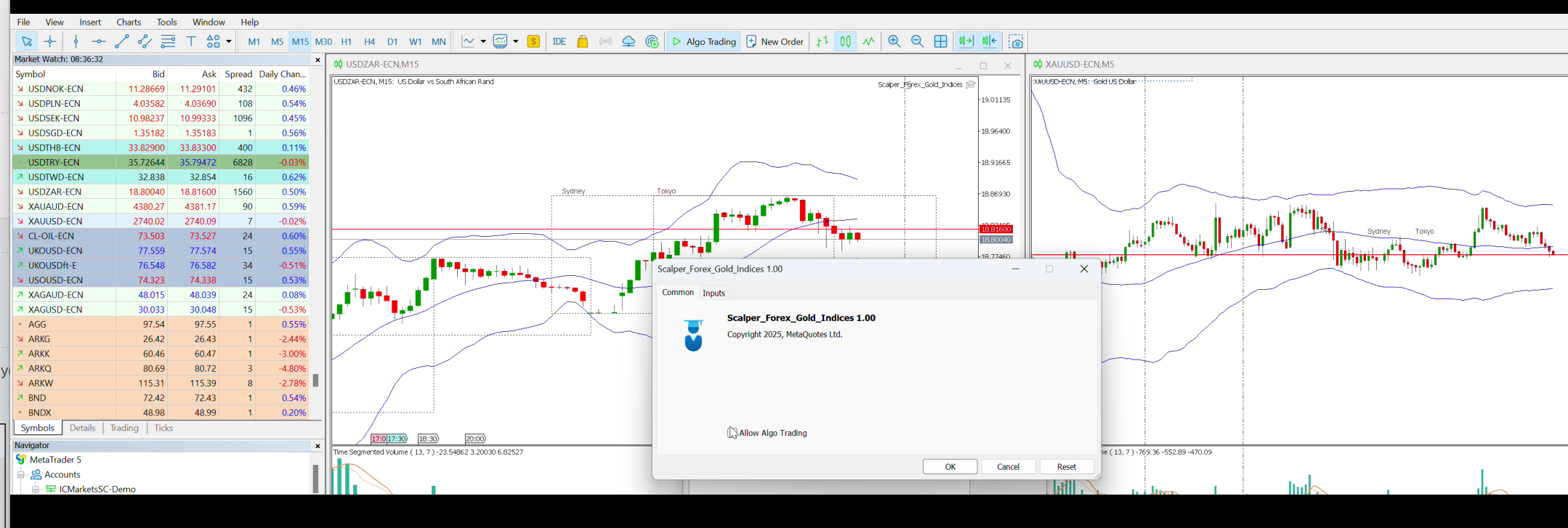
Two different charts open on two seperate tabs. If i dont want EA to run on one tab/chart I disbale "live trading" in the common tab, but this disables the EA in **both** tabs.
Is it not possible to have the EA running in just the charts I choose ?
Yes it is, open the Common tab of the expert window of the EA you don't want to trade and untick the 'Allow live trading' (MT4) or Allow Algo Trading (MT5) options.
No, this is not possible, you are doing something wrong.
Restart your MT4/5 terminal and try again.
Post some screenshot.Please link video, when I disable in right window it is disbaled in the left window.
https://drive.google.com/file/d/1pUIP9quwj2tgo4_RUBrT0iL-FkvoQqIZ/view?usp=sharing
Please link video, when I disable in right window it is disbaled in the left window.
https://drive.google.com/file/d/1pUIP9quwj2tgo4_RUBrT0iL-FkvoQqIZ/view?usp=sharing
I told you to uncheck the 'Allow Algo Trading' option in the Common tab of the Expert window of your EA, not the universal 'Allow Algo Trading' setting for the MT5 terminal in MT5 >> Tools >> Options >> Expert Advisors.
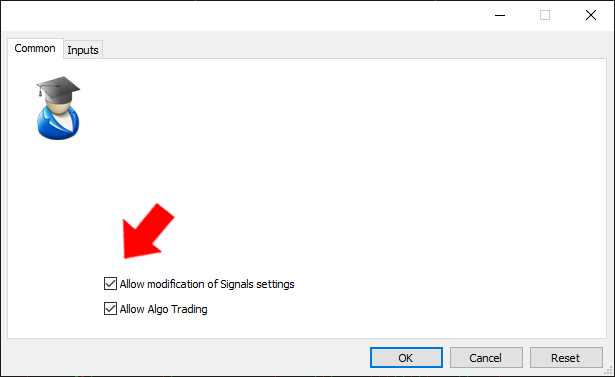
I told you to uncheck the 'Allow Algo Trading' option in the Common tab of the Expert window of your EA, not the universal 'Allow Algo Trading' setting for the MT5 terminal in MT5 >> Tools >> Options >> Expert Advisors.
Thats exactly what I did if you watch the video.
I couldn't watch you video because it is locked.
Why don't you show the other chart, where the other EA is disabled also?
I've tried the same setup and it works fine as I've told you, I've got 1 grey hat and 1 blue hat, the 1 EA is not working and the other is.
By the way, have you attached your EA on the other chart too?Are you sure you have two separate experts running on each chart, or is it a single expert that trades on both symbols?
Yes thats is correct. It is the same expert but running on two seperate charts. So are saying that if i disable algo on one chart (grey hat) then this will disable on the other chart because it the same expert ?

- Free trading apps
- Over 8,000 signals for copying
- Economic news for exploring financial markets
You agree to website policy and terms of use
Two different charts open on two seperate tabs. If i dont want EA to run on one tab/chart I disbale "live trading" in the common tab, but this disables the EA in **both** tabs.
Is it not possible to have the EA running in just the charts I choose ?