Discussion of article "Developing a trading Expert Advisor from scratch (Part 15): Accessing data on the web (I)"
any details I missed? 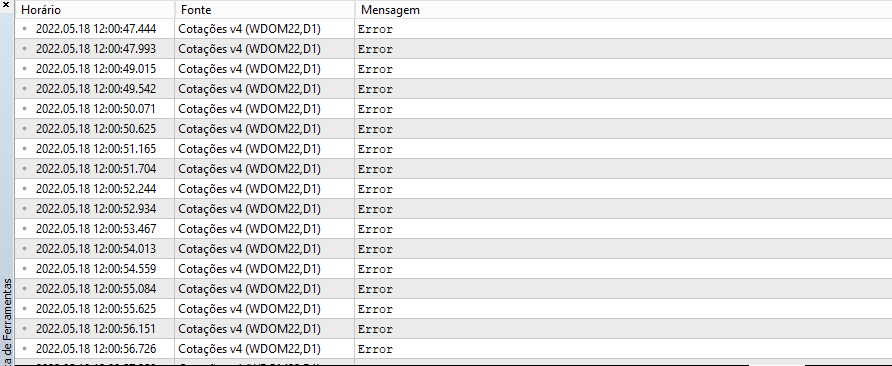
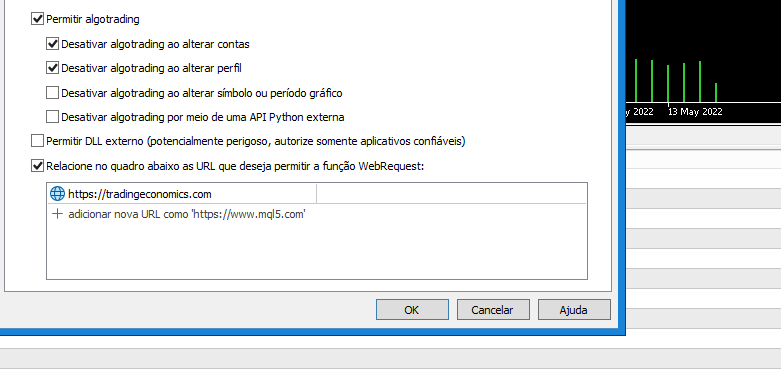
Probably YES... you need to read and watch the whole article ... ALL of it, including the video that's in the article, because there I show you some details of how you capture the information ... the detail is that the system is optimised to go to a particular memory address and not keep looking for the information, which would be very slow, since we're using a REAL TIME system ... and if the page is modified by the administrator, this address will be different, so you'll have to search where the new address is, but in the article I show you in detail how to find the new address .... and, in this specific case, how to see an error message indicating that the address is different from the one the system expected to find the information it was looking for ... READ the article ... WATCH the video and understand what I am explaining in it, change the address that is used to indicate where the information is and you will get the data that is on the page and from any other page .... remember the search has to be done quickly since the system is REAL TIME ... if it wasn't we could download the page and use a loop to search for the information, but time is precious ... 😁👍
Interesting article, but I can't understand what it means in yellow?
GetDataURL("https://tradingeconomics.com/stocks", 100, "INDU:IND", 172783, 173474, 0x0D);
And it's a hexadecimal number. How do I position it correctly?
...
GetDataURL("https://tradingeconomics.com/stocks", 100, "INDU:IND", 172783, 173474, 0x0D);
...
string GetDataURL(const string url, const int timeout, const string szFind, int iPo s, int iInfo, char cLimit)
{
...
...
        for (int c0 = 0, c1 = StringLen(szFind); c0 < c1; c0++) if (szFind[c0] != charResultPage[iPos + c0]) return "Error in Position";
        for (counter = 0; charResultPage[counter + iInfo] == 0x20; counter++);
        for (;charResultPage[counter + iInfo] != cLimit; counter++) szInfo += CharToString(charResultPage[counter + iInfo]);

        return szInfo;
}
- tradingeconomics.com
Interesting article, but I can't understand what it means in yellow?
And it's a hexadecimal number. How do I position it correctly?
The values starting with 0x are HEXA values, the rest are ordinary decimal values. You can use the DECIMAL value, but I find it difficult to understand at times. As I usually use ASCII values, I prefer to use HEXA. But the value 0x0D represents the ENTER key. And 0x20 is the SPACE key. To find these values, and position them correctly, you need to have the file and a HEXADECIMAL editor. Then you need to look up the value in the file to tell the procedure where in the file the value is. So the values 172783 and 173474 are addresses, or positions within the file being downloaded.
Try to learn how to use a HEXADECIMAL EDITOR, as it will be easier to understand these addresses.😁👍

- Free trading apps
- Over 8,000 signals for copying
- Economic news for exploring financial markets
You agree to website policy and terms of use
New article Developing a trading Expert Advisor from scratch (Part 15): Accessing data on the web (I) has been published:
How to access online data via MetaTrader 5? There are a lot of websites and places on the web, featuring a huge amount information. What you need to know is where to look and how best to use this information.
For those who don't know how to search for the data to be captured by the MetaTrader 5 platform within a website, I made a short video, where I quickly demonstrate how to proceed with this search.
It is important that you know how to use your browser to parse the code of the website from which you want to get the data. It is not difficult, since the browser itself helps a lot in this task. But it is something that you must learn to do. Once you understand how to do it, a lot of possibilities will open up to you.
I will be using Chrome for search, but you can use any other browser which provides access to the code using developer tools.
Author: Daniel Jose