beginner question: how can I see which template is applied on my Metatrader4 chart?
Hello from Chiang Rai, Thailand! I am a Japanese hobby trader and I have had the same question before.
Unfortunately, MT4 does not store or display the name of the template once it is applied to a chart. It just changes the chart settings at that moment.
One small tip I use: I sometimes add a "Label" object on the chart with the template name manually, or I name my templates very clearly so I can recognize them by the colors and indicators. Regarding hotkeys, there is no default hotkey to see the name, but you can assign hotkeys to your own Scripts if you use them to apply templates.
I hope this helps a bit! Let's enjoy trading!
Question is nonsense. A template applied, sets the chart. Once applied the template is irrelevant.
Hello from Chiang Rai, Thailand! I am a Japanese hobby trader and I have had the same question before.
Unfortunately, MT4 does not store or display the name of the template once it is applied to a chart. It just changes the chart settings at that moment.
One small tip I use: I sometimes add a "Label" object on the chart with the template name manually, or I name my templates very clearly so I can recognize them by the colors and indicators. Regarding hotkeys, there is no default hotkey to see the name, but you can assign hotkeys to your own Scripts if you use them to apply templates.
I hope this helps a bit! Let's enjoy trading!
The following Post is a blast from the past but then, so is MT4.
Forum on trading, automated trading systems and testing trading strategies
ccjjaa, 2008.12.14 09:07
TEXT_Writer
Hi
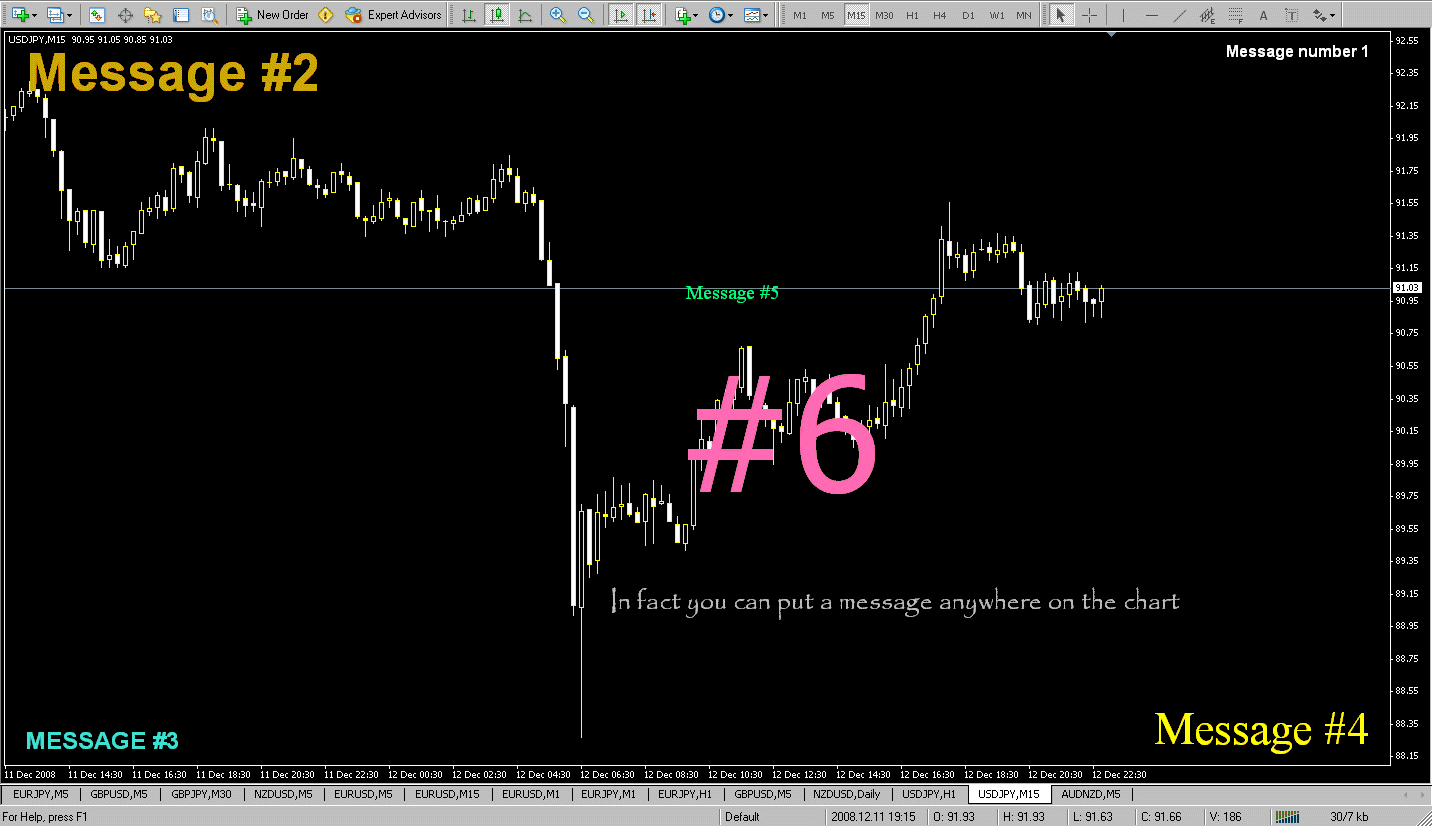
You could always use the Text or insert Text functions that come standard on the MT4 platforms however i have made a simple TEXT indicator which lets the User place 1 line of TEXT anywhere on the chart, if more lines are required simply load the indicator again with a new line of TEXT and set the position on the chart with the shift functions.
List of inputs
Text_to_Write = "Type message in here!";
TEXT_color = White;
Font_Size = 12;
Font = "Arial Bold";
Corner = 1;
Shift_UP_DN = 10; // Adjusts Signal Display Up & Down
Adjust_Side_to_side = 10; // Adjusts Signal Display from side to side...

- Free trading apps
- Over 8,000 signals for copying
- Economic news for exploring financial markets
You agree to website policy and terms of use
In MT4, how can I see the name of my chart template that is currently applied?
- indicators with ctrl + i
- objects with ctrl + b
- and templates?
How can I switch templates with a hotkey?
- indicators/EA' s with alt + [key] (from ctrl + n)
- profile with ctrl + F5, profile name at bottom (see screenshot)
- objects with backspace (undo) and ctrl + z (redo)
- and templates?