Indicators: i-PassLevCCI_v.1.3
Good afternoon, everyone. Who can tell me how to use the code?
sabrina2:
Good afternoon, everyone. Who can tell me how to use the code?
Good afternoon, everyone. Who can tell me how to use the code?
First click on the link

Then, on the next page, click on the link with the indicator code.
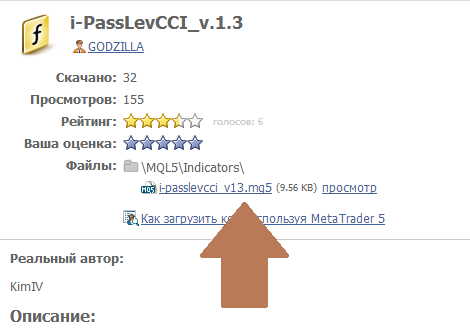
The indicator code will be downloaded. Open the downloaded file (it will open in MetaEditor) and compile it. After that, the downloaded indicator will be available in the terminal and you can attach it to the chart
barabashkakvn:
First click on the link
Then, on the next page, click on the link with the indicator code
The indicator code will be downloaded. Open the downloaded file (it will open in MetaEditor) and compile it. After that, the downloaded indicator will be available in the terminal and you can attach it to the chart.
Why go to such trouble? MT5 has search and download directly from the terminal:


i-PassLevCCI_v.1.3:
A semaphore signal indicator using the Commodity Chanel Index oscillator.
Signals to enter a position are shown on the chart as corresponding colored arrows. Signals to exit a position are shown as blue diamonds or opposing arrows.
Author: Nikolay Kositsin