 MetaTrader 5
 Experts
 Indicators
 Scripts
 Libraries
 Storage
Watch how to download trading robots for free
Find us on Facebook!
Join our fan page
Join our fan page
You liked the script? Try it in the MetaTrader 5 terminal

ORB Risk Managed - Opening Range Breakout with Account Protection - expert for MetaTrader 5
Matas Kerys

MQL5 developer focused on prop-firm-compliant Expert Advisors and risk management tools.
What I build:
Expert Advisors from clear trading rules
Risk controls: daily loss limits, max drawdown protection, risk-based position sizing, session-based trade closing
What I build:
Expert Advisors from clear trading rules
Risk controls: daily loss limits, max drawdown protection, risk-based position sizing, session-based trade closing
- Views:
- 1797
- Rating:
- Published:
-
 You are missing trading opportunities:
- Free trading apps
- Over 8,000 signals for copying
- Economic news for exploring financial markets
Registration Log inYou agree to website policy and terms of use
If you do not have an account, please register -
 Need a robot or indicator based on this code? Order it on Freelance
Go to Freelance

Idea
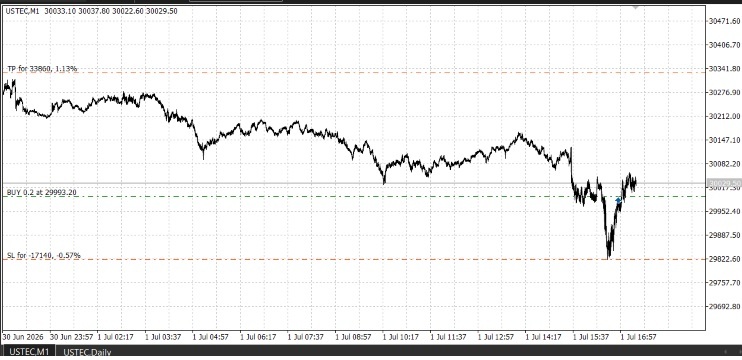
The EA marks the high and low of the first minutes after the session open (the "opening range"). It then places a Buy Stop above and a Sell Stop below the range. When one order is filled, the other is deleted (OCO). Only one trade is taken per day, and all positions are closed before the session end.
Recommended symbol and timeframe
Built and tested on a US100 / Nasdaq 100 index CFD. Works on any chart timeframe, since the range is always calculated from M1 data. Default times assume a GMT+3 server (US session open 16:30 server time). Adjust the time inputs to your broker's server time.
Main inputs
- Range start, range length, last entry time, close-all time (server time)
- Trade direction: both, long only, short only
- Risk per trade (% of balance), take profit as R multiple, stop distance as a fraction of the range
- ATR filter: skip days with an unusually small or large range
- Daily loss limit (%), maximum total drawdown (%), initial balance
Account protection
- Position size calculated from risk and stop distance. If even the minimum lot exceeds the allowed risk, the trade is skipped.
- Daily loss limit: closes all positions and stops trading for the day.
- Maximum drawdown limit: closes all positions and stops the EA.
- Positions are never carried into the next day.
Important
This is an educational template showing breakout logic and risk management structure. It is not a profit-guaranteed system. Always test in the Strategy Tester and on a demo account before any live use.
Broker Profiler
Displays the symbol properties that cause the same EA to behave differently on a different broker: trading hours, contract size, tick value, spread statistics, swap cost and real-session coverage. Read-only; does not execute trades.
 Closed Trades Exporter MAE MFE
Exports closed trades to CSV with Maximum Adverse Excursion (MAE) and Maximum Favorable Excursion (MFE) in points and money, calculated from M1 history, plus the percentage of the available move each trade captured.
 Memory Sequence
A specified moment in time can be analyzed through multiple synced timeframes from 1 host chart for a symbol.
Tick Integrity Auditor
Audits the tick history that 'Every tick based on real ticks' backtests replay. Five checks per symbol over the last N days: impossible and crossed quotes, timestamps that run backwards or repeat, one-tick price reversals sized in multiples of the symbol's own median spread, silences inside the broker's declared quote sessions, and minutes where the ticks and the M1 bars disagree. Every finding goes to CSV with its millisecond timestamp, and the tool prints its own arithmetic so the report can be recounted. Read only: no trade function, no DLL, no network.