 MetaTrader 5
 Experts
 Indicators
 Scripts
 Libraries
 Storage
Join our fan page

MSB Pro ALGO Position Risk Monitor for MT5 - indicator for MetaTrader 5

I am an algorithmic trading developer (MQL4, MQL5, PineScript) and the author of MSB Pro ALGO tools for MetaTrader 5. My focus is market structure, price action and strict risk management: no martingale, no grid.
What I build
- Views:
- 1991
- Rating:
- Published:
- Updated:
-
 You are missing trading opportunities:
- Free trading apps
- Over 8,000 signals for copying
- Economic news for exploring financial markets
Registration Log inYou agree to website policy and terms of use
If you do not have an account, please register -
 Need a robot or indicator based on this code? Order it on Freelance
Go to Freelance
Need a robot or indicator based on this code? Order it on Freelance
Go to Freelance
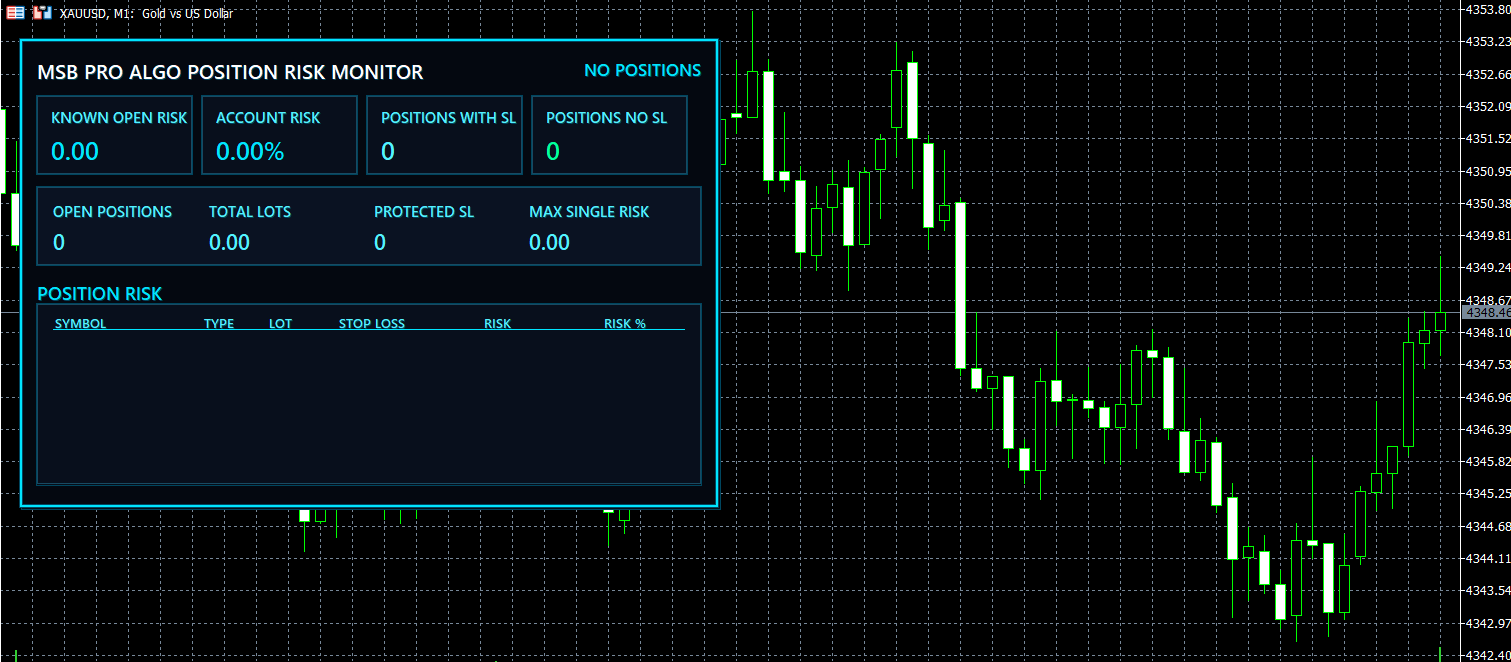
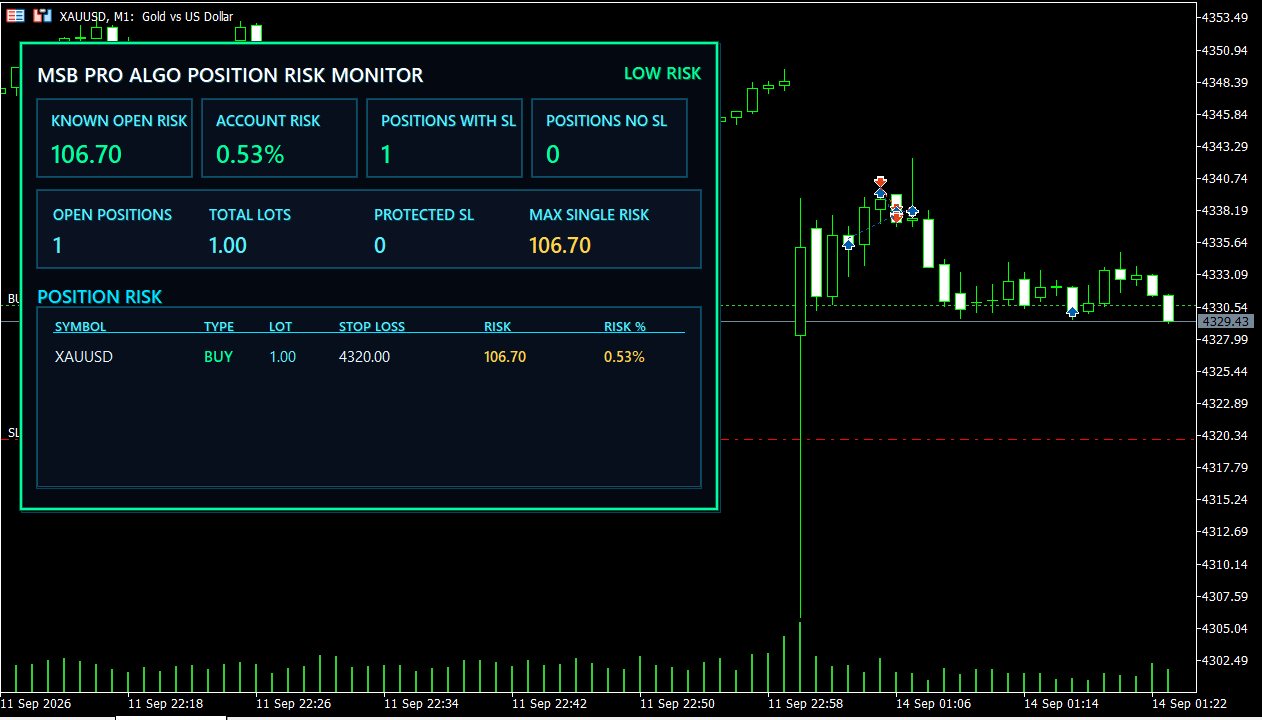
5. Adjust panel position, refresh interval and risk thresholds from the Inputs tab if required.
| Input | Default | Description |
|---|---|---|
| InpPanelX | 18 | Horizontal position of the panel on the chart |
| InpPanelY | 38 | Vertical position of the panel on the chart |
| InpRefreshSeconds | 1 | Dashboard refresh interval in seconds |
| InpMaxRows | 6 | Maximum number of open positions displayed |
| InpAutoCoexist | true | Automatically positions the Risk Monitor beside the Neon Account Dashboard |
| InpLowRiskPct | 2.00 | Upper threshold for LOW RISK |
| InpHighRiskPct | 5.00 | Threshold for HIGH RISK |
| InpAccentColor | — | Main neon accent color |
| InpAccentSoft | — | Secondary accent color |
| InpProfitColor | — | Color for protected/positive information |
| InpWarningColor | — | Color for warnings and moderate risk |
| InpLossColor | — | Color for high-risk alerts |
Version 1.10 Update
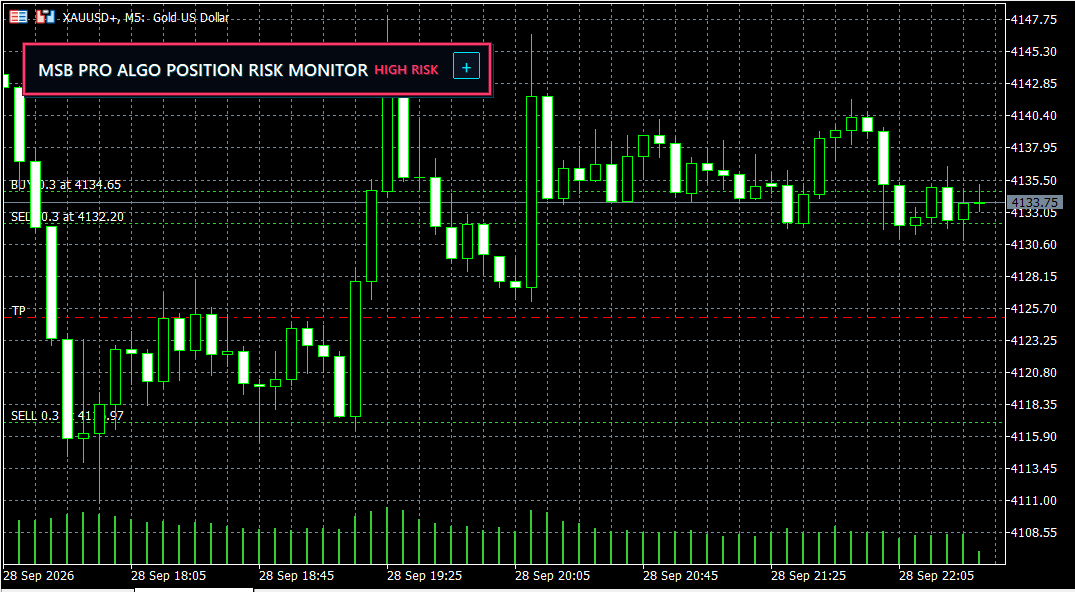
Added minimize/restore button to save chart space.- Added adjustable UI scale from 60% to 140%.
- Added optional memory for minimized state.
- Improved usability on different screen sizes.
- Risk calculation logic remains unchanged.
Developed by Kemal Mustafa Ozkan
MSB Pro Algo Neon Account Dashboard for MT5
Free neon-style MT5 account dashboard displaying balance, equity, floating P/L, daily realized P/L, win rate and open positions directly on the chart.
GDS Renko Canvas + Donchian
GDS Renko Canvas + Donchian is a compact educational indicator for MetaTrader 5. It renders classic fixed-size Renko bricks on a single CCanvas bitmap layer and overlays a Donchian Channel calculated directly from completed Renko bricks. The horizontal axis represents Renko sequence rather than time. The internal builder uses incoming BID ticks and the classic two-brick reversal rule. The Donchian Channel is causal: for each newly completed brick, the channel is calculated from the previous N completed Renko bricks only. The current brick is excluded from its own channel calculation.
 Prop-Firm Equity Guard - daily and max drawdown protection (FTMO-style)
Strict risk management utility for prop-firm challenges. Automatically monitors your entire account to prevent daily and max drawdown failures. It acts as a safety buffer against spread spikes and revenge trading by instantly closing all positions and pending orders before your evaluation is terminated.
Risk Guard — risk-based lot size, daily loss lock, max positions, oversized-trade trim, forced stop-loss
Enforces your own risk rules on every position, whether opened by hand or by another EA: shows the lot size that matches your risk, locks the account for the day after a set loss, caps open positions, trims positions that risk more than allowed, and adds a stop-loss to any position opened without one.