I trade H4 timeframe so it is variable the TP target - I would like to use this as a BE protection and trailing profit.
Is this a valid setup?
TP1: 25%% SL1: 2%
TP2: 100% SL2: 85%
TP3: 100% SL3: 85%
TP4: 100% SL4: 85%
Hi Timothy,
Forgive me for the late reply. For some reason, my notifications were not working for some reason, but looks to be back on track now.
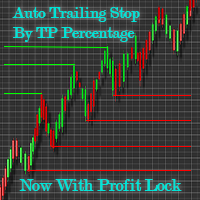
With the set up you listed there, what will happen is when the price hits TP1 (25%), your stop loss will move to 2% in profit (giving you the BE protection you like). Once the price action hits TP2, which you set at 100%, the Trail By Points feature will kick in and it will trail by your user-set points. Your SL set at 85% will also add another layer of protection, just in case of a strange flash-crash or something like that.
So, in short, yes, your current set up should create the BE protection as soon as you hit TP1 (25%) and then will trail when you hit 100%. Don't forget to set your Trail By Points value also!

Yes, definitely.
To do this, instead of making 4 different TP price levels, make 2 TP price levels the same and the other 2TP levels the same. .
For example, if you want 2 target TP levels to be 50% and 85%, then you would configure the EA this way:
TP1: 50% SL1: 20% (for example)
TP2: 50% SL2: 20%
TP3: 100% SL3: 50% (for example)
TP4: 100% SL4: 50%
Also remember that when 100% TP is hit, the auto-trailing stop function will activate and will follow price action.
Basically, whatever info you give the EA, the EA will follow the TP percent levels you set.
Hope this helps. Happy trading!
Hello Nicholas
I trade H4 timeframe so it is variable the TP target - I would like to use this as a BE protection and trailing profit.
Is this a valid setup?
TP1: 25%% SL1: 2%
TP2: 100% SL2: 85%
TP3: 100% SL3: 85%
TP4: 100% SL4: 85%
Hello Nicholas
I trade H4 timeframe so it is variable the TP target - I would like to use this as a BE protection and trailing profit.
Is this a valid setup?
TP1: 25%% SL1: 2%
TP2: 100% SL2: 85%
TP3: 100% SL3: 85%
TP4: 100% SL4: 85%
Hi Timothy,
Forgive me for the late reply. For some reason, my notifications were not working for some reason, but looks to be back on track now.
With the set up you listed there, what will happen is when the price hits TP1 (25%), your stop loss will move to 2% in profit (giving you the BE protection you like). Once the price action hits TP2, which you set at 100%, the Trail By Points feature will kick in and it will trail by your user-set points. Your SL set at 85% will also add another layer of protection, just in case of a strange flash-crash or something like that.
So, in short, yes, your current set up should create the BE protection as soon as you hit TP1 (25%) and then will trail when you hit 100%. Don't forget to set your Trail By Points value also!