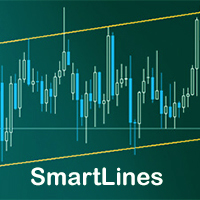
마켓 / MetaTrader 5 / 유틸리티 / SmartLines MT5 35 USD 데모 다운로드됨: 115 게시됨: 13 10월 2018 현재 버전: 1.3 적합한 로봇을 찾지 못하셨나요? 프리랜스에서 나만의 로봇을 주문해 보세요 프리랜스로 이동 트레이딩 로봇 또는 지표 구매 구입 방법 EA를 작동시켜보세요 가상 호스팅으로 구매 전에 지표와 트레이딩 로봇을 테스트해보세요 마켓에서 수익 창출을 원하십니까? 제품의 판매량을 나타내는 방법 미리보기 리뷰 코멘트 (10) 새 소식 제품을 구매하거나 렌트한 사용자만 코멘트를 남길 수 있습니다 safe2go 2019.03.11 17:03 #1 At this time the paid version of this EA is not staying on the charts of the mt5. Artem Los 2019.03.11 17:09 #2 safe2go: At this time the paid version of this EA is not staying on the charts of the mt5. Hello, could you explain this issue in more detail pls? I will fix it as soon as possible Artem Los 2019.03.11 19:09 #3 safe2go: At this time the paid version of this EA is not staying on the charts of the mt5. Pls, try to install a new version of expert safe2go 2019.03.11 20:05 #4 Artem Los: Pls, try to install a new version of expertthanks for the fix Now the dashboard is too small. 파일: Smartlines_mt5.png 26 kb Artem Los 2019.03.11 20:44 #5 safe2go: thanks for the fix Now the dashboard is too small. It seems you need just reopen your mt4, because a chart looks strange too. I have checked last version, it should work fine safe2go 2019.03.11 21:35 #6 Artem Los:It seems you need just reopen your mt4, because a chart looks strange too. I have checked last version, it should work finehere is a new picture of the settings dashboard on the gbpusd 15m chart MT5 파일: Smartlines_mt5.png 45 kb safe2go 2019.03.11 22:06 #7 safe2go:here is a new picture of the settings dashboard on the gbpusd 15m chart MT5plz open the picture with microsoft paint you will see the actual size. Artem Los 2019.03.19 07:44 #8 The reason of this issue was the settings in Windows. Customer used scaling for applications. After turn off scaling everything works fine. Marina Das Dores Gomes 2021.01.26 16:50 #9 The EA has a serious bug with MQL5 VPS. If you try attach 2 different charts with 2 SmartLines EA, it returns "initializing of SmartLines MT5 (Nike,Daily) failed with code 1". It works if I attach only 1 EA. Can you give a look asap on this, please? Kind Regards Artem Los 2021.01.26 18:42 #10 Marina Das Dores Gomes: The EA has a serious bug with MQL5 VPS. If you try attach 2 different charts with 2 SmartLines EA, it returns "initializing of SmartLines MT5 (Nike,Daily) failed with code 1". It works if I attach only 1 EA. Can you give a look asap on this, please? Kind Regards Hello! I will check, pls provide a screenshot of this problem to PM and I will solve it as soon as posible 제품을 구매하거나 렌트한 사용자만 코멘트를 남길 수 있습니다 트레이딩 기회를 놓치고 있어요: 무료 트레이딩 앱 복사용 8,000 이상의 시그널 금융 시장 개척을 위한 경제 뉴스 등록 로그인 공백없는 라틴 문자 비밀번호가 이 이메일로 전송될 것입니다 오류 발생됨 Google으로 로그인 웹사이트 정책 및 이용약관에 동의합니다. 계정이 없으시면, 가입하십시오 MQL5.com 웹사이트에 로그인을 하기 위해 쿠키를 허용하십시오. 브라우저에서 필요한 설정을 활성화하시지 않으면, 로그인할 수 없습니다. 사용자명/비밀번호를 잊으셨습니까? Google으로 로그인
safe2go 2019.03.11 17:03 #1 At this time the paid version of this EA is not staying on the charts of the mt5.
Artem Los 2019.03.11 17:09 #2 safe2go: At this time the paid version of this EA is not staying on the charts of the mt5. Hello, could you explain this issue in more detail pls? I will fix it as soon as possible
Artem Los 2019.03.11 19:09 #3 safe2go: At this time the paid version of this EA is not staying on the charts of the mt5. Pls, try to install a new version of expert
safe2go 2019.03.11 20:05 #4 Artem Los: Pls, try to install a new version of expertthanks for the fix Now the dashboard is too small. 파일: Smartlines_mt5.png 26 kb
Artem Los 2019.03.11 20:44 #5 safe2go: thanks for the fix Now the dashboard is too small. It seems you need just reopen your mt4, because a chart looks strange too. I have checked last version, it should work fine
safe2go 2019.03.11 21:35 #6 Artem Los:It seems you need just reopen your mt4, because a chart looks strange too. I have checked last version, it should work finehere is a new picture of the settings dashboard on the gbpusd 15m chart MT5 파일: Smartlines_mt5.png 45 kb
safe2go 2019.03.11 22:06 #7 safe2go:here is a new picture of the settings dashboard on the gbpusd 15m chart MT5plz open the picture with microsoft paint you will see the actual size.
Artem Los 2019.03.19 07:44 #8 The reason of this issue was the settings in Windows. Customer used scaling for applications. After turn off scaling everything works fine.
Marina Das Dores Gomes 2021.01.26 16:50 #9 The EA has a serious bug with MQL5 VPS. If you try attach 2 different charts with 2 SmartLines EA, it returns "initializing of SmartLines MT5 (Nike,Daily) failed with code 1". It works if I attach only 1 EA. Can you give a look asap on this, please? Kind Regards
Artem Los 2021.01.26 18:42 #10 Marina Das Dores Gomes: The EA has a serious bug with MQL5 VPS. If you try attach 2 different charts with 2 SmartLines EA, it returns "initializing of SmartLines MT5 (Nike,Daily) failed with code 1". It works if I attach only 1 EA. Can you give a look asap on this, please? Kind Regards Hello! I will check, pls provide a screenshot of this problem to PM and I will solve it as soon as posible

At this time the paid version of this EA is not staying on the charts of the mt5.
At this time the paid version of this EA is not staying on the charts of the mt5.
Pls, try to install a new version of expert
thanks for the fix
Now the dashboard is too small.
thanks for the fix
Now the dashboard is too small.
It seems you need just reopen your mt4, because a chart looks strange too. I have checked last version, it should work fine
here is a new picture of the settings dashboard on the gbpusd 15m chart MT5
The EA has a serious bug with MQL5 VPS.
If you try attach 2 different charts with 2 SmartLines EA, it returns "initializing of SmartLines MT5 (Nike,Daily) failed with code 1".
It works if I attach only 1 EA.
Can you give a look asap on this, please?
Kind Regards
The EA has a serious bug with MQL5 VPS.
If you try attach 2 different charts with 2 SmartLines EA, it returns "initializing of SmartLines MT5 (Nike,Daily) failed with code 1".
It works if I attach only 1 EA.
Can you give a look asap on this, please?
Kind Regards