TotalPLForceCloseMT5
- 유틸리티
- 버전: 1.49
- 활성화: 5

==================================================================
PRODUCT NAME
==================================================================
Total PL Close Manager MT5
( "Basket TP SL Manager MT5" / "TotalPL Force Close MT5")
==================================================================
DESCRIPTION
==================================================================
Total PL Close Manager is a trade-management utility for MetaTrader 5. It watches the combined profit and loss of the positions you choose and closes them all when your total take-profit or total stop-loss target is reached. It also writes one shared server-side TP/SL price to every position of each symbol and direction, can lock in profit once a group is running well, and can trail that SL in fixed price steps.
The utility never opens new positions. It only manages positions that already exist, whether they were opened by you or by other Expert Advisors.
MAIN FEATURES
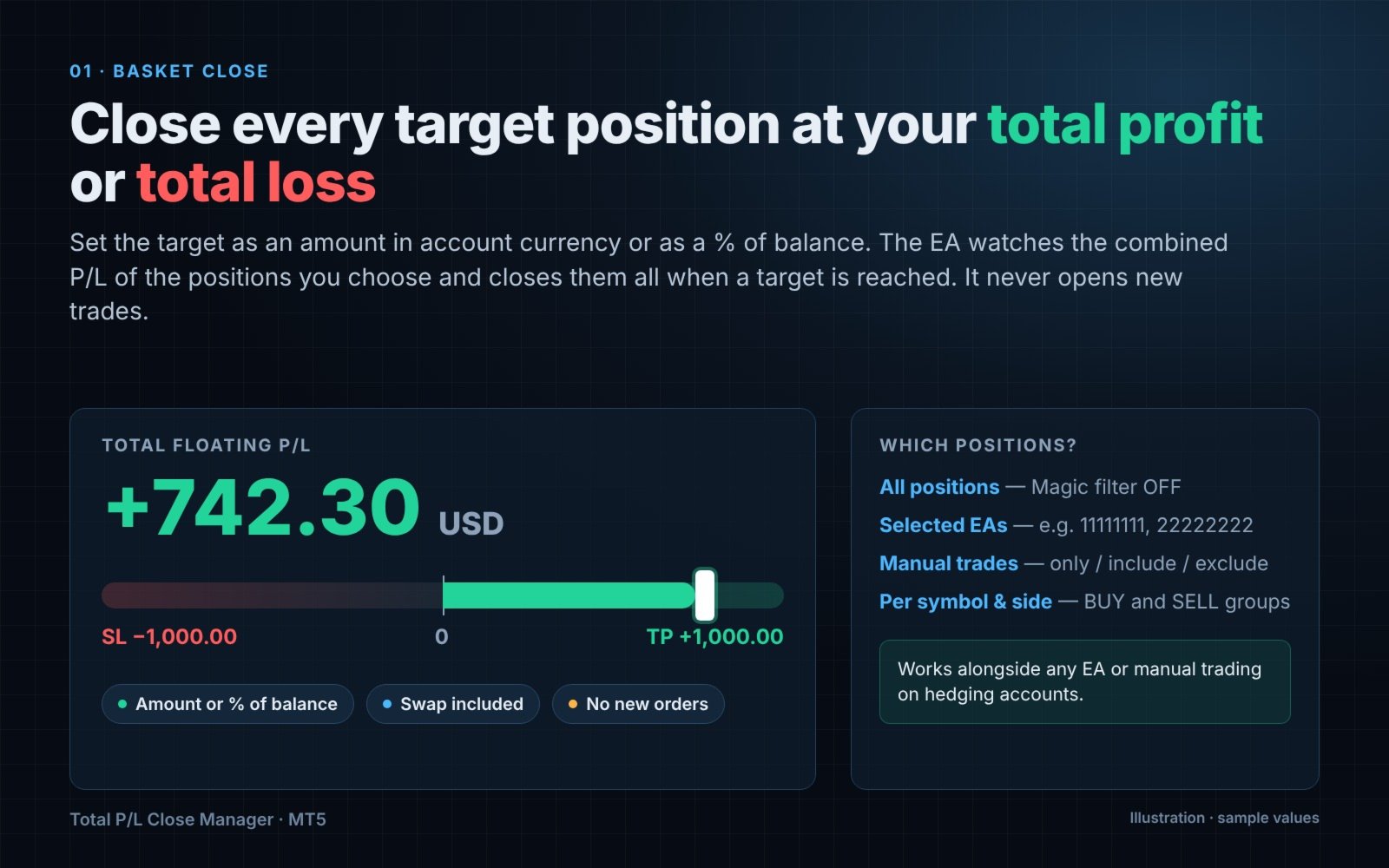
1. Basket close by total P/L
- Close all target positions when total P/L reaches the take-profit or stop-loss target.
- Targets as a fixed amount in account currency or as a % of account balance.
- Take-profit and stop-loss can be enabled separately.
- P/L basis: floating profit + swap (commission not included).
2. Common TP/SL per symbol and direction
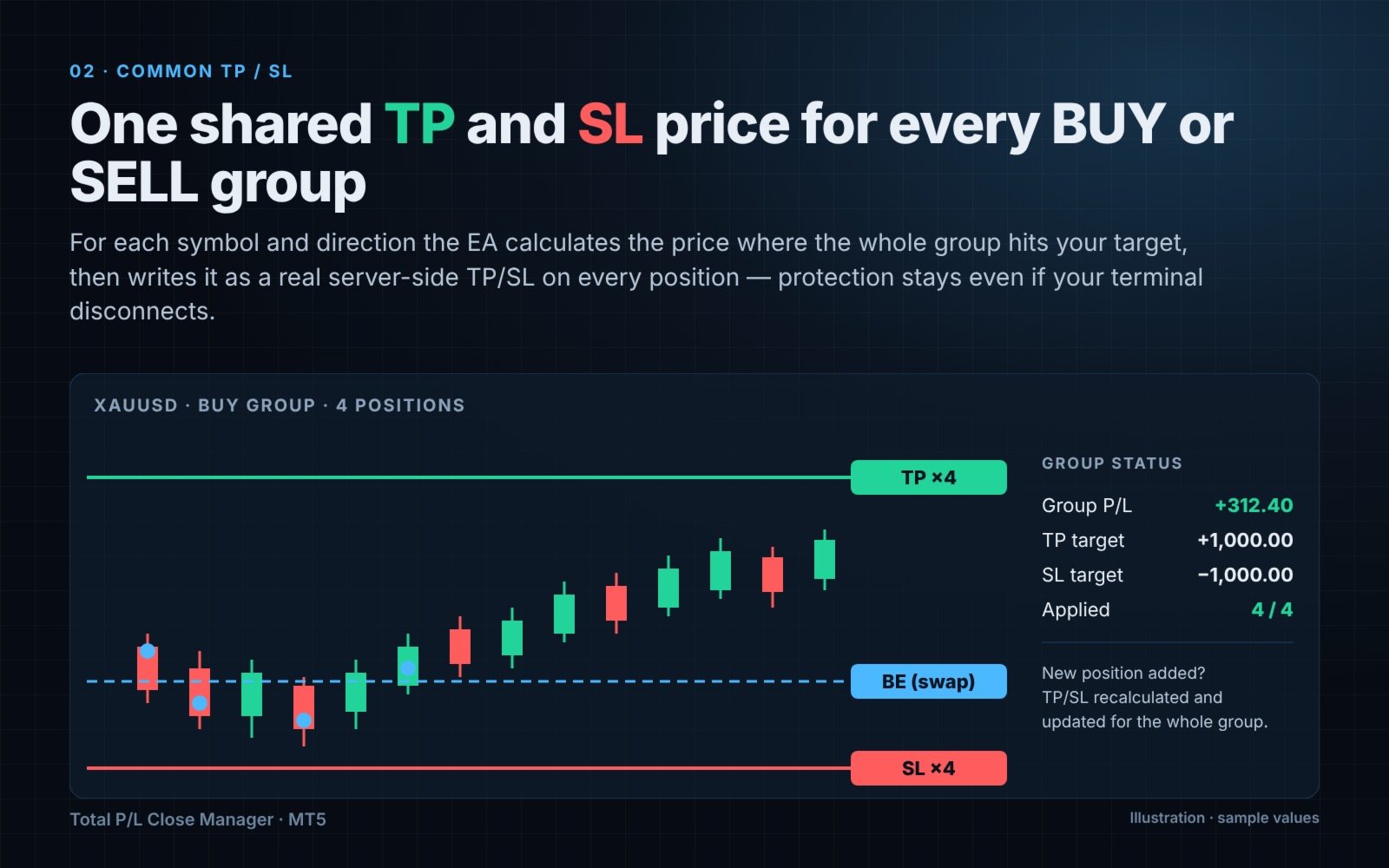
- Positions are grouped by symbol and by BUY / SELL.
- For each group the EA calculates the single price at which the whole group reaches your target and sets it as a real TP/SL on every position in that group.
- Because these are server-side orders, the protection stays active even if your terminal or VPS disconnects.
- When a position is added or closed, the shared TP/SL is recalculated for the whole group.
3. Profit lock
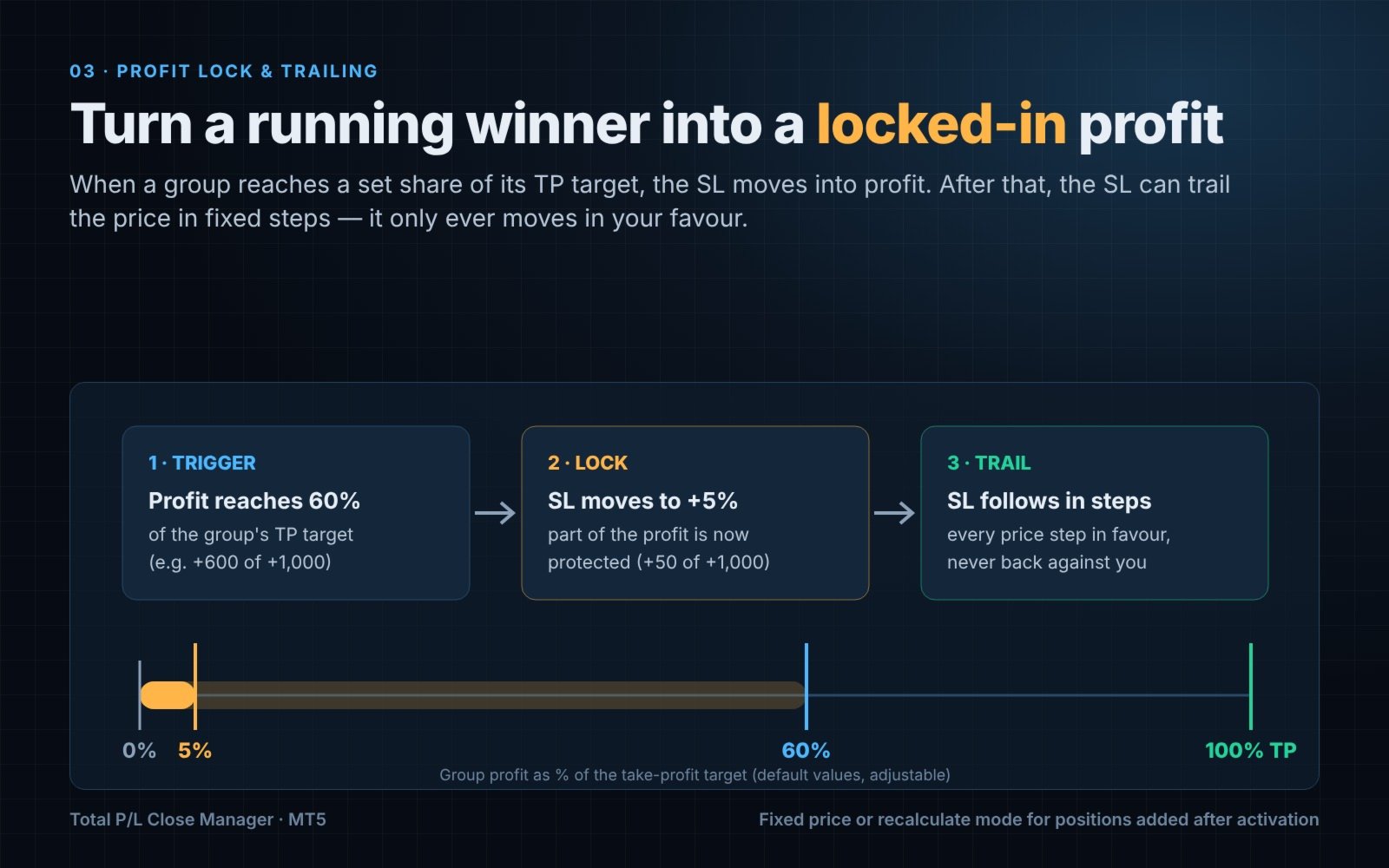
- When a group's profit reaches a set share of its TP target (default 60%), the SL is moved into profit at a smaller share of the target (default 5%).
- Two modes for positions added after activation: keep the fixed SL price, or recalculate the protected profit (the SL never moves to the worse side).
4. Trailing after profit lock
- After the profit-lock SL is in place, the SL follows price in steps you define (a price distance, e.g. 0.50 for gold).
- The SL moves only in your favour.
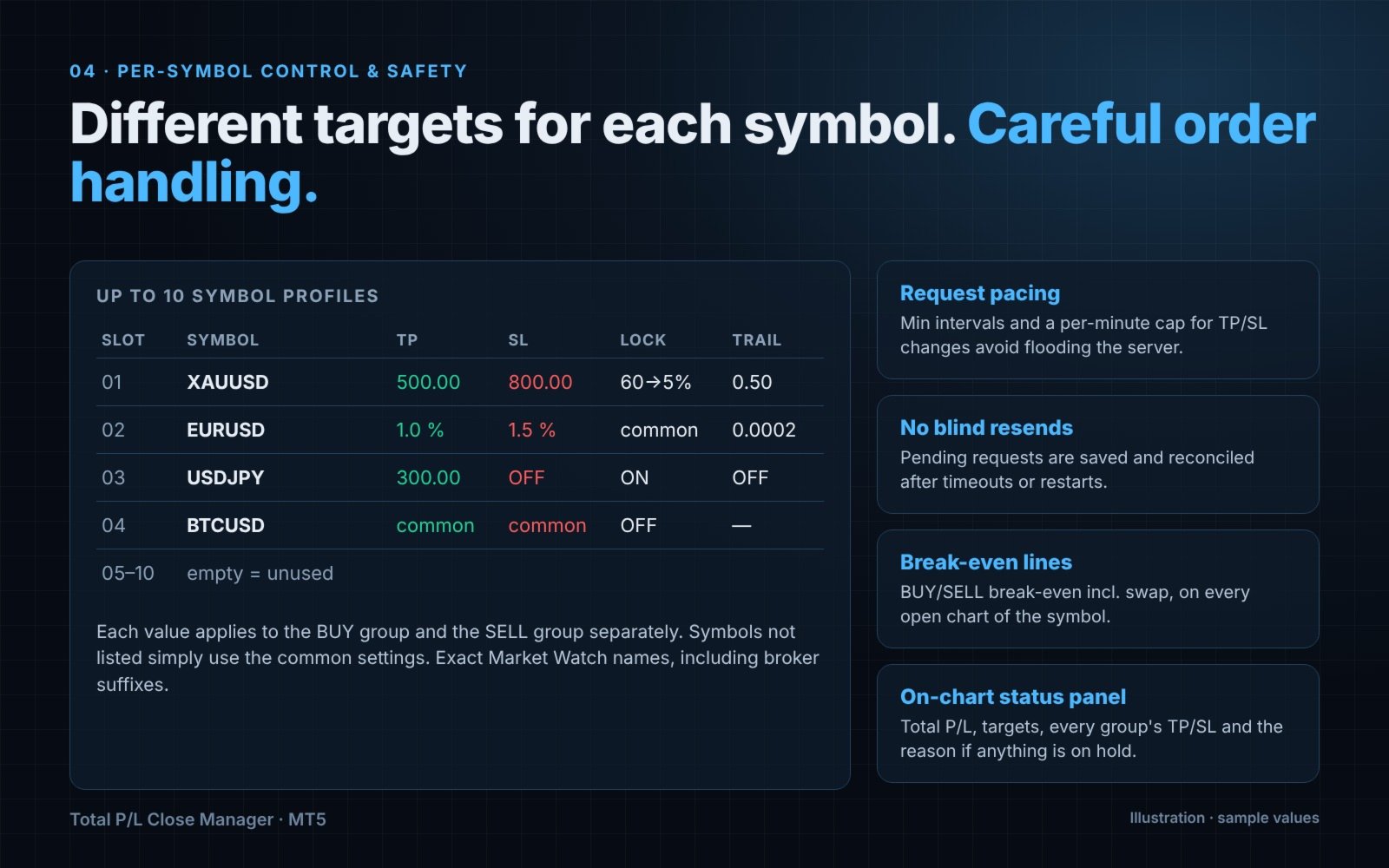
5. Per-symbol settings (10 slots)
- Give individual symbols their own TP/SL type and value, profit-lock levels, trailing step and interval.
- Any value left at 0 / "inherit" uses the common setting. Symbols not listed use the common settings.
- Values apply to the BUY group and the SELL group of that symbol separately.
6. Position filters
- All positions, or only the Magic numbers you list (comma separated).
- Manual trades (Magic = 0): follow the Magic setting, manual only, include, or exclude.
7. Break-even lines
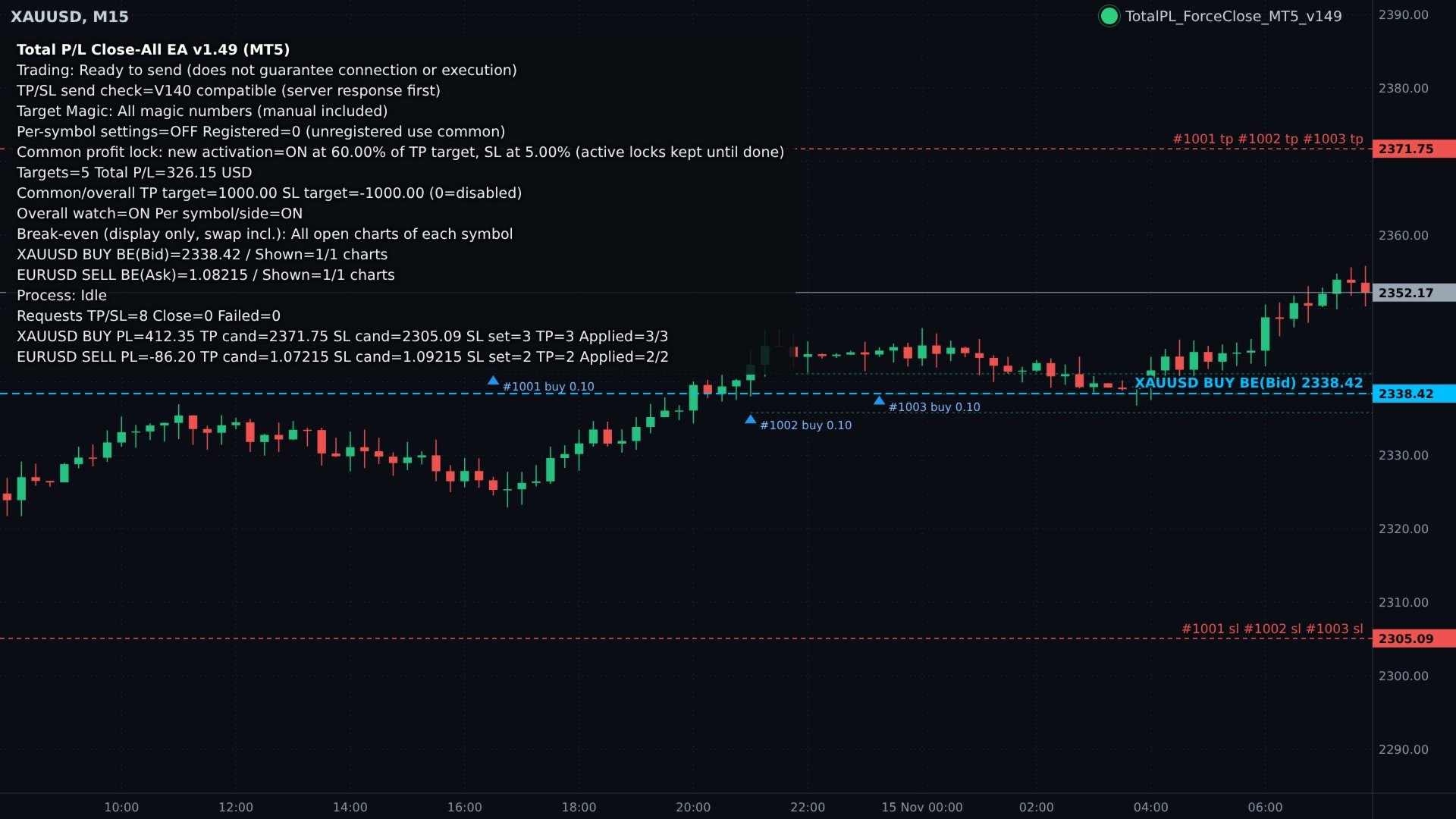
- BUY and SELL break-even lines including swap, drawn on every open chart of the symbol (or only on the EA chart).
- Display only: reaching the line does not close anything.
8. On-chart status panel
- Total P/L, active targets, each group's P/L, TP/SL candidates, how many positions already carry them, and the reason if anything is on hold.
ORDER-HANDLING SAFETY
- Minimum intervals and a per-minute cap for TP/SL modifications to avoid flooding the trade server.
- Separate pacing for market close requests; configurable slippage.
- Respects broker stop level and freeze level, with an extra safety margin in ticks.
- Asynchronous order sending (optional) so monitoring keeps running while waiting for the server.
- Pending requests are saved to a state file and reconciled after timeouts or terminal restarts. Requests are not resent blindly.
- If the server rejects requests repeatedly, sending stops and the reason is shown. After you check the cause, increase the "Resume token" input to continue.
- Optional diagnostic log explains why a TP/SL could not be set.
HOW TO USE
1. Attach the EA to any one chart and enable Algo Trading.
2. Choose which positions to manage (Magic filter / manual trades mode).
3. Set the total take-profit and stop-loss (amount or % of balance).
4. Optionally enable profit lock, trailing and per-symbol settings.
5. Run only one copy of the EA per account.
Please test the settings on a demo account first.
MAIN INPUTS
Position filter
- InpUseMagicFilter: true = listed Magic numbers only, false = all
- InpTargetMagicNumbers: Magic numbers, comma separated
- InpManualTradeMode: manual trades (Magic = 0) handling
Total take-profit / stop-loss
- InpEnableTakeProfitAll / InpEnableStopLossAll
- InpTakeProfitMode / InpStopLossMode: % of balance or amount
- InpTakeProfitPercent / InpTakeProfitAmount
- InpStopLossPercent / InpStopLossAmount
- InpEnableAutoCommonSLTP: common TP/SL per symbol and BUY/SELL
- InpEnableAggregateClose: also close everything by overall total P/L
Request control
- InpModifyIntervalMs, InpMaxModifyPerMinute, InpPerTicketModifySeconds
- InpCloseIntervalMs, InpSlippagePoints, InpStopSafetyTicks
- InpMinCommonChangeTicks, InpMaxTargetDriftPercent, InpMinTPRepriceTicks
- InpUseAsyncRequests, InpSyncSLTPRequests, InpServerResumeToken
Break-even display
- InpShowBreakEvenLine, colors, style, width, label, font size, update interval, all charts
Profit lock and trailing
- InpEnableProfitLock, InpProfitLockTriggerPercent (default 60), InpProfitLockKeepPercent (default 5)
- InpProfitLockEntryMode: fixed price / recalculate
- InpEnableProfitTrailing, InpProfitTrailingStepPrice, InpTrailingModifyIntervalMs
Per-symbol settings
- InpUseSymbolSettings, InpAllowAggregateWithSymbolSettings
- Slots 01-10: symbol name, TP mode/value, SL mode/value, profit lock, trigger %, keep %, entry mode, trailing, step, interval
Diagnostics
- InpEnableDiagnosticLog, InpDiagnosticIntervalSeconds, InpUseV140ModifyCompatibility
NOTES
- Designed for hedging accounts. On netting accounts BUY and SELL of the same symbol cannot coexist and positions of different EAs cannot be fully separated by Magic number.
- Closing price is not guaranteed: market orders can be filled with slippage, and gaps can skip TP/SL levels.
- The EA cannot override trading restrictions set by your broker or account.
- Percentages for profit lock refer to the TP target, not to account balance.
- This product is a management tool. It does not generate trading signals and does not guarantee profit.