BreakoutPro EA
- Experts
-
Rikza Fauzan Nurfadilah
 Professional provider of MQL5 MetaTrader 5 Expert Advisors (EAs). Help optimize your automated trading with proven, stable, and secure strategies.
- 버전: 4.3
- 업데이트됨: 12 11월 2026
- 활성화: 15
Breakout Pro EA
Automated Consolidation Breakout Trading for MetaTrader 5
Overview
Breakout Pro EA is a fully automated Expert Advisor for MetaTrader 5 that trades breakouts from consolidation ranges. The EA scans the chart for price ranges of a defined height (measured in ATR), waits for a confirmed breakout supported by a strong candle body and above-average volume, and then opens a single market order with a predefined stop loss and take profit.
Every rule is based on objective, measurable conditions. The EA does not use martingale, grid, or averaging techniques.
Key Features
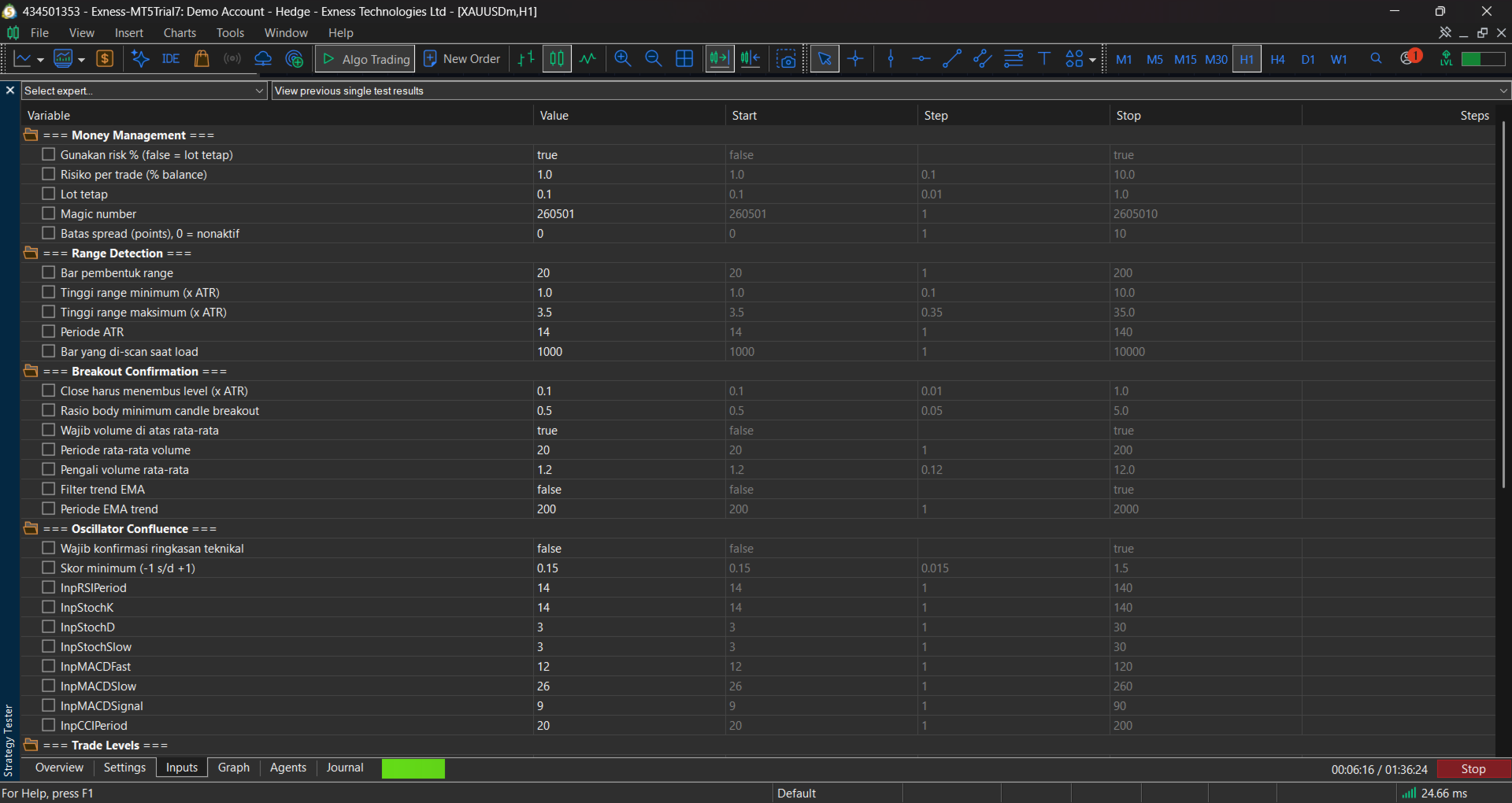
- Range detection: Identifies consolidation zones using a configurable number of bars, filtered by minimum and maximum height relative to ATR.
- Breakout confirmation: Requires a close beyond the range boundary, a candle body ratio filter, and a volume filter.
- Optional trend filter: Trades only in the direction of a configurable EMA.
- Optional confluence filter: Requires the technical summary (RSI, Stochastic, MACD, CCI, and five EMAs) to support the breakout direction.
- Risk management: Fixed lot or percentage-of-balance position sizing, with stop loss placed beyond the opposite side of the range and a take profit based on a configurable Risk:Reward ratio.
- Execution controls: One position at a time per magic number, optional close-opposite mode, and an optional maximum spread filter.
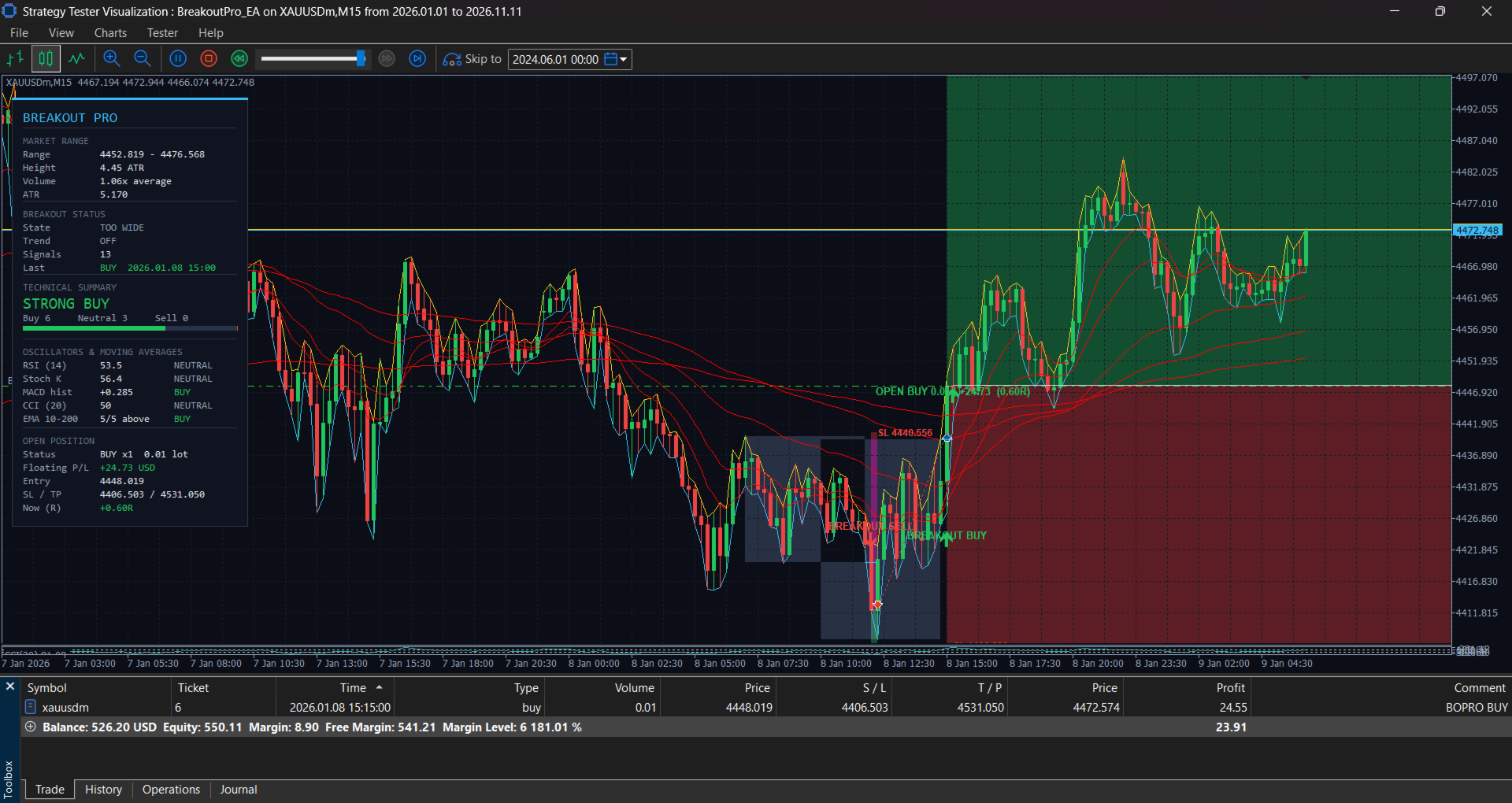
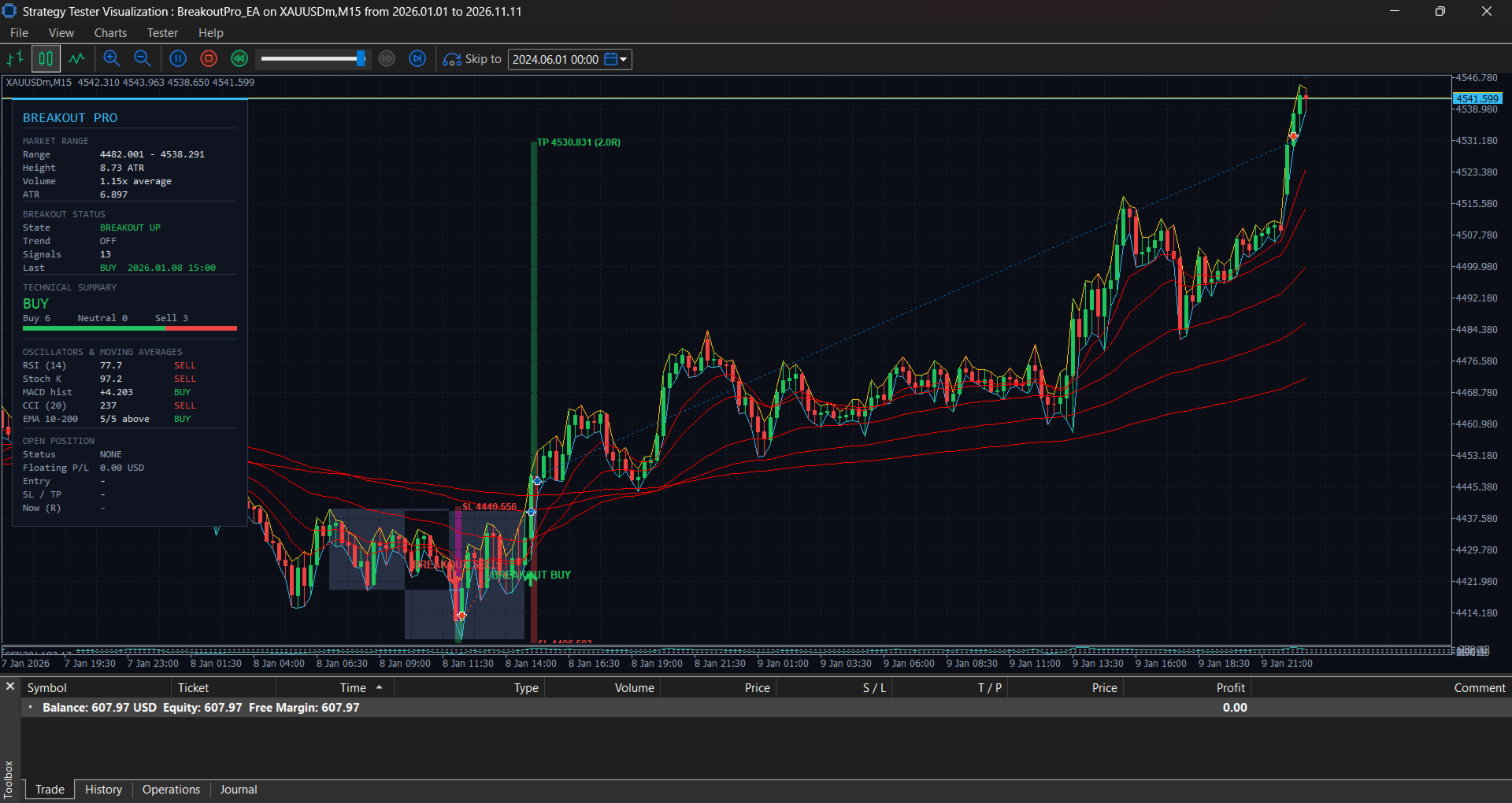
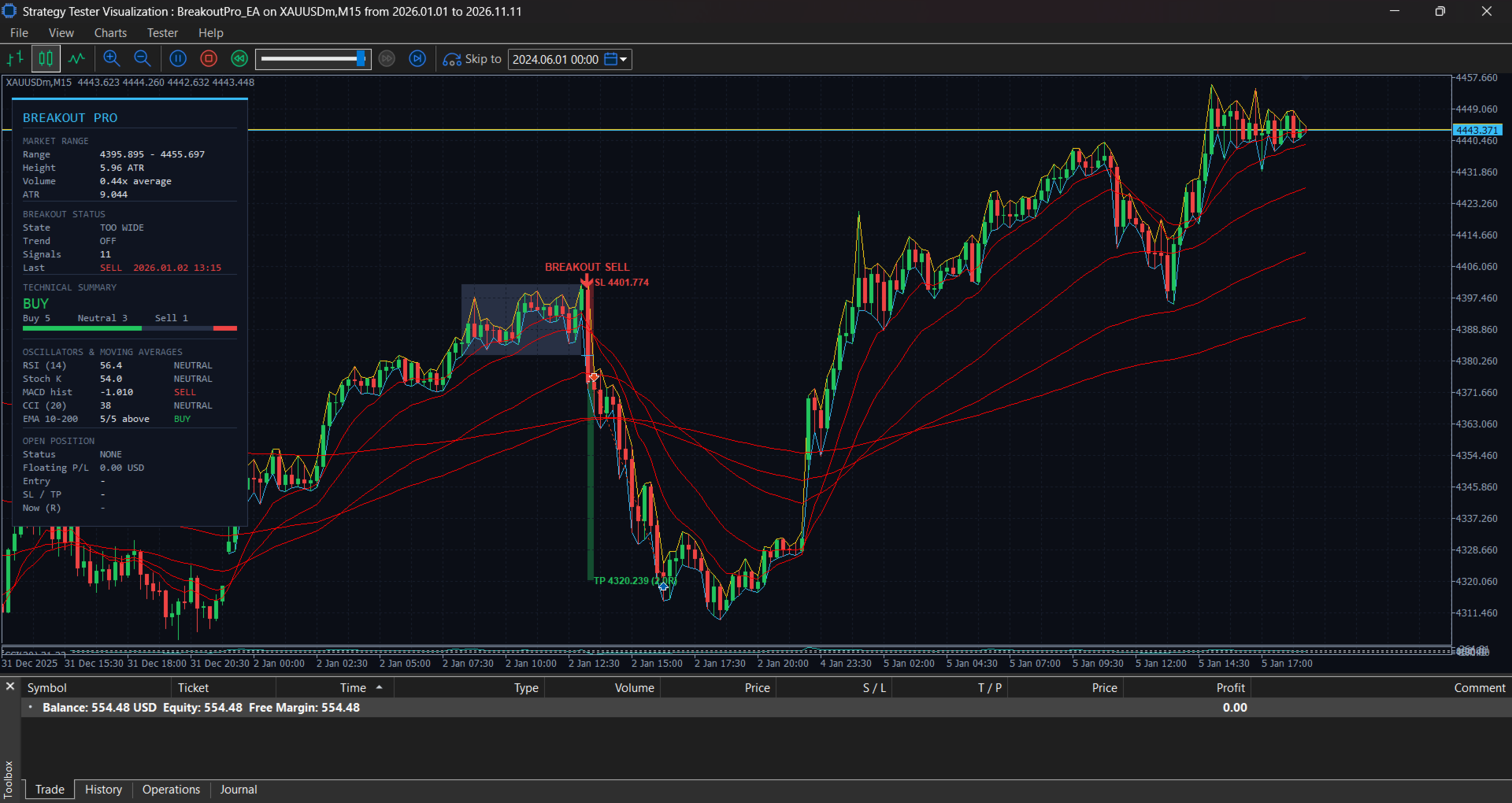
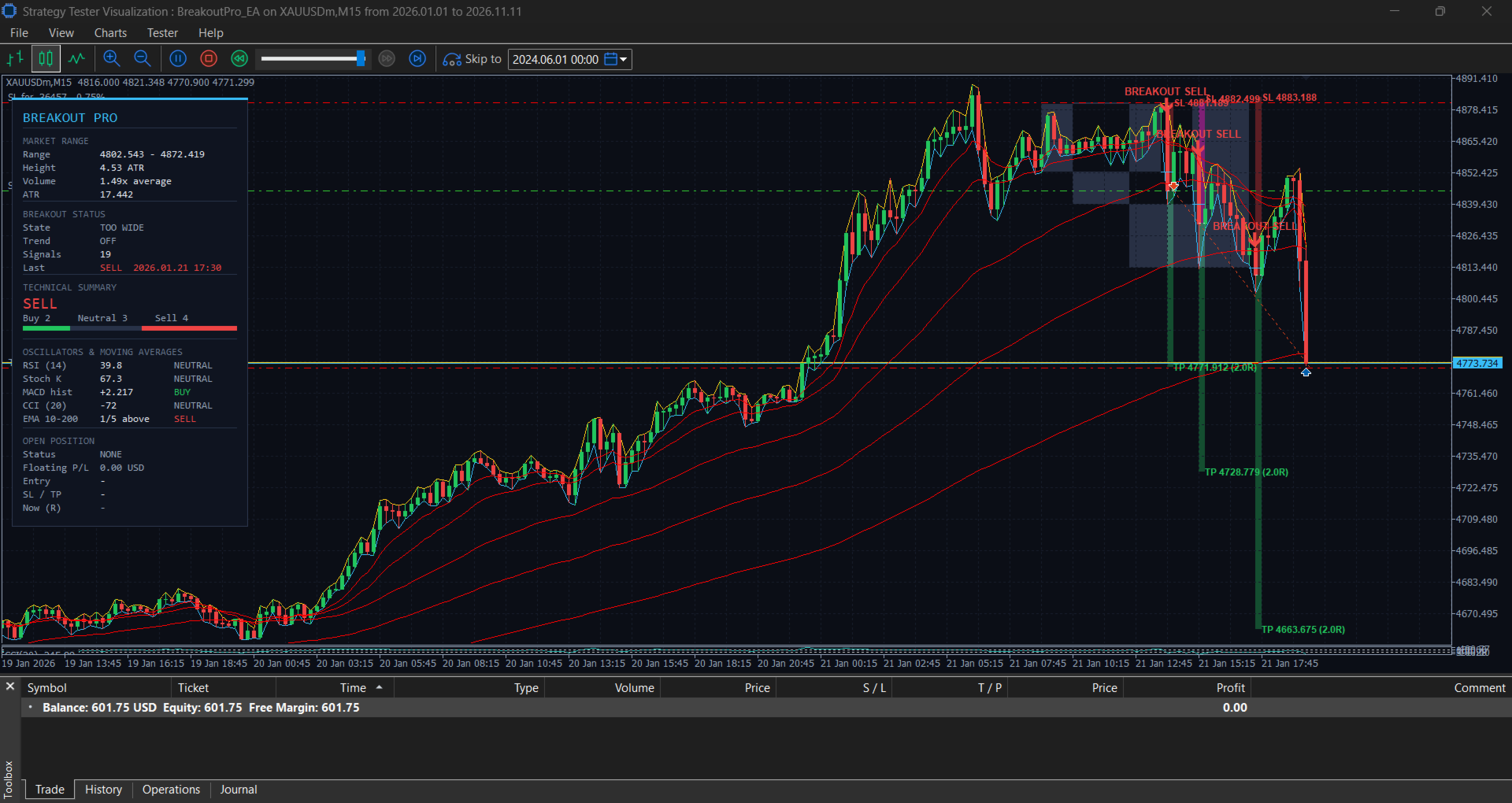
- Live dashboard: Displays market range, breakout status, trend state, technical summary, oscillator values, and open position details, including floating P/L and R-multiple.
- Chart visuals: Marks historical breakout signals and open trades with entry, stop loss, take profit, and risk/reward zones.
- Alerts: Popup and push notifications on new breakout signals.
- Dark chart theme: Applied automatically for improved readability (can be disabled).
How It Works
- On each newly closed bar, the EA checks the last N bars for a consolidation range.
- If the range height falls within the ATR limits, and the latest closed candle breaks out with a strong body and sufficient volume, a signal is generated.
- The EA opens one market order in the breakout direction, unless a position from the same magic number is already open.
- Stop loss and take profit are set automatically. The dashboard and chart visuals update in real time.
Recommended Usage
Symbols
- Primary: XAUUSD (Gold)
- Secondary: major forex pairs with consistent ATR-based ranges (for example EURUSD, GBPUSD)
- Not recommended for thinly traded or highly illiquid instruments
Timeframes
- M5 to M30 for intraday consolidation breakouts
- Higher timeframes are possible but require re-optimization of range and ATR parameters
Broker and Account
- Choose a broker with low spread, fast execution, and no requoting on your chosen symbol
- Hedging or netting accounts are both supported
- Use a Raw or ECN-style account where possible to keep trading costs low
- Keep the VPS or terminal close to the broker’s server for best execution
Trading Sessions
- Breakouts are most reliable during active sessions (London and New York overlap). Use the spread filter or your own session rules to avoid thin, low-liquidity periods.
Recommended Minimum Equity
These figures are estimates for guidance. Actual requirements depend on the symbol’s contract size, current volatility, and your broker’s minimum lot and stop level.
| Account Mode | Minimum Equity | Recommended Equity | Notes |
|---|---|---|---|
| Fixed lot (0.01) | 300 USD | 500 USD | Suitable for testing and cautious use |
| Risk percent (1%) | 1,000 USD | 2,000 USD or more | Lot size scales with balance and stop distance |
Important considerations:
- On small accounts, the calculated lot in risk-percent mode may fall below the broker’s minimum lot. In that case, the EA will not trade or will trade a larger risk than intended. Verify the lot size in the Strategy Tester before live use.
- Gold (XAUUSD) has large point values per lot. Check your broker’s contract size and tick value before setting the risk parameters.
- Always keep sufficient margin buffer. A drawdown of 10 to 20 percent is normal for any systematic strategy and should be planned for in your capital allocation.
Recommended Setup Steps
- Install the EA in the MT5 Experts folder and compile it in MetaEditor.
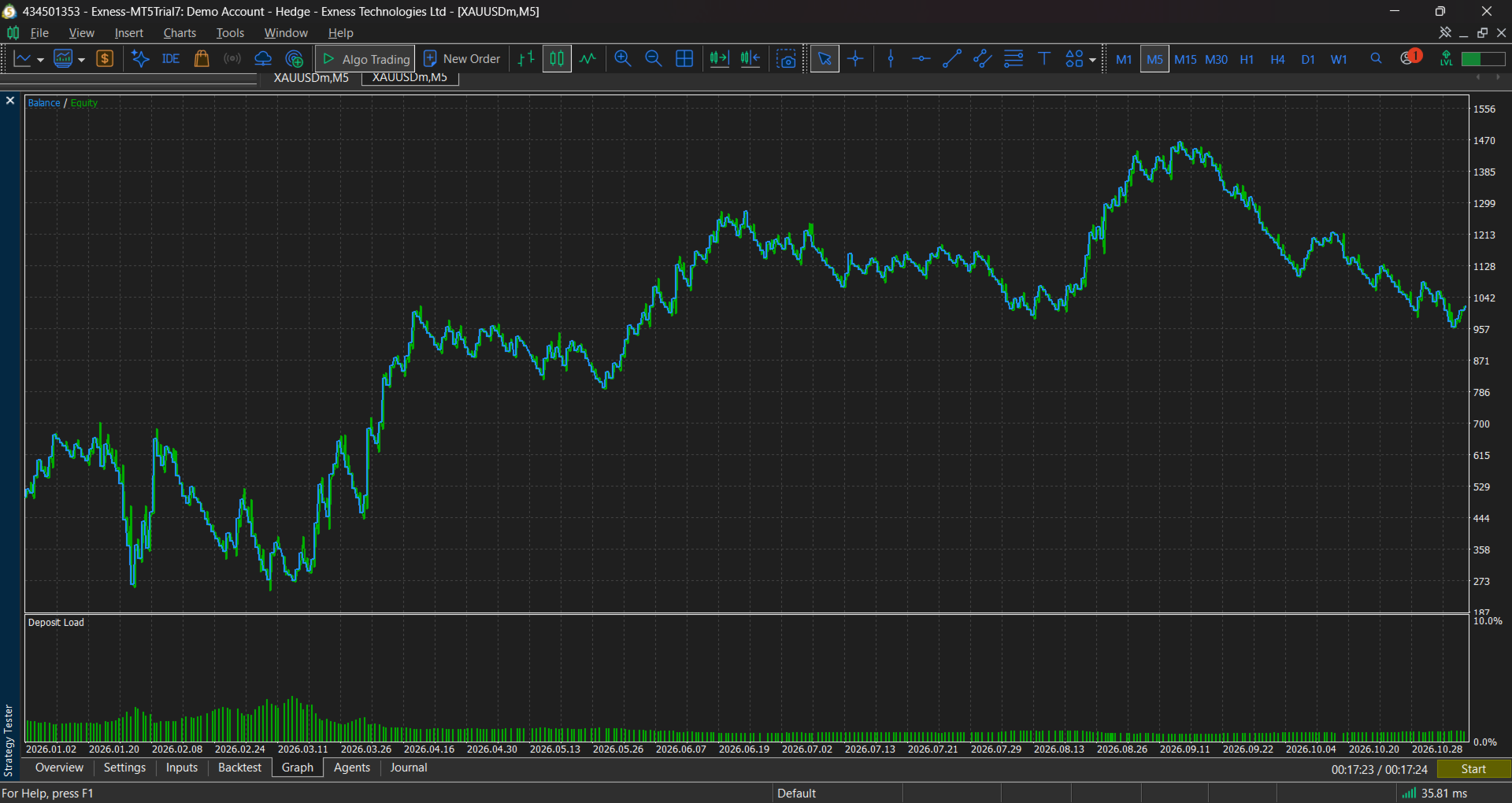
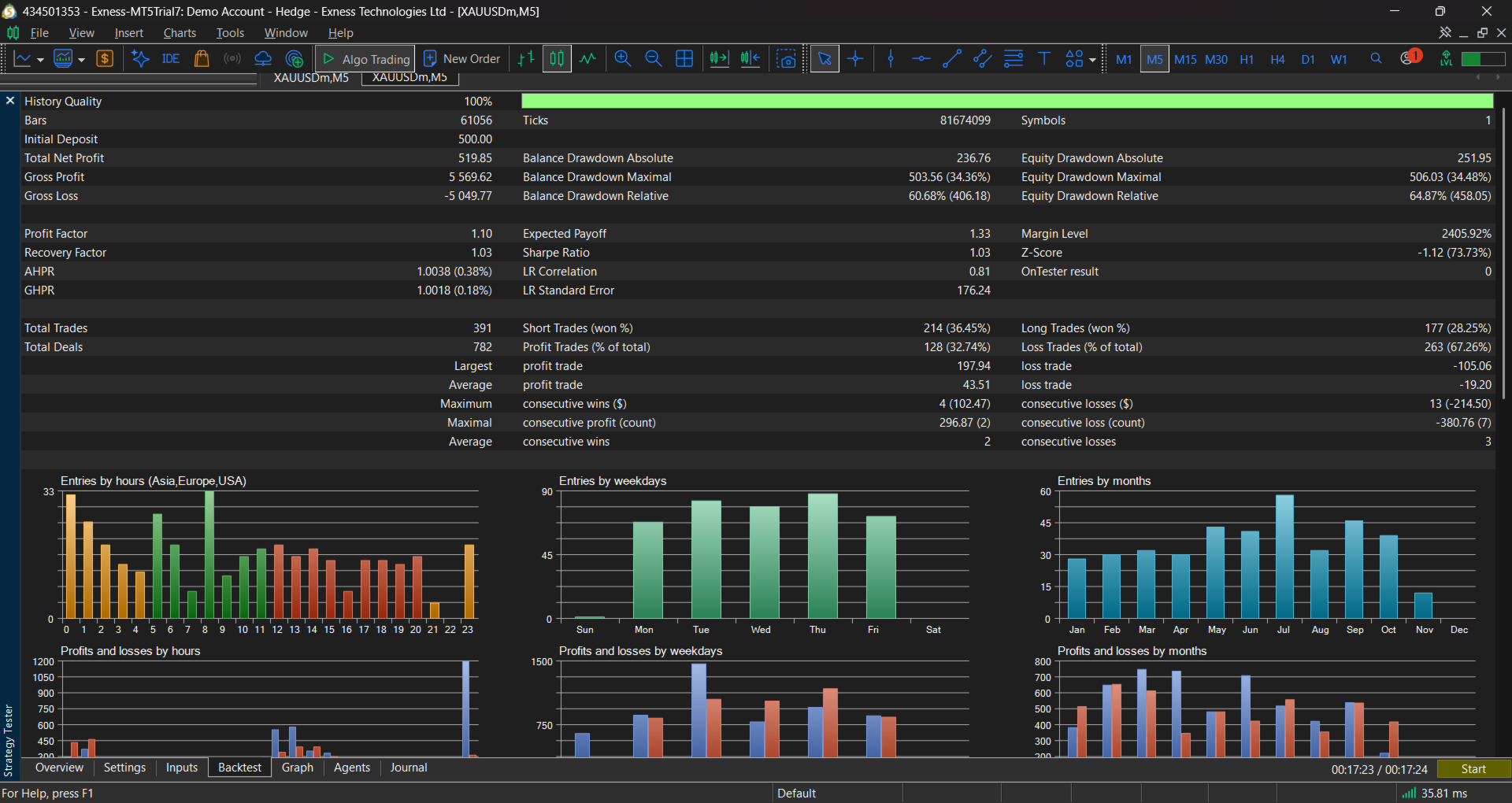
- Run the Strategy Tester on your chosen symbol and timeframe using “Every tick based on real ticks” for the most accurate results.
- Review the trade list, drawdown, and profit factor, and adjust parameters only with clear justification.
- Run the EA on a demo account for a minimum of several weeks before using real funds.
- Start live trading with the lowest risk setting and increase only after consistent results.
Requirements
- MetaTrader 5, build 1800 or later
- Hedging or netting account
- Algo Trading enabled in the terminal
- Stable internet connection and a VPS recommended for continuous operation
Support
For questions about installation, configuration, or compatibility, please contact the seller through the MQL5 messaging system.
Risk Disclosure
Trading leveraged financial instruments involves a significant risk of loss and may not be suitable for all investors. Past performance, including backtest results, does not guarantee future results. This product is a tool and does not guarantee profit. Only trade with capital you can afford to lose, and always test on a demo account before using real funds.