Solarch MT5
- Experts
-
Peng Peng Gao
 大家好!我是大龙专家,一名专注于金融市场自动化交易策略开发的 MQL5 程序员。我拥有扎实的金融背景和 🏆 12年 的编程经验,致力于将复杂的交易理念转化为稳定、高效的交易机器人(EA)和实用指标。
🎯 我的核心专长包括:
✅ 策略实现
精通各类交易策略的 MQL4/5 编程,包括马丁格尔、网格、趋势跟踪、突破策略等。
✅ 指标定制
能够开发自定义技术指标,并对现有指标进行深度修改与优化。
✅ 风险管理
在所有开发中,严格的风险管理逻辑是我的首要考量,确保每一行代码都经得起市场考验。
✅ 算法优化 - 버전: 1.22
- 활성화: 5
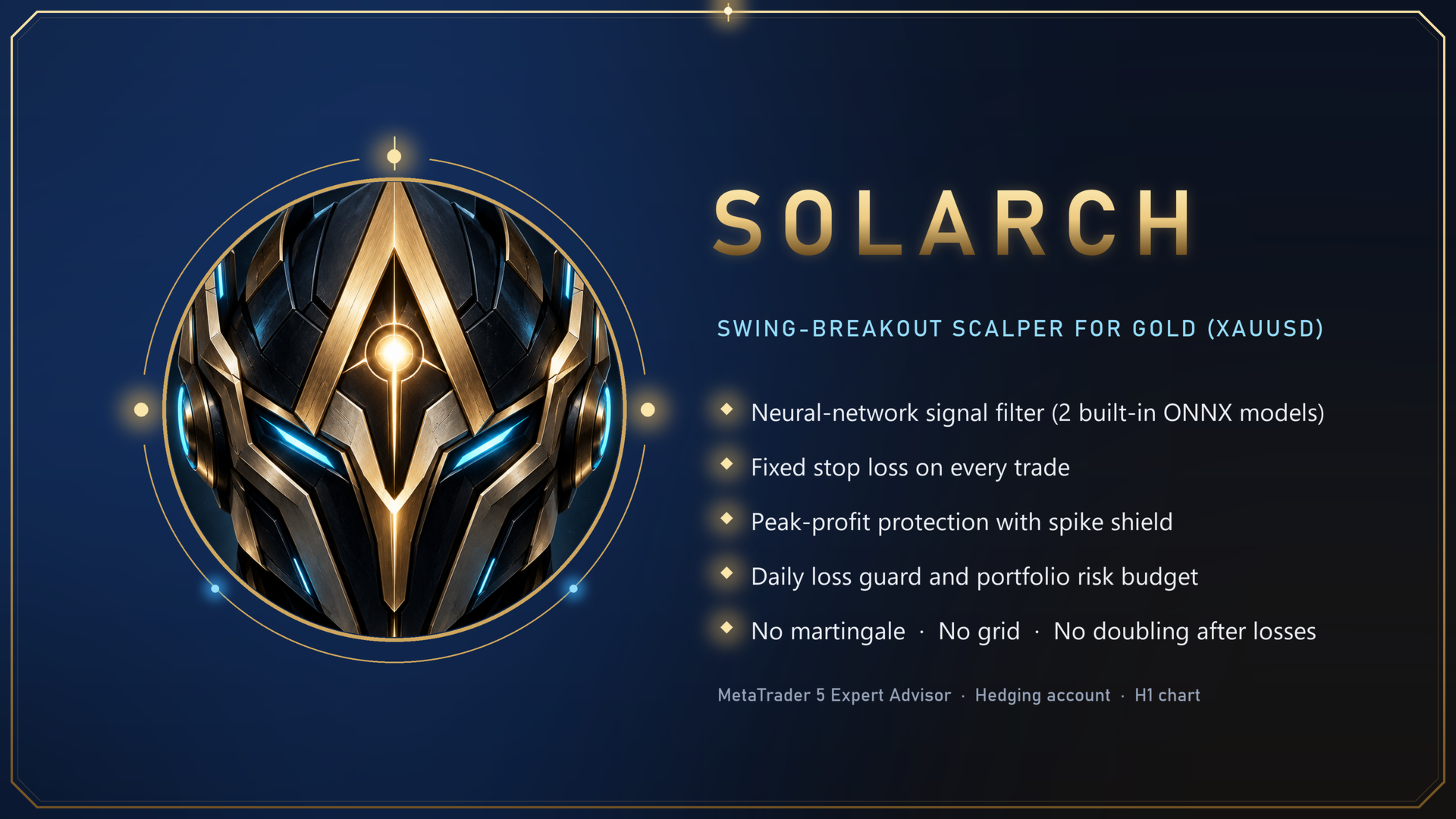
SOLARCH: swing-breakout scalper for Gold (XAUUSD)
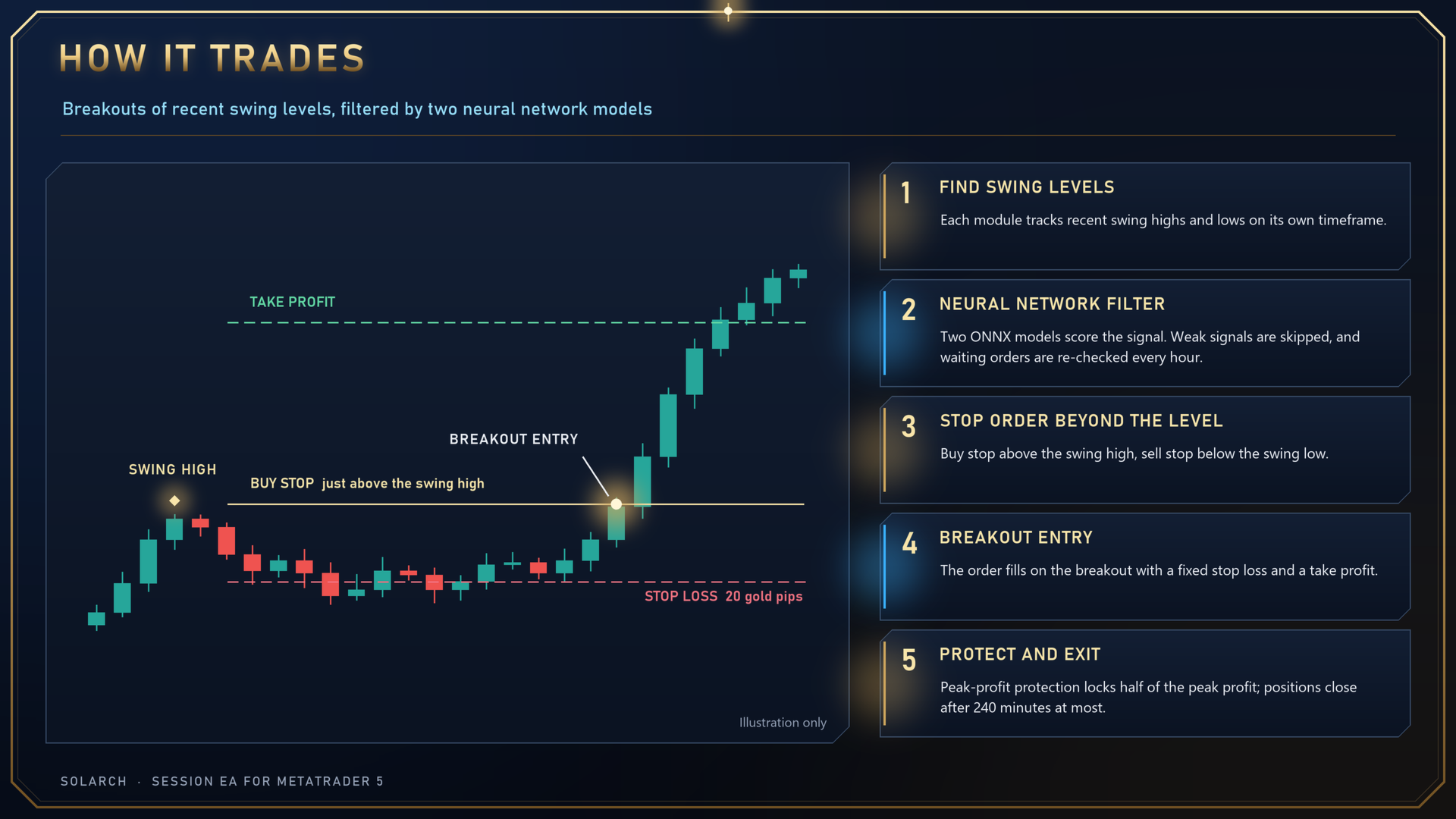
Solarch is a multi-module breakout Expert Advisor built for gold. It places stop orders just beyond recent swing highs and swing lows and enters when price breaks out. Every trade carries a fixed stop loss, and once a trade is in profit, peak-profit protection locks in part of the gain. Before an order is placed, two built-in neural network models filter the signal.
Launch price and price schedule
- Launch price: 149 USD (purchase, unlimited use).
- The price rises by 50 USD after every 10 copies sold, up to a final price of 499 USD.
- Rental: 49 USD for 1 month, 99 USD for 3 months. Rental prices rise together with the purchase price.
- Later price increases do not affect existing buyers, and all future updates are free.
How it trades
- Three independent breakout modules (enabled by default). Each one finds its own swing levels, places its own orders under its own order IDs, and does not interfere with the others.
- Neural network filter: two built-in ONNX neural network models score every signal, and weak signals are not placed. Waiting orders are re-checked at every new hour and cancelled if they no longer qualify.
- Scalping: positions are held briefly; in backtests the large majority of trades closed within 5 minutes. No position is held longer than 240 minutes by default.
- No martingale, no grid, and no doubling up after losses.
Risk management
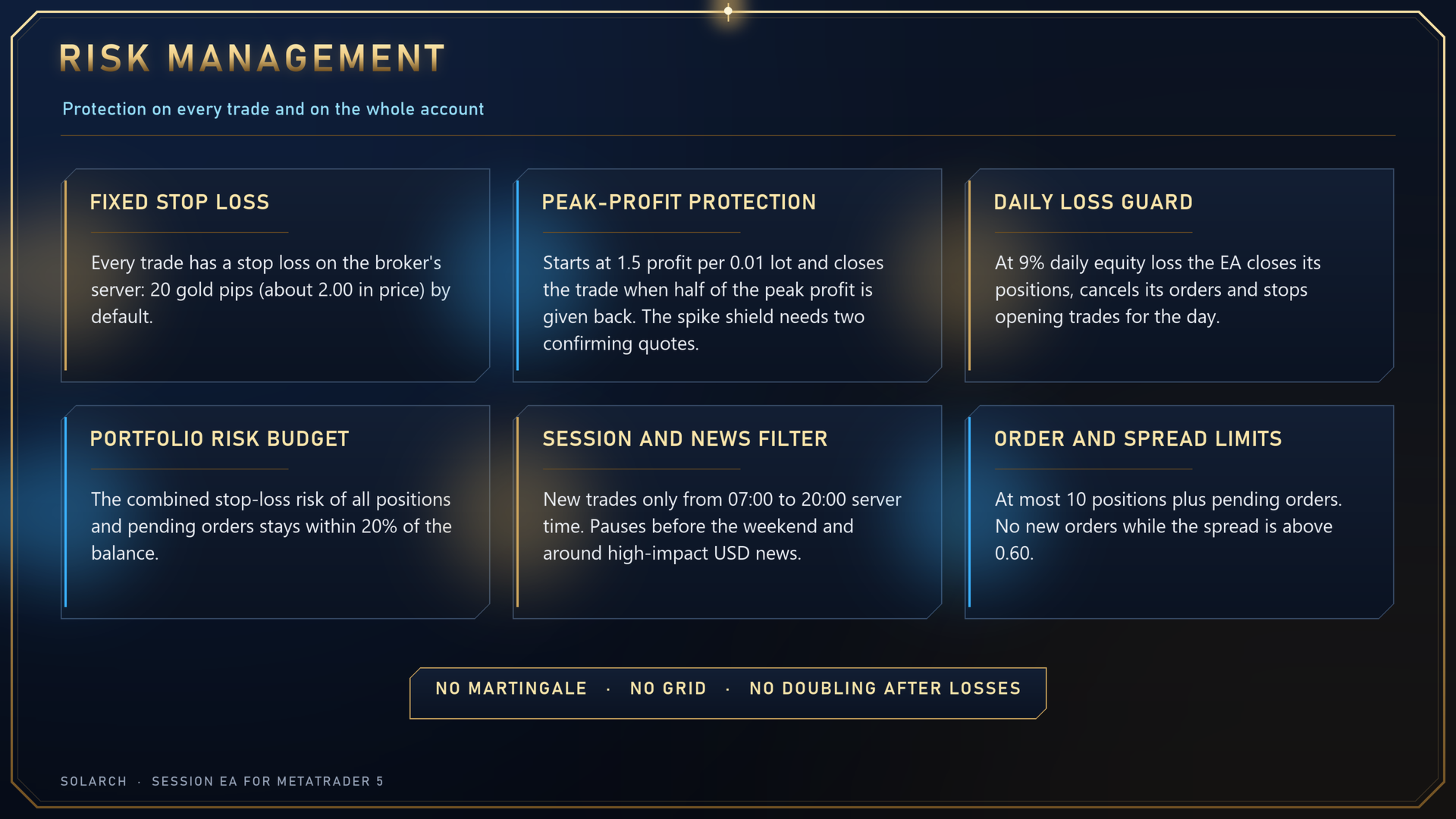
- Fixed stop loss: every trade has a stop loss on the broker's server, 20 gold pips by default (about 2.00 in price).
- Peak-profit protection: starts once floating profit reaches 1.5 (account currency) per 0.01 lot and closes the trade when it gives back half of its peak profit. A spike shield requires two consecutive confirming quotes, so a single abnormal tick cannot trigger the exit.
- Daily loss guard: when daily equity loss reaches 9%, the EA closes its positions, cancels its orders and stops opening new trades for the rest of the day.
- Portfolio risk budget: the combined stop-loss risk of all open positions and pending orders stays within 20% of the balance.
- Order and spread limits: at most 10 positions plus pending orders; no new orders while the spread is above 0.60.
- Sessions and events: new trades only between 07:00 and 20:00 server time, with pending orders removed outside that window. Entries pause and orders are cancelled before the weekend, and from 60 minutes before to 30 minutes after high-impact USD news (uses the MetaTrader 5 economic calendar).
Position size
- Fixed 0.02 lot by default.
- Optional growth with the balance: from a 1000 reference, 0.01 lot is added for every 42 (account currency) of balance growth, up to 20 lots. It can be switched off.
On-chart control panel
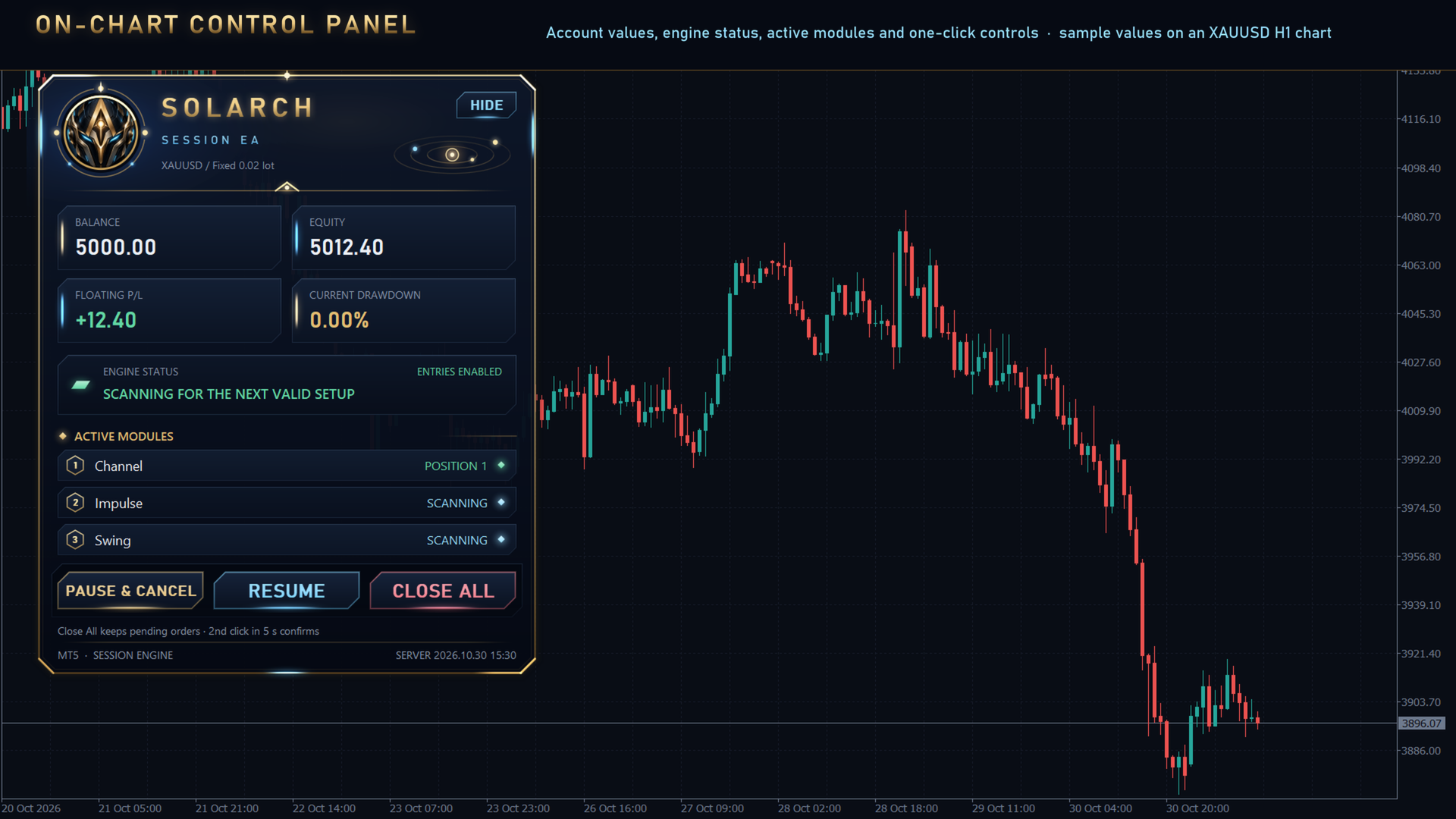
- Shows balance, equity, floating P/L, current drawdown, engine status and active modules.
- One-click Pause & Cancel, Resume and Close All. Pause and Close need a second click within 5 seconds, which prevents accidental use.
- Scales for high-resolution screens and is also drawn in visual backtests.
Requirements
- Symbol: Gold XAUUSD, including symbols with a broker suffix or named GOLD. H1 chart recommended.
- Account: hedging account. On a netting account the EA only manages existing positions and opens no new trades.
- Broker: low-spread ECN or RAW account. Because positions are short, spread and execution speed have a large effect on results.
- Running: a VPS is recommended so that MetaTrader 5 stays online around the clock.
- Deposit: 1000 USD or more for the default settings; use a smaller starting lot on smaller accounts.
- When running several charts on the same symbol, give each chart its own Magic ID.
Inputs
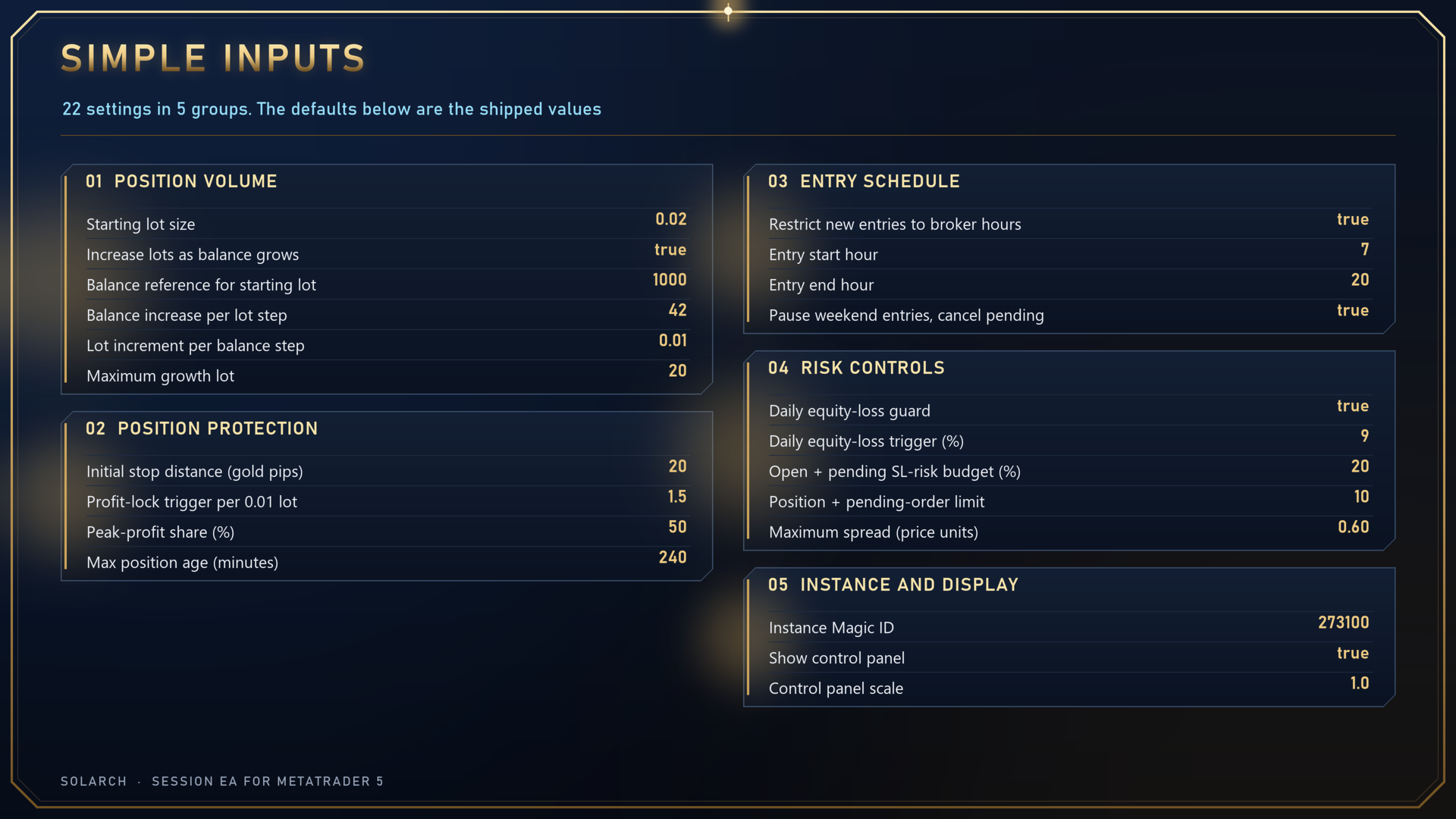
| Input (as shown in MT5) | Default | Meaning |
|---|---|---|
| 01. Position volume | ||
| Starting lot size | 0.02 | Lot size at the reference balance |
| Increase lots as balance grows | true | Grow the lot with the balance |
| Balance reference for starting lot | 1000 | Balance that trades the starting lot |
| Balance increase per lot step (account currency) | 42 | Balance growth needed for each lot step |
| Lot increment per balance step | 0.01 | Lot added at each step |
| Maximum growth lot (0 = no growth cap) | 20 | Upper limit for the grown lot |
| 02. Position protection | ||
| Initial stop distance (gold pips) | 20 | Stop loss distance |
| Virtual profit-lock trigger per 0.01 lot | 1.5 | Profit per 0.01 lot that starts peak-profit protection |
| Virtual peak-profit share (%) | 50 | Share of the peak profit that is protected |
| Max position age (minutes; 0 = disabled) | 240 | Longest holding time |
| 03. Entry schedule | ||
| Restrict new entries to broker hours | true | Open new trades only inside the hours below |
| Entry start hour (broker time, 0-23) | 7 | Start hour, server time |
| Entry end hour (broker time, 0-23) | 20 | End hour, server time |
| Pause weekend entries and cancel pending | true | Pause and cancel orders before the weekend |
| 04. Risk controls | ||
| Enable daily equity-loss guard | true | Turn the daily loss guard on or off |
| Daily equity-loss trigger (%) | 9 | Daily equity loss that triggers the guard |
| Open + pending SL-risk budget (%) | 20 | Cap on combined stop-loss risk |
| Position + pending-order limit (0 = off) | 10 | Cap on positions plus pending orders |
| Maximum spread in price units (0 = off) | 0.60 | Largest spread at which new orders are placed |
| 05. Instance and display | ||
| Instance Magic ID (use a unique value) | 273100 | Magic ID of this chart; must differ between charts |
| Show control panel | true | Show the on-chart panel |
| Control panel scale (1.00 = standard) | 1.0 | Panel size |
Risk warning
Trading forex and precious metals carries risk. Backtests and past performance do not guarantee future results; live results depend on spread, slippage, execution speed and broker conditions and can differ from backtests. Test on a demo account first, get familiar with the settings before trading live, and only trade money you can afford to lose.