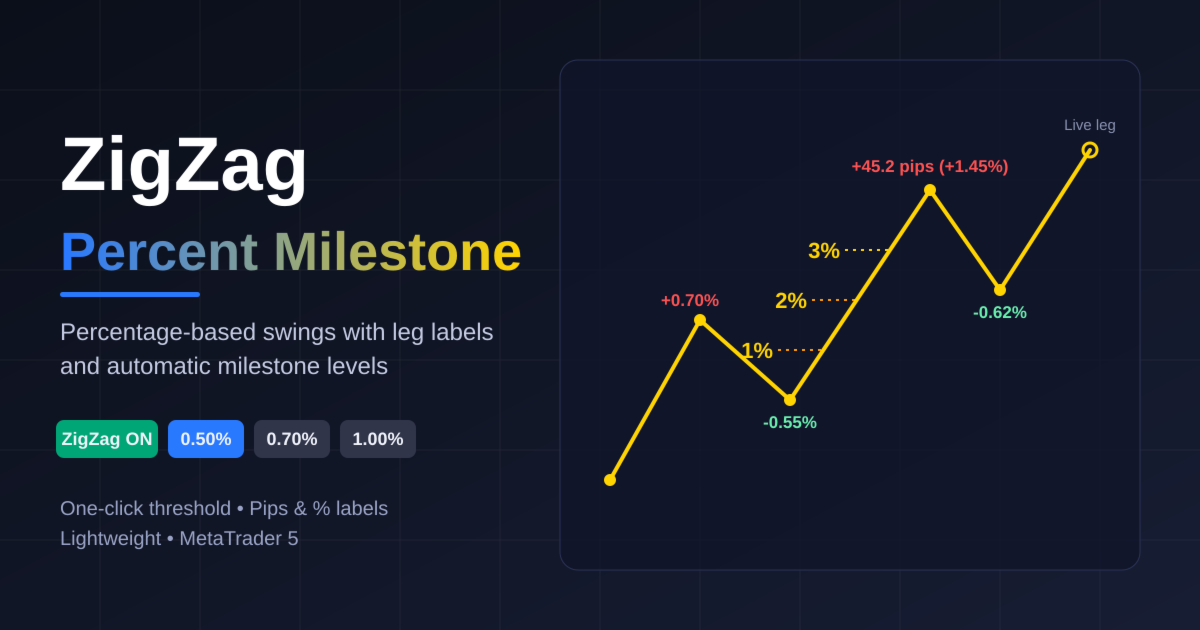
ZigZag Percent Milestone
- 지표
- 버전: 11.0

Overview
ZigZag Percent Milestone is a ZigZag indicator for MetaTrader 5 that detects swings by percentage move instead of a fixed number of bars or points. A new pivot is confirmed only when price has moved at least the selected percentage from the previous pivot. Because the threshold is relative, the same settings work consistently on forex pairs, gold, indices, crypto and other instruments, whatever their price level.
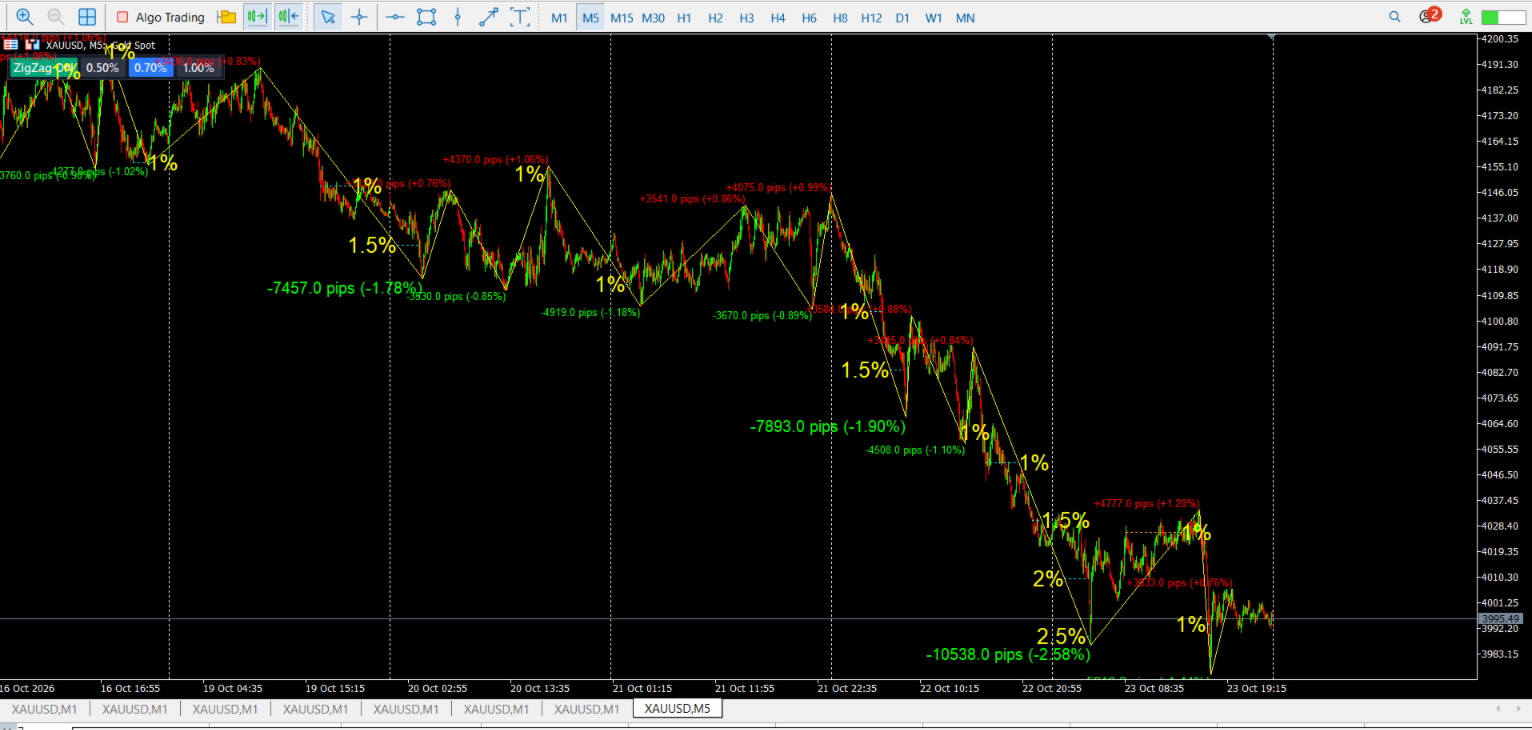
Each leg is labeled with its size in pips, percent, or both. As a leg keeps extending, the indicator draws milestone lines and labels at 1%, 1.5%, 2% and so on, so you can see at a glance how far a move has gone from its starting pivot.
Key Features
- Percentage-based ZigZag: a pivot is confirmed only after a reversal of at least the chosen percentage.
- One-click threshold switching: three on-chart buttons (0.50%, 0.70% and 1.00% by default) change the minimum leg size instantly, with no need to open the settings.
- ON/OFF button: show or hide the ZigZag, labels and milestones at once. While hidden, the indicator does not calculate.
- Leg labels: each leg shows pips, percent, or both (for example +45.2 pips (+0.62%) ). Colors differ for up and down legs, and larger legs get larger fonts automatically.
- Milestone lines and labels: up to 13 configurable levels (defaults 1% to 7% in 0.5% steps). The line is drawn from the exact point where the leg crosses each level, and a label shows the percent value.
- Big milestone highlighting: levels at or above a chosen value can use a separate line color so the largest moves stand out.
- Modern button panel: a flat dark panel with clear active and inactive states.
- Light on resources:
- Incremental calculation recomputes only the most recent pivots.
- Recalculation and chart redraws are throttled.
- Only the most recent legs are updated live.
- History is limited to a set number of days, with a safety cap on bars and labeled legs.
How It Works
- The indicator tracks the current extreme (highest high or lowest low).
- When price reverses by at least the selected percentage, that extreme is confirmed as a pivot and a new leg begins.
- For every leg, the indicator checks how far price has moved from the leg’s starting pivot and draws a milestone line each time a configured level is reached.
- Labels show the size of each leg in pips and/or percent.
Important Note on Repainting
Like all ZigZag indicators, the most recent leg is live. Its end point moves as price makes new extremes and becomes final only after a reversal of the selected percentage. Confirmed past legs do not change. Use this indicator for market structure analysis, swing measurement and visual reference, and do not treat the unconfirmed last leg as a fixed signal.
Inputs
ZigZag
- Show ZigZag on start
- Option 1, 2, 3: minimum leg size (%) for the three buttons
- Line color and width
- Days of history for lines and labels
Chart Buttons
- Panel X/Y position and font size
Milestone Lines & Labels
- Enable/disable milestones
- 13 milestone values in percent (set to 0 to disable any level)
- Line colors for up and down legs, line style and width
- Label font size and color
Big Milestones
- Threshold and color for highlighting large milestones
Leg Labels
- Enable/disable labels
- Label content (pips + percent, pips only, or percent only)
- Font size, colors for up and down legs, maximum number of labeled legs
Label Size By Percent
- Two percent thresholds that increase the label font size for larger legs
Performance
- Maximum bars for calculation
- Minimum delay between recalculations and redraws
- Number of latest legs updated live
Usage Tips
- Start with 0.50% or 0.70% on intraday charts and use 1.00% for a cleaner, higher-level view of the major swings.
- Use the milestone lines to measure how extended a move is relative to its starting pivot.
- On very long histories, lower the number of days or the maximum bars to keep the chart responsive.
- Button values and milestone levels are fully editable in the indicator inputs.