Grid Visual Neural Trend Analyzer EA
- Experts
-
AL MOOSAWI ABDULLAH JAFFER BAQER
 To trade successfully we need to go through the proven path that others had gone and reached!
Here are 17 quotes from such successful investors:
1- Limit your size in any position so that fear does not become the prevailing instinct guiding your judgment.
Joe Vidich - 버전: 3.20
- 활성화: 5
|
|---|
A grid that learns where to lean
Every grid has to answer one question before it opens a single order: which way is the market leaning? Grid Visual Neural Trend Analyzer EA answers it with a small network that trains itself on recent price behaviour, directly inside the EA, bar after bar. When its reading is clear enough, it arms the BUY side or the SELL side. When the reading is unclear, it stays quiet and lets patience do its work.
The network is only the first half of the story. The second half is a closing engine that does something unusual for a grid: it never waits for an old order to heal on its own. It works from both ends of the book and takes profit in pieces.
The idea, step by step
- Read - a handful of recent returns are fed to the network, which has been trained on a window of history and refreshed as new bars close.
- Decide - the network produces a directional reading. If it is strong enough to pass your threshold, a cycle is armed in that direction.
- Build - a grid places levels at a distance that follows market volatility, with lots that climb by multiplication or by a fixed step.
- Collect - the closer searches combinations of the oldest and newest orders. When none can clear the oldest order whole, it buys back a slice of it and banks the difference.
- Repeat - each closure leaves the account lighter than before, ready for the next bounce.
What is new in version 3.01
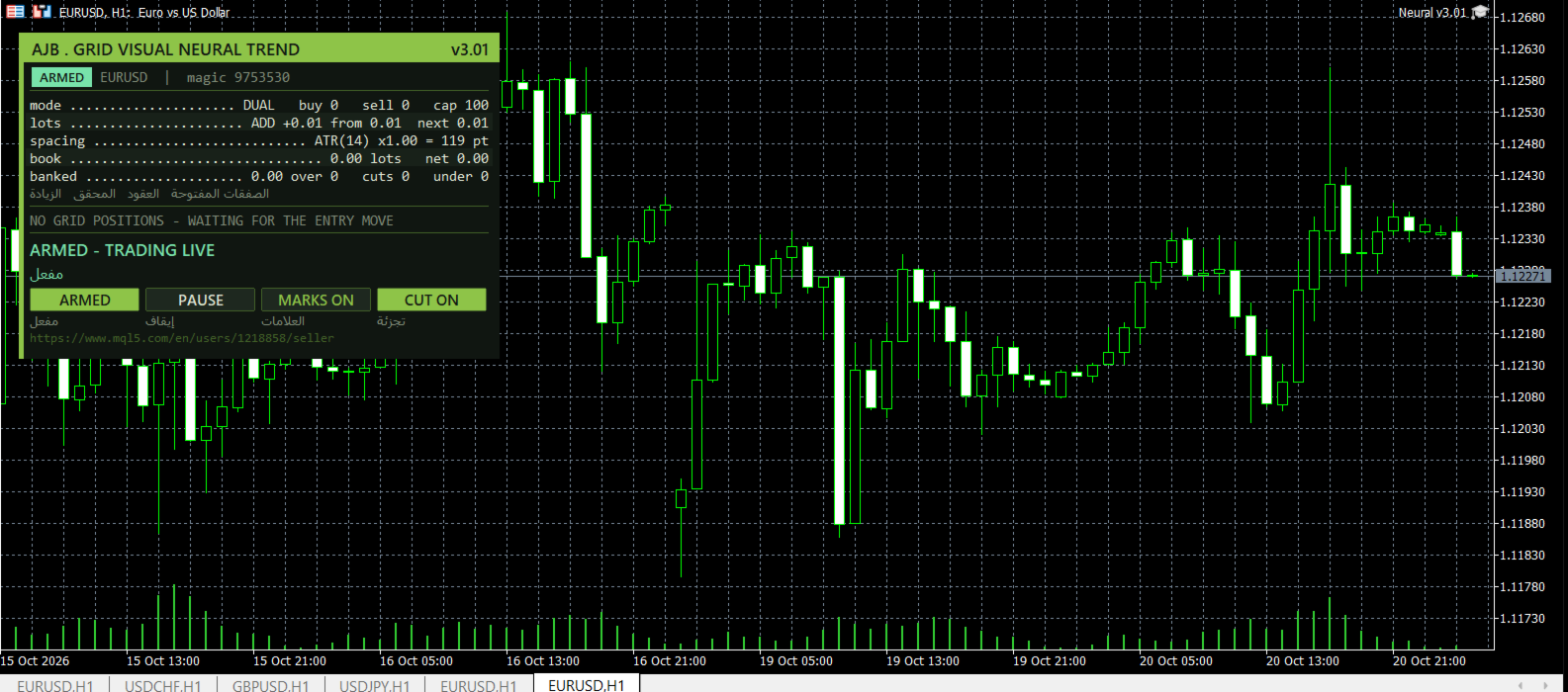
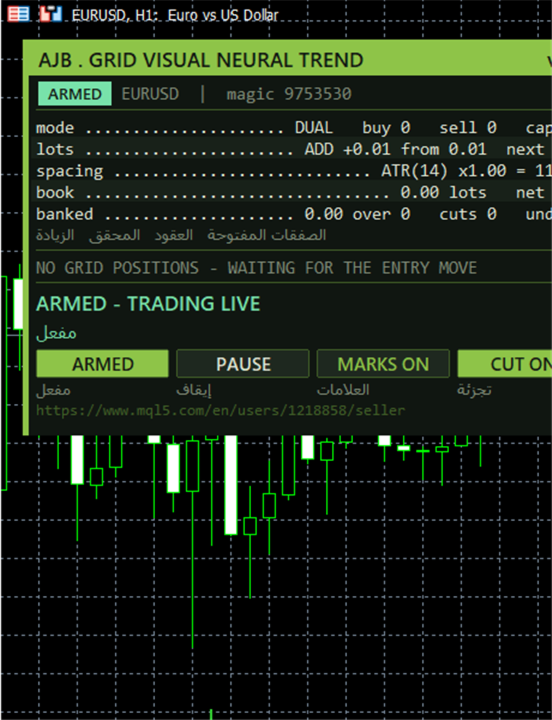
- A redesigned control panel with a selectable corner, clear grid cards and compact order tables that show how many rows you ask for.
- Chart marks for the plan and for each level, so a screenshot explains the whole situation.
- Safer execution - the EA waits out closed markets instead of halting, resumes by itself after a pause, drops a plan if the book changes while it is being sent, and double checks every closure against the deal history.
- Hedge integrity repair - if one leg of the optional hedge cycle is ever missing, the EA restores balance automatically or follows the action you choose.
- Fixed spacing logic - the step now falls back gracefully to the last good reading if the volatility data is not available.
Why a learning signal
Markets change character. A fixed rule that suits last month can feel wrong today. A network that retrains on a rolling window follows the character of the market it is attached to, and the threshold input lets you decide how decisive it must be before any money is risked. You see only the outcome: a clean arrow of intent on the chart and a panel that explains it.
Settings guide: the ones you will touch first
- Inputs - past returns fed to the network - how many recent returns the network looks at.
- Training window, bars - how much history it learns from.
- Learning rate - how quickly it adapts; lower is steadier, higher is quicker.
- Training passes over the window - how many times it studies the window before each reading.
- Minimum output magnitude to accept - the confidence threshold; raise it for fewer, more selective cycles.
- What arms the first level - the strategy only, distance only, or both together.
- Signal bar - 1 means the last closed bar, so nothing repaints.
- A signal stays valid for N bars - how long a reading can wait for its grid to start; 0 means its own bar only.
- Let the strategy arm BUY cycles / SELL cycles - permit one direction or both.
- Invert the strategy direction - flips every reading.
- Run mode - scan only (nothing is traded) or armed (trades for real).
- Starting lot - the first level size.
Settings guide: the grid
- Trade mode - single grid, or dual grid with independent BUY and SELL grids.
- Grid space between levels, points and Spacing multiplier per level - the distance for fixed spacing, and how it widens deeper in the grid.
- Maximum levels per grid - the depth limit.
- An up move arms the BUY side - which side an upward reading belongs to.
- Magic number for the grid orders and Comment written on the grid orders - identity and label of the orders.
- At most one new level per bar - stops a spike from stacking levels.
- Spacing mode - fixed points, or ATR to follow volatility.
- ATR timeframe, ATR period, Spacing = ATR x this, ATR bar shift - how volatility is measured and turned into a step.
- ATR spacing floor and ceiling, points - smallest and largest step; 0 turns a limit off.
- Freeze the ATR spacing for the whole cycle - keeps the step constant once started.
Settings guide: lots
- Lot sizing mode - multiply or additive.
- Multiply mode factor and Additive mode step - the growth per level in each mode; an additive step of 0 reuses the starting lot.
- Maximum lot for any single order - a hard ceiling.
- Scale the lot with the account balance, Reference balance for the starting lot and Allow scaling down below the starting lot - optional automatic lot growth, and whether it may also shrink.
Settings guide: profit and the closer
- Desired profit per closure and Final profit multiplier (1.00 - 2.00) - the money a closure must earn, and a final adjustment on top.
- Profit target mode - fixed, or scaled with lots and depth.
- Scaled: volume exponent, extra target per extra open level, ceiling as a multiple of the base, safety cap as a fraction of one grid step - the four controls of scaled mode.
- Scan multi-order combinations, Max first (oldest) orders, Max latest (newest) orders - how wide the closer searches.
- How to rank qualifying combinations - most orders, most money or most margin freed.
- A combo must also clear the plain pair target, Latest volume must exceed first volume, Minimum closing/target volume ratio - quality filters for every group.
- Buy a slice of the oldest order, Profit weight per closing lot, Smallest slice as a percent of the target, Let several latest orders club together, Always take a full closure over a slice - the partial-close controls.
- Stop a closure that would immediately reopen a level with its Safe distance fraction - the reopen guard, in off, safe distance or strict form.
Settings guide: protection and execution
- Block new levels under this margin level percent and over this floating loss percent of balance - optional brakes; 0 means off.
- Absolute cap on grid orders per side - the last line of defence.
- Leg send order - oldest first, or winning leg first to release margin.
- Maximum slippage, Block trading above this spread, Minimum seconds between two closures - execution discipline.
- Send attempts per leg and Keep verifying a stuck leg for N seconds - persistence on slow servers.
- Market closed means wait, Retry a leg only every N seconds, Clear a halt automatically after N seconds - calm behaviour around closed sessions.
- Abort the plan if a leg changed between scan and send - protection against stale plans.
- Count commission for both sides and Commission per lot fallback - honest profit targets; 0 reads history.
- Comment written on the closing deals - closure label.
Settings guide: the optional hedge cycle
- Enable the hedge cycle - off by default.
- Symbols to hedge on, How to pick the next cycle symbol, Strategy Tester only: cap the rotation - which symbols take part and how they rotate.
- Lots on each side of the perfect hedge and Lots retired from each side per slice - pair size and retirement step.
- Trader bonus on top of the slice cost, Bonus is a percent, Hard cap in money on one surcharge, Safety max percent raise - the surcharge and its two limits.
- Magic for the hedge legs - must differ from the grid.
- Open a fresh cycle when one finishes, Wait for the grid to open something first - cycle rhythm.
- Re-verify both legs every N seconds, Repair a naked leg automatically, What to do about a naked leg (re-hedge, close the orphan, halt) - integrity.
- Hedge spread block, slippage, send attempts, verification timeout, commission fallback, order comment - execution details for hedge orders.
Settings guide: cash day, panel and logging
- Weekly cash day, Banking day, Server hour after which no new slice is fired - pause new cycles and slices before a planned withdrawal.
- Show the panel, Panel X / Y offset, Base font size, Panel corner - placement and size.
- Show the Arabic line, Draw the plan and the levels on the chart, Max order rows shown per grid - extra display options.
- Verbose logging - detailed Experts journal output.
Before you go live
Run the free Strategy Tester first, then a demo account, and keep the starting lot small. Grid trading carries risk, and no signal is perfect, so choose a size your account can carry comfortably. The defaults are intentionally gentle, and every protection is a setting you control.