ICT Setup Finder
- 지표
- 버전: 1.0
- 활성화: 5

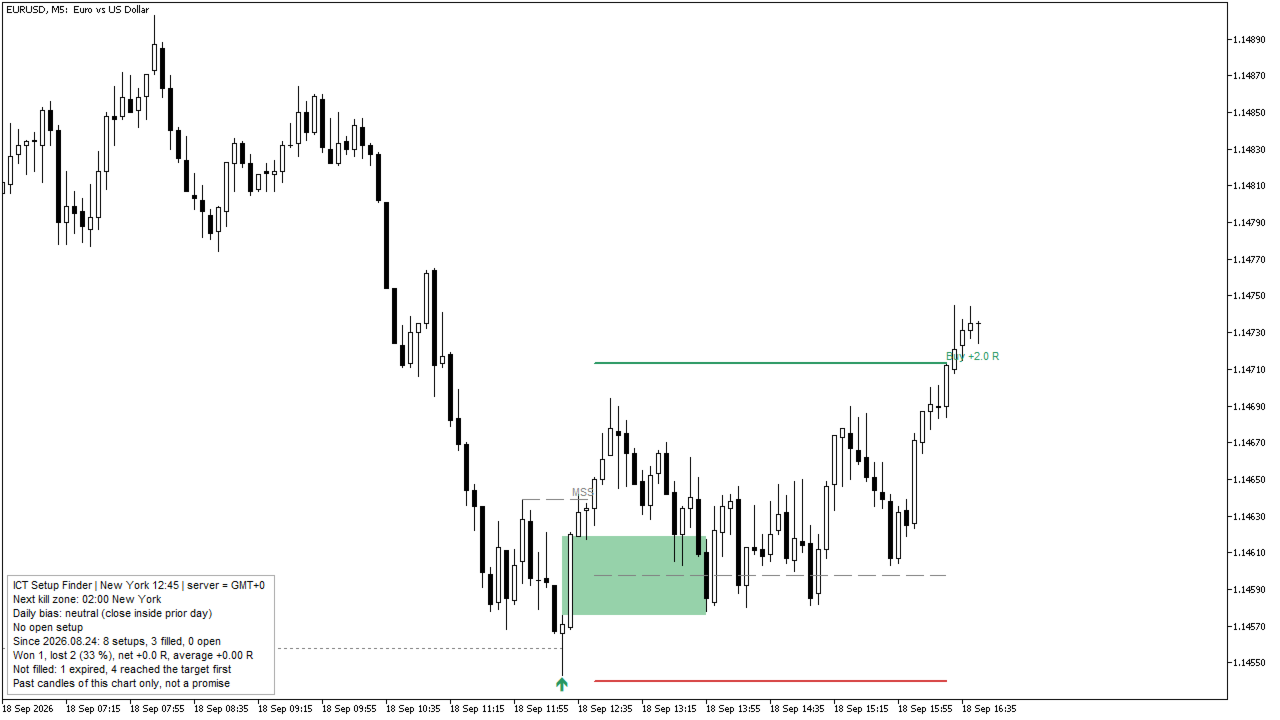
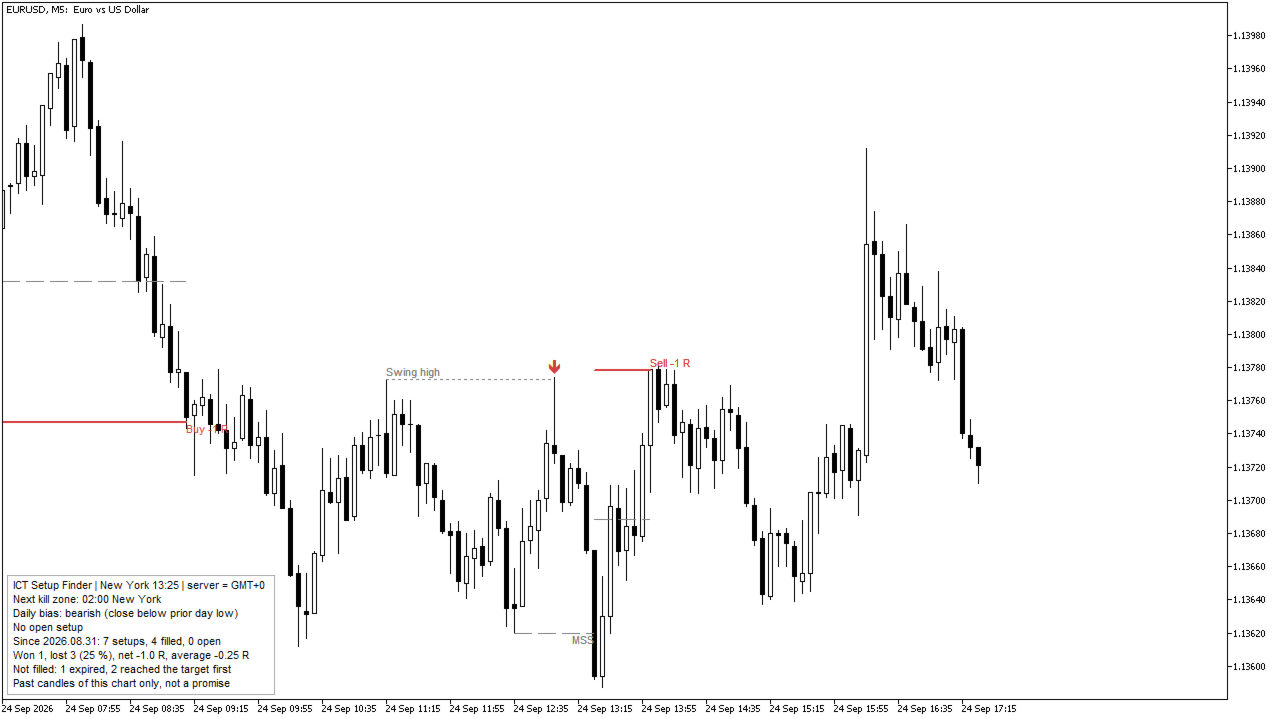
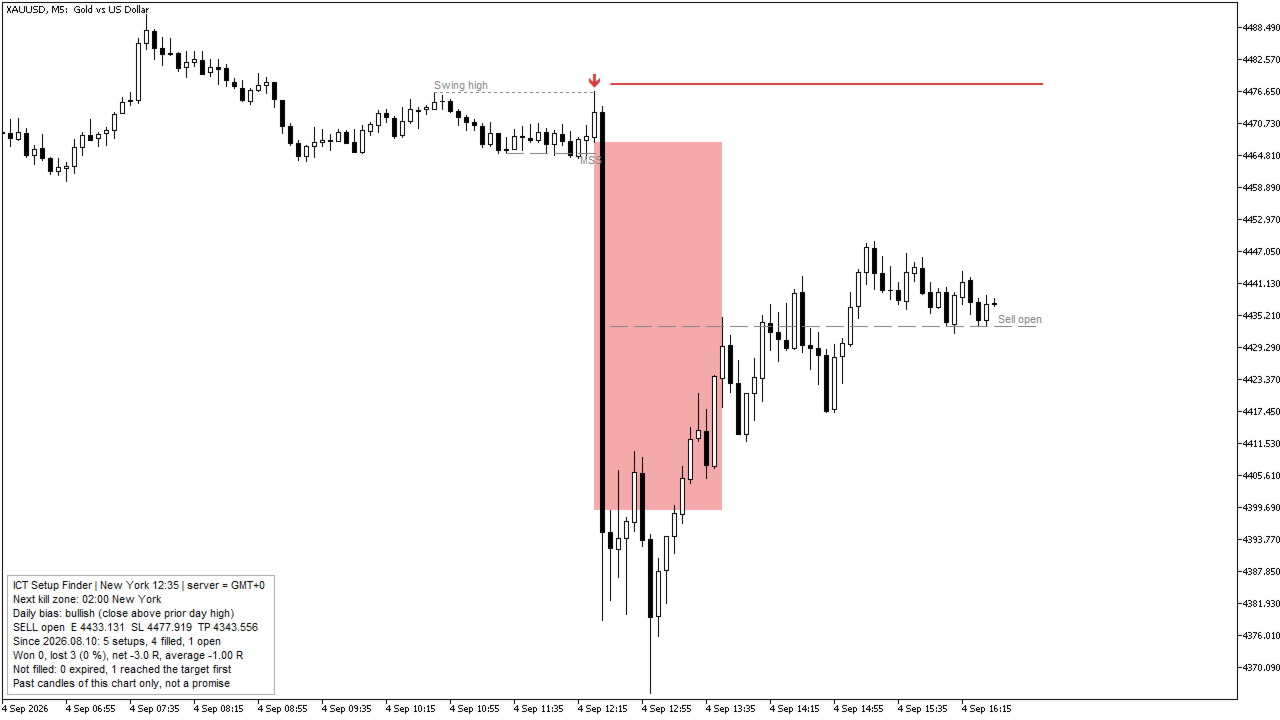
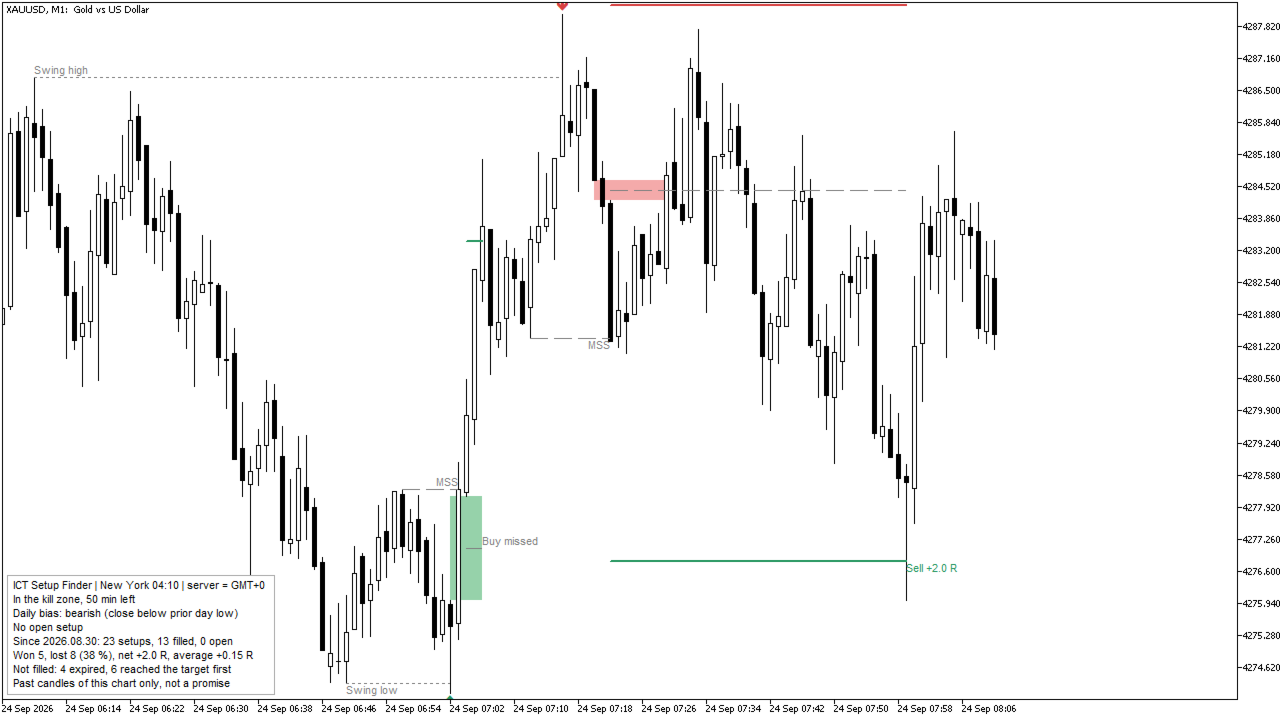
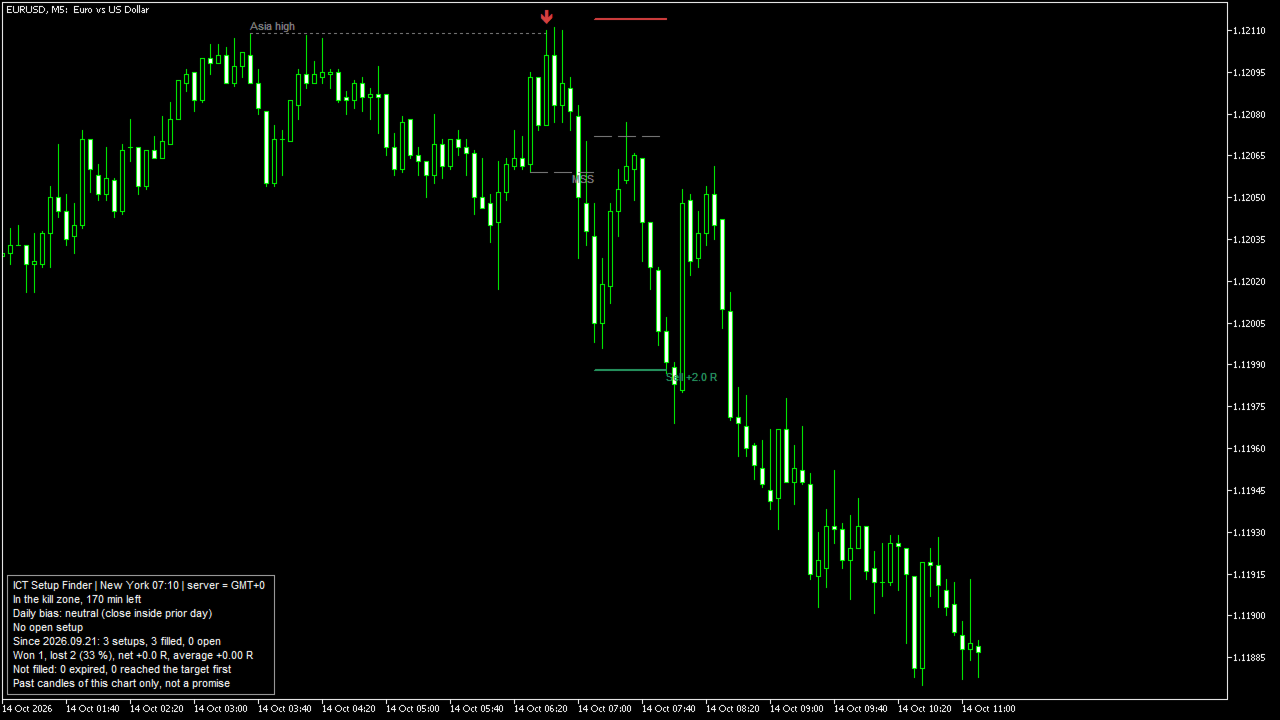
ICT Setup Finder looks for one complete trade idea from the ICT teaching and marks it on the chart when it is ready: a liquidity sweep, then a market structure shift with displacement, then a fair value gap to enter in. For every setup it gives an entry, a stop and a target, follows what price did afterwards, and counts the results of the past setups on a small panel.
Everything is decided on closed candles. A setup that has appeared does not change and does not disappear later. The indicator draws and calculates only; it does not trade.
The rules
- Liquidity levels (each type can be switched off):
- previous trading day high and low (the day runs from 17:00 to 17:00 New York time, so the Sunday evening belongs to Monday);
- Asian session high and low (20:00 - 00:00 New York, charts up to H1);
- swing highs and lows (a high above the highs of N candles on each side; the 20 newest that price has not traded through).
- Sweep. A candle trades through a level and closes back inside (below a high, above a low). If it closes beyond the level, the level is simply broken and nothing starts. When one candle sweeps several levels, the highest high or lowest low counts.
- Market structure shift (MSS). Within the next 10 candles (input) a candle closes beyond the newest small swing that formed before the sweep, in the opposite direction, and the move from the sweep to that close contains a displacement candle: a body of at least 1.5 times the average body of the 10 candles before it (input) and at least 60 % of its own range (input). If a candle closes beyond the swept level before that, the setup is cancelled.
- Fair value gap (FVG). The newest three-candle gap of that move in the direction of the setup, at least 0.1 x ATR(14) high (input), complete at the latest 2 candles after the shift, and not yet visited by price. If price trades beyond the sweep extreme first, the setup is cancelled.
- Optional filters: sell only in the upper half and buy only in the lower half of the range from the sweep to now (premium / discount); only setups in the direction of the daily bias (yesterday closed above the high or below the low of the day before).
- Time filter (New York time): the shift must happen inside a kill zone (London 02:00 - 05:00, New York 07:00 - 10:00; default), inside a Silver Bullet window (03:00 - 04:00, 10:00 - 11:00, 14:00 - 15:00), or at any time. The sweep itself may come a few candles earlier. Kill zones work on charts up to H1, Silver Bullet up to M15. On higher charts the filter is off, and the panel says so.
- Entry at 50 % of the gap (or at its near edge). Stop beyond the sweep extreme plus a buffer of 0.1 x ATR(14) (input). Target at 2 x the risk (input), or at the nearest opposing liquidity level that is at least that far away.
- Result, checked on the next closed candles: filled when price reaches the entry; won at the target; lost at the stop. When the stop and the target are in the same candle, or the stop is in the filling candle, the setup counts as lost, because the order of prices inside a candle is not known. A target reached in the filling candle itself is not counted, and the setup stays open. No fill within 20 candles (input): expired. Target reached before the entry: missed (not traded).
On the chart
- Per setup: the swept level, the sweep arrow, the shift line, the gap box (until price comes back to the entry), entry, stop and target lines, and the result label. Hover an object to see its price.
- Open setups and the newest 3 finished setups (input) are shown, so the chart stays readable. Everything has its own names and is removed when the indicator is removed.
Panel
- New York time and the broker clock in use, the time window, the daily bias, the open setup with its prices.
- Statistics of the past setups on the candles of this chart since the date shown: setups, filled, won, lost, net result in R and average R, setups that expired or were missed.
- These numbers describe past candles of one chart with the settings in use. They depend on symbol, time frame, broker data and settings, and they say nothing about the future. Change a setting and the numbers change; check them on your own symbols before you rely on a setup.
Time handling
- The broker server time is converted to New York time with US summer time, so the windows stay at the same New York hours all year.
- Clock (input): Auto (the offset is read from the terminal), New York + 7 hours (GMT+2 / GMT+3 servers), European summer time dates, or a fixed GMT offset. The panel shows which one is used.
- In the Strategy Tester there is no real GMT clock. The indicator reads the server offset from the Friday closes of the chart (the market closes at 17:00 New York). This works on charts up to H4.
Alerts (when a candle closes)
- Setup ready (on by default), entry reached, target or stop reached.
- Pop-up, push notification and e-mail (push and e-mail off by default).
- Alerts and drawing only happen on a chart. A copy that an Expert Advisor loads through iCustom draws nothing and gives no alerts.
For Expert Advisors (iCustom, not drawn, EMPTY_VALUE = none)
| Buffer | Content |
|---|---|
| 0 | Setup ready: +1 buy, -1 sell, on the candle where it became ready |
| 1 | Entry reached: +1 buy, -1 sell, on that candle |
| 2 | Entry of the newest setup |
| 3 | Stop of the newest setup |
| 4 | Target of the newest setup |
| 5 | State of the newest setup: 1 ready, 2 filled, 3 won, 4 lost, 5 expired, 6 missed |
| 6 | Top of the newest FVG |
| 7 | Bottom of the newest FVG |
Read candle 1 (the last closed candle):
int h = iCustom(_Symbol, _Period, "Market\\ICT Setup Finder"); double ready[]; if(CopyBuffer(h, 0, 1, 1, ready) == 1 && ready[0] != EMPTY_VALUE) { /* a setup became ready on the last closed candle: +1 buy, -1 sell */ }
To pass inputs to iCustom, give them in the order of the inputs window. Each group heading ("Time filter (New York time)", "Liquidity", "Setup", and so on) also counts as one string parameter.
Inputs
- Time filter: window (kill zones, Silver Bullet, any time), broker clock, fixed GMT offset.
- Liquidity: previous day, Asian session, swings, swing size.
- Setup: structure swing size, candles from sweep to shift, displacement (body x average body, body share of range), minimum gap size, premium / discount filter, daily bias filter.
- Entry, stop and target: entry (50 % or near edge), stop buffer, target (fixed reward or opposing liquidity), reward in R, candles to wait for the entry.
- Chart: candles to scan (50000 by default), finished setups shown, panel and its corner, colours.
- Alerts: setup ready, entry reached, target or stop, push, e-mail.
If a number is out of range, the indicator does not start and writes a message in the Experts journal.
Limits
- It is a tool to find and follow one pattern. It does not predict price and does not trade. Most patterns of this kind do not work out every time; the statistics panel shows how often they did on your chart.
- The result of a setup is judged on closed candles only. It does not know what happened inside a candle, and it does not include spread, commission or slippage.
- The calculation covers the number of candles set in the inputs (50000 by default). After a restart of the terminal the first setups of that range can differ, because the levels formed before it are not known.
- The panel statistics start at the first scanned candle; on a chart with little history they contain few setups.
Version history
- 1.00: first release.