Trade Assistant Fx
- 유틸리티
-
Jawad Ali Shah Ali
 Trader | EA & Utility Developer specializing in Forex, Crypto, Stocks, Algorithmic Trading, and Automated Trading Solutions. Focused on smart trading strategies, market analysis, and risk management.
 - 버전: 3.11
- 활성화: 5
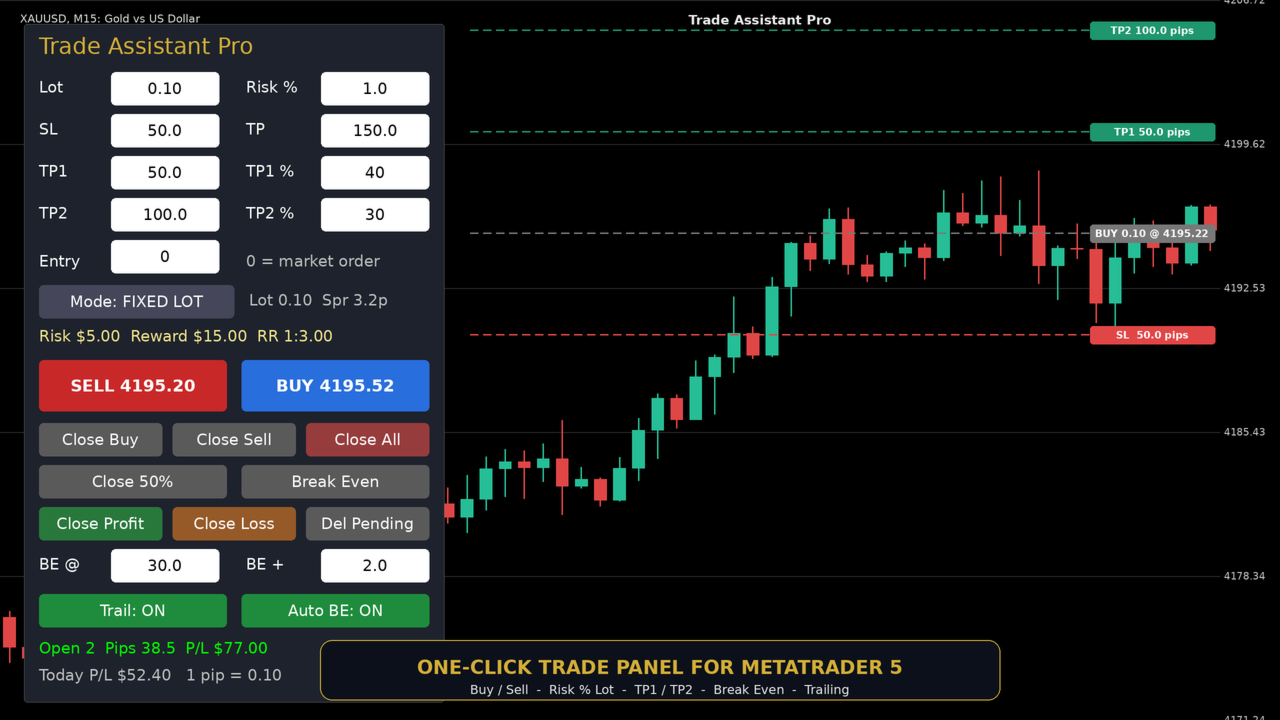
Trade Assistant Pro - One-Click Trade Panel for MetaTrader 5
Trade Assistant Pro is a professional on-chart trading panel that lets you open, manage and close trades in one click. Everything is calculated in PIPS, with automatic lot sizing, live Risk/Reward display and smart trade management, so you can execute fast and stay disciplined.
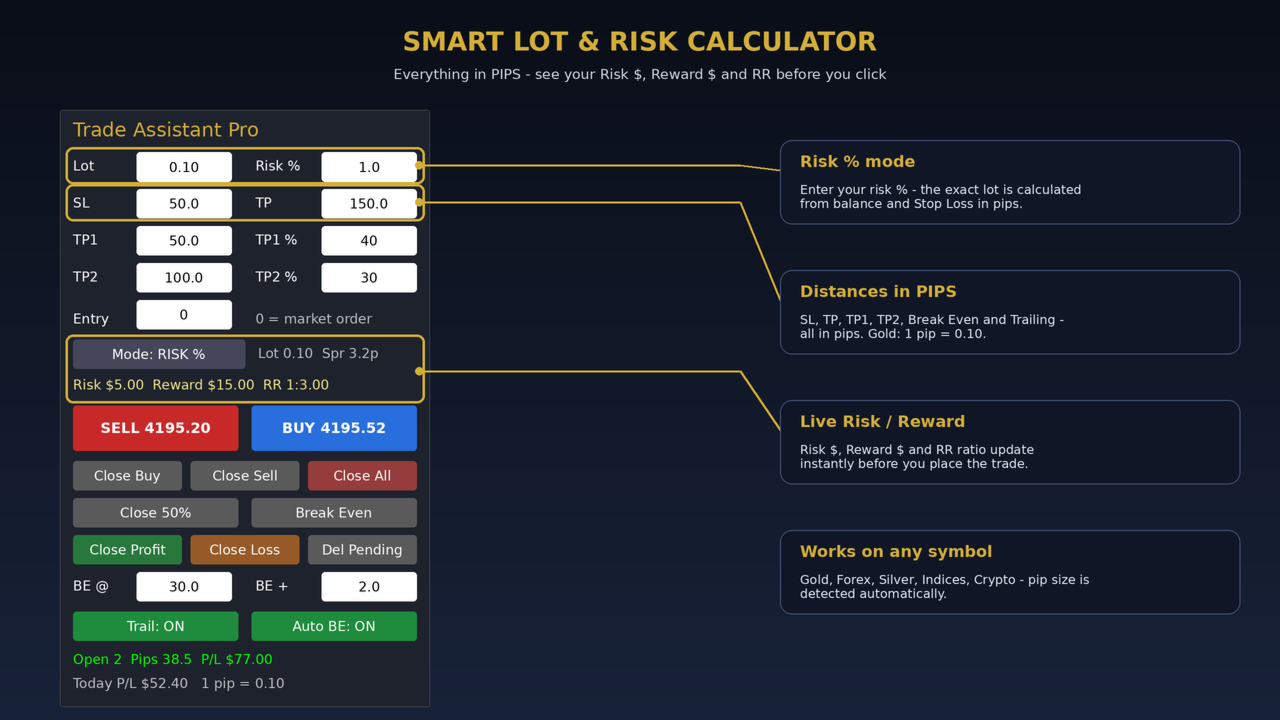
Works on every symbol: Gold (XAUUSD), Forex pairs, Silver, Indices and Crypto. Pip size is detected automatically (Gold: 1 pip = 0.10) and can be overridden in the inputs.
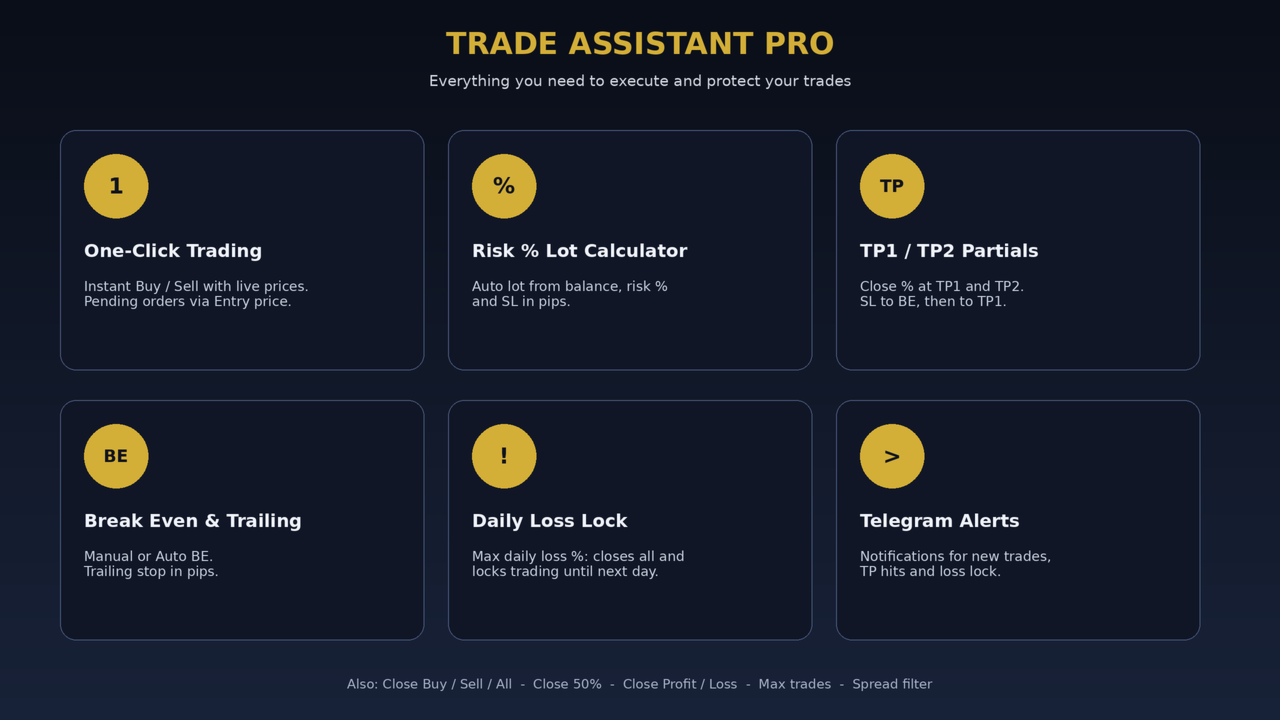
KEY FEATURES
One-Click Trading
- Instant BUY / SELL with live Bid and Ask prices on the buttons
- Pending orders: type an Entry price and the panel automatically places Buy Limit, Buy Stop, Sell Limit or Sell Stop
Smart Lot Calculator
- Fixed Lot mode or Risk % mode
- Risk % mode calculates the exact lot from your balance, risk % and Stop Loss in pips
- Live display of Risk $, Reward $ and Risk/Reward ratio before you click
Take Profit Management
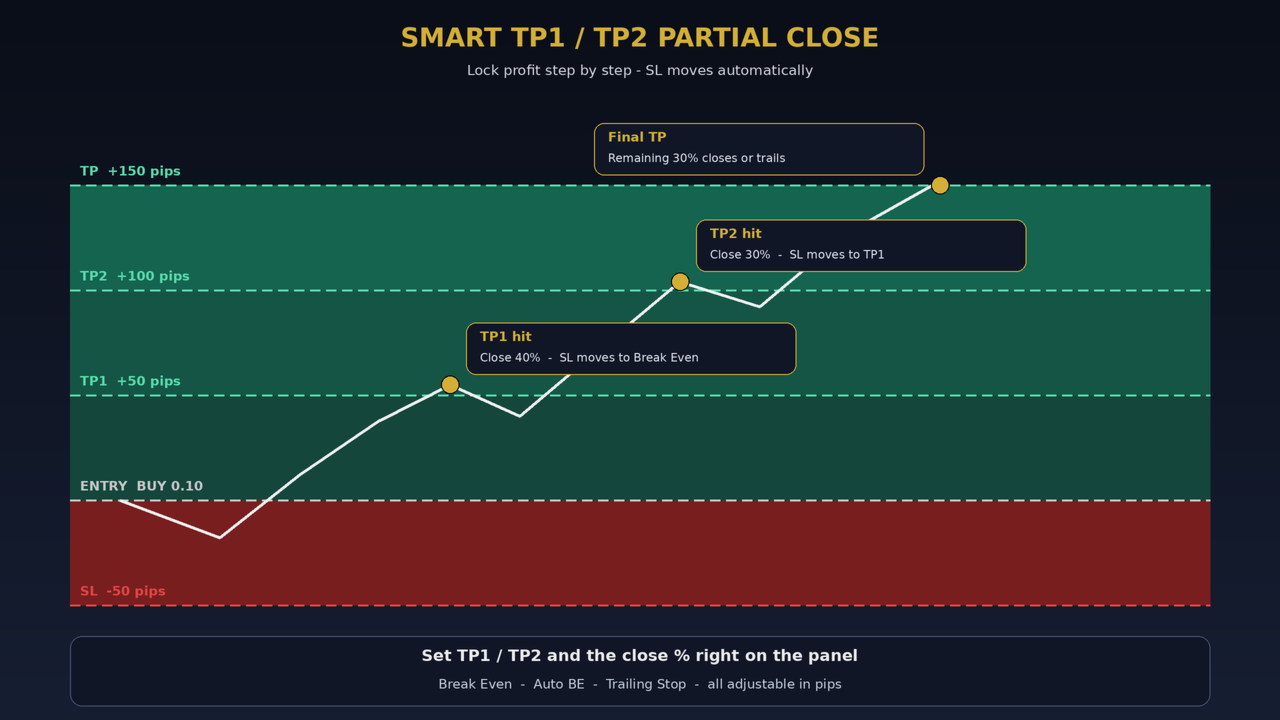
- Set SL, final TP, TP1 and TP2 directly on the panel (all in pips)
- TP1: closes a % of the position and moves Stop Loss to Break Even
- TP2: closes another % and moves Stop Loss to TP1
- The remaining lot runs to the final TP or trails
Break Even and Trailing Stop
- Manual Break Even button
- Auto Break Even with adjustable trigger and lock-in offset (pips)
- Trailing Stop with start, distance and step (pips)
Quick Close Tools
- Close Buy / Close Sell / Close All
- Close 50% (partial close)
- Close Profit (only winning trades) / Close Loss (only losing trades)
- Delete all pending orders
Account Protection
- Max Daily Loss %: when the limit is hit, all trades are closed, pendings are deleted and trading is locked until the next day
- Max open trades limit
- Max spread filter (in pips)
Live Information
- Open trades, total pips and floating P/L
- Today's P/L
- Current spread in pips
Telegram Alerts (optional)
- Get notifications for new trades, TP1/TP2 hits and daily loss lock
- Enter your Bot Token and Chat ID in the inputs
HOW TO USE
1. Attach Trade Assistant Pro to any chart.
2. Make sure Algo Trading is enabled.
3. Enter your SL / TP / TP1 / TP2 in pips, choose Fixed Lot or Risk % mode.
4. Click BUY or SELL. The panel does the rest.
For Telegram alerts: Tools > Options > Expert Advisors > tick "Allow WebRequest for listed URL" and add https://api.telegram.org
INPUT PARAMETERS
- Lot, Risk %, SL, TP, TP1, TP1 %, TP2, TP2 % - panel defaults
- Break Even trigger / offset, Trailing start / distance / step (pips)
- Pip size - 0 = automatic detection
- Max daily loss %, Max open trades, Max spread
- Telegram Bot Token and Chat ID
- Magic number, Slippage, Panel position (X / Y)
NOTES
- This is a trade management tool. It does not open trades by itself and does not guarantee profit.
- Test on a demo account first. Use the free Demo version in the Strategy Tester to check the panel.
- Trading carries a high level of risk. Never risk money you cannot afford to lose.