Apex Break EA
- Experts
- 버전: 1.0
- 활성화: 5

[b]ApexBreak EA — Range Breakout EA with Trend & News Filters[/b]
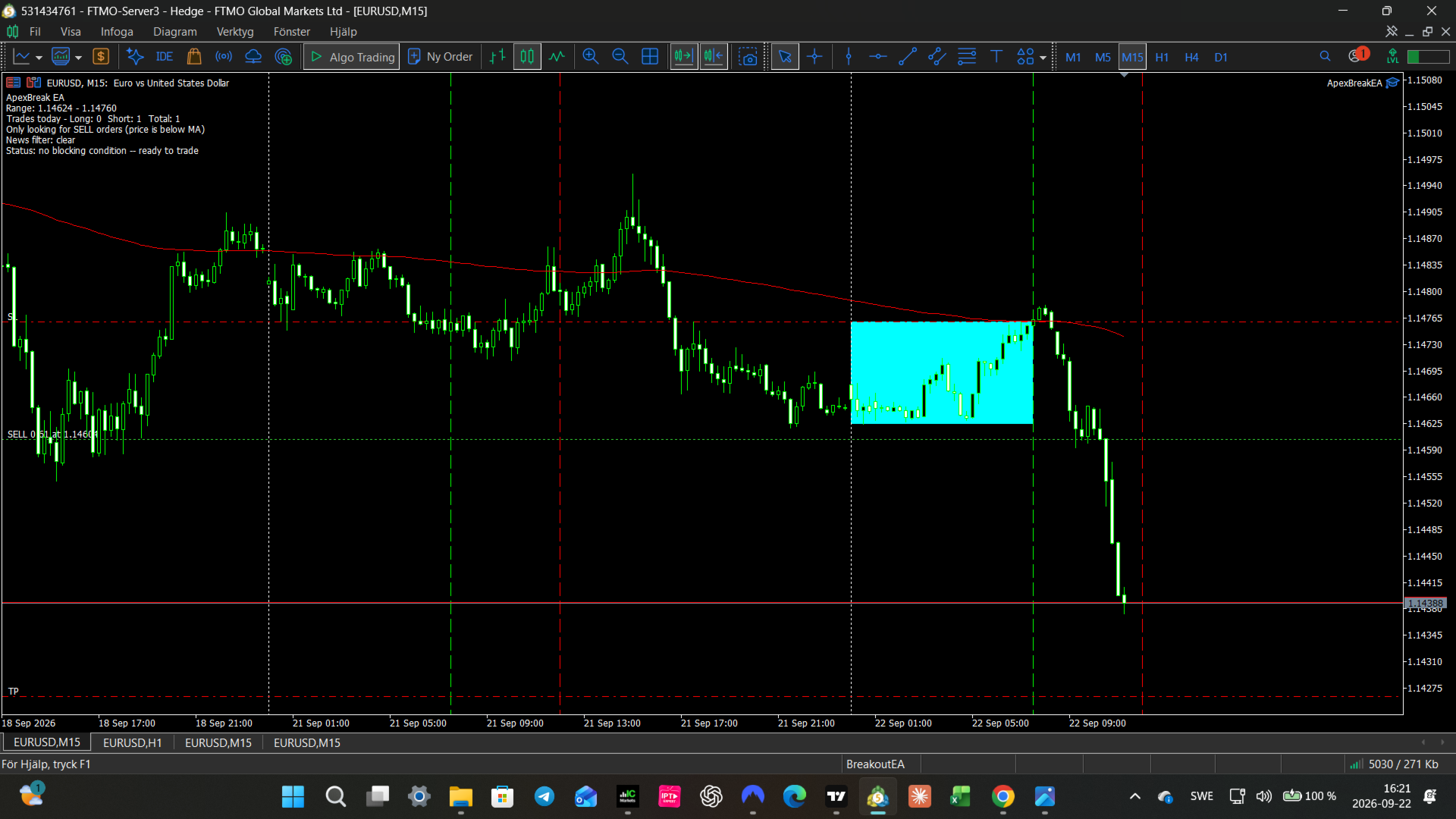
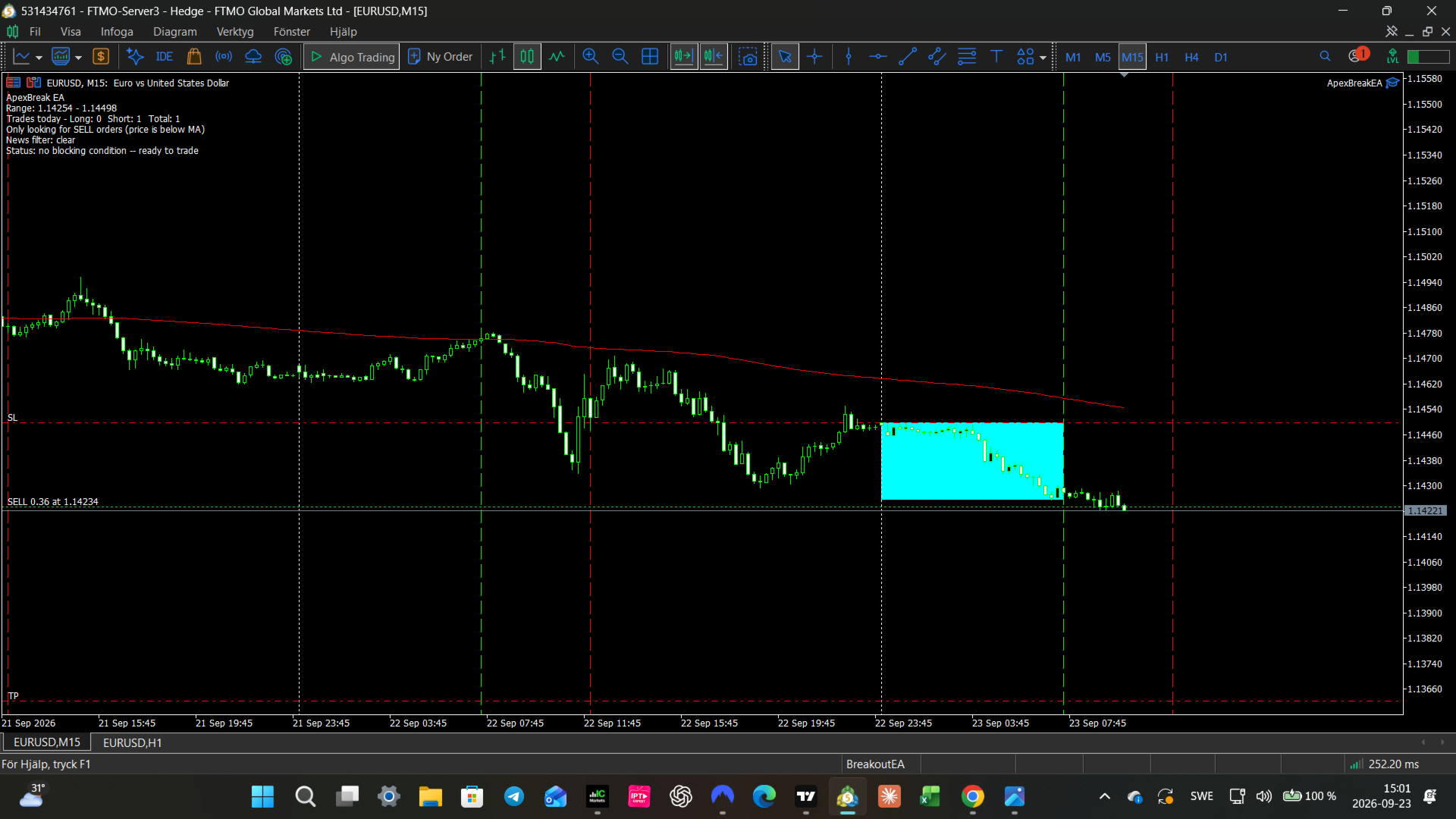
ApexBreak EA is a fully automated Expert Advisor that trades daily range breakouts. It builds a price range during a time window you define each day, then looks for a genuine breakout beyond that range — filtered by trend direction and protected against high-impact news events.
[b]Key Advantages[/b]
[list]
[*]Risk-based position sizing — every trade risks a fixed percentage of your account balance, with lot size calculated automatically from the stop-loss distance
[*]Target and Stop scale with the day's own range, instead of relying on fixed pip values that don't adapt to changing volatility
[*]Smart Stop/Limit order selection — if price has already moved past the breakout level when the order is placed (e.g. you started the EA late), it automatically switches to a Limit order and waits for a pullback instead of chasing the market
[*]Built-in trend filter using a Moving Average, so the EA avoids fighting the prevailing direction
[*]Built-in news filter using MetaTrader's own Economic Calendar (with an optional Forex Factory web feed for live/demo use), so new trades are skipped around high-impact events
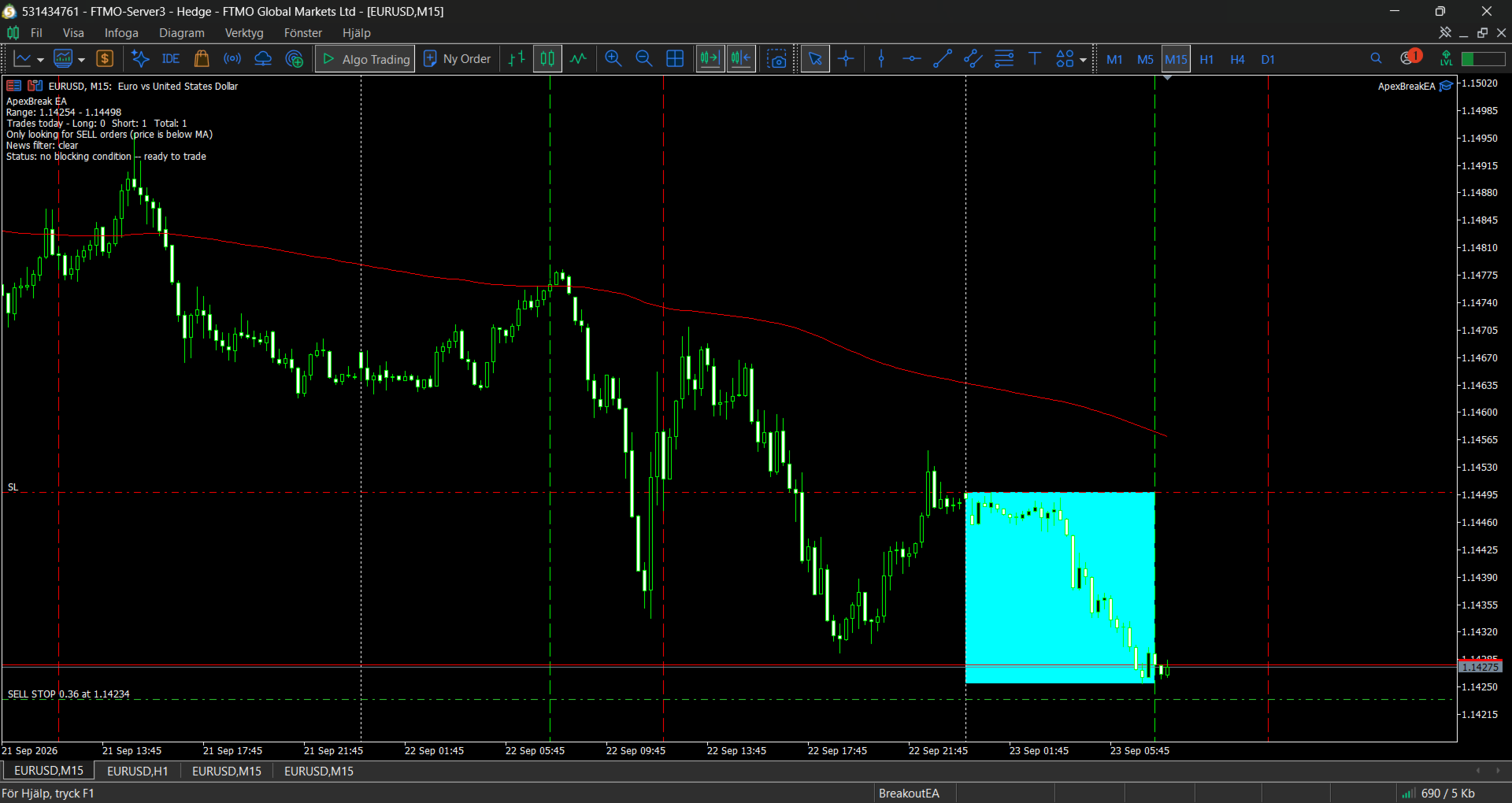
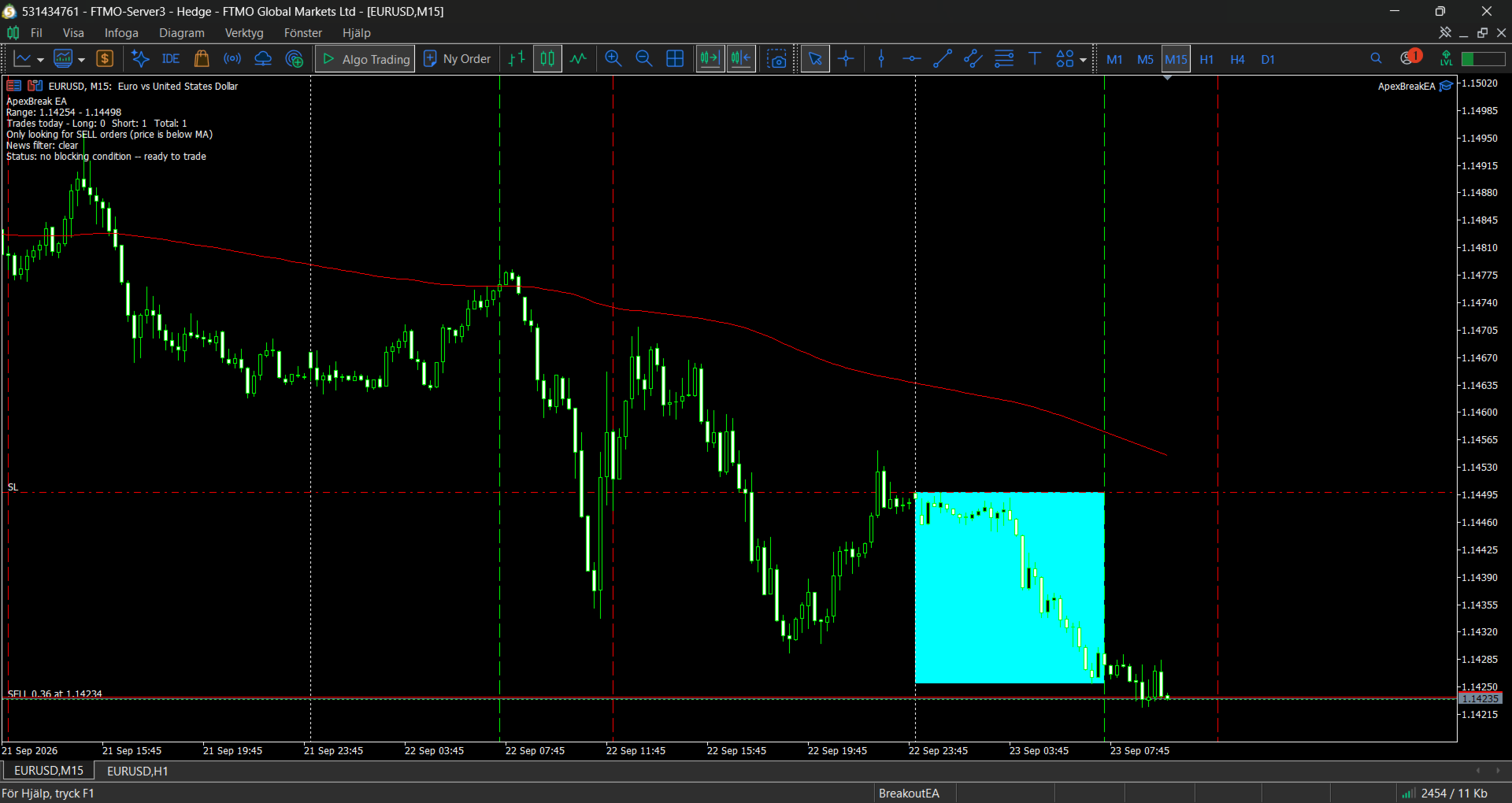
[*]Daily trading window and range are drawn directly on the chart, so you can see exactly what the EA is doing at a glance
[*]Trade alerts (popup, sound, and push notification) whenever a position opens or closes
[*]Full control over daily trade limits, with optional re-entry after a trade closes
[/list]
[b]Recommended Use[/b]
Test thoroughly in the Strategy Tester across multiple symbols, time periods, and market conditions before live or funded-account use. Default input values are a starting point, not a guaranteed-profitable configuration — always validate parameters for your own symbol and broker conditions.
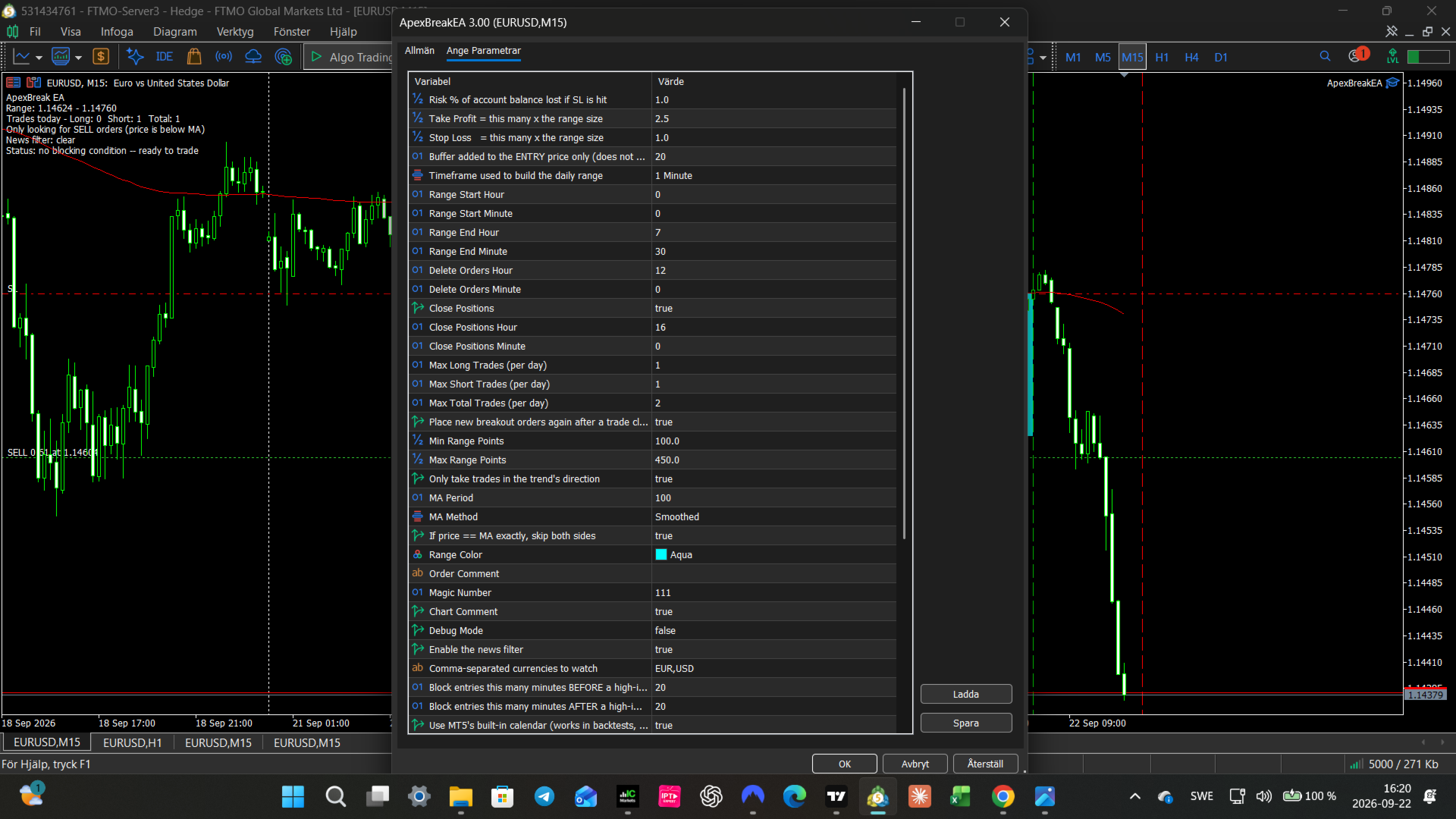
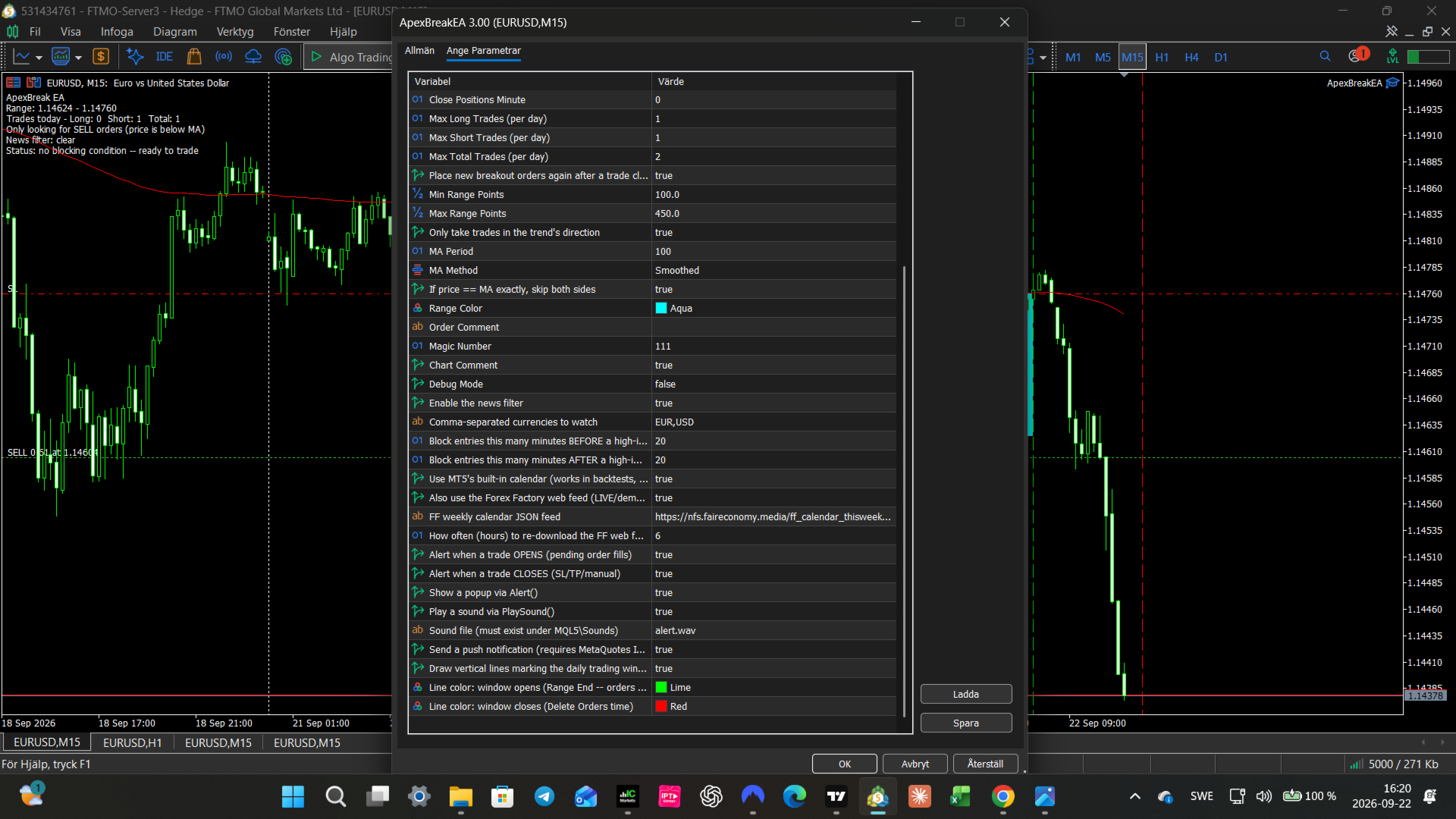
[b]Input Parameters[/b]
[u]Risk / Target / Stop[/u]
[list]
[*][b]Risk_Percentage_of_Balance[/b] — % of account balance risked on each trade if the Stop Loss is hit
[*][b]Target_Value[/b] — Take Profit distance, expressed as a multiple of the daily range size
[*][b]Stop_Value[/b] — Stop Loss distance, expressed as a multiple of the daily range size
[*][b]Order_Buffer_Points[/b] — Buffer added to the entry price only (points). Does not move the Stop Loss.
[/list]
[u]Time Settings[/u]
[list]
[*][b]Timeframe_Range_Calculation[/b] — Timeframe used to build the daily range
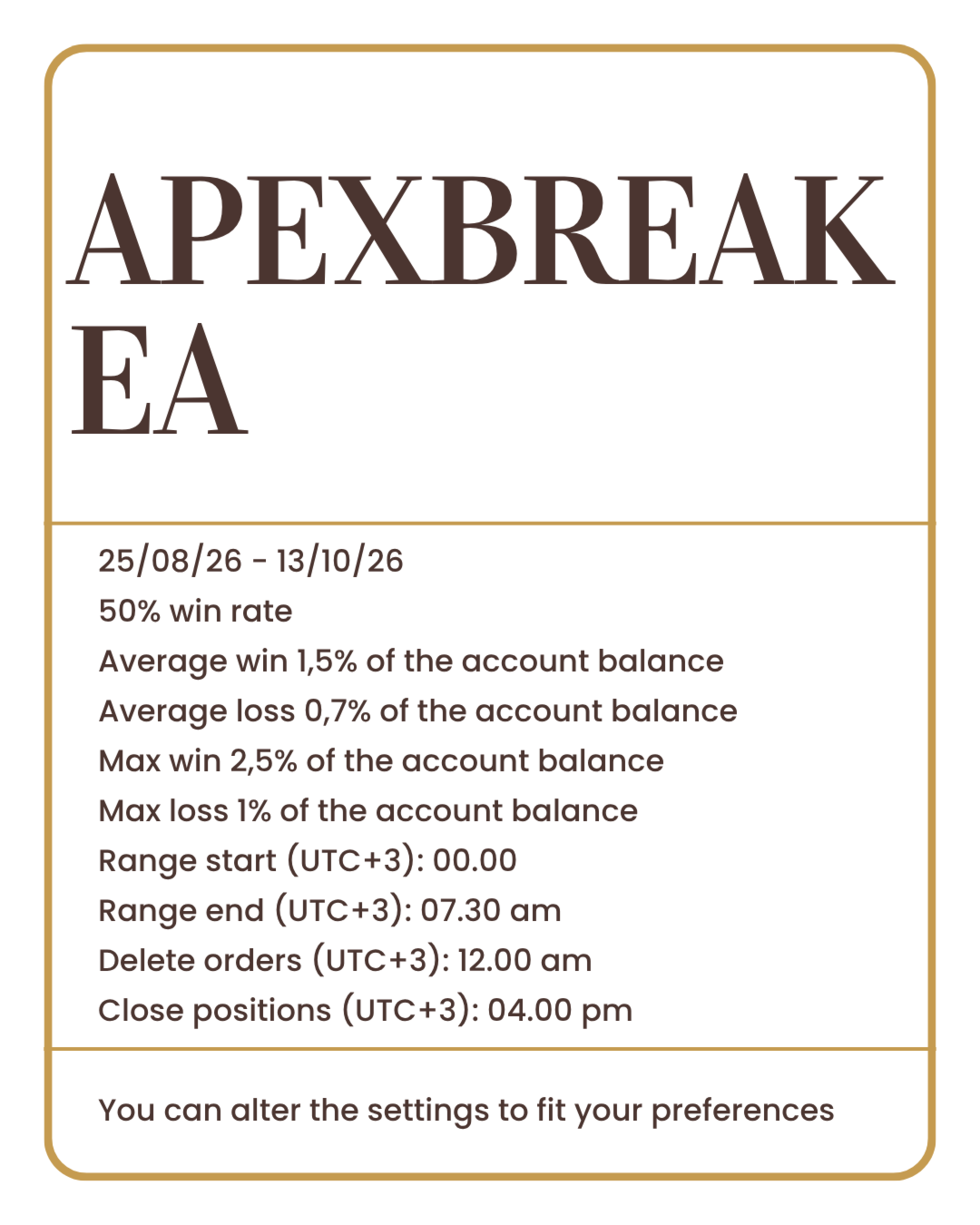
[*][b]Range_Start_Hour / Range_Start_Minute[/b] — Start of the daily range window
[*][b]Range_End_Hour / Range_End_Minute[/b] — End of the daily range window (breakout orders can be placed from this time onward)
[*][b]Delete_Orders_Hour / Delete_Orders_Minute[/b] — Time at which unfilled pending orders are removed
[*][b]Close_Positions[/b] — Enable/disable automatic closing of open positions at a set time
[*][b]Close_Positions_Hour / Close_Positions_Minute[/b] — Time at which open positions are closed
[/list]
[u]Trading Frequency[/u]
[list]
[*][b]Max_Long_Trades[/b] — Maximum number of buy trades per day
[*][b]Max_Short_Trades[/b] — Maximum number of sell trades per day
[*][b]Max_Total_Trades[/b] — Maximum total trades per day, across both directions
[*][b]Reenter_After_Trade_Closes[/b] — If enabled, the EA places a fresh pair of breakout orders after a trade closes, up to the daily limits above
[/list]
[u]Range Filter[/u]
[list]
[*][b]Min_Range_Points[/b] — Skip the day if the range is smaller than this many points
[*][b]Max_Range_Points[/b] — Skip the day if the range is larger than this many points
[/list]
[u]Trend Direction Filter (Moving Average)[/u]
[list]
[*][b]UseDirectionFilter[/b] — Enable/disable trading only in the direction of the trend
[*][b]Direction_MA_Period[/b] — Period of the Moving Average used to determine trend direction
[*][b]Direction_MA_Method[/b] — Moving Average calculation method
[*][b]BlockBothIfNoClearTrend[/b] — If price sits exactly on the MA (no clear direction), skip both buy and sell for that day
[/list]
[u]News Filter[/u]
[list]
[*][b]Use_News_Filter[/b] — Enable/disable the news filter
[*][b]News_Currencies[/b] — Comma-separated list of currencies to watch (e.g. EUR,USD)
[*][b]News_Minutes_Before / News_Minutes_After[/b] — Minutes before/after a high-impact event during which new trades are blocked
[*][b]Use_MT5_Calendar[/b] — Use MetaTrader's built-in Economic Calendar (works in backtests, if your broker provides calendar data)
[*][b]Use_ForexFactory_Web[/b] — Also check a Forex Factory web feed for the current/upcoming week (live/demo trading only, no effect in backtests)
[*][b]ForexFactory_URL[/b] — URL of the Forex Factory calendar feed
[*][b]News_Web_Refresh_Hours[/b] — How often (in hours) the web feed is re-downloaded
[/list]
[u]Trade Alerts[/u]
[list]
[*][b]Alert_On_Trade_Open / Alert_On_Trade_Close[/b] — Enable/disable alerts when a trade opens/closes
[*][b]Alert_Use_Popup[/b] — Show a popup alert
[*][b]Alert_Use_Sound[/b] — Play a sound alert
[*][b]Alert_Sound_File[/b] — Sound file to play
[*][b]Alert_Use_Push[/b] — Send a push notification to your mobile device (requires a MetaQuotes ID configured in the terminal)
[/list]
[u]Chart Display[/u]
[list]
[*][b]Draw_Trading_Window_Lines[/b] — Draw vertical lines marking when the daily trading window opens and closes
[*][b]Window_Start_Line_Color / Window_End_Line_Color[/b] — Colors for the window-open and window-close lines
[*][b]Range_Color[/b] — Color of the daily range box drawn on the chart
[*][b]Chart_Comment[/b] — Show a live status comment in the top-left corner of the chart
[/list]
[u]More Settings[/u]
[list]
[*][b]Order_Comment[/b] — Comment attached to every order placed by the EA
[*][b]Magic_Number[/b] — Unique identifier for this EA's trades (use a different number if running multiple EAs on the same account)
[*][b]Debug_Mode[/b] — Print detailed diagnostic information to the Experts log
[/list]